K2 Pro DXC2 filament sensor issues

@garrye061 @Dozi3 So far, the “no cover” approach is holding up for PLA, sort of. Occasionally i need 2 unloads to get a cut. I’m going to add in the spacer, but will probably leave the cover off. 1) less mass = less inertia on a fast moving print head. 2) I’ve been spending a lot of time looking at the heat break. The way the heat sink is designed, it will actually work better with no cover.
3rd trick probably only needed for low temp PLA, was to extend thermal compound up over the heat break (not just the copper)

All of those are just band-aids. Ultimately, I’m printing some spacers.

The spacer/shim did the trick. Just 1 mm and everything is smooth as silk. Thanks for figuring this out.

I had an issue of a filament sensor failure during a long ASA+ print last night. Luckily it happened just at the moment I looked in to check and it just put the print into pause as far as I could see. No fault flagged just stopped. I just hit the PLAY/GO button and after reheating and quick nozzle clean away it went.

So after some GOOGLE AI help this morning I have narrowed it down to a spurious filament sensor trip likely caused by overheating in the top section of the enclosure. The suggested fix is to lift the lid by 50mm and provide some ventilation hence the link attached below.

This sounds like a reasonable solution given as we know hot air rises so it is fair to assume that the temperature at the top of the enclosure is significantly hotter than the bottom (anybody who has been in a ceiling could vouch for that) The other advantage of the lid riser is that it will allow the PTFE tubing running to the extruder to be better arranged ie: not scraping the lid and a softer curve to the extruder.

So I am printing out this riser as I type with a 10mm wedge in the back of lid to hold it open and after 2 hrs the temp of the chamber remains constant @50deg but hopefully considerably cooler at the print head.

Update — current configuration, remaining DXC2 symptoms and next tests

First off, thanks to everyone who has contributed ideas and test results in this thread. Also apologies I have not been as active on this as before — work has been busy, so I have been testing in smaller chunks rather than updating as often.

I’m still chasing this, and I’m now fairly convinced this is not one single DXC2 fault. It looks more like several small thermal and mechanical margins stacking together:

  • rear DXC2 cavity heat soak;

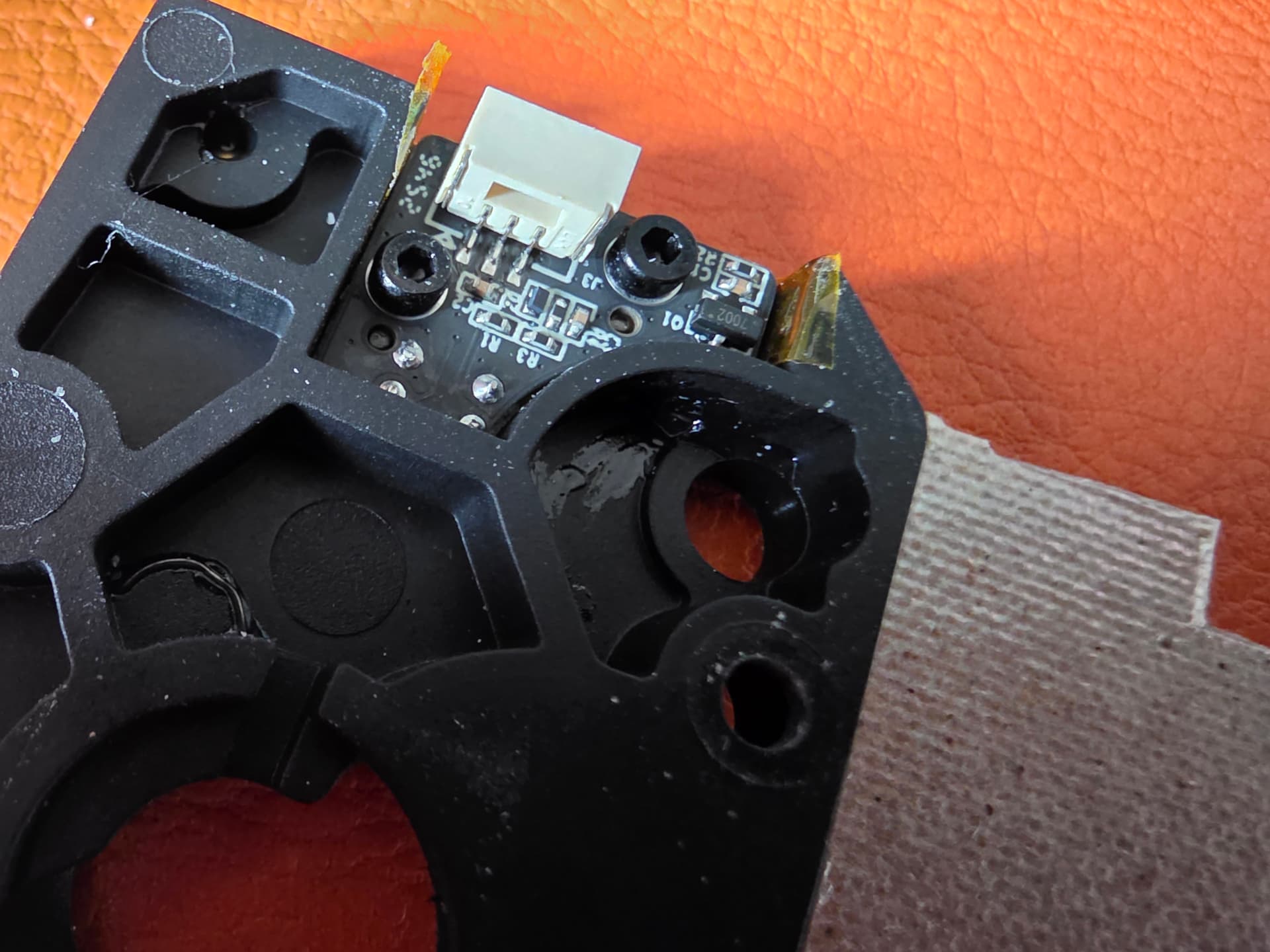
  • filament sensor heat exposure;

  • Bowden path / entry-angle drag;

  • cutter travel or cut quality being marginal;

  • CF filament biting into the extruder gears;

  • possible adhesive/grease/resin-like material softening around the rear of the DXC2.

Current setup / modifications fitted

Current setup now includes:

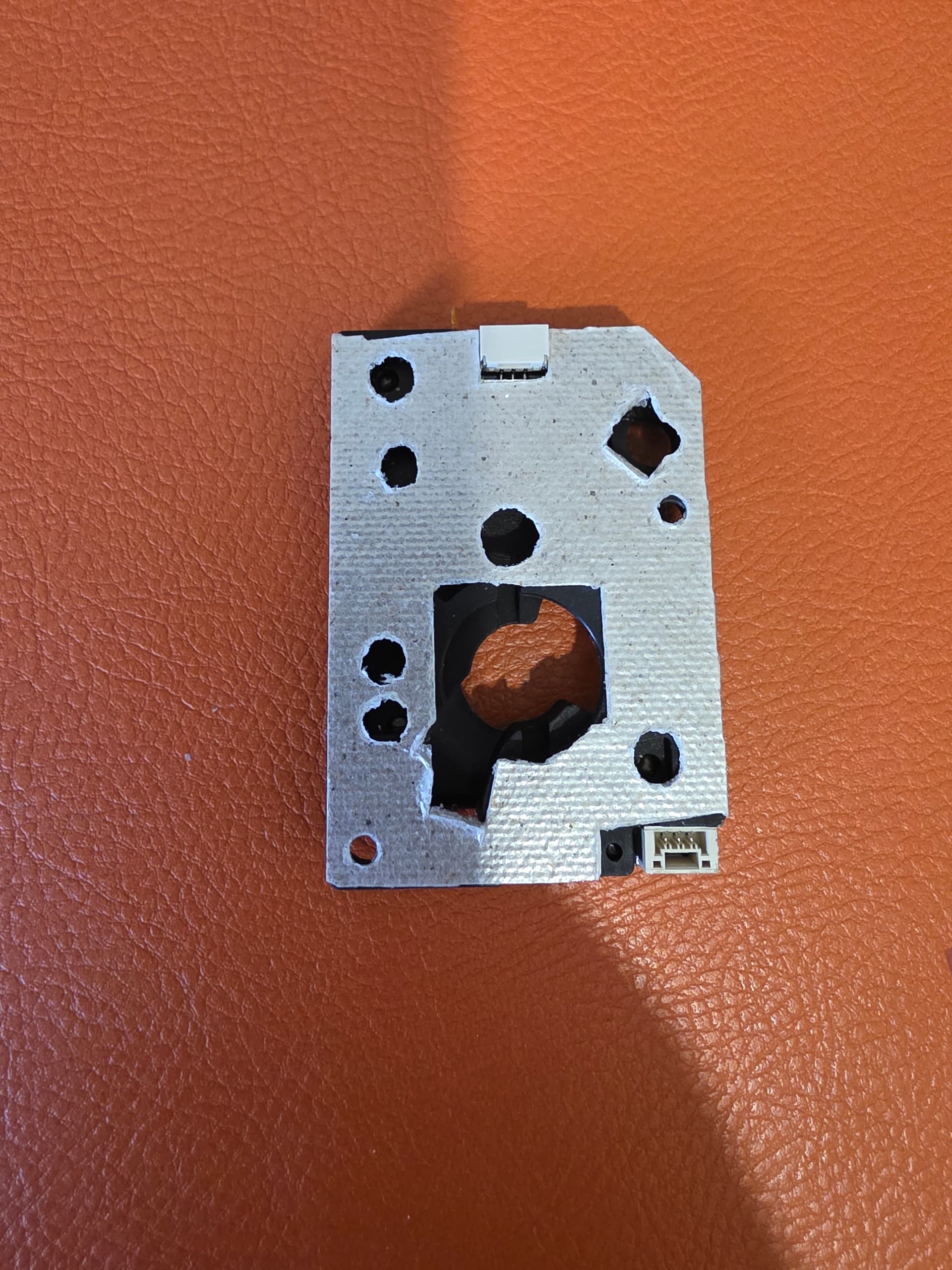
  • mica paper thermal barrier between the extruder motor and the extruder body.

The major practical finding for me is that the Bowden path and the way it enters the extruder make a massive difference. I would not treat this as a minor routing detail. The entry angle seems to directly affect feed resistance, unload reliability, and how close the cutter/CFS system is to failing.

Filament sensor / rear DXC2 heat

The filament sensor behaviour is still much better than it was originally.

Before the changes I had:

  • filament sensor stuck on;

  • LED brightness changing randomly;

  • false detection;

  • intermittent detection;

  • no filament present but the machine still thinking filament was loaded.

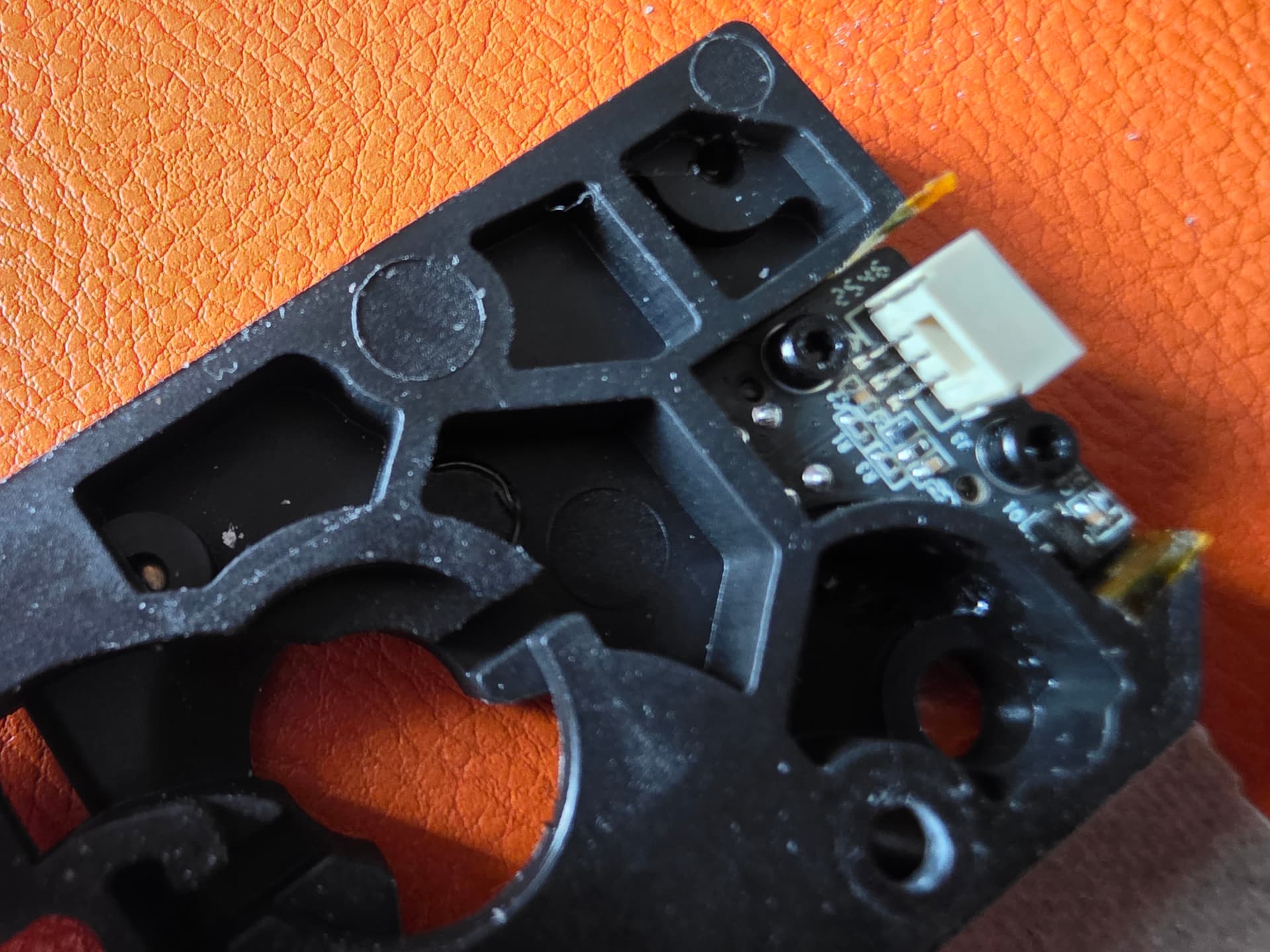
After replacing/refitting the sensor, adding Kapton insulation, adding the mica paper between the motor and extruder body, changing the rear cover, and improving the Bowden route, the sensor behaviour is much more stable.

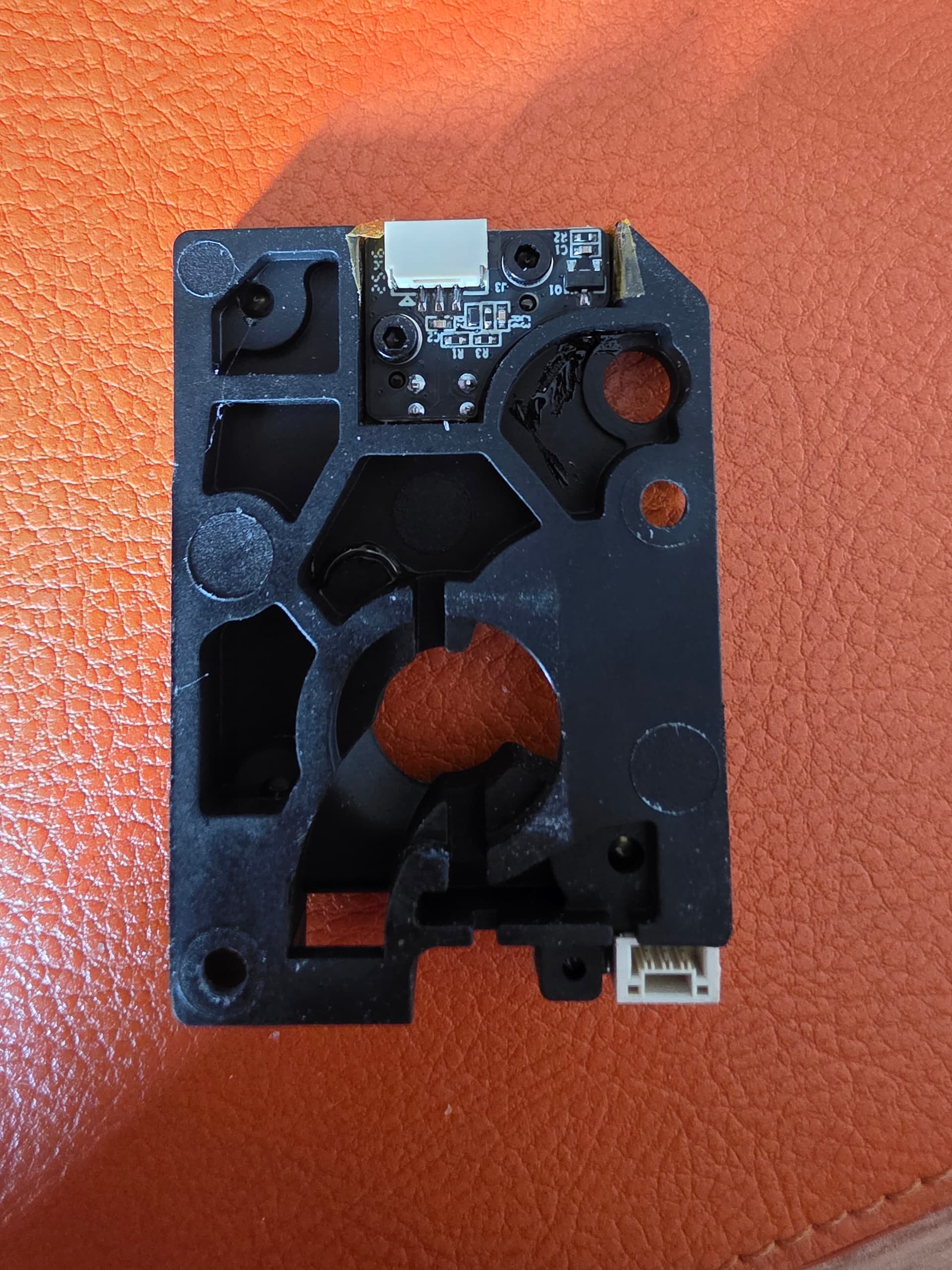
However, I am still seeing some resin-like/sticky material softening or melting from the rear of the DXC2, although not as much as before. So I do not think the rear-cavity heat issue is completely gone. It has improved, but something in that rear area still appears to be getting hot enough to soften, migrate or outgas.

I do not yet know whether that material is adhesive, grease, printed material, residue from the sensor/magnet area, or something else. But it still points to the rear of the DXC2 being thermally marginal during long enclosed prints.

Cutter / unload issue

The cutter/unload issue still feels marginal rather than a complete hard failure.

When the cutter fails and the machine will not unload, it often feels like it is nearly there. With light manual encouragement at the CFS and manually turning/assisting the filament path, it will usually unload. That suggests the mechanism is close to working, but something is pushing it just over the edge.

Current suspects are:

  • cutter not quite completing the cut;

  • cut end being slightly swollen, tailed or angled;

  • Bowden path drag;

  • CFS needing slightly more pull force than expected;

  • CF filament gripping tightly in the DXC2 gears;

  • gear debris or heat-softened residue increasing drag.

CF filament / extruder gear bite

One thing I have noticed clearly is that CF-loaded filaments can stick very tightly in the extruder gears.

Sometimes the filament is gripped hard enough that I need a thin screwdriver to remove it. That makes me think abrasive/composite filaments are exposing the issue faster because they increase gear bite, create debris and reduce the remaining unload margin.

So if anyone is chasing similar cutter/unload issues, I would inspect:

  • gear teeth;

  • compacted CF dust;

  • chewed filament sections;

  • filament stuck between the gears;

  • partial cuts;

  • swollen or tailed cut tips;

  • Bowden drag from CFS to toolhead;

  • the actual filament entry angle into the DXC2.

OEM cutter / blade possibility

I have also read that the OEM K2 cutter blade may fit the DXC2 cutter, but I have not trialled this yet.

That may help if the issue is blade sharpness, blade profile or cut quality rather than the whole cutter mechanism. I would not call it a fix yet, but it is on my list to test.

I would separate this into two questions:

  1. Does the OEM K2 blade fit inside the DXC2 cutter body?
    This may be worth testing.

  2. Does the complete OEM cutter assembly fit the DXC2?
    I have not confirmed that, and I would not assume it without checking geometry, travel and cutter calibration.

If I test it, I’ll check whether the cut end is cleaner and whether unload reliability improves afterwards.

Current working theory

My current view is:

  • the DXC2 can work well;

  • the K2 platform can run enclosed engineering materials;

  • but the toolhead/CFS/cutter system has limited margin once everything is heat soaked;

  • the rear DXC2 cavity still appears thermally marginal;

  • the Bowden route into the extruder is critical;

  • the cutter/unload problem looks close to passing, not completely broken;

  • CF filaments make the issue worse because they grip hard in the gears and leave debris;

  • sensor insulation and rear airflow changes have improved the original sensor fault, but the remaining rear residue means the heat issue is not fully eliminated.

So at the moment I would not call this a final fix. The mods have improved the symptoms significantly, but I am still chasing the remaining rear-cavity heat/residue issue and the marginal cutter/unload behaviour.

Next tests / next changes

Next on my list:

  • purchase a thermal camera so I can pinpoint actual hot spots rather than guessing;

  • use the thermal camera to map the motor, rear DXC2 cavity, filament sensor area, cutter area and top-of-toolhead region during prolonged enclosed prints;

  • use that thermal data to optimise the toolhead cooling and insulation rather than just adding parts blindly;

  • attempt to fit a small extruder-motor mini-heatsink to help draw heat away from the motor during prolonged prints;

  • check whether the heatsink helps without fouling anything or trapping heat elsewhere;

  • inspect the rear DXC2 cavity again after more heat-soaked prints;

  • identify the source of the resin-like material;

  • test the OEM K2 cutter blade in the DXC2 cutter body;

  • compare cut quality before and after the blade test;

  • confirm cutter calibration after any blade/cutter changes;

  • compare unload reliability with different Bowden entry routes;

  • inspect the DXC2 gears after CF filament use;

  • keep checking whether the filament sensor fault returns.

For me, the key practical finding so far is that Bowden path and entry angle matter a lot. If the system only needs slight manual help to unload, that strongly suggests drag and margin are a major part of the problem rather than one single failed component.

Hope this helps everyone get a little further to a thermally stable/optimised printer!

1 Like

Just another update.

It looks like part of the issue may have been my own mistake with the Micro Swiss hotend. I had fitted the K2 Plus variant rather than the K2/K2 Pro variant.

Externally, the hotends look effectively identical, but the thermistor behaviour is not the same. On my Fluke, this unit measures around 230 kΩ at ambient, whereas the stock K2 Pro hotend thermistor is around 100 kΩ. With the original K2 Pro thermistor curve still configured, the nozzle temperature was being under-reported by roughly 20 °C at ambient, and the error appears to become much larger at print temperatures.

Based on the corrected K2 Plus thermistor curve, what I thought was a 260 °C print temperature was likely actually just over 300 °C. That would certainly explain some of the cutter issues and heat-creep behaviour I have been seeing.

That said, I still do not think this fully explains the deterioration/issues around the filament sensor area of the extruder, so I will continue monitoring that separately.

I have now updated the Klipper thermistor configuration to match the K2 Plus temperature curve, as this appears to be the only functional difference I can identify. My working assumption is that the different thermistor curve is related to the K2 Plus supporting up to 350 °C, whereas the K2 Pro is limited to 300 °C. I have left the stock 300 °C max temperature limit in place, as I do not intend to run the K2 Pro above this, and I have rerun PID calibration after correcting the thermistor configuration.

I will now re-baseline the setup with the nozzle temperature reporting correctly and see whether the extruder still deteriorates from heat creep.

Hopefully this part of the issue is just down to my mistake with the hotend variant.

Good find.

What was the reason you went to a microswiss hotend in the first place and are you seeing any gain from it?

Honestly, I went with the Micro Swiss mainly for practicality and consistency, rather than expecting it to be a magic fix.

The cold-swap nozzle system was a big factor for me. I swap materials/nozzles often enough that not having to hot-tighten nozzles, or work around a 250–300 °C hotend, is a genuine quality-of-life improvement. I have burnt myself enough times doing hot nozzle changes, so being able to change nozzles cold was a big appeal.

The other reason was high-flow consistency. I wanted to see whether the FlowTech setup, especially with the 0.4 mm CM2 hardened nozzle, would be more reliable when pushing speed and abrasive materials.


Benefits I have seen so far

So far, I do see benefits, but I would separate them into two areas:

  1. What I think is directly from the Micro Swiss hotend
  2. What is more of a full-system improvement from the Micro Swiss hotend, DXC2 and R3MEN bed working together

From the Micro Swiss side, nozzle debris/build-up has been close to zero with most filaments I have tried. It has been noticeably cleaner than the Creality nozzles I was using before, including the silicon carbide ones.

I am only using the 0.4 mm CM2 hardened nozzle at the moment, but the quality and reliability have been very good.

It has also handled carbon fibre filament extremely well. I managed a 4-day PETG-CF print without any nozzle blockages. The only real issue during that was the cutter/thermal problem, which I now suspect was at least partly caused by my earlier thermistor mistake.


Thermistor caveat

The caveat is that I need to redo my filament profiles properly now, because the thermistor curve was wrong due to me accidentally fitting the K2 Plus version rather than the K2/K2 Pro one.

Even with that error, it was printing surprisingly well, but the carbon fibre may have been masking some of the artefacts.

Now that the temperature curve is corrected, I can still print at the same speeds and layer heights using the stock profiles, and quality does not appear to have dropped.

For PLA, I can reliably print around 300 mm/s, and faster in some cases, with very little visible quality loss. I still need to quantify the actual volumetric flow properly, but from a consistency point of view it feels strong.


Micro Swiss + DXC2

In combination with the DXC2 extruder, the Micro Swiss seems to complement the setup very well, despite the niggles people are seeing in this forum.

The DXC2 gives a more consistent feed path, and the FlowTech hotend seems able to keep up with what the extruder is feeding it.


R3MEN bed impact

That said, I think the biggest single improvement I have seen overall is actually from the R3MEN hot bed.

My first layer is now basically flawless, and that is probably also helping with nozzle cleanliness because I am not getting the same first-layer dragging, over-squish or material build-up around the nozzle.

Most of the time my bed mesh is around 0.07 mm.

Even on a large 300 x 300 mm print, I am seeing approximately:

Bed temperature Mesh variation
70 °C ~0.12 mm
100 °C ~0.15 mm

That has made calibration much more predictable. Print quality has improved, especially on final layers, because I can dial in Z-hop more accurately without the nozzle dragging across the print.


Overall view

So, going back specifically to the Micro Swiss: yes, I do see a benefit.

The main wins for me are:

  • Cold-swap nozzle system
  • Low nozzle debris/build-up
  • Reliable performance with the 0.4 mm CM2 hardened nozzle
  • Strong high-speed PLA/PETG performance
  • Good reliability with abrasive CF filament

But I would not say it is the only reason the printer is behaving better. The Micro Swiss hotend, DXC2 extruder and R3MEN bed seem to work very well together as a complete setup.

I still need to re-baseline all my filament profiles now that the thermistor curve is correct.

It will be interesting to see how it behaves with more demanding materials like ASA or PPA, now that the printer is no longer unknowingly running over-temperature.
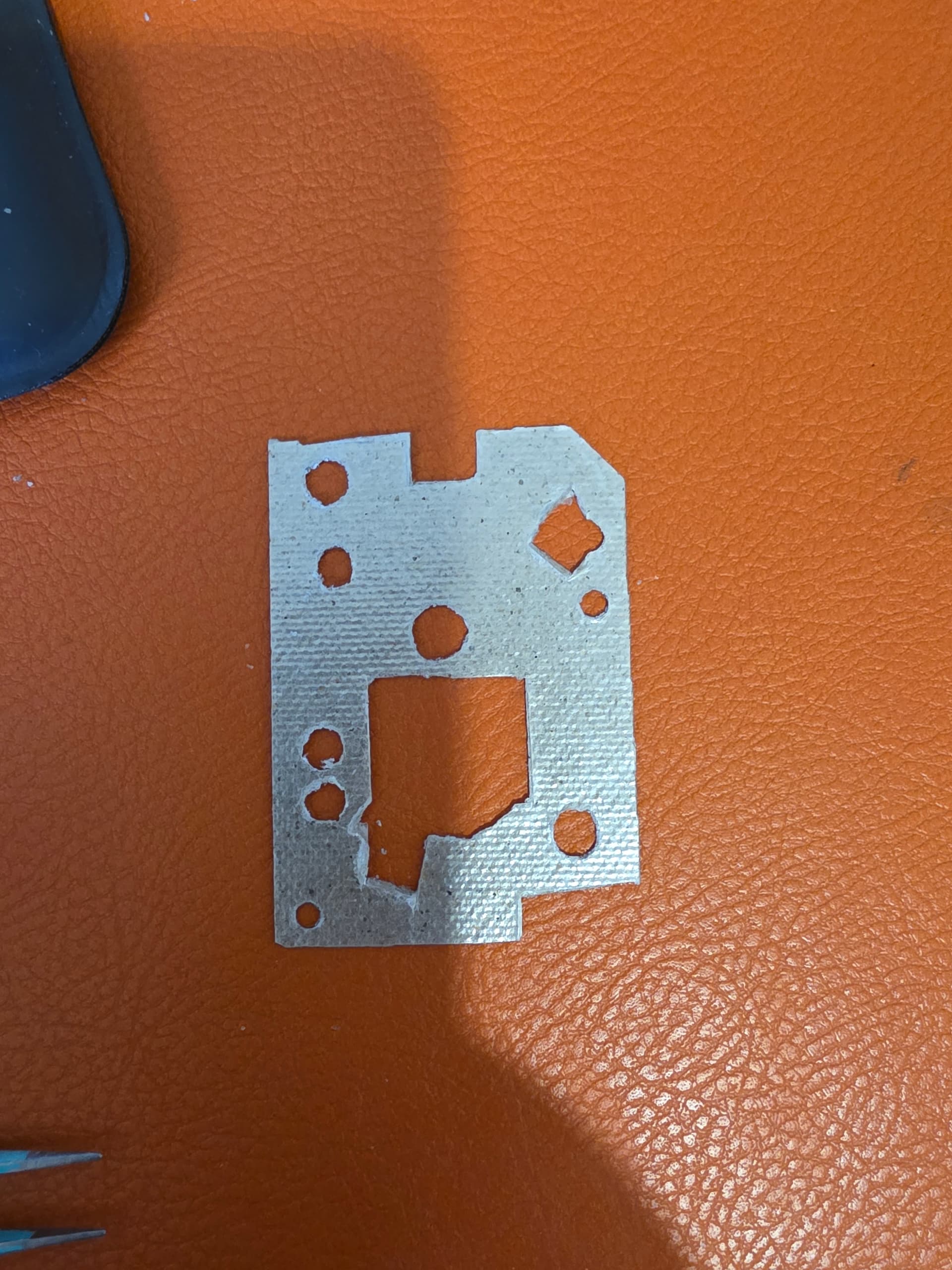
1 Like

Thanks for the details. I have also teamed the DXC2 with the graphite hot bed and after some initial fine tuning very happy with the result. I will see how things progress from here before any more upgrades but for anyone on the fence about the DXC2 I would say go for it. Apart from the cutter issue it has been a big improvement and as it turned out the cutter was an easy fix.

2 Likes