Hi @JMichaels. Trust you are well . Whenever no specific profile exists for a filament, just start with a generic profile for the type. In this case the generic PLA profile should be just fine. From there, you can make all of the adjustments based on your calibration tests. I’ve been using Orca Slicer and the general sequence I follow for calibration is:
Temp Tower
Max Volumetric Flow
Flow Rate/Ratio (Pass 1, Pass 2)
Pressure Advance (Pattern)
Retraction
You can go further by doing VFA calibration if necessary, but I’ve found that this generally doesn’t have to be redone for every filament calibration as printers tend to produce relatively similar results across filament types once you’ve found a speed that doesn’t cause resonance artifacts. This has been my own experience though, so you’ll have to see if this holds for your setup.
Just a sidenote - Different filament colours (Even those from the same brand/range) will perform differently due to the addition of various pigments which can alter properties. For this reason, I personally prefer to calibrate for each specific colour as well. To some this may seem somewhat overboard, but if you want the best possible results, it’s worth doing. After that, assuming that you’re buying filaments from reputable brands, there shouldn’t be too much variance in subsequent batches of the same colour. So recalibration of that specific filament colour within that specific range should not be necessary unless you are experiencing noticeable differences in print quality.
Don’t hesitate to ask if there is anything else that we can assist with here We’re always happy to share our experiences and whatever little knowledge we’ve acquired.
Happy Printing!
Alawhie
PS, The Build Plate Brain does some great videos/shorts on how to approach calibration.
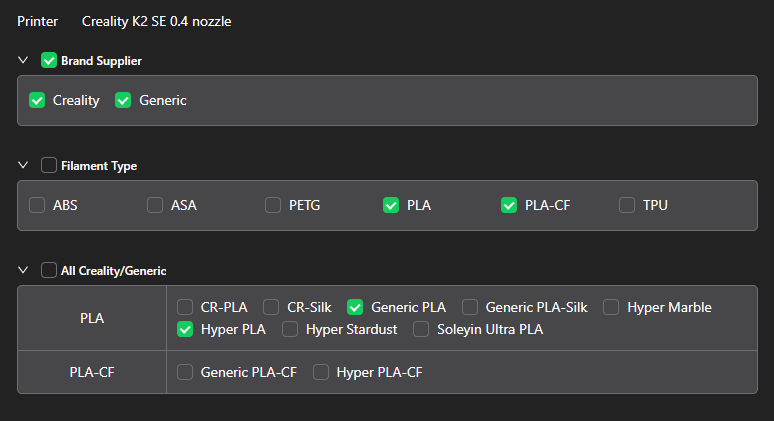
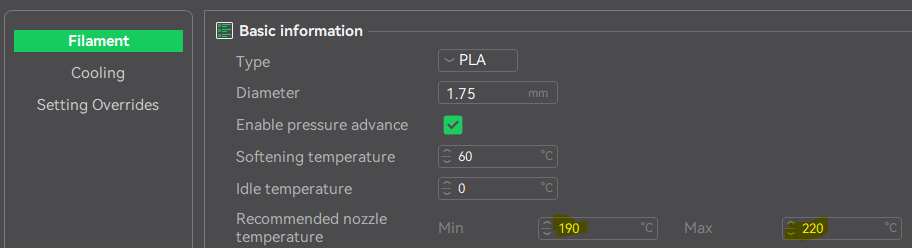
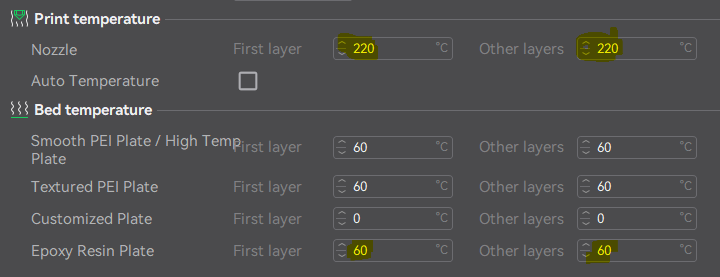
 . Whenever no specific profile exists for a filament, just start with a generic profile for the type. In this case the generic PLA profile should be just fine. From there, you can make all of the adjustments based on your calibration tests. I’ve been using