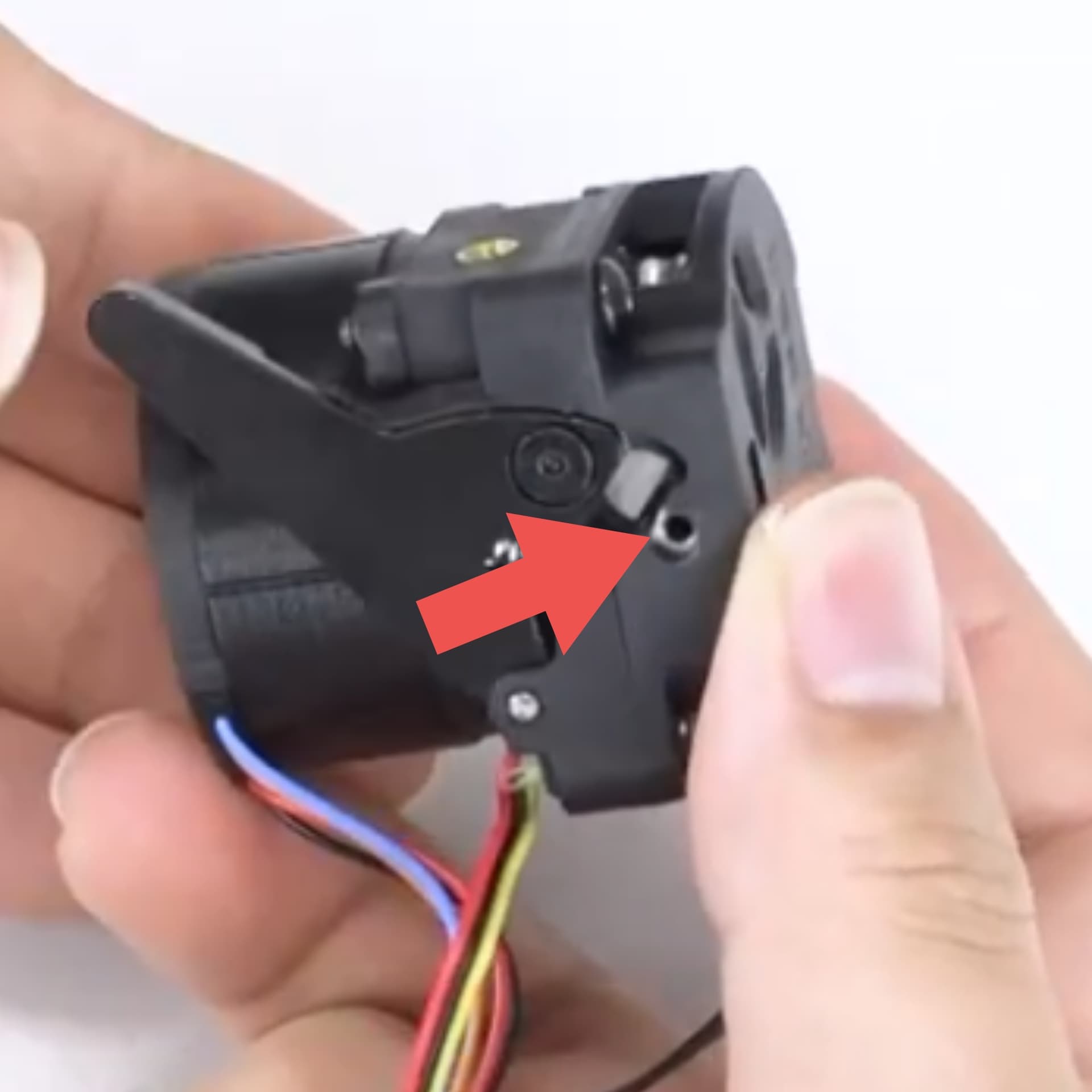
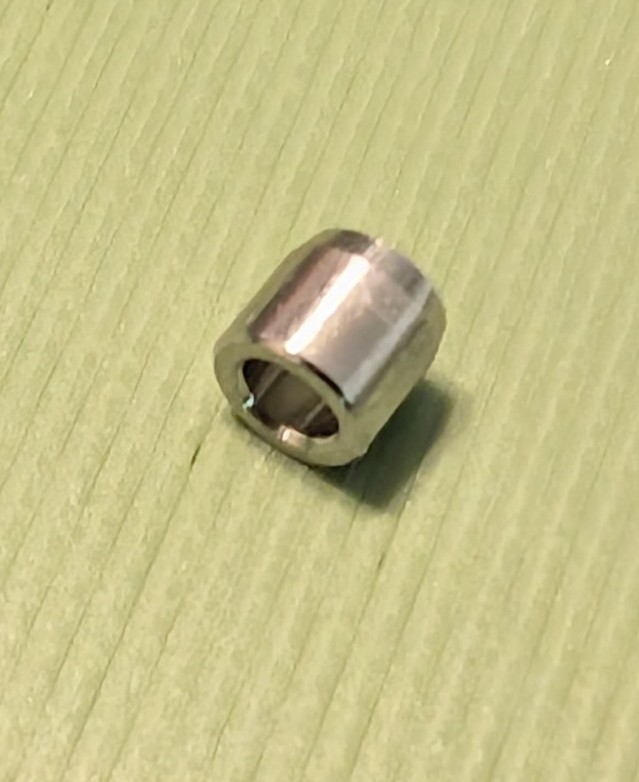
I had an issue with a jammed filament and the printer wouldn’t extrude to print. I removed the extruder and nozzle according to Creality Wiki. There is a very small guide just below the cutter blade and above the nozzle. It came out with the filament when the nozzle was removed upon reinstallation the guide fell out and can’t be found. Now when retracting I get a filament jam error. I now have to skip retract and cut the filament manually and then extrude. This small guide is important to the operation of the auto reaction and will not cut. There simply isn’t enough pressure on the filament to cut it completely without this guide. Basically it’s a 3mm section of a nozzle tube. Creality doesn’t seem to know what I am describing and can’t supply a part that was an integral part of their design. If the nozzle was 3-4 mm longer it likely wouldn’t even be needed. Has anyone else had this issue and how did you resolve it?
Attached is a screen capture from Creality’s own video showing the part needed.
Hi @justpassntime  . Sorry to hear that you’re dealing with this issue. I did a bit of digging and found the following on Reddit:
https://www.reddit.com/r/crealityk1/s/rYcISElUfy
This one refers to the K1 specifically, but I think the issue may be the same from what I’m gathering from your post. It appears that some users have replaced it with a small piece of Capricorn PTFE tubing. Some noted that it must be Capricorn or some similar PTFE that’s rated to withstand 300°C. Most of the other types are rated for around 220°C which may result in it melting. I trust that Creality will assist by providing a replacement, but I hope that this can serve as an interim solution for you while you are waiting on them.
Cheers man 
1 Like
I appreciate your response. I was contemplating cutting a nozzle tube the size needed. Your find may be the solution and much easier.
1 Like
No problem @justpassntime You’re welcome man. Let us know how it goes if you happen to try it. It’ll be useful for others that have a similar issue to know whether this can solve the issue.
While Creality is still trying to figure out what small stainless steel retract cutter guide I am talking about I have solved the issue myself.
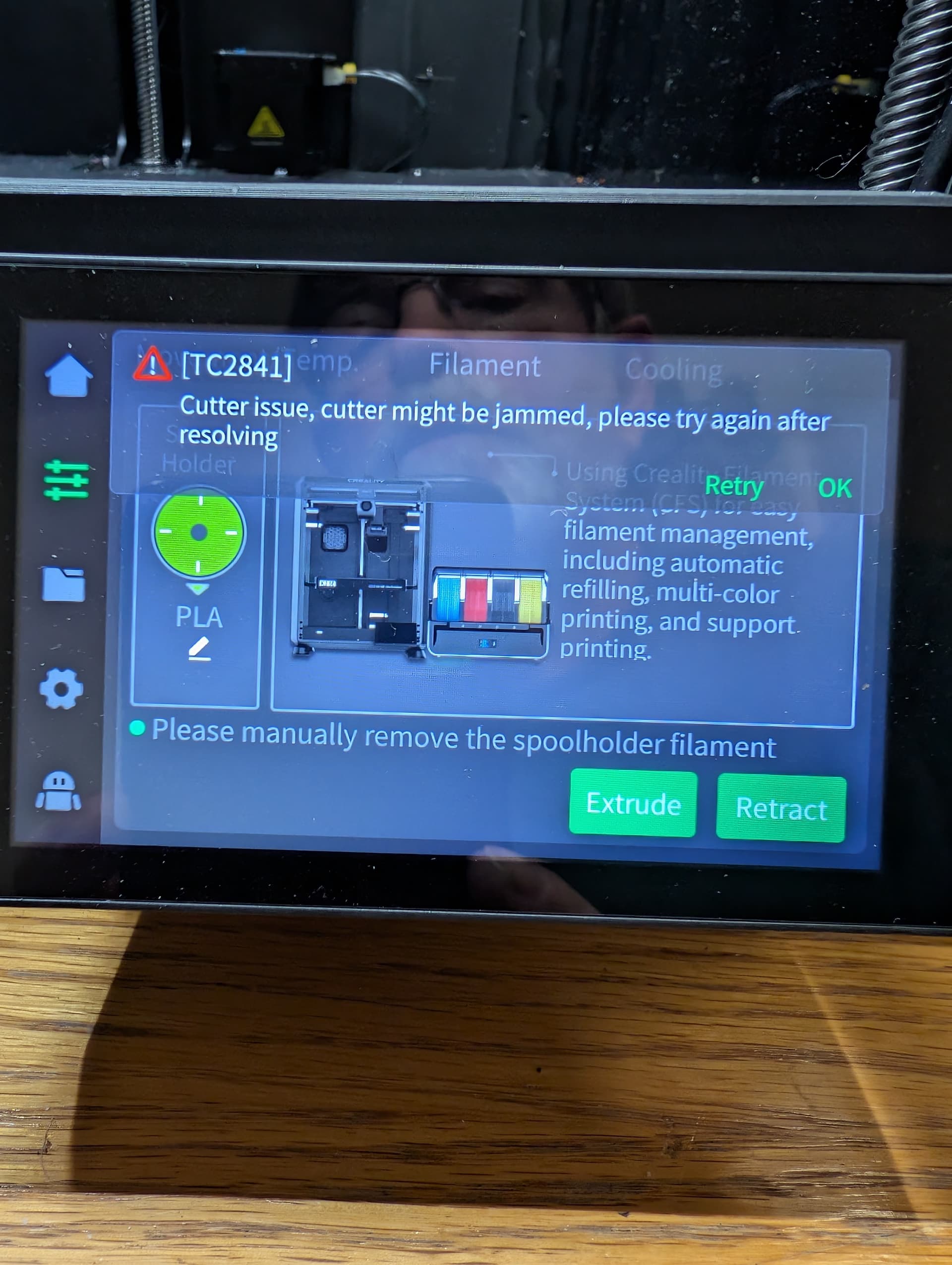
I took an extra nozzle and with a Dremel tool cut 2.5 mm off the top. This piece could be 2.45-2.5 mm long. I did also use a very small amount of high temp silicone sealant to hold it in place. As it is not very big if missing it will prevent proper cutting of the filament on retract and cause multiple issues. If this guide is missing you will get an error for a cutter issue, see attached picture. Along with the cutter issue comes not being able to retract automatically resulting in not being able do any self check bed leveling or use a CFS if you have one connected.
The work around was cutting manually and retracting the filament by hand. Which is not a big deal as I only run a single spool anyway.
I did not try the Capricorn tube method but think it would achieve the same result after cramming the 4 mm wide tube into a 3.4 mm wide recess. I happened to have an extra nozzle that had defective threads on it and it wouldn’t screw into the hot end. So I sacrificed it to replace the small but very important cutter guide. I do recommend a test fit to make sure the extruder mounting holes line up after making and installing the guide. But if cut to 2.45 mm you should be fine. If it’s not secured with sealant in the extruder body it will fall out just like the original guide and will be lost.
To hold the nozzle while cutting I used a micro drill chuck to hold it while cutting with the Dremel tool. Forceps or a small pair of vice grip pliers would also work. Wear eye protection because of the possibility of flying parts.
Once installed I was once again able to perform normal retract operations as designed by Creality. I am still waiting for Creality for a replacement if they ever figure out what I am asking for.
I hope this helps someone else.
1 Like
UPDATE: While trying to solve another issue I was replacing the strain gauge and found the guide from the Extruder. It is 3.05 mm in length and the same diameter as a nozzle. It was sitting on top of the heat sink, I have since made a replacement guide to resume printing.
1 Like
@justpassntime this is some super valuable info. Appreciate the depth and level of detail in your responses I think many with the same issue will find this extremely helpful.