in Creality Print 7.1.1 Windows 11 the Modifiers doesn`t work.
Anyone have the same Problem or i am the only?
in Creality Print 7.1.1 Windows 11 the Modifiers doesn`t work.
Anyone have the same Problem or i am the only?
I have not seen that problem here.
The issue is that “modifiers don’t work” is not enough information for anyone to troubleshoot. That could mean several different things.
To get a useful answer, you need to provide some specifics:
People are usually willing to help, but they need something more concrete than “doesn’t work.”
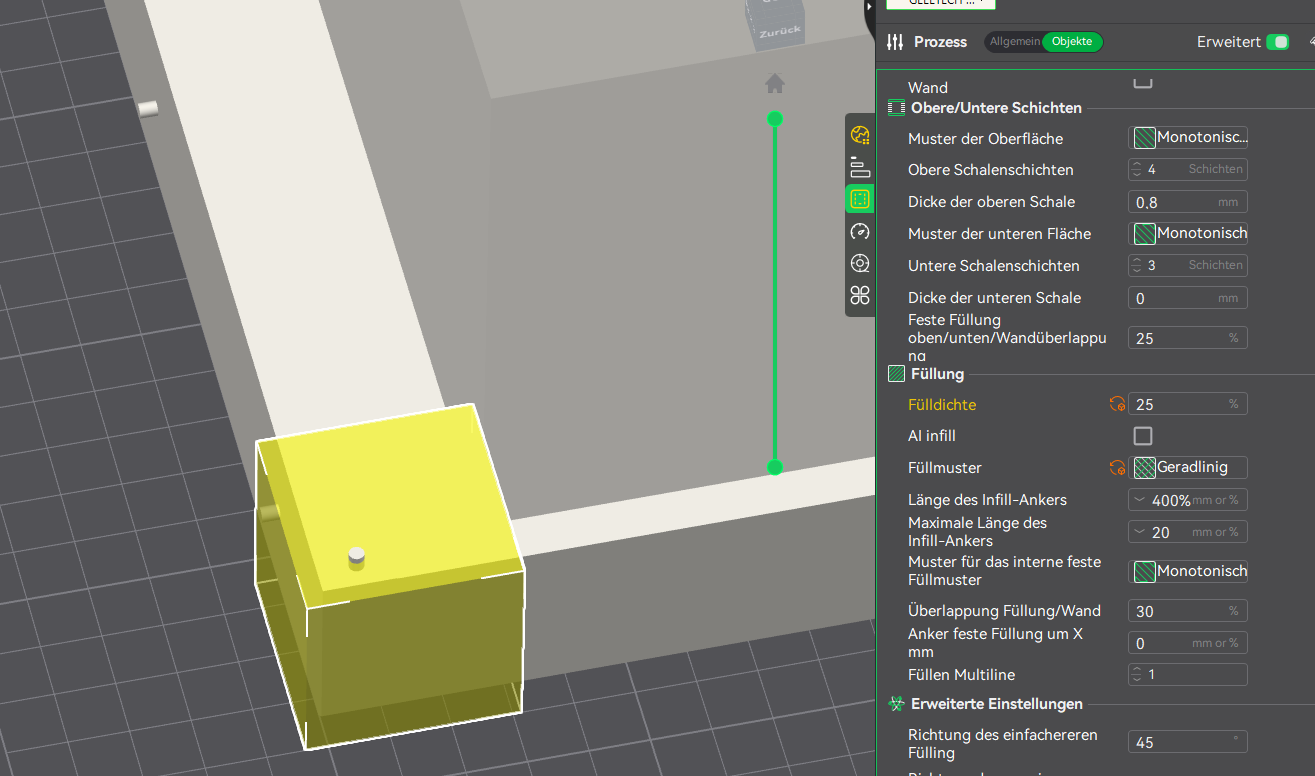
I have a frame with 8% Infill. The corners need more infil with a Modifier.
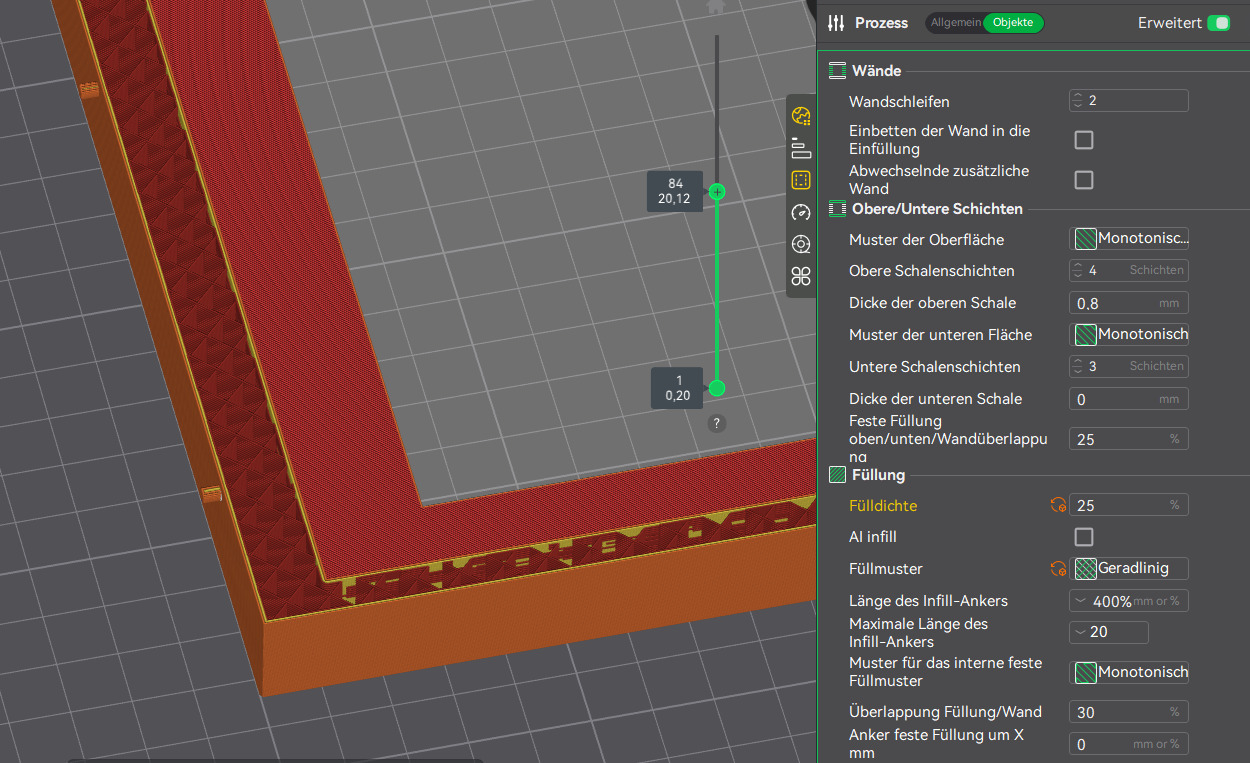
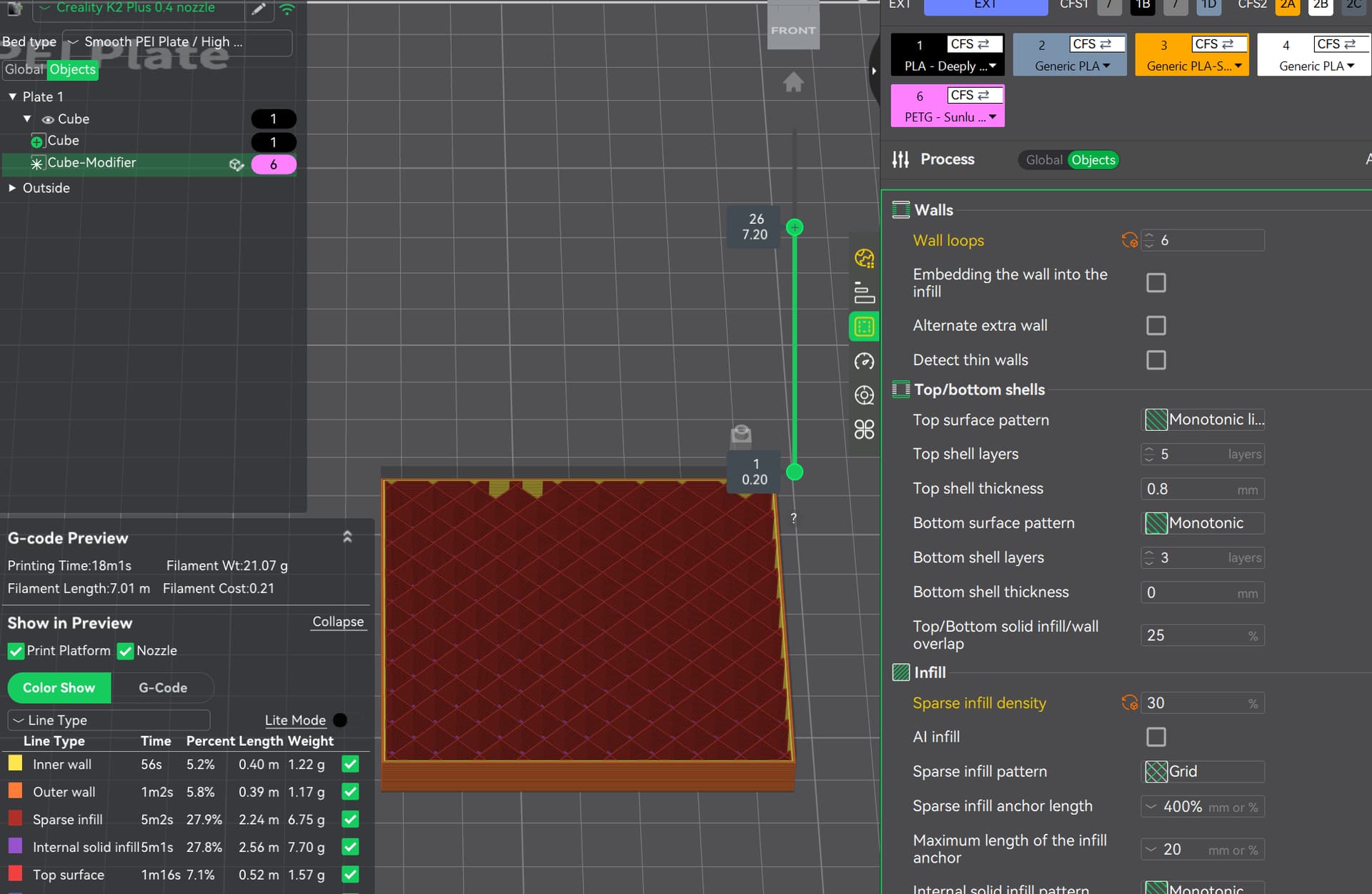
Picture one you see the frame normal, Picture two you see the Area with Modifier, Picture three you see the infill is the same like picture one.
Picture 1:
Picture 2:
Picture 3:
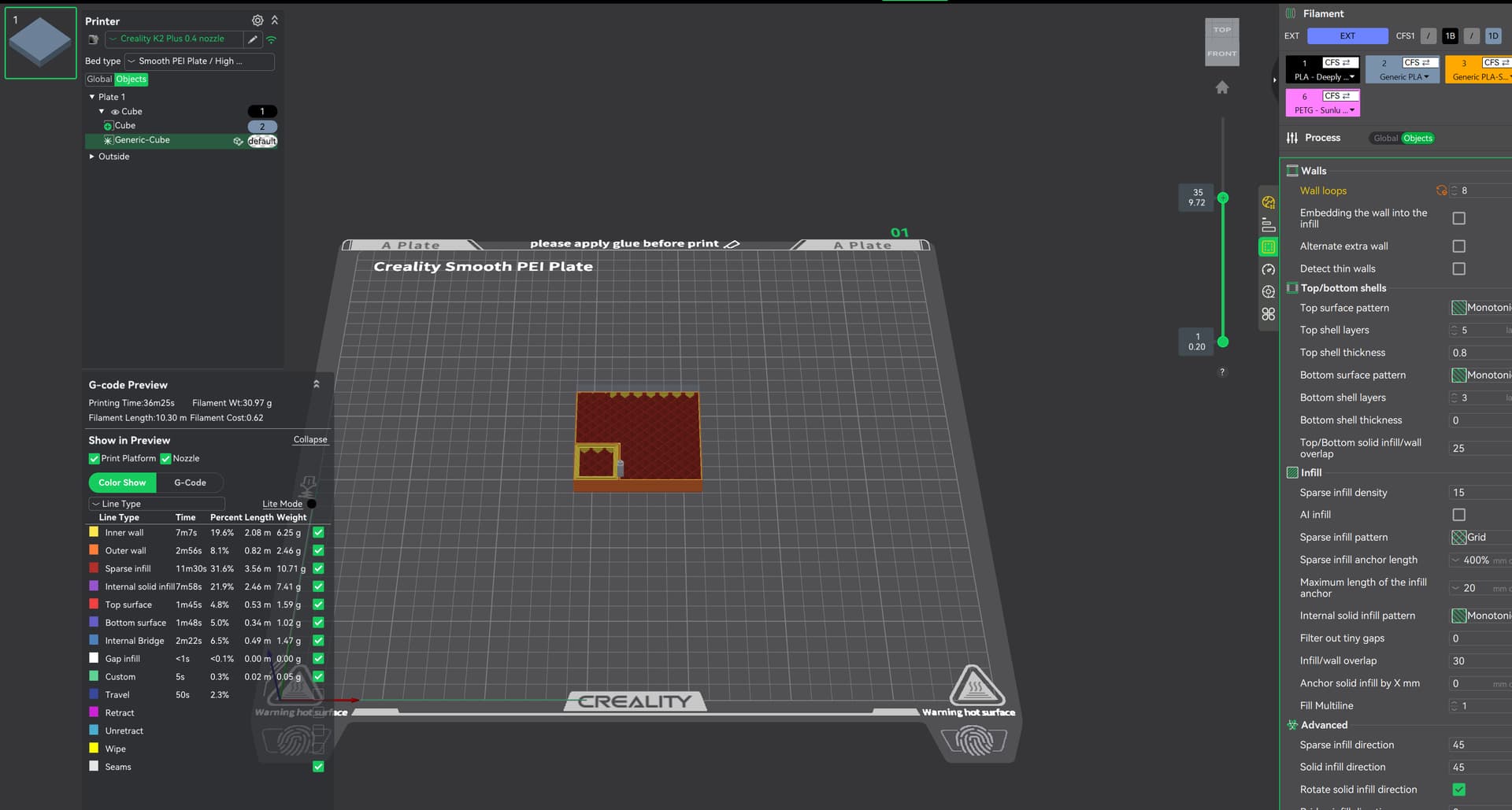
I was able to reproduce this bug, but I cannot reproduce it consistently.
I tested a simple example using cube primitives in Creality Print 7.1, then opened the same saved 3MF file in Orca 2.3.2. I saw the same kind of inconsistent behavior in both slicers. By “inconsistent,” I mean I was able to get the same “Ignored modifier” result you saw, but I could not reproduce it reliably.
The important distinction is that I could not reproduce the problem at all when creating a new project directly in Orca. I could only reproduce it in Orca after opening the saved Creality Print 3MF. That makes this look more like a Creality Print 3MF/model-handling issue than a core Orca modifier issue.
Here is what I tested.
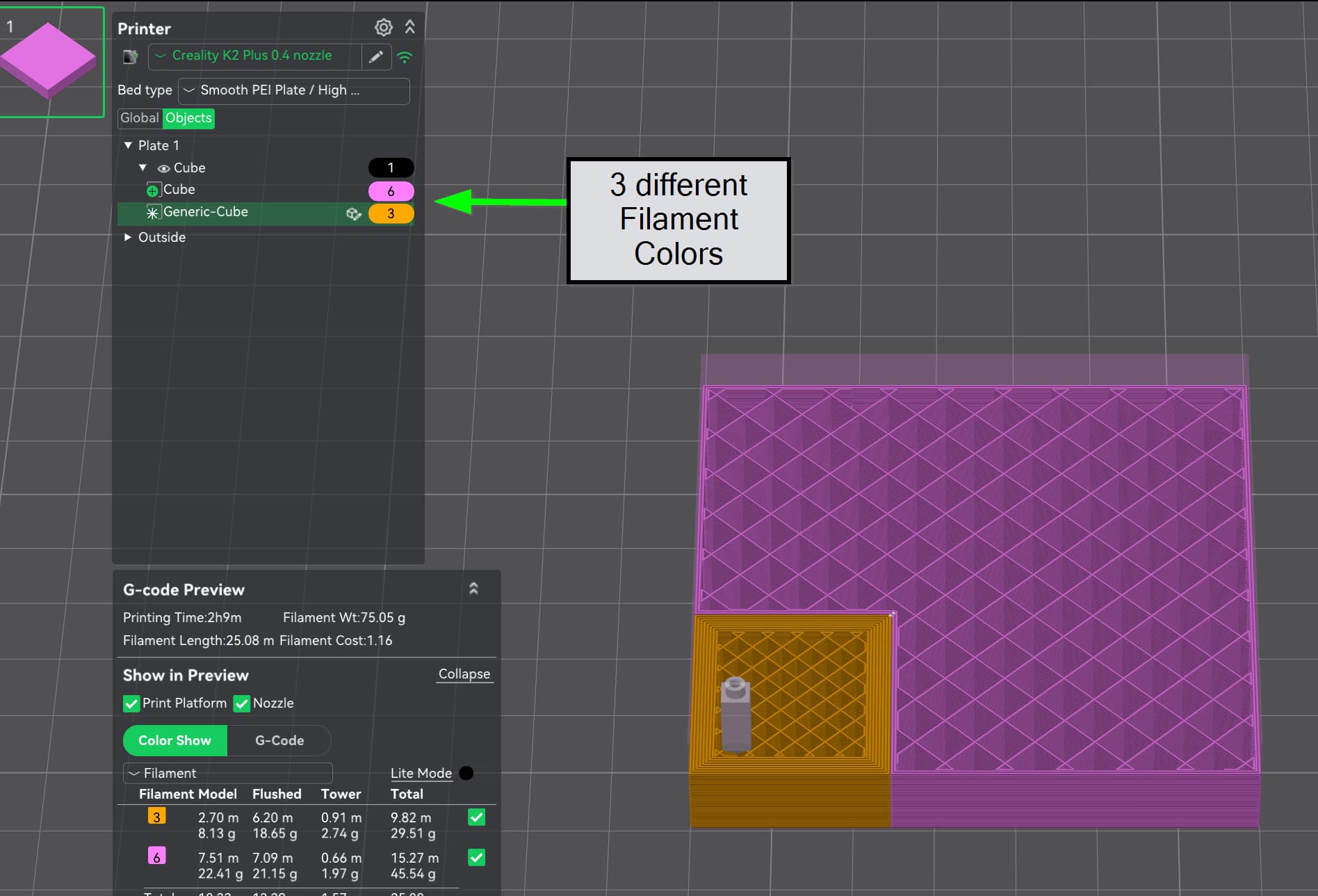
First, I created a simple cube primitive in Creality print, scaled it to 70 x 70 x 15, and added a cube modifier. This duplicated your error. The same test in Orca with a new project did not produce this bug.
Then I scaled the modifier and changed the filament color. After a few slicing attempts, the slicer started recognizing the modifier correctly. In my case, I used the modifier to change the number of walls.
The problem is that I cannot reproduce either the error or the fix reliably. I tried several times, and the behavior was inconsistent. That makes this difficult to report cleanly as a bug because there is no simple repeatable path yet.
One thing you might try is changing the filament color assignment.
In Orca, I initially received a warning that the G-code in my filament profile was flawed. After I changed the filament, the modifier issue went away. When I tried the same filament change in Creality Print, it did not work immediately. However, after changing the filament color at the top-level assembly and then changing it individually on the components, the modifier eventually started working.
So this may be tied to how Creality Print is storing or passing modifier, filament, and component-level settings inside the 3MF file. At this point, I would not call it a confirmed fix, but changing filament assignments is worth testing because it did affect the outcome in my case.