I have imported three stl files for a keychain tag. There is a base and two text elements. I positioned them like I want and created an Assembly. I want the base, text 1, and text 2 to print in three different colors. However, I am having difficulty assigning colors to the different elements. Any help would be greatly appreciated. I have tried assigning colors using the Printer tree on the left and the Object/Part settings. I am obviously missing something in the setup or follow-through. Thanks
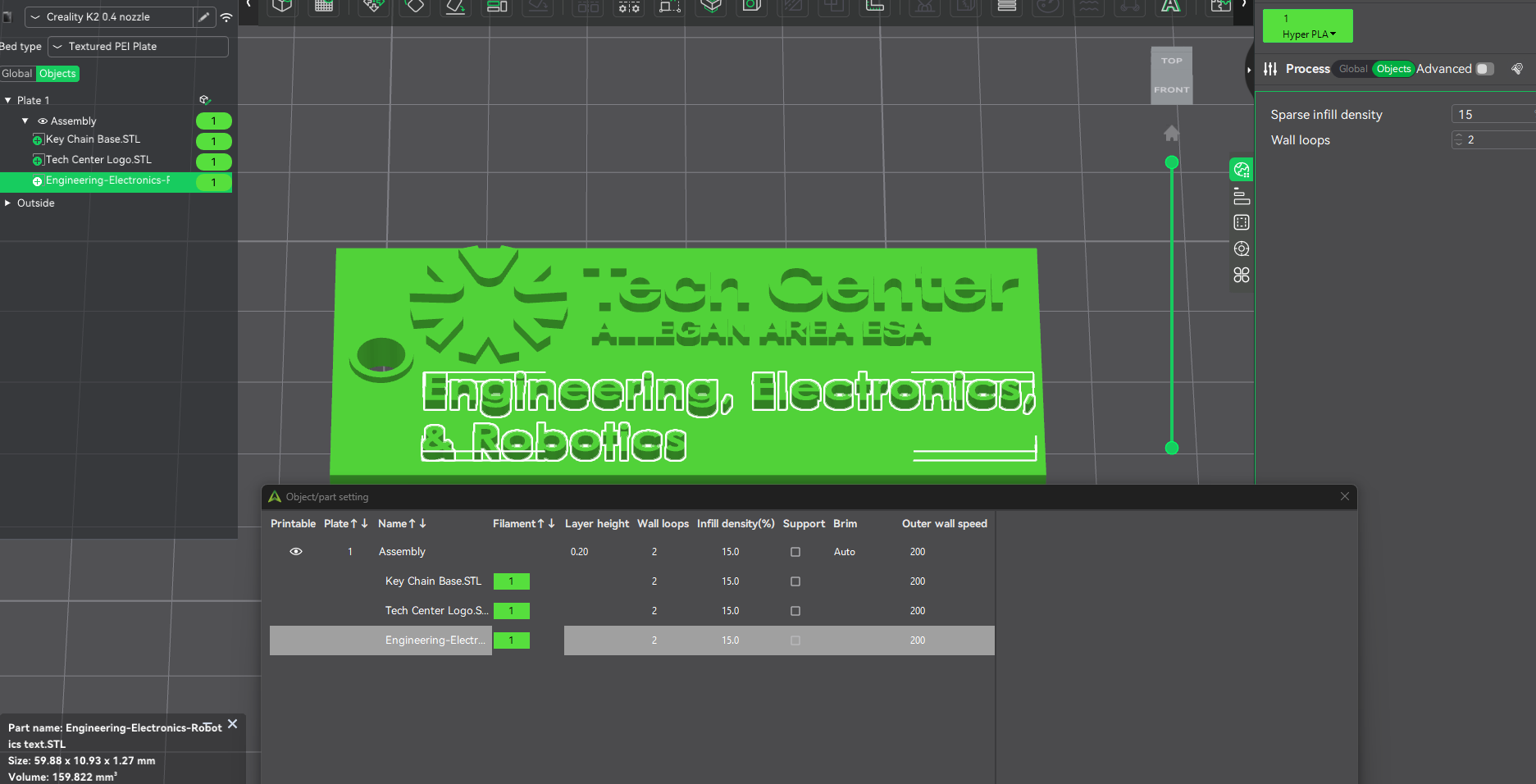
You need to add the other colors you want to use to the filament section in the top right - looks like the green is the only one you have set up so it’s the only one available to assign. Once they are available there, you will be able to assign them to individual objects on the left list.
This you tube video explains how to color paint you project.
Creality Print 6/7 Tutorial: STL Painting, for Multicolor 3D Printing. Color on K2 Plus & Hi Combo
Bill