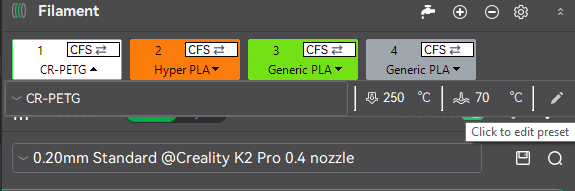
So. i have a k2 se and I’ve been trying to use petg, I’ve had some what a success with it but suddenly its refusing to stick. I’ve been told the bed needs to be set at around 70 so i did it in Orca slicer but whenever i start printing it stays at 60c is there a way to fix this?
my petg is in dryer while printing, I’ve also cleaned the bed and added M140 S70 to the G code.
my current g code is:
M140 S70
M104 S0
START_PRINT EXTRUDER_TEMP=[nozzle_temperature_initial_layer] BED_TEMP=[bed_temperature_initial_layer_single]
I know nothing about gcode but i have a feeling im doing something wrong with it!
thanks for your time
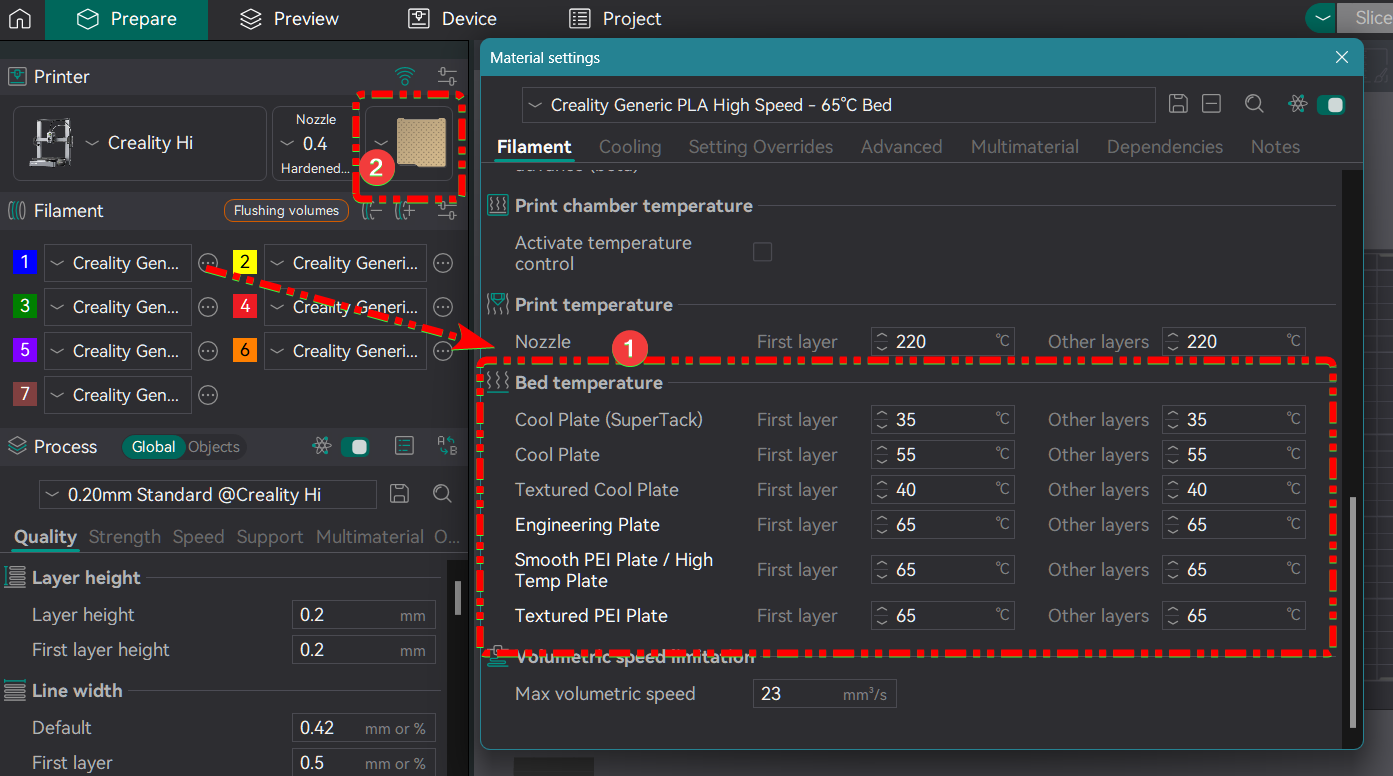
You must select on Orca Slicer a Filament with the correct bed temp.
The temps on the filament properties (1) are linked to the type of bed you select (2) when slicing.
I selected the sunlu petg which i am using, it was printing fine at first but then suddenly i started getting issues then it stopped sticking completely, I’ve cleaned the bed and tried glue it doesn’t seem to work.
I’ve noticed it takes a couple seconds before the petg extrudes at the start of printing also so im going guess it might be a heating issue?
1 Like
Another thing happened sometime to me, The RFC Tag of one of my filaments had a bed temp so low, I had to rewrite the tag.
1 Like
I don’t know if this will help your situation but you can change the temps on the printer screen after the print starts. You should be able to manually adjust the nozzle and bed temperature. I’ve done it sometimes when I forget to change in the slicer settings..
Also in Creality Print you can adjust the filament settings and create a custom profile.
thanks for the help!!! this was the problem haha
1 Like