I bought the Creality Hi Combo three months ago, after having owned three other Creality printers (the Ender 3 Pro, the Ender 3 S1, and the Ender V3 K), all of which have been working without problems so far.
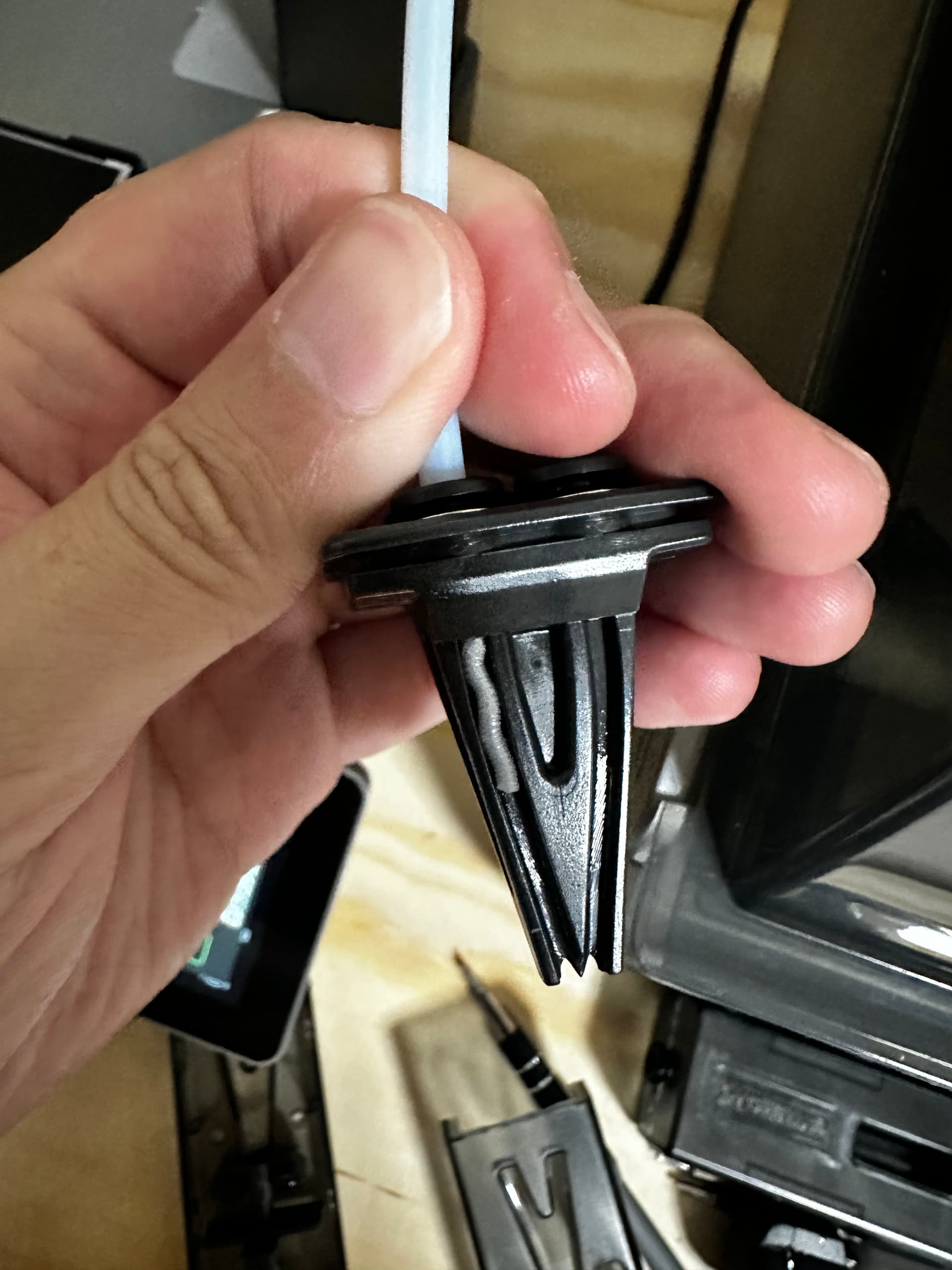
The first three weeks the Creality Hi printer was working very well, producing all types of prints without any problems. But since then, it has been experiencing jams every 2-3 weeks. These jams are located in the extruder; in all cases, there is a jammed filament of varying size inside the extruder. Technical support hasn’t offered me any solution, other than recommending videos on how to solve the jam once it has occurred, but no instructions on how to avoid these jams.
I have reported my problem on the forum and followed all the suggested instructions: I changed the extruder for a new one, replaced the PTFE tube, and even changed the nozzle. I also had to replace the PCBA G adapter board, with so many jam-fixing tasks, I broke a connection pin and had to buy a new one.
In my opinion, the Crellity Hi’s design has a flaw in the filament cutting system. I agree with the argument of garrye061: the problem is that, at the end of a print, the filament is cut before retracting. This leaves a piece of filament cooling in the nozzle. This piece must be pushed forward by the next filament, which may have a lower printing temperature and, therefore, deforms in the extruder before it can move the old piece of filament. This causes the extruder gears to deform the filament, causing the jam.
But I’m surprised that many users don’t report this problem and their printer prints continuously without any jams. Could you give me some advice on how to avoid my jams because I don’t know what else I can do to prevent them?
Thank you