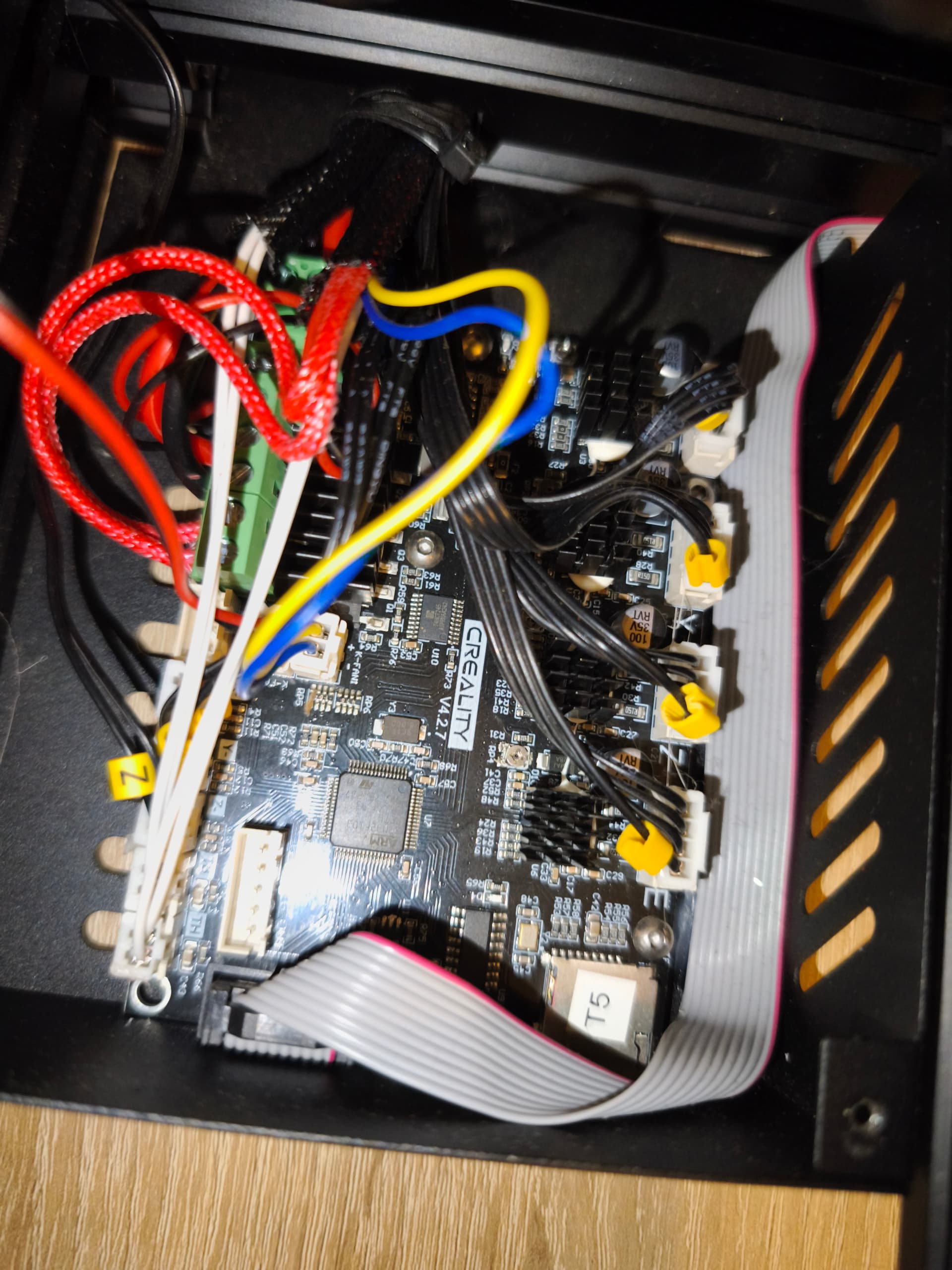
Hi everyone,
I’m trying to get the Creality Nebula Smart Kit working on my original Ender-3 with a V4.2.7 silent mainboard (TMC2225, STM32F103). According to Creality’s official compatibility list, this combination is supported.
My setup:
-
Printer: Creality Ender-3 (original)
-
Mainboard: Creality Silent Board V4.2.7 (TMC2225 / STM32F103)
-
Add-on: Creality Nebula Smart Kit (Display V1.1.0.30 + Camera)
The problem: During initial setup, step 3/7 (axis detection) fails with error key:2194 – Unknown Exception. The display then shows E0003: key2560 communication abnormal and System error, please restart.
What I’ve tried:
-
Contacted Creality support – they confirmed the printer is on the compatibility list and sent a mainboard firmware file, but the file is only 176 bytes (a Mac OS metadata file, not actual firmware)
-
Tried flashing a self-compiled Klipper firmware for V4.2.7 (USART3) – same communication error persists
What I need: The correct pre-compiled mainboard firmware .bin file specifically for: Ender-3 original + V4.2.7 board (STM32F103) + Nebula Smart Kit
Has anyone successfully gotten this combination to work? Can anyone share the correct firmware file or point me to where I can download it?
Thank you!
1 Like
Update: Correct firmware found, but axis detection still failing
Hi everyone,
I wanted to share an update on my issue and ask for further help.
What I’ve tried since my last post:
After getting help from the Discord community, I received a firmware zip containing firmware_Nebula_Pad.bin (80KB Klipper firmware for Ender-3 + V4.2.7). I successfully flashed it to the mainboard.
I also reset the Nebula Display to factory settings and selected Ender-3 without CR-Touch during setup – as suggested, since the original key:2194 error apparently indicates a CR-Touch probe issue.
Current situation:
The axis detection test now behaves differently – but still fails with a red X. The printer does not move at all during the test. Previously the hotend at least homed to the left endstop before the error appeared. Now the results screen appears instantly without any movement.
This suggests the communication between the Nebula Display and the V4.2.7 mainboard is still not working correctly, even with the Klipper firmware flashed.
My question:
Could the firmware_Nebula_Pad.bin be compiled for a different UART port than what the V4.2.7 board uses for the LCD connector? Or is there something else I’m missing in the setup?
Any help is greatly appreciated!