I have been having many issues since replacing the motherboard on my E3, V3. Support from Creality hasn’t been helpful besides them sending me new parts, and it takes forever for them to respond. So, I am sitting here without a printer until someone else can help me. I will list my issues and steps I’ve taken below.
Replaced motherboard due to screen issue. It works fine. All connections have been dpuble checked and are secure.
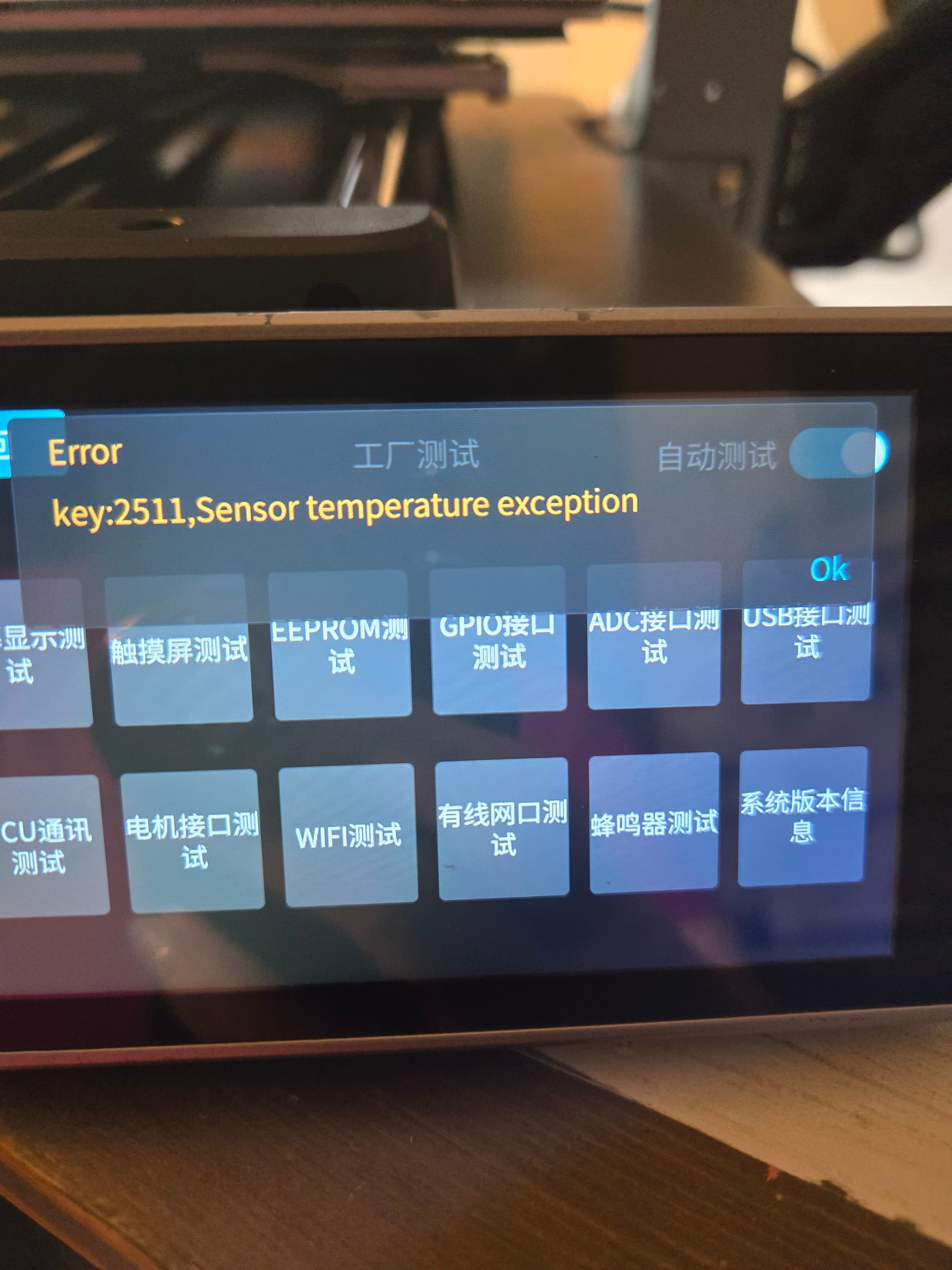
When screen starts, there is a 2511 error (temp issue). I cannot cancel it out and cannot access the settings. Cannot update firmware. Loading the firmware via USB shows up on the screen but won’t let me tap it to start it.
Replaced printhead adapter plate and the hotend. This didn’t fix error code. The nozzle gets hot and starts smoking. There is a red light under one of the fan’s connections, but the fan is working fine.
So that’s where I am with it. I am very frustrated. Any help is appreciated. I
Hi…Try this…Google “key 2511 sensor temerature exception” and several Reddit threads will come up regarding this problem on the K1. Most refer to the thermistor cable or sensor. Worth a look…Mike
Hello, Today I have replaced the main motherboard following the official video in Youtube. Once I powered on the printer, I have the same issue as you, same error, chinese screen and smoke in the hotend. Did you solve this error? I’m so tired with this printer, I have a lot of fails in the last 3 months, lots of prints directly to the garbage… And now…this error…
I know this is a year old and may not be of much use to you, but I have the same error on my E3 V3 and it may help anyone who has had a recent issue with this. Y axis homing was failing so they sent me a new motherboard (there is no physical limit switch on the Y-axis). Replaced the board and got the 2511 error and nasty smelling smoke from the hot end.
I tried to insist on a replacement as problem started at 3 months - but I hadn’t realized how terribly short the return warranty is. Anyway they suggested a thermistor replacement next.
Decided to check the thermistor resistance and it was 120kohm at 20’C so not open circuit.
Then checked all the connectors on the motherboard - all OK - restarted and got the 2511 error again.
So, I decided to put the “old” motherboard back in - and hey presto- no 2511 error. I have requested a “new new” motherboard (and a new hot end in case it’s damaged) to see if that solves my problems.
Replacement motherboard just introduced a different problem - a smoking hot end and the 2511 error. Couldn’t get past that screen so was never able to check out the initial homing problem. Creality want me to add a file on the USB stick that will bypass startup checks so that I can get to the error log and then send that. Not had a chance to try that out yet as I have to put the “new” motherboard back in first. Not sure if I want to do that or just live with the “old” motherboard which doesn’t have the Y-axis homing issue now!
my original error was that the print would stop and error code 2294 would come up. After sending the logs to Creality service they said it was due to a motherboard issue and sent a replacement. After the motherboard replacement is when I got the error 2511 and it melted the hot end. After going back to them they said they same, create a self check bypass file on a usb. This didn’t work so they sent out another new motherboard, both boards in the print head, some wires and a fan. But that still hasn’t resolved the issue. I’ve emailed them a week ago and still haven’t heard anything back so not sure if they’re just ignoring me now.
Finally solved it, it seems Creality haven’t updated or are sending out motherboards with the wrong firmware. If you’re changing your motherboard be sure to unplug your hotend first so it doesn’t burn out. Once the motherboard is installed download the latest firmware to a usb and power up the printer with the usb plugged in. Once the firmware is up to date it should be ok to connect your hotend back up and setup the printer. This has worked for me so hopefully can help others with the same issue.