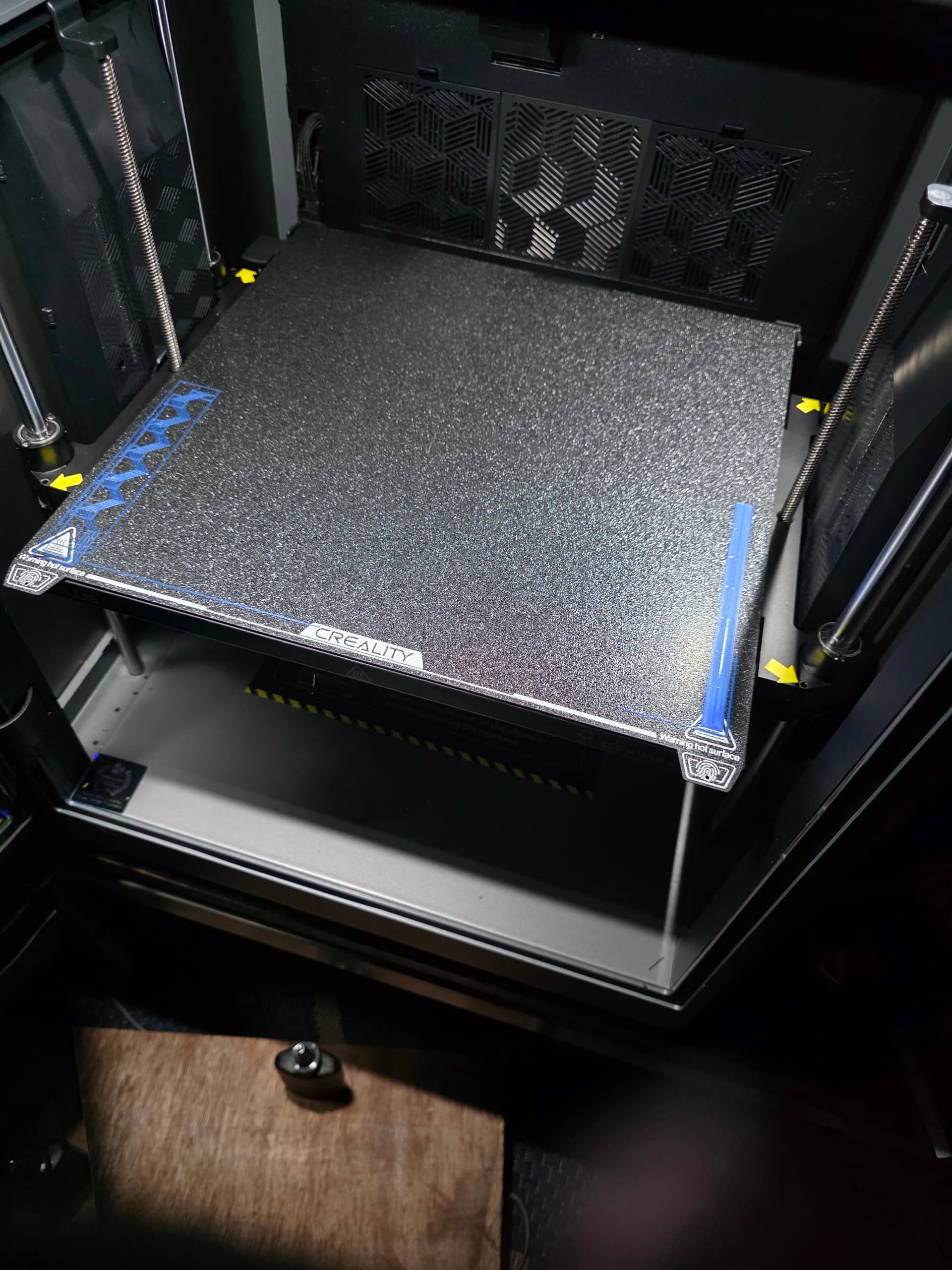
How do you get rid of purge line and the swivels line
Picture attached
1 Like
If you mean how do you stop them being printed,
Goto calibration menu (next to filament menu) and disable PA & Flow calibration.
Or when you send to printer disable auto calibration button… on the screen after you hit send to printer.
But those fine-tune those parameters, if you don’t have a user profile, your prints will look worse off by disabling
https://wiki.creality.com/en/software/update-released/Basic-introduction/calibration-tutorial
Follow those instructions, to create profiles, so when you disable those lines, you still have good prints.
Edit, to get rid of the purge line you need to update your CR start print macro’s, however if this purge line is removed often the start of prints fail, due to no filament being extruded… which leads to 1st layer adhesion issues
IMO, the purge line modification should only be removed experienced users, with specific filament requirements… personally I recommend leaving the purge line to ensure the start of prints work as expected without missing filament gaps due to under extrusion (under extrusion is an understatement, non-existing filament might be a better phrase)
2 Likes
If everything is working for me - ie have just printed a similar item (same printer settings same filament etc ) I’ve found you can reasonably safely turn off those lines especially if you are using a skirt or brim as the “purge line” can take place as a part of this segment of the print.
2 Likes
yeah, fair call, especially if printing lots of the same thing repeatedly… churning out prints without changing colours/brands/nozzles etc…
especially once you have dialled in settings, but there seems to be a theme of not dialing in the filament being used & posts about quality of prints.
so for a beginner… 
1 Like
Thank you guys for the help i really appreciate it