If you still have the issue with the latest version (make sure Firmware and Creality Scan are up to date), please contact the technical support. I asked them yesterday about the issue since several people here seem to have it.
Please contact them directly, mention the 85% calibration issue and include the serial number of the scanner and the log files to the email address mentioned here:
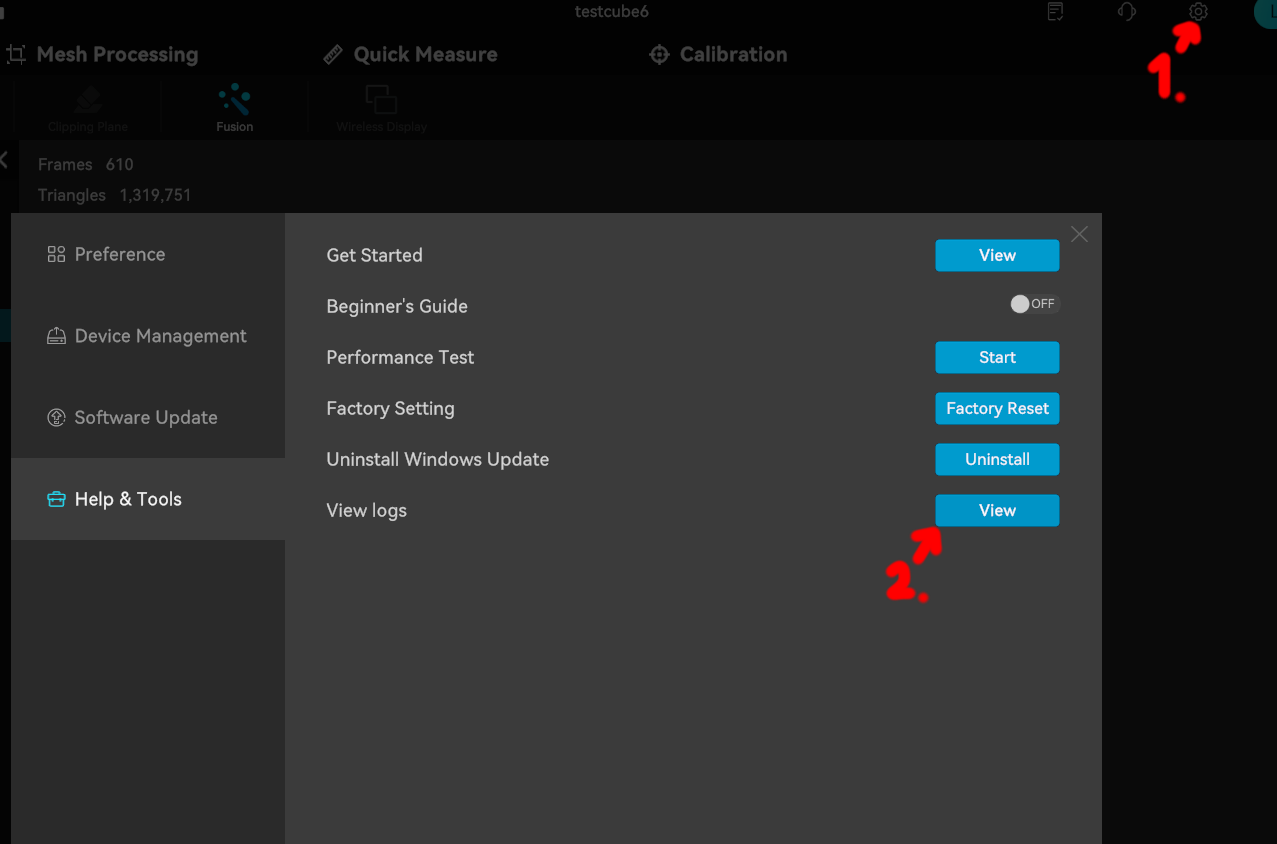
The folder with the log files opens when you click here in the settings, make sure you send it from a session where the error occurred and then select that log file:
I was told a damaged (scratched / damaged markers) calibration board can also cause this issue, so maybe inspect if your calibration board looks flawless (maybe take a clear photo of it and include it as well if you write an email).
Also to notify the others here in this thread, in case you still have the issue: