Hi All,
I’m new here and I very much doubt I’m not alone in requesting this feature but I’m really surprised that there is no tick box in the multifilament tab for pausing to change colours.
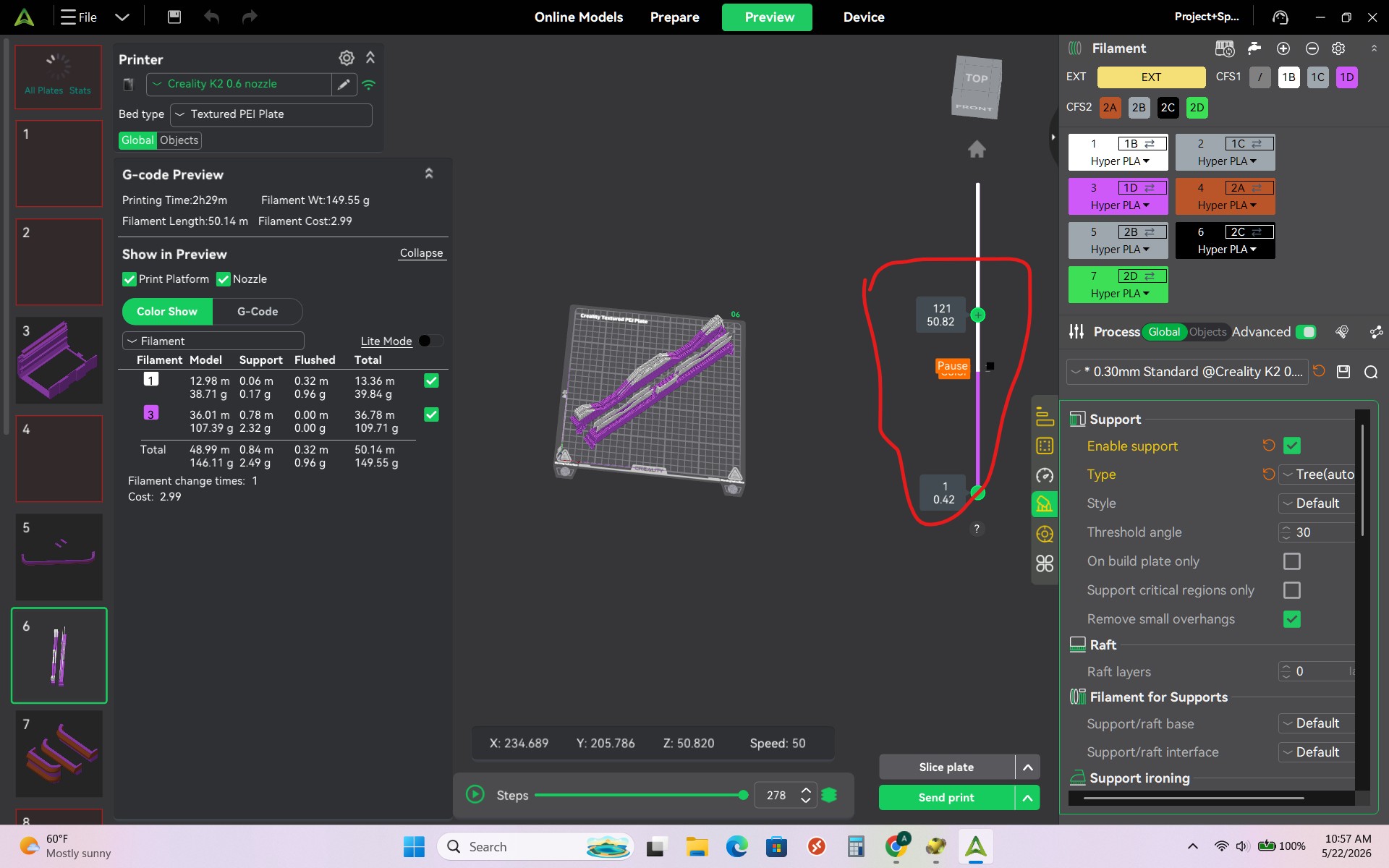
I understand you can insert a pause by going thorugh the preview layers. But this is a cumbersome method if you have already set up multiple filaments in the prepare section.
Apologies if someone has already requested this or I’m missing somehting. I had a search and couldn’t see anyone else requesting this.
Se não tiver o CFS, por exemplo, a troca do filamento deverá ser manual mesmo
Will be not «easy solution» because the pause is already implemented on the preview.
the slicer can handle color change on CFS setups but on monofilament printers that is the only way.
I hit pause on my machine, pull out the filament, and insert the new filament. I do it on the fly.
Then i hit resume print, and it works fine, I do this when my filament is on its last centimeters.
2 Likes
You have 2 options when it comes to pausing a print you can do it in creality print (cp) or you can do it right on the printer. In cp once you have your model all laid out slice it, then on the right side is the layer line bar. You can select the layer or layers you want the pause by right clicking on your mouse and select pause or change color. Once you have all your changes you have to reslice your model again, then print. You can do it at your printer by clicking on the pause button change out the color and hit play/resume. If you have a CFS . I would recommend trying to minimize pausing because it has many effects on the print. So if you want to change colors then change them in CP and let the CFS do the work
2 Likes
Hi Mac, I understand you can do it this way, but you didn’t have to. It would be much simpler if creality simply let you automatically pause when it was changing between different filament.
you should be able to pause during a color change automaticlly. I have never tried this but in CP first slice the model, add you color change and pause, then re slice. you have to move the pause up one layer.
2 Likes
Understood, can I ask why you would want to add an automatic pause after every color change.
2 Likes
So if like me you only have a single colour printer you can manually change the filament
1 Like