I am printing with K2 Pro and filament PET-G, I’m running extruder temp 250 and bed temp 80. But this doesn’t always work. Most recent print shows issues as shown in the enclosed photos. Can someone please tell me what I’m doing wrong? Also notice that the filament tends to clump at the extruder and will clump a bit on the bed. I find this happens often and I have to pause the print and clean off the extruder.
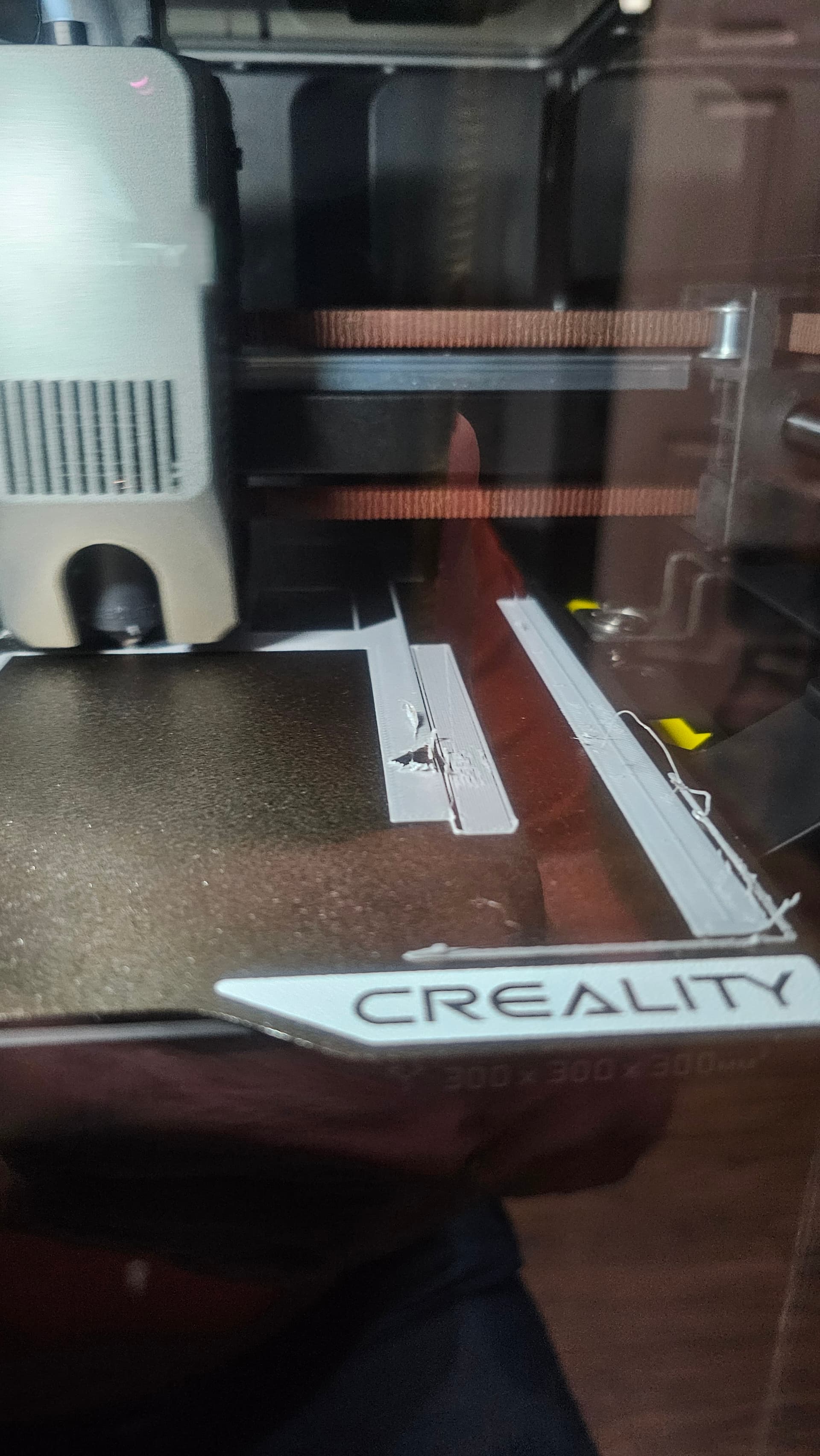
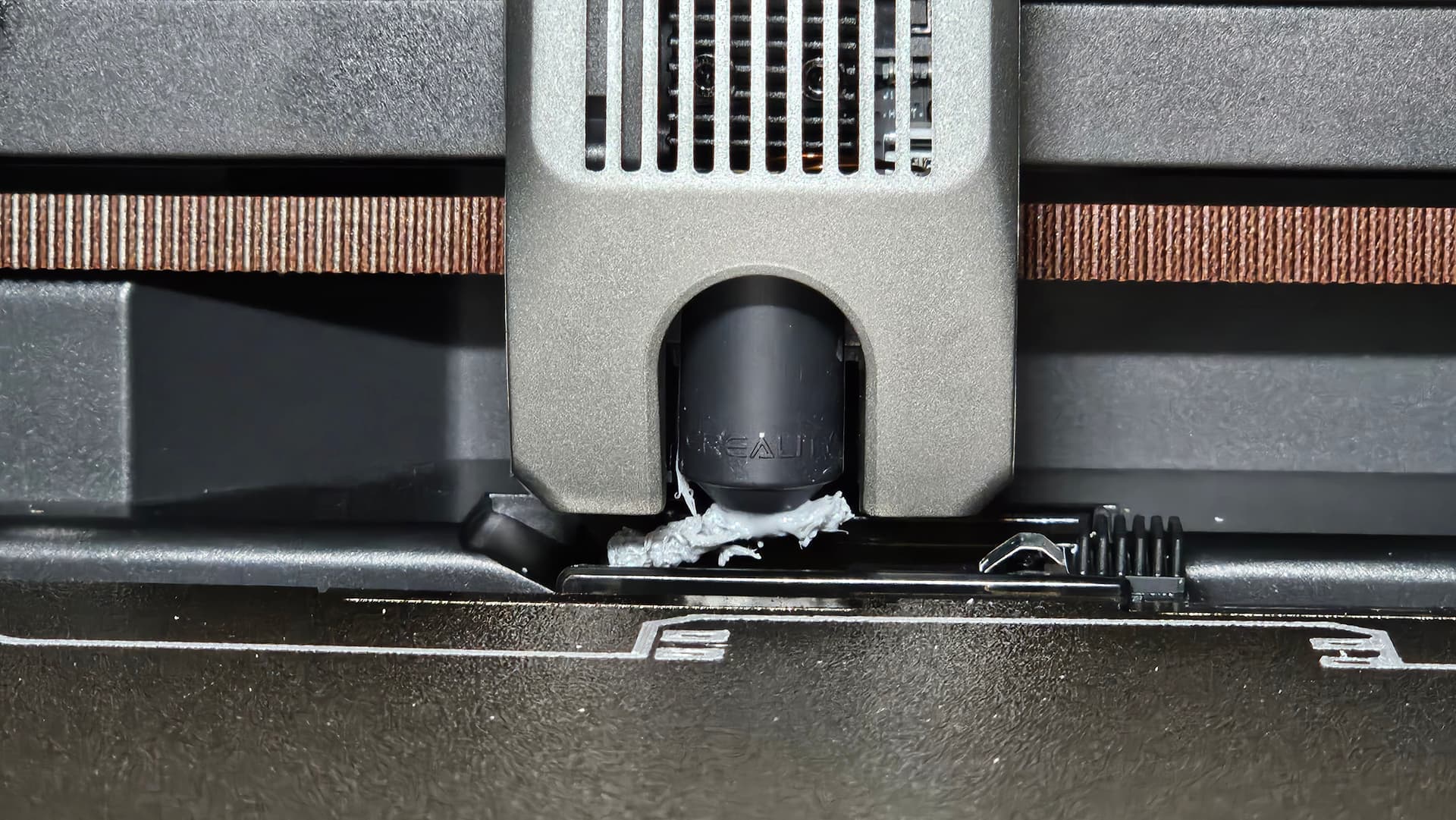
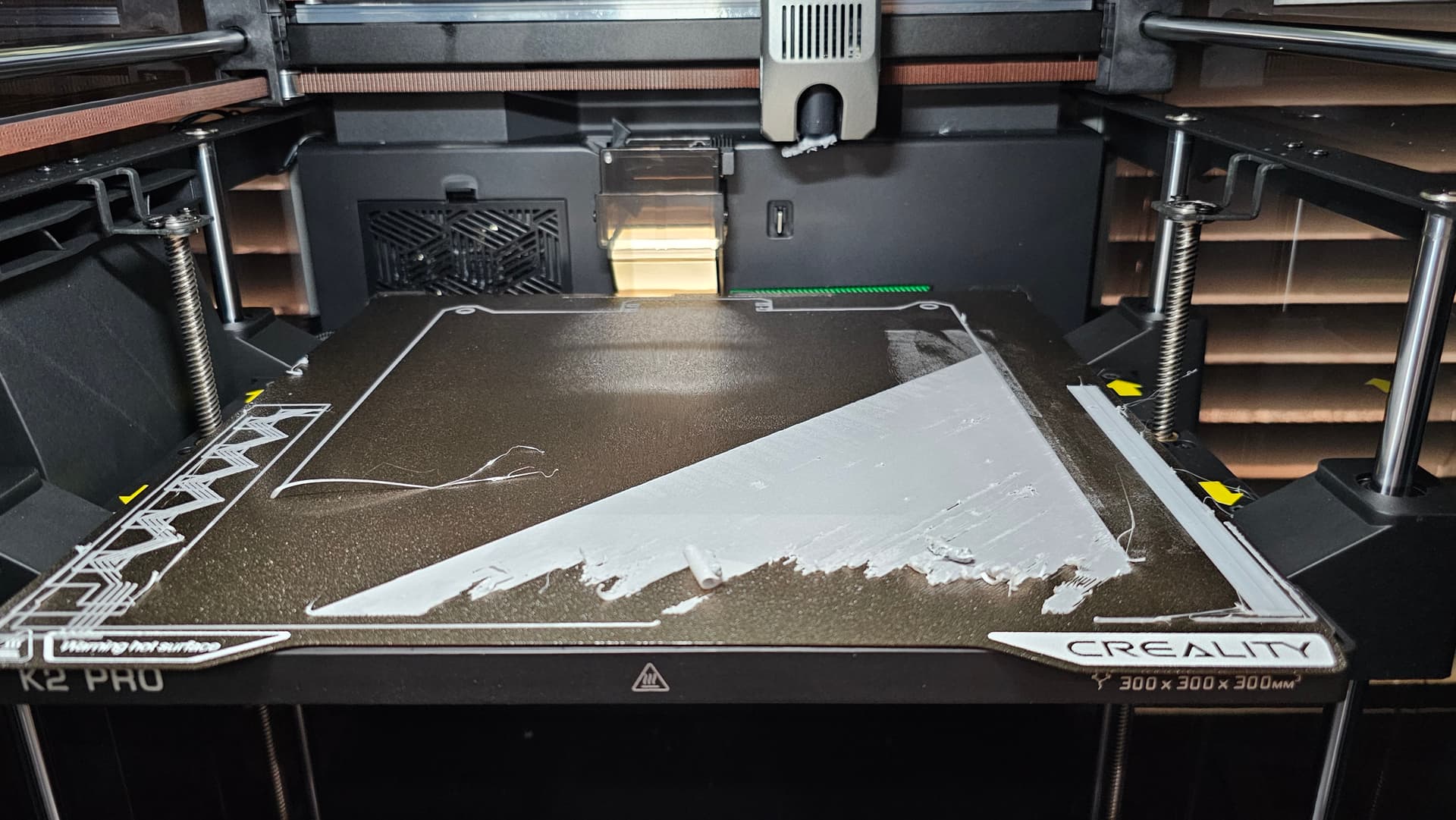
Hello ! From my experience, three things on PETG :
- as the bed is at a higher temperature, it has another deformed state that with 50°C only so redo your calibration (after pre-heating the bed at 70-80°C for a few minutes)
- dry your filament ! It is more sensitive to humidity.
- if that doesn’t fix it, re-check your z-offset. PETG is more sensitive that PLA.
I had the same problem using eSun HS Petg and overcame it this way.
- Thoroughly dried the filament first
- Reduced nozzle temp to 240 bed temp 70 (used creality Hyper Petg preset made adjustments and saved to user preset)
- Using the fluiid interface I reduced the speed to 90% and flow rate to 80%
Worked for me
1 Like
I’m sorry, Gary, but being new to this, I honestly don’t see where I can change the speed or flow rate, either in the slicer (Print version 7) or on the printer. Can you please expand on your recommendations for us newbies?
Thanks,
Keith
On the fluidd display you can change the speed and flow rate. I use PETG all the time on my K2 with no problems. Are you using standard PETG or hypa/ fast PETG?.
Fluidd is accessed by entering your IP address then :4408 into your browser.
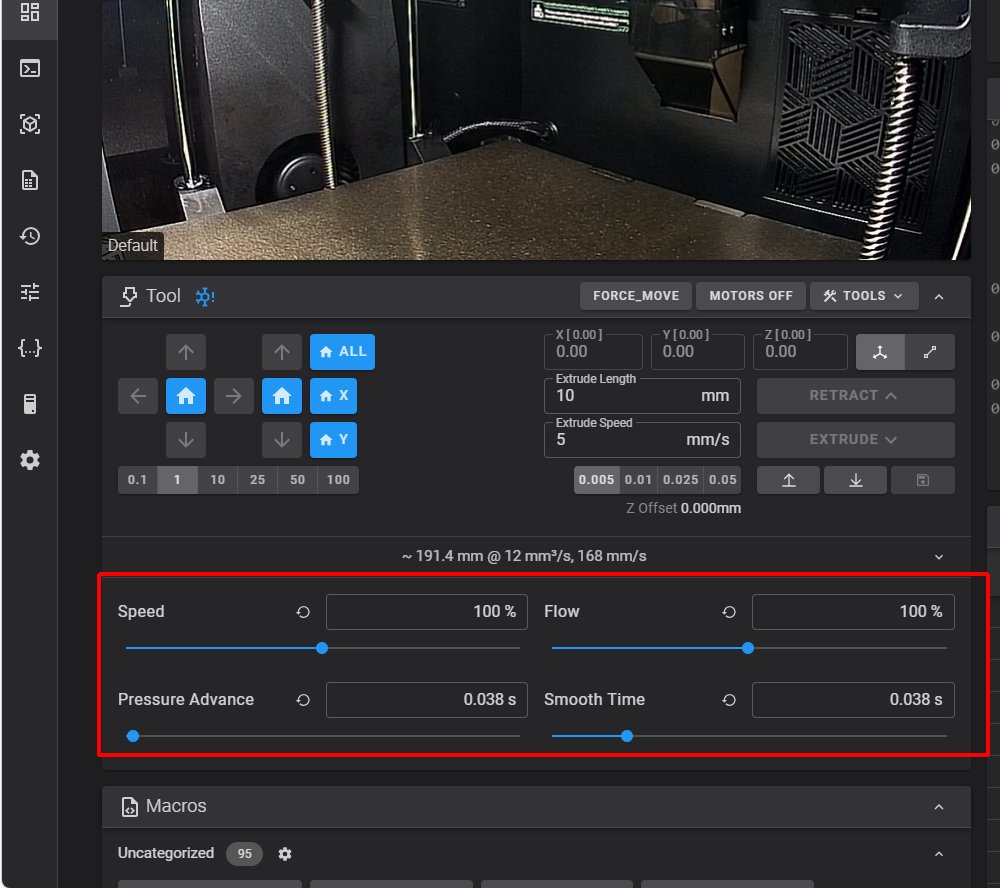
The 100% speed is the value set in the slicer. I print HYPER PETG AT 200 - 250mm/S WITH BED SET TO 70 C. Standard PETG I print at < 100mm/s. Also I set the calibration to ON when printing PETG.
Bill
Thanks for the response. I was confused because I didn’t have Fluiid screen. I looked on-line about how to get it and I found a youtube that described it. Now I see how to control the speed and flow. Thanks for your patience. And, BTW, I run both generic PETG and Hyper PETG, depending on color.
I have one more querstion maybe you can answer or do I need to open up another topic?
I have added desiccent to the CFS. It’s running about 12% to 18% humidity. What should the humidity be? And I have the Creality drying box. What should I be setting the humidity to? For either PETG or PVA.
Any help you can give me is appreciated.
Keith
I run a K2 Pro.
PETG needs an offset. That is what you are seeing the most of.
What I did.
Made a .2 layer 100x100. Setup the filament profile for my Polymaker PETG and send with calibration on.
Frist in the device window set you speed to ‘Stable’. Next have fluidd running.
When the printer moved to the print start point I watched the lines lay. Now I know a .2 line by touch. This was flat. Set in fluidd .001 and added until the feel was right and the layer look tight. Ended with a 0.035 plus z. Measured a 0.23 layer. Perfect for PETG.
I used the custom z offset trick found here in the forum. You want that hack.