Hi everybody
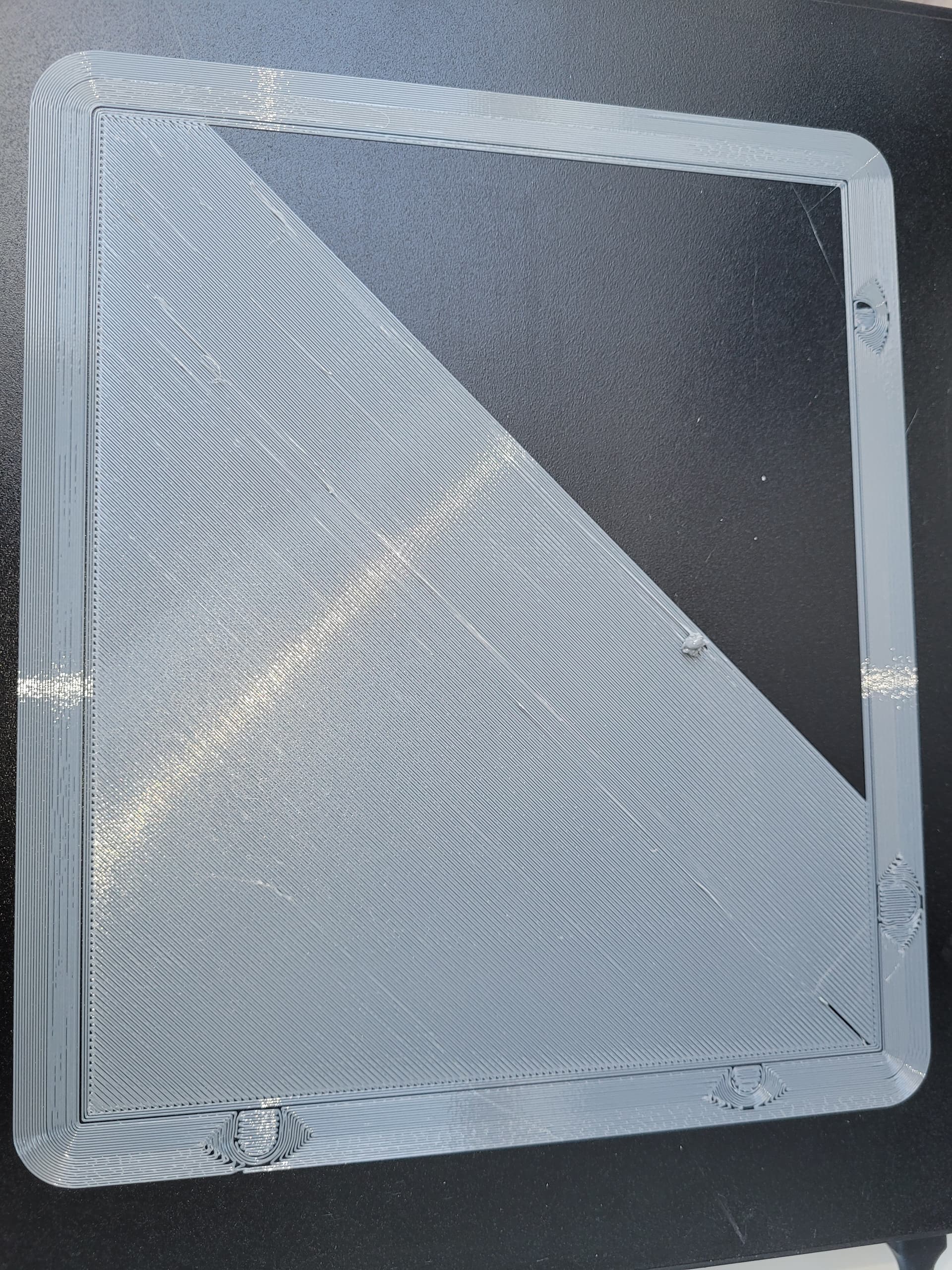
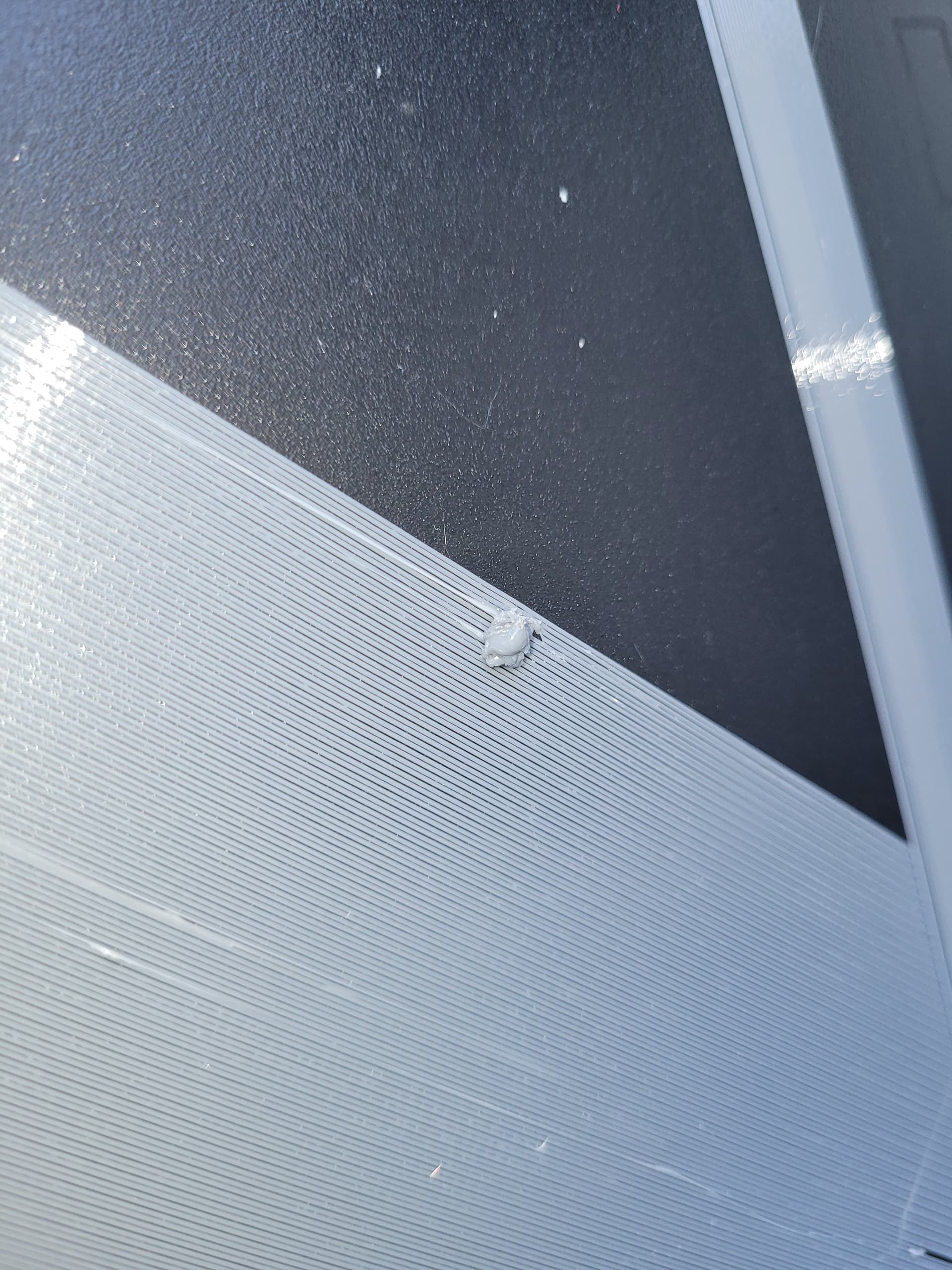
I’m using Kingroon PETG filament and I’m having problems with the first layer with blobs. After about 50% of the first layer is printed, a large blob appears (see the pictures). It seems that the (excess) material is being pushed along and then falls off.
This problem is also described in various forums, and suggestions include increasing the Z-offset, increasing the temperature, decreasing the flow rate, etc.
No matter what I do, nothing really changes. Currently, I have the following settings:
- Z-offset: 0.05mm
- Flow rate: 0.95
- Pressure advance: 0.072
- First layer: 260°C
- Retraction: 1.2mm
Does anyone have any advice for me?
Hello !
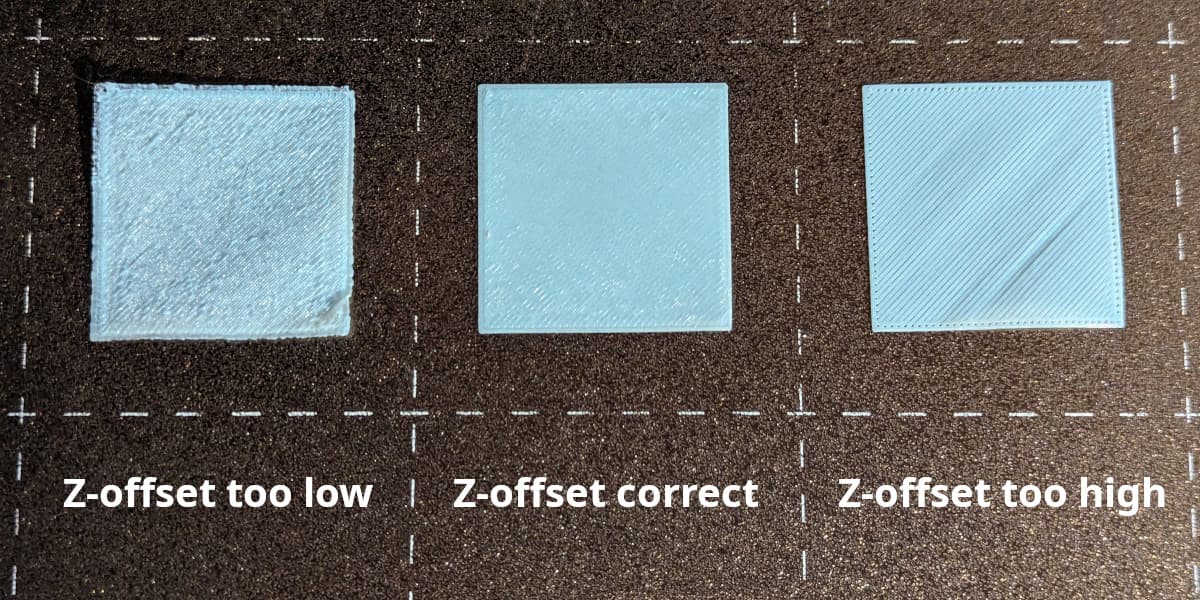
Looking at your photo, I would say the Z-offset is wrong. When you look at each line, they’re not well-fused together..You shouldn’t be getting that much space between each line
And not well-fused => Bad adhesion => Blob on the bed
Also, don’t forget to dry your filaments. PETG is not printing well when it’s humid
This only happened after I gradually increased the Z-offset. If I increase the Z-offset even further to 0.055, it no longer adheres to the print bed.
This very high offset of 0.05 didn’t prevent the blob either. I had read that PETG requires a higher Z-offset.
The PETG is, of course, dry. According to the display, it’s at 17%.
Z-offset is inverted. Exemple : a value of -3 is closer to the bed than a value of -2
If you increase the value from 0.05 to 0.055, you’re going away from the bed so it is not surprising it will not adhere to the print bed.
I would recommend decreasing it until the lines are well fused together.
And concerning the dry part, it will not really show on the display.
Humidity is stuck within the filament, so as long as you don’t “heat it”, the humidity will stay within the material. (thus a dryer)
I’ll give it a try and will repost pictures of the result with the new settings.
Got it. On the Hi, it is quite precise so don’t change it too much first. 0.04 then 0.02 then 0 for example
Since most of the lines are sticking, I think you’re not far from your current value
For me drying the filament helped a lot.
I simply started completely from scratch and deleted all my “custom” settings. Then I proceeded as follows:
-
In Fluidd, I readjusted the Z-axis distance.
-
In Fluidd, I recalculated the bed mesh. Beforehand, I heated the bed to 80°C and the nozzle to 250°C and waited 15 minutes.
-
I selected the Creality default settings for the 0.4 mm nozzle and only added “BED_MESH_PROFILE LOAD=default” to the start of the G-code.
-
In the Creality slicer, I selected Generic PETG.
-
In the Creality slicer, I created and printed a rectangle measuring 240 mm x 240 mm x 0.2 mm, disabling printer calibration in the print menu.
The result was a perfect first layer in PETG without any breaks, blobs, or other defects.
I’ve got a new print job going right now and I’m eager to see the result. I’ll let you know.
1 Like