@Vini , I came also from another printer (Qidi) and had to re-calibrate all my (100+) filaments when addid the K2+CFS.
Calibration of new (non CR preconfigured) filament - how to for K2
I also explained how I set temperature for first prints with a new filament: I) look at the temperature range of the vendor, lets say its 230-260 for PETG and then I multiply the higher value by 4 and add the lower value and divide the number by 5 and round it to the next 5. Example 260*4+230 = 1270 / 5 = 254 rounded = 255° is what I would enter in the profile. This was 95% fine for the K2, if print is still not nice or generates stringing I run a temp tower to find right temp.
For some of the other PETG’s I had to reduce the maximum flow rate to 12 mm³/s because the 16 from the generic profile is sometimes too high but to set this rightfully you need to do a max flowrate calibration test print with already right temperatures.
I myself found 6 rolls (70-90% of full roll, not originally sealed in a box with some silica) of different colors which was 8 years old and printed 4 rolls from them (the other 2 colors I did not need so far) without any problems on the K2 after creating the right profile.
My setting I used for this old filament was:

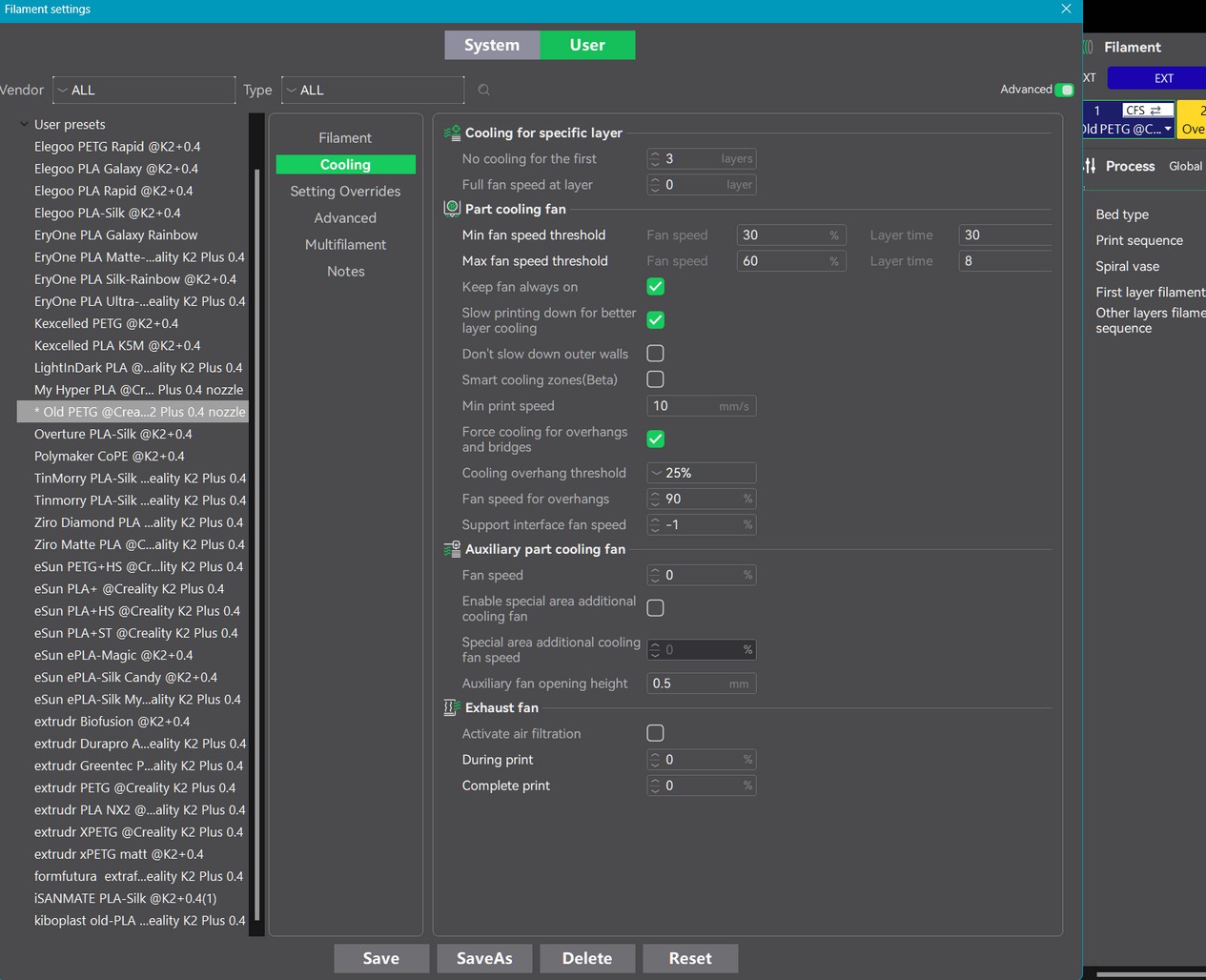
You see on the left side a part of my different filament profiles and all of them print well on K2.
I print PETG without chamber and side fans but the top cover is opened a view cm and the door as well. The chamber temperature is set to 35° to start chamber fan if temperature is going above the 35° (PETG & PLA don’t like these hot chambers) but with my open doors this would never happen because chamber stays <=33°.