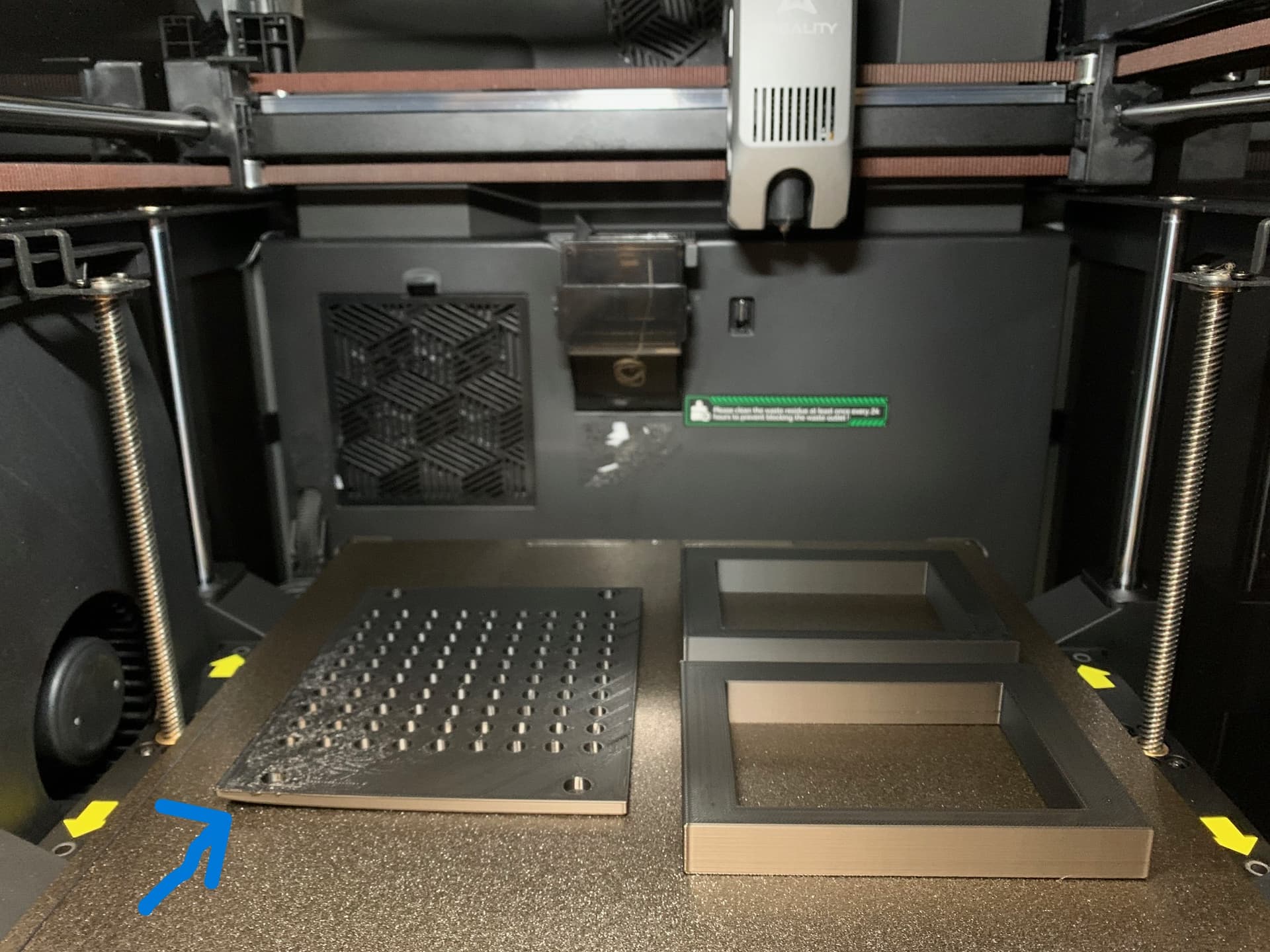
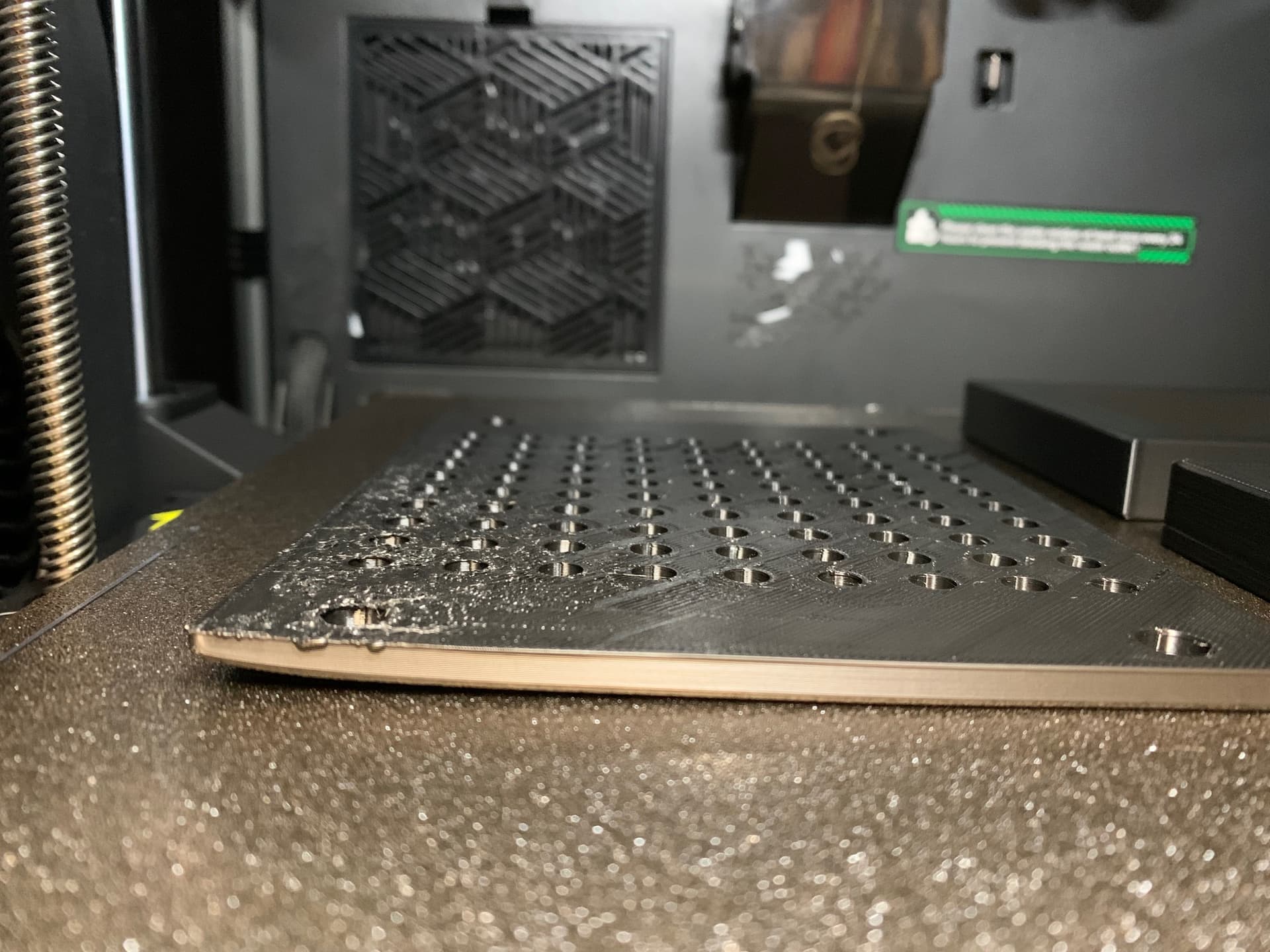
I’ve had my K2 Pro for three weeks, and yesterday I noticed a problem in the front left corner of my print plate. The print is different from the rest of the plate (see photos). It seems like the temperature in that corner of the plate isn’t the same as the rest. Is that possible?
Your photo does not point to a smoking gun when it comes concluding non-uniform build plate temps. There are a number of factors that can influence corner lifting but most - not all - of them can be address by the use of a brim.
Here is a check list:
Ensure that you first clean your build plate in the sink using very hot water and generous amount of a dish soap such as Dawn or Fairy Liquid depending on where you live, both are made by Proctor & Gamble, just different color and names.
Using IPA as a cleaning agent is not enough for a really dirty play.
Turn cooling fans off and run the print again. If it is cooling improperly or you’re leaving the door open, that could cause plate bonding failure.
You did not mention bed temperature but try increasing the bed temperature by 10-20 degrees to see if it influences the first layer adhesion.
Isolate the suspected part or create a sample that duplicates this in the corner of the plate you suspect has the issue.
Last and not least, if you truly believe the bed is at fault, perform a first layer test. Create a cube primitive and size it to the length and width of the entire build plate but make sure the height is no larger than half of the nozzle diameter. This will create a single one-layer of filament. It is a very unforgiving test in that any flaws in build plate hygiene or temperature or leveling, will become immediately apparentl by voids in the material. You should have a solid pristine looking layer of plastic.
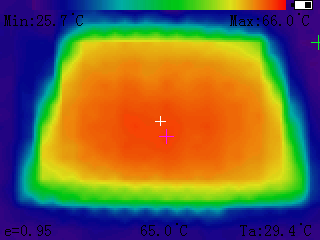
Now if you are determined to prove to yourself that it is a temp uniformity issue, I use two tools that help. The first is a non-contact thermometer($10-$15 on Amazon) that will read a spot on the plate. This is tedious and inaccurate.The second is a cheap thermal camera that can be had for $70-$120 on Amazon.
This is the one I have, it’s cheap, dirty, has only a 32x24 resolution but is good enough for thermal targeting of hotspots:
Warping can be caused by a number of things and is not necessarily related to bed temperature. It is usually related to cooling. Warping happens when different parts of a print cool and shrink at different rates. Plastic contracts as it cools, and if one area cools faster than another, internal stress builds up. Eventually, that stress wins and the print pulls itself off the build plate, usually starting at corners or long edges. Adding mouse ears or a brim can help to combat that to some extent.
The side fan can create uneven cooling zones, especially in areas in the corner of the bed. You can turn it off in the cooling section of the filament profiles - I almost always turn it off personally. In that profile, you can also adjust how many layers are excluded from cooling. The default is 1, but for some filaments, I change this to 2 to allow for extra adhesion.
I would also wash your build plate with dish soap and warm water - the corners are the areas that are easy to accidentally touch when you are taking pieces off the plate and leave oils from your hands.
What @JoeFriday said. I have the K2 Pro and using the temp gun showed variations in temps on the bed. Setting at 60°C showed a range of 54 to 58. That front left corner was showing the lowest.
Also what @LoriAnneBrown said. Sometimes a brim will help.
I wrote the company and they basically stated that my measuring technique was faulty..
Regarding the issue of local temperature variations on the heated bed, we would like to explain the underlying principles in detail to help you better understand: The heated bed does not adopt a centralized heating method but a distributed heating design similar to underfloor heating—heating elements are evenly distributed inside the bed surface. Therefore, slight temperature differences between different areas are a normal design characteristic. Meanwhile, differences in temperature measurement methods also lead to varying readings:
** When using an infrared thermometer, the measurement is taken from a distance, and the reading is relatively closer to the actual surface temperature of the heated bed. The printer’s thermal sensor is in direct and close contact with the heated bed plate, measuring the temperature of the core heating area of the bed. Thus, the reading will be slightly higher than that of the infrared thermometer.**
In summary, slight local temperature fluctuations on the heated bed and reading differences between the two measurement methods are both normal and will not affect printing results. If you notice excessively large temperature differences or abnormalities such as print warping, please feel free to inform us for further troubleshooting. Thank you for your attention and support! Wish you a pleasant experience!