So ive been fighting my Hi for a few months now. I have tried every calibration, flow, pressure advan e the works. Checked the belt tension ended up have to rebuild the x axis tensioner and still my prints look like this. Does anyone have any ideas
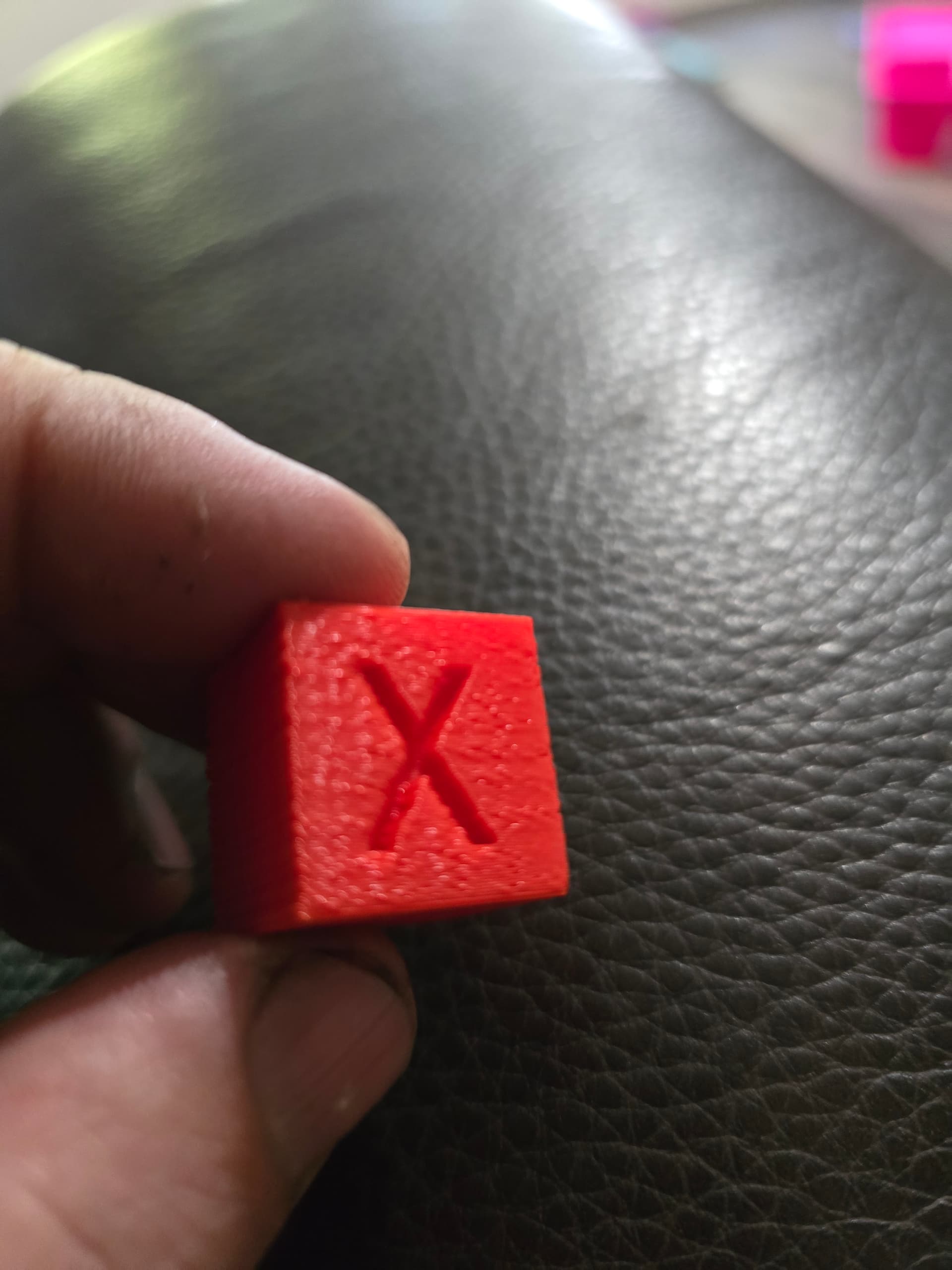
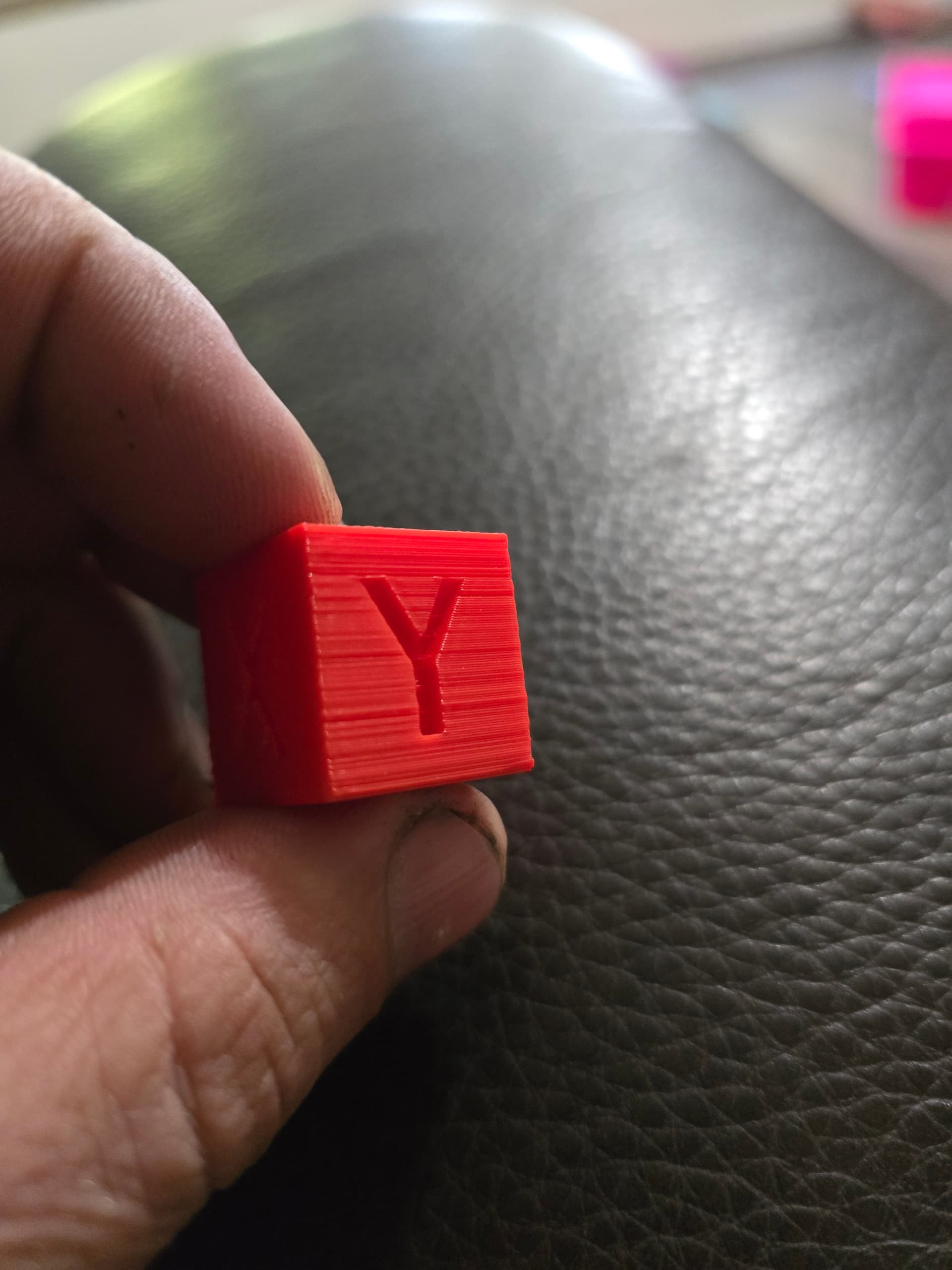
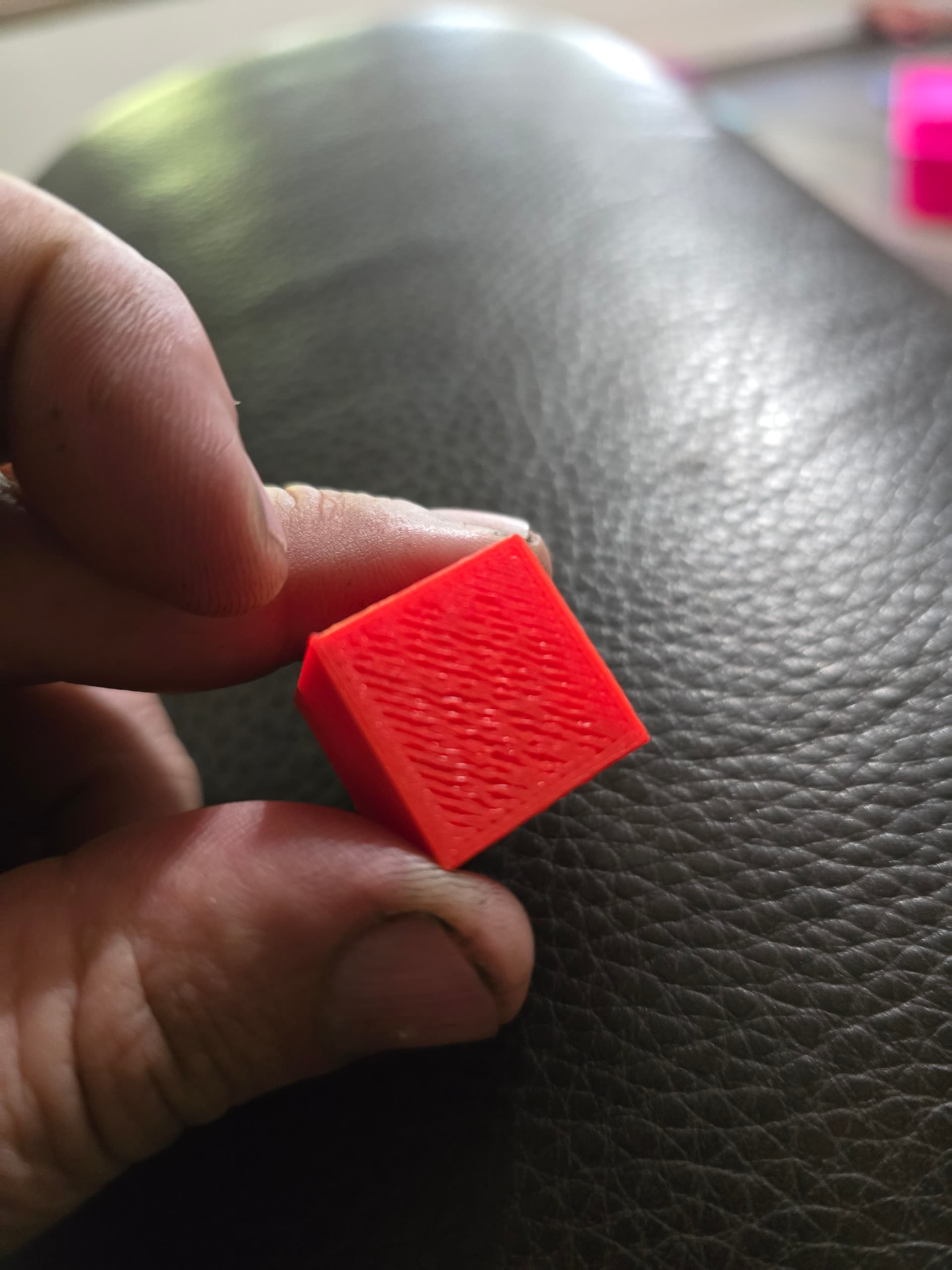
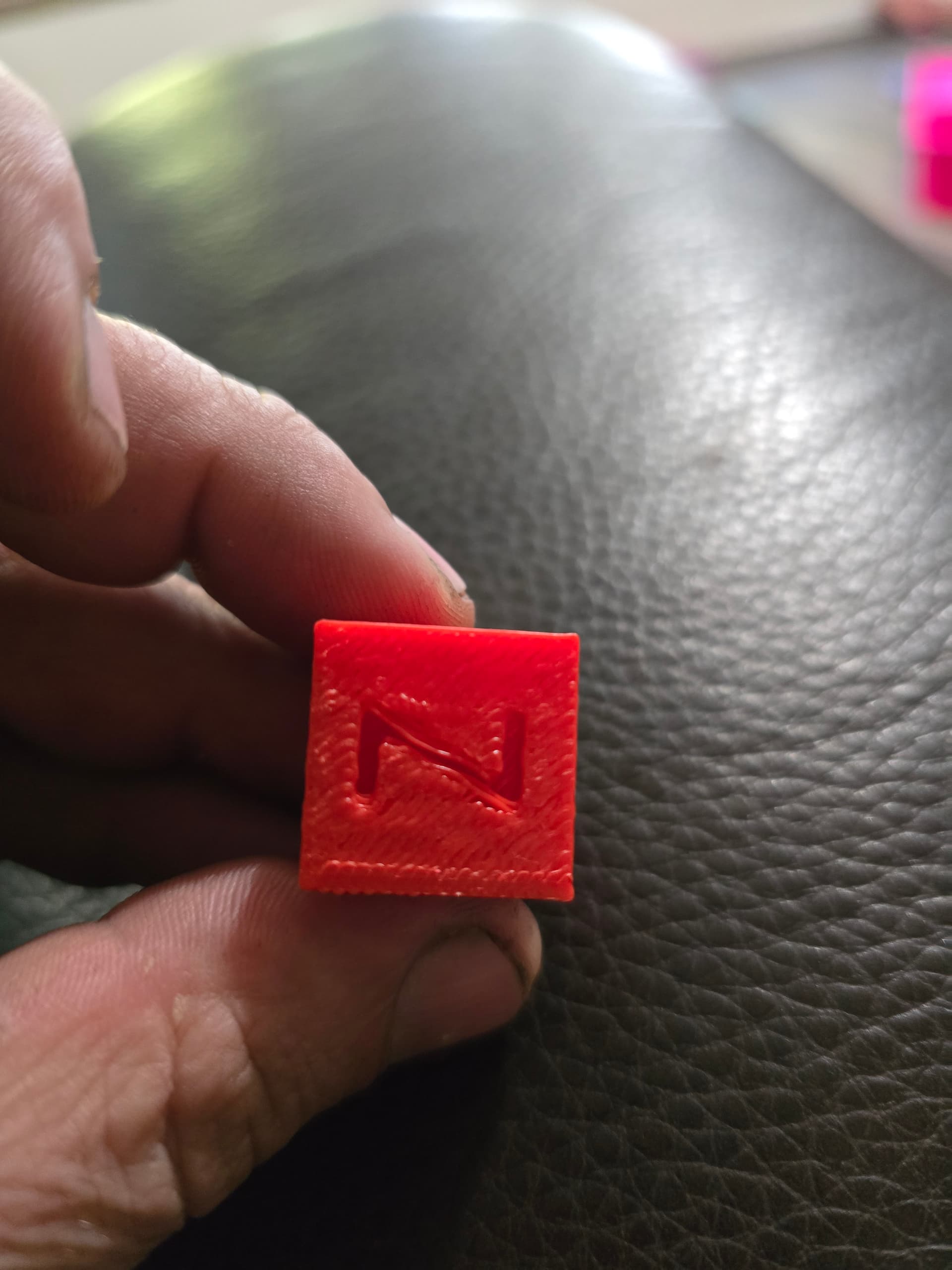
the presure advance on that cube is noticable under extrusion, if you are printing with PLA and nozzle 0.4, try with this parameters.
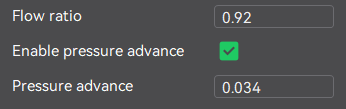
also check the screws under the printhead that hold the printhead to the carridge block of the linear rail, also check the screws of the linear reail, make sure they are all tight
i will try those setting i had it at .94 flow and the same on the pressure advance. i just took the hot end completely off to rebuilt the x-axis belt tensioner but i will check them again. you are talking about the 4 screws under the bridge correct?
Exactly, im talking about those 4 screws, and i think theres 7 screws on the linear reail, make sure those screws are tight. plz answer this when you done trying every i said and post photos of your new calibration cube results
if your cube prints with the same bad results, then put flow to .96 and presure advance make a minor change put in 0.036
i’ll try that tonight, I also ordered a new extruder cause i did some read on other sites and people where having simpler issues cause of extruder issues
maybe, but do you try with another nozzle? i never had a problem on my printer, i have like 800hs, never got a clog or anything like that, i constant change nozzles from 0.4 to 0.6, even used temu nozzle 0.4, never had a single problem, but as i said, i always check all the screws of the entire machine, lubricate the rails, tension the belts, etc etc, only thing i dont do is clean the build plate, not even in my HI or my SPARKX i7, never used glue, with a perfect bed mesh and all screws tight (EVERY SCREW), you dont need anything like that
i have replaced the nozzle that was one of the first thing i tried. how do i lube the x axis? what i think happen is i got a clog at the extruder and i damaged it trying to clear it. I tied your setting but there was little change. sorry i didn’t take pictures.
what type of lube should i use on it? like a dry spray lube

you can use that, but is better if you find a similar one but more like oil, less dense than that one
Still having issues, tried flow adjustments, temperature adjusted, factory reset, different filaments, z offset every thing. Some prints come out ok but low quality others are complete junk. Not getting good layer adhesion, layers not lining up like they should. Im at my wits end. Should I try to get a new machine from creality or is there a way to fix it?
Hi, I own the Creality HI, the Sparkx i7, and the Bambu Lab A1; the HI is the only one that allows me to print large objects—between 16 and 28 cm—without ever experiencing layer shifting; it is the only one capable of doing so. That is why I consider it an excellent printer: it allows for printing large parts without layer-shift errors, and the results are always perfect. If you are having problems, the printer might have a factory defect, or it could be a case of user error. Keep in mind that grease is only for the Z-axis rods; for the X and Y axes, you should use lubricating oil, such as Super Lube. If you perform the necessary maintenance and take care of the printer—cleaning the nozzle manually, etc.—it will work exactly as it should. I believe it is the only printer that never fails with layers because it features two independent motors.
I put my printers through heavy use; they run practically 24/7. That is all I can say; I speak from personal experience. I should point out that the Creality HI produces the worst finish on the bottom of the printed part; I believe this is due to the epoxy build plate. I tried the holographic plate and layer lines were still visible; I never got around to testing the textured one. On the other hand, the Sparkx i7, which comes with a textured plate, achieves a far superior finish on the first layer—or base—of the part. Finally, the A1 offers the best first layer or base so far; plus, it has the fastest calibration process of them all (it calibrates incredibly quickly). However, the HI is the fastest in terms of overall print time; it is truly speedy, but it requires a very solid base (sometimes I simply place it on the floor). That is why I prefer to sacrifice a bit of base quality—or buy a textured plate in the future—rather than deal with layer-shifting issues on tall projects, such as those 27 cm in height.