Can anyone help explian to me what I am doing wrong. When I set up a print job and I’m in the settings, if I set the print speed up for say 52, and I save the profile. Whe I go to print the print speed is always a 100%, only after the job has started I have to go in and tune back down to the original speed i put in . What am I doing wrong.?
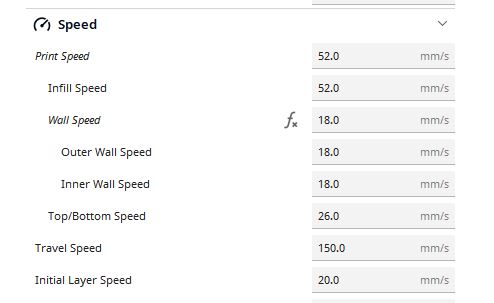
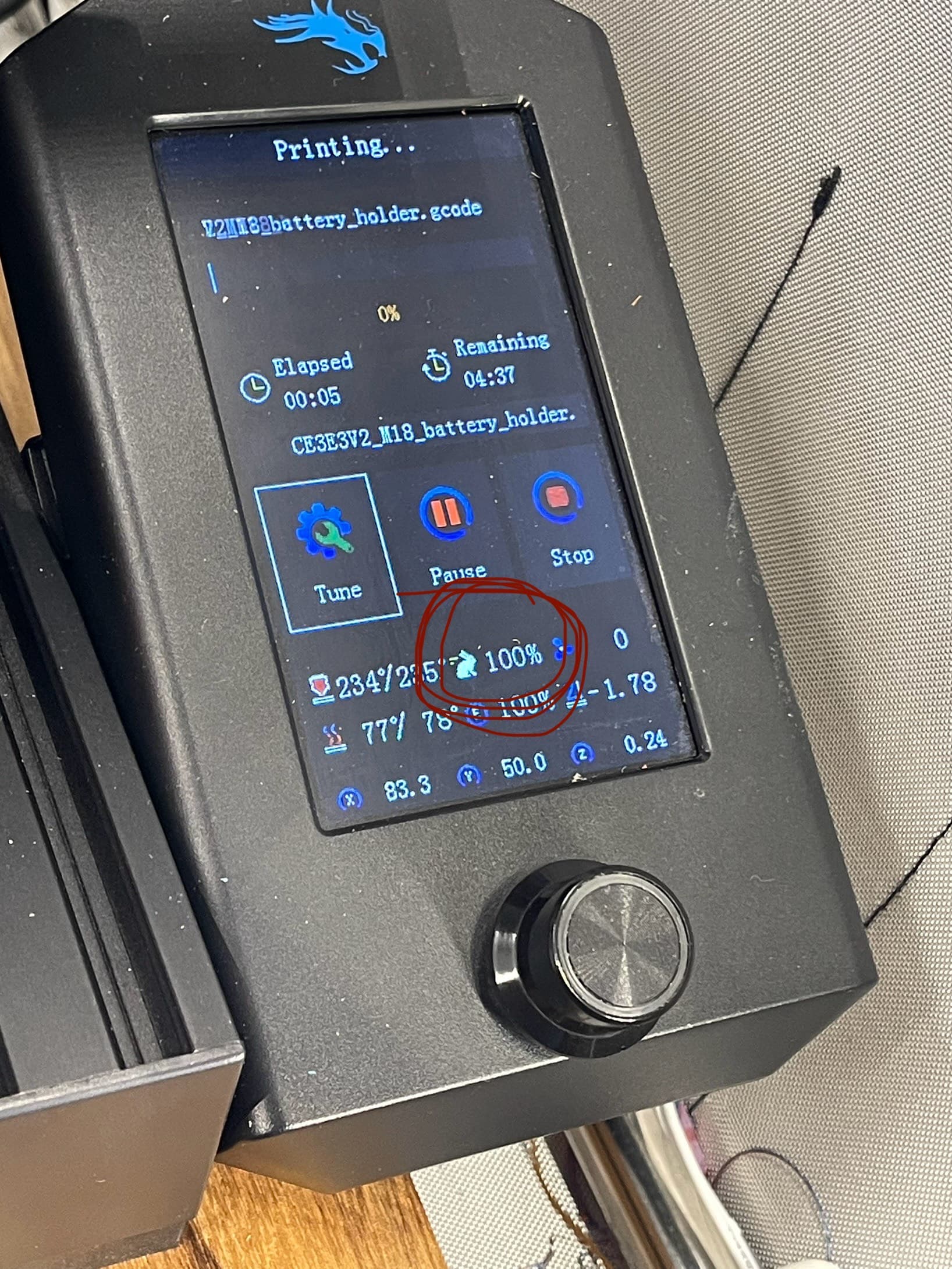
The way I understand it, 52 (or whatever speed is loaded from the gcode file) will be 100%. When you go into “Tune” and change the speed to 110%, you will see the 52 go up a bit. Someone will correct me if I’m wrong, I’m sure.
That would be my guess too. Manually set the print speeds and that becomes your 100%.
Confirmed using Grok AI - Its says YES, Ender series (and others) when you change the printing speed in you slicer those become your new 100% reference speed. Here is the response:
Yes, on a Creality Ender series 3D printer (like the Ender 3, V2, Pro, S1, etc.), when you change the printing speeds in your slicer software (e.g., Cura, PrusaSlicer, or Creality Print), those speeds become the new “100%” reference shown on the printer’s screen.The percentage displayed on the LCD screen (often labeled as “Speed,” “Print Speed,” or “FR” for Feed Rate) is a multiplier applied to the speeds defined in the G-code generated by your slicer.
At the start of a print, it always defaults to 100%.
This 100% means the printer is running exactly at the speeds you set in the slicer (e.g., if you sliced with 60 mm/s print speed, 100% = 60 mm/s actual movement during printing sections).
If you dial the printer’s speed to 50%, it slows everything to half of your slicer speeds (30 mm/s in the example).
If you increase it to 150%, it speeds up to 1.5× your slicer speeds (90 mm/s in the example).
This is how Marlin firmware (which powers stock Creality Ender printers) handles the feed rate override. The displayed percentage is not an absolute speed like mm/s or a fixed machine maximum—it’s purely relative to whatever your slicer programmed into the G-code.This behavior is consistent across the Ender series, as confirmed in Creality forums, Reddit discussions (e.g., r/ender3), and general Marlin/Ender documentation. The best practice is to set your desired base speeds in the slicer for consistent results, and only use the printer’s dial for temporary adjustments (like slowing down if you notice issues mid-print). Changing slicer speeds requires re-slicing and re-sending the file, but it will then make those new values the printer’s “100%.”
Thanks for confirming. I’m new at this 3D stuff myself.
Appreciate the feedback. Makes sense I guess, my simple mind tells me, if I set to 50 print speed then I would see 50 print speed. I guess going forward I’ll leave it alone.
Thanks again
1 Like
The print speed in the gcode and the print speed you see are different.
Please explain.