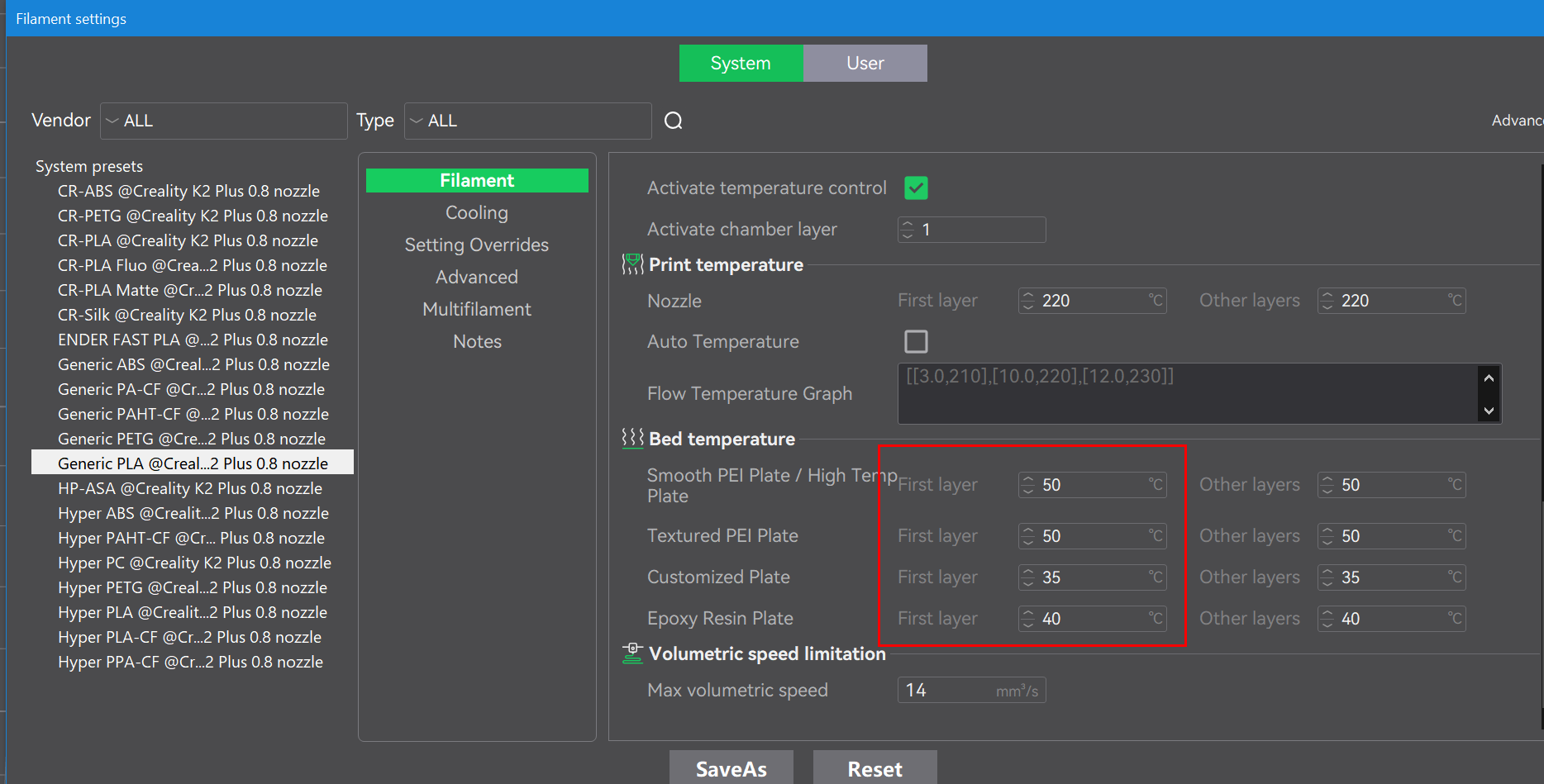
My K2 keeps failing. The print is blowing off… I’m new to this .. it’s a learning curve. The fans seem to high. I do lower them and then they go back on. Is there a glue I can use?
If you prefer YouTube tutorials, there are many that cover 3D printing basics. One I often recommend is the Teaching Tech playlist. Michael, the owner of the channel, is a former school teacher (he actually announced this month that he is returning to teaching). He is the high school teacher many of us wish we had and has a gift for explaining complex topics clearly. Even as an advanced user, I still find his videos insightful and helpful.
I recommend starting with the playlist and selecting the more basic videos first. The playlist goes into extreme detail for many printers, and for the K2, some of the printer-specific content is now obsolete. That said, the fundamentals are still worth watching.
Your questions
You didn’t mention what type of filament you’re using, so I’ll assume that since you’re new, you’re printing PLA similar to what shipped with the printer.
To answer your last question directly: yes, there are adhesives (glue sticks, sprays, etc.) that can be used to increase first-layer adhesion between the model and the build plate.
However, if you’re new to 3D printing and your K2 is also new (recently unboxed with relatively low hours), there should be no reason to need glue for PLA. On a properly functioning printer, glue should be a workaround, not a requirement.
If your model is lifting off the build plate, here are the most common causes:
Dirty build plate
Contaminants such as skin oils and residue from previous prints can accumulate on the surface.
Remedy: Wash the build plate in the kitchen sink using dishwashing detergent and very hot water. Treat it like a dirty dinner plate. Cleaning the plate is usually far simpler than forum discussions make it sound.
Isopropyl alcohol (IPA) on a paper towel can help remove fingerprints between prints, but IPA often smears oils rather than fully removing them. A proper wash with dish detergent (Dawn in the US, Fairy liquid in the EU/UK) is much more effective for degreasing.
Build plate temperature too low
For PLA, typical build plate temperatures are in the 50–65 C range. If you are using stock PLA settings and still seeing lifting, try increasing the build plate temperature in 5 C increments within the filament manufacturer’s recommended range, usually found printed on the side of the spool.
If the build plate temperature is set too high, or if the first layer is squished too aggressively, you may see a defect known as Elephant’s Foot, where the base of the model flares outward. There is no harm here but just back off the temperature if this happens.
Brims
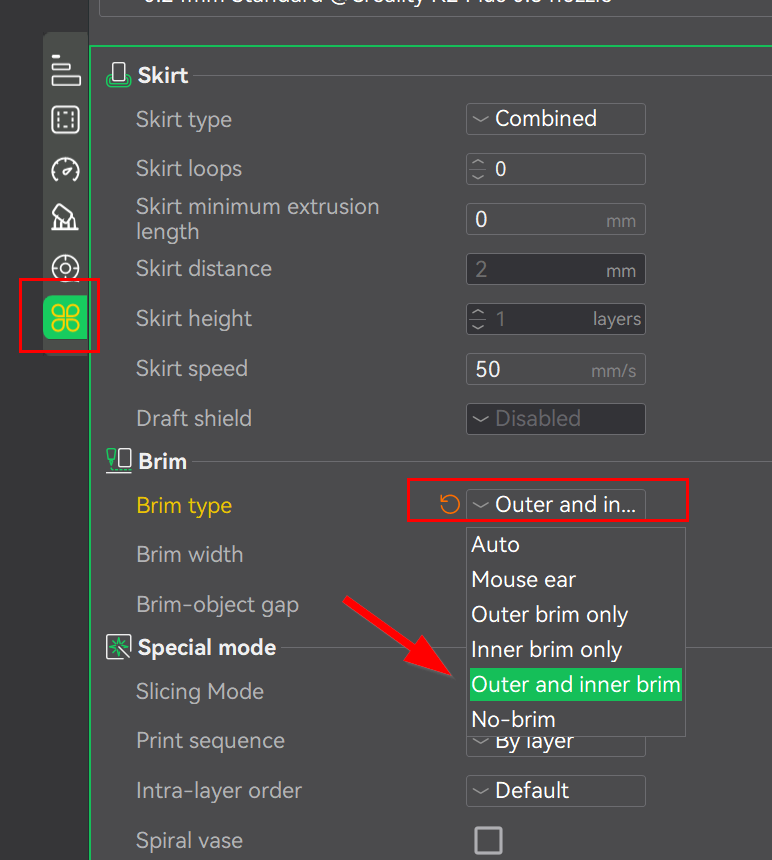
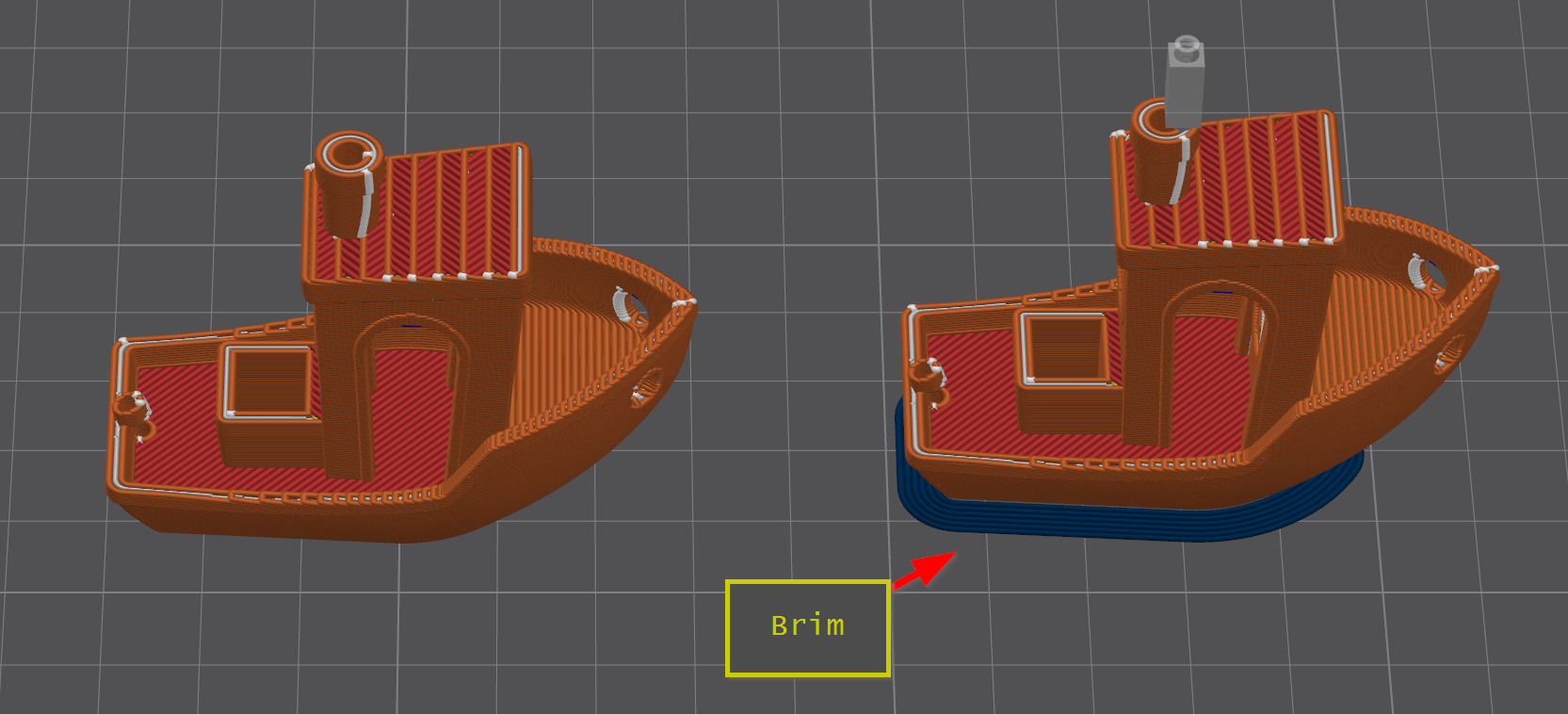
Brims are easy to enable and add a single-layer perimeter around the base of the model to increase adhesion. This option can be found in the print settings.
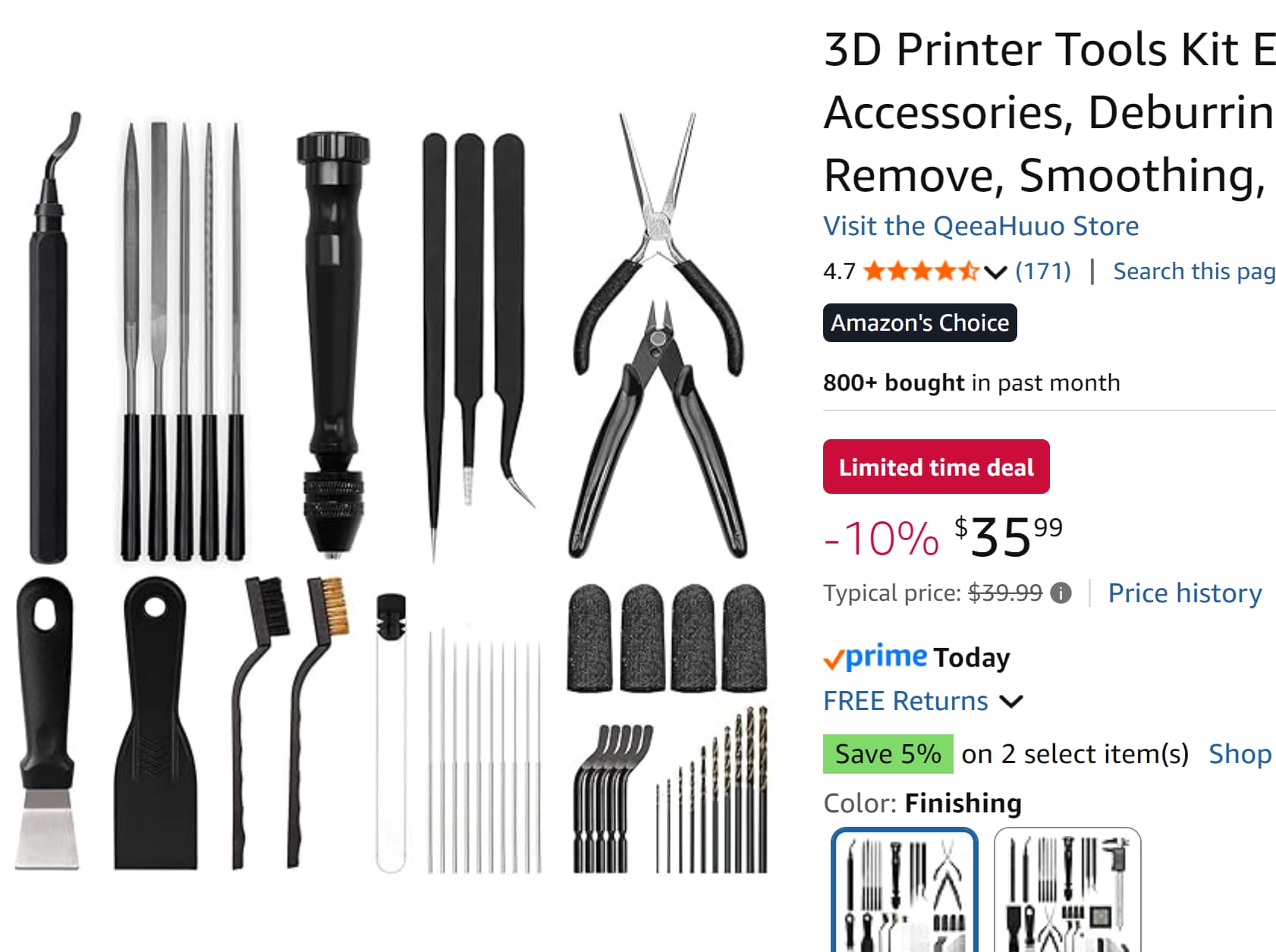
Brims must be manually trimmed after printing. A razor knife works, but a deburring tool is safer and produces cleaner results. It’s also a tool you’ll want in your kit anyway. Deburring tools are commonly used for metal and plumbing work and are easy to find at hardware stores.
If you spend more than $20 on a deburring tool, you got ripped off. They are largely the same. Buy on price, not packaging, and avoid tools marketed specifically “for 3D printing.”
That said, complete tool kits do occasionally go on sale and can be worth the money. Here’s an example I recently spotted that includes most tools needed for post-print cleanup.
Filament temps - If you’re filament temp is two low for the first layer, it may cause the print to not stick at the start. This can and will lead to the model becoming unstuck during print leaving you with either a big blob under the nozzle or a pile of spaghetti. Fix this by going into the filament profile and increasing the filament temp for the first layer.