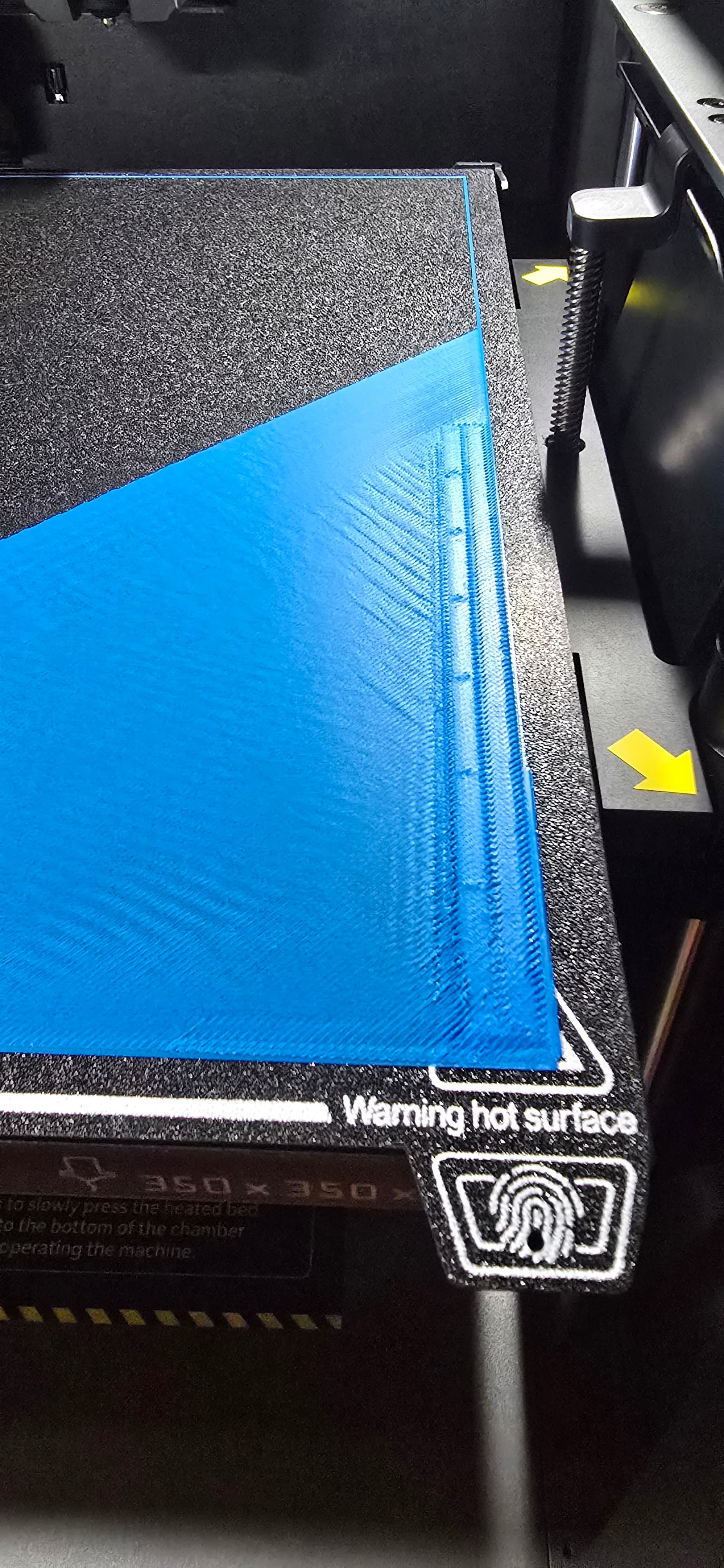
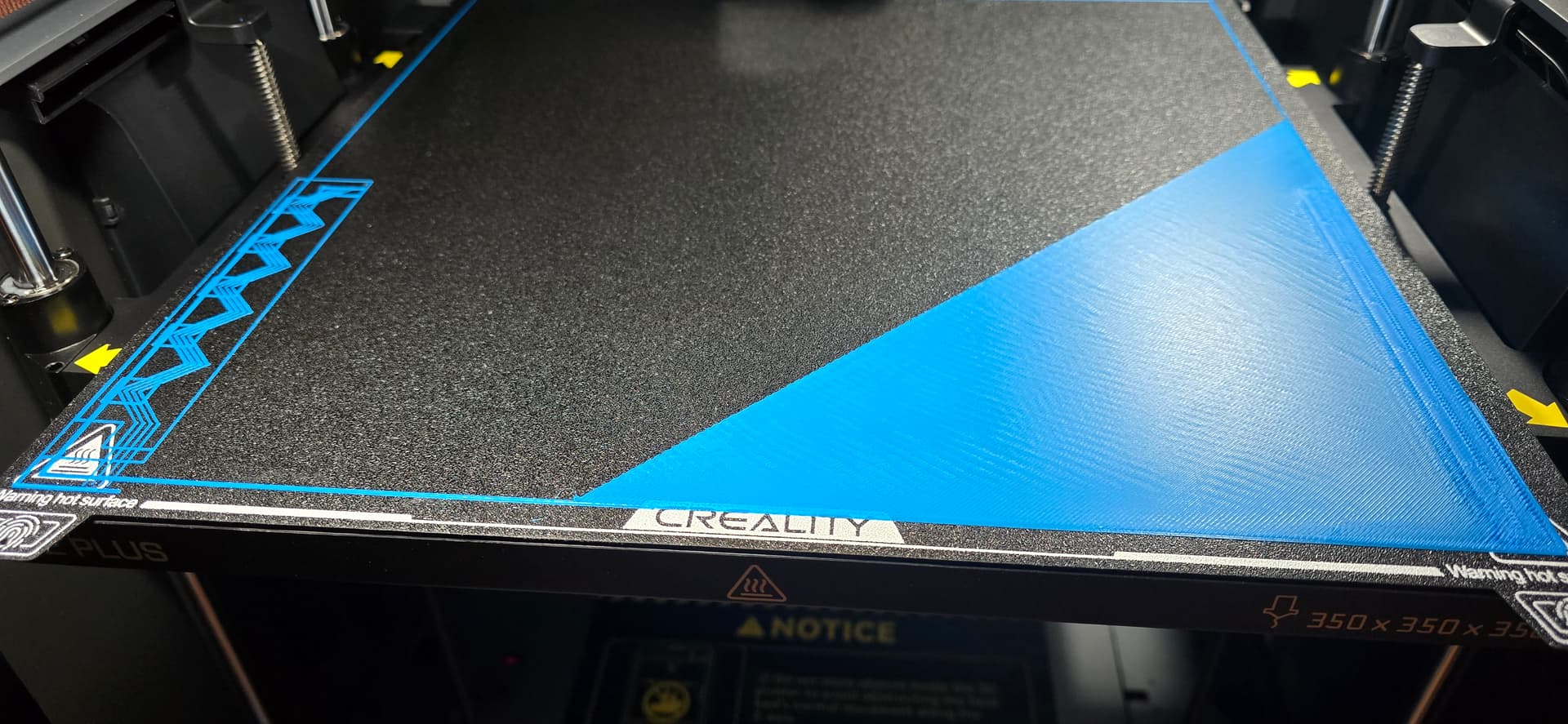
I’m not sure if I’m having a real issue, so I posted a couple images to show what I’m dealing with.
So I got a brand new K2 Plus with a CFS for the Black Friday sale. Its been working great (minus an issue with the nozzle clogging after just 20 small prints), but now I’m moving on to the real work I bought this for.
I designed a print that will effectively use the entire 350mm by 350mm of the print bed. I noticed though that the test patterns are printed within the print space itself, so I’m worried that it will affect the rest of the structure going forward. I know it’s a very thin strip, but I’m sure as we all know every layer counts.
So I noticed that it seems this test pattern is printed every time I start a print, so I’m wondering if anyone has an opinion or suggestions on whether I should disable this (don’t know how), if I should pause after it prints and scans this and remove it, or if I’m missing something.
Any help is greatly appreciated!
I have this exact same problem all of the sudden
Ok so, what you need to do…
Using the interface on the printer itself (the touch screen – can’t do this via FLUIDD) look for options that include.. “Pressure Advance” and “Flow Rate” calibration. When you’re doing prints, the piece on the left (the zig zags) are testing pressure advance. The bar on the right is testing flow rate. If you already have these set, there’s definitely no reason to keep running these tests other than to waste time and filament.
Turn them off in the interface, at this point you’ll only have the “L” shaped initial line that’s printed right before the actual print starts. If this is intrusive, easy enough to pull it off real quick without even pausing the print assuming the print isn’t starting in that same corner.
If you need to do tests for PA/Flow rate, either turn these back on - or if you want even better results run the tests included with creality slicer when you get a new kind (or even a different color of the same kind) of filament.
Hello !
When you send the print, just deactivate “Calibration”. It will not do any calibration (even the bed leveling but I do not suggest to do it every time either)
If you still want to do the bed leveling of the calibration but not the flow rate and PA advance calibration, you can just deactivate what you don’t want in the settings of the printer.