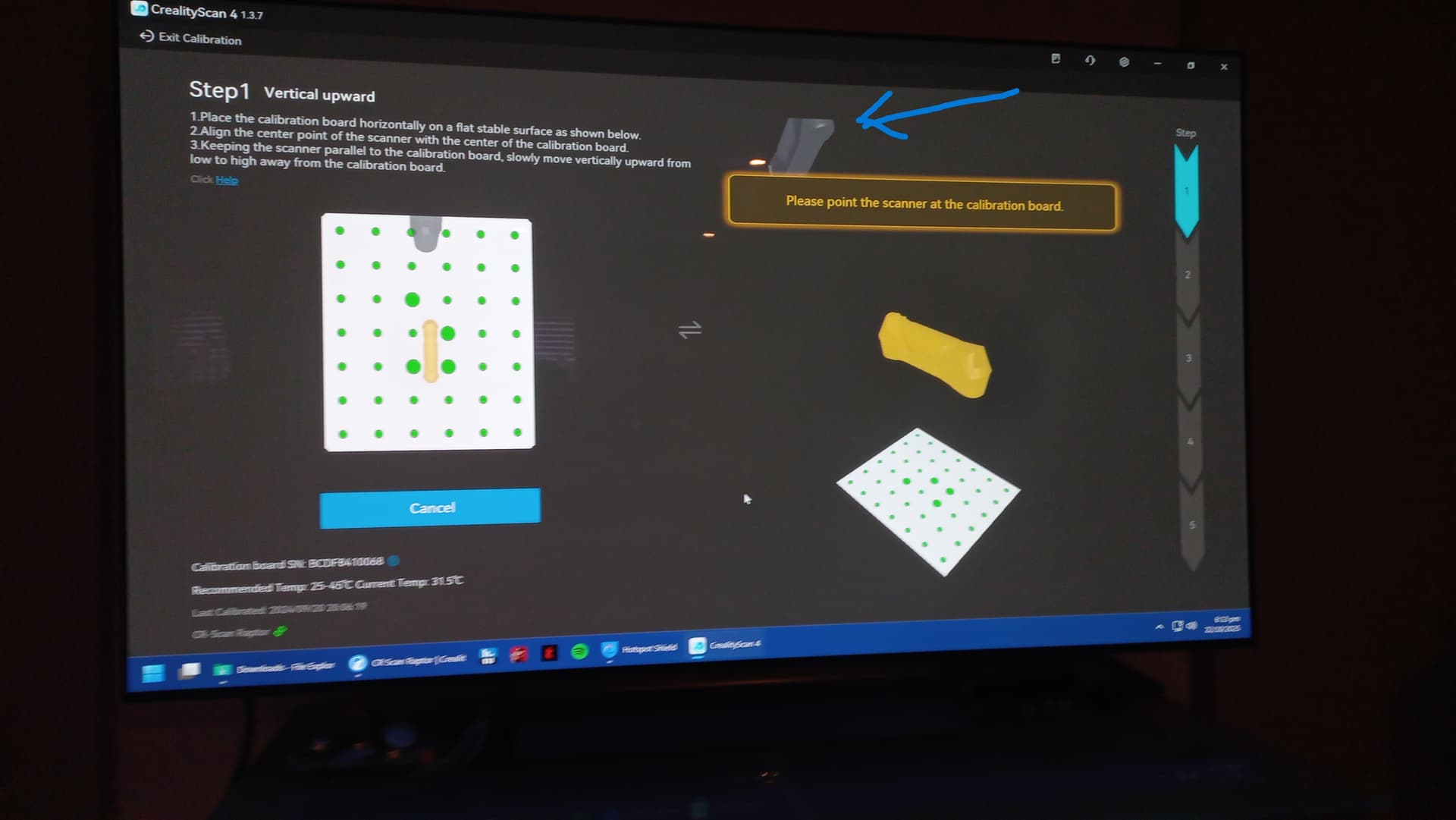
I’m hoping someone can assist with a calibration issue I’m experiencing with a second-hand Raptor I’ve just purchased.
The Problem: The scanner doesn’t seem to recognize the calibration board unless it’s approximately 100cm or more away from it. Any closer and I get a “Please point the scanner at the calibration board” error. However, the calibration process will only start when the scanner is much closer to the board—the official “How to Calibrate Your Scanner” instructions show the process starting at about 10-15cm from the board.
This creates a catch-22 situation:
If I get close enough to start calibration, I get the error message
If I move far enough away for the board to be recognized, it’s too far to begin the calibration process
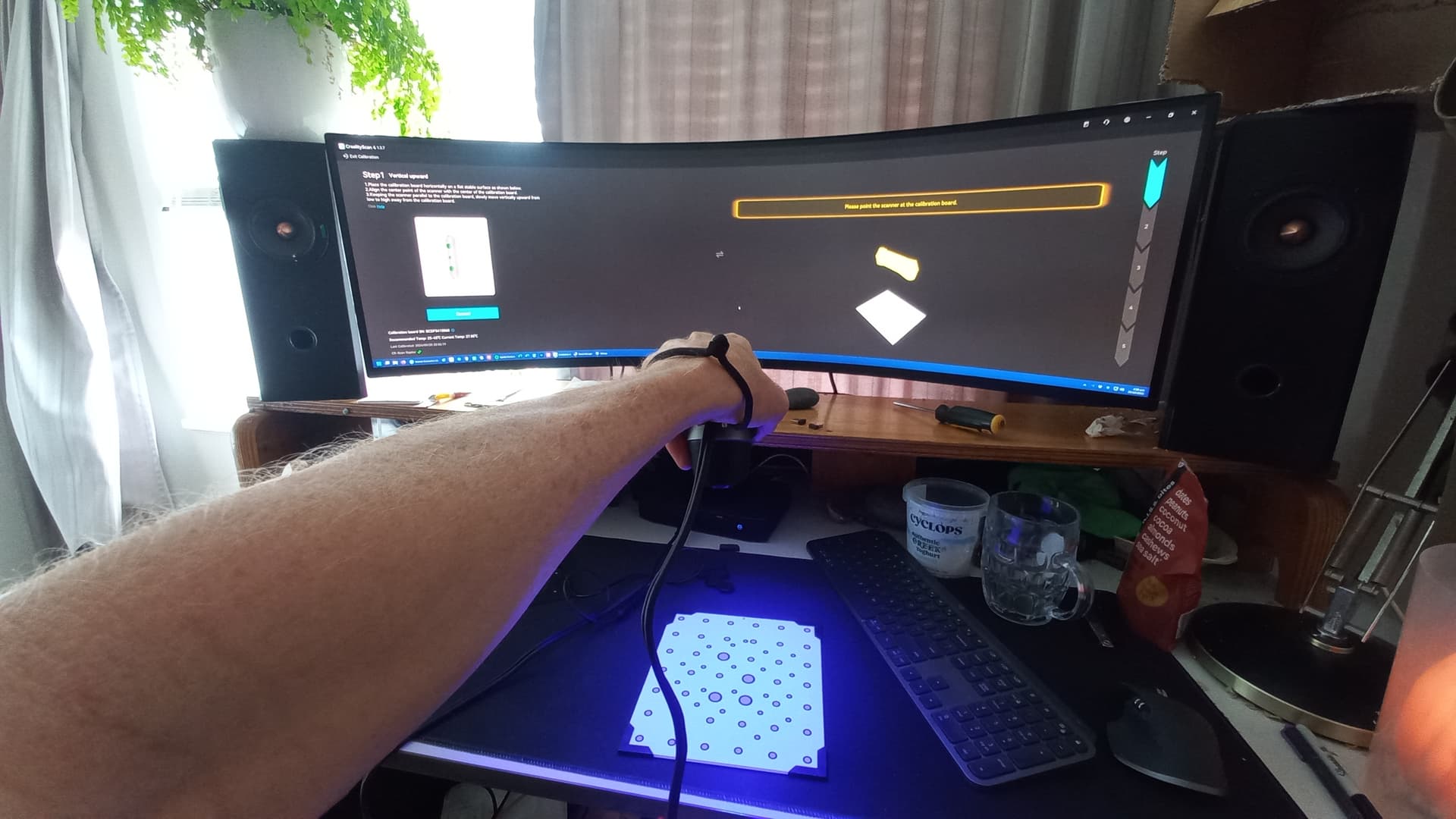
What I’m Seeing: When I position the scanner square over the board and far enough away for the error to disappear, I can see:
The scanner shadow is positioned over the board on the left
All registration dots are green, indicating the scanner sees the entire board
However, the shadow image of the scanner that should appear on the right (which moves up and down with scanner height) is off-screen because the scanner is too far away
This shadow should overlay the yellow image at the correct height to initiate calibration
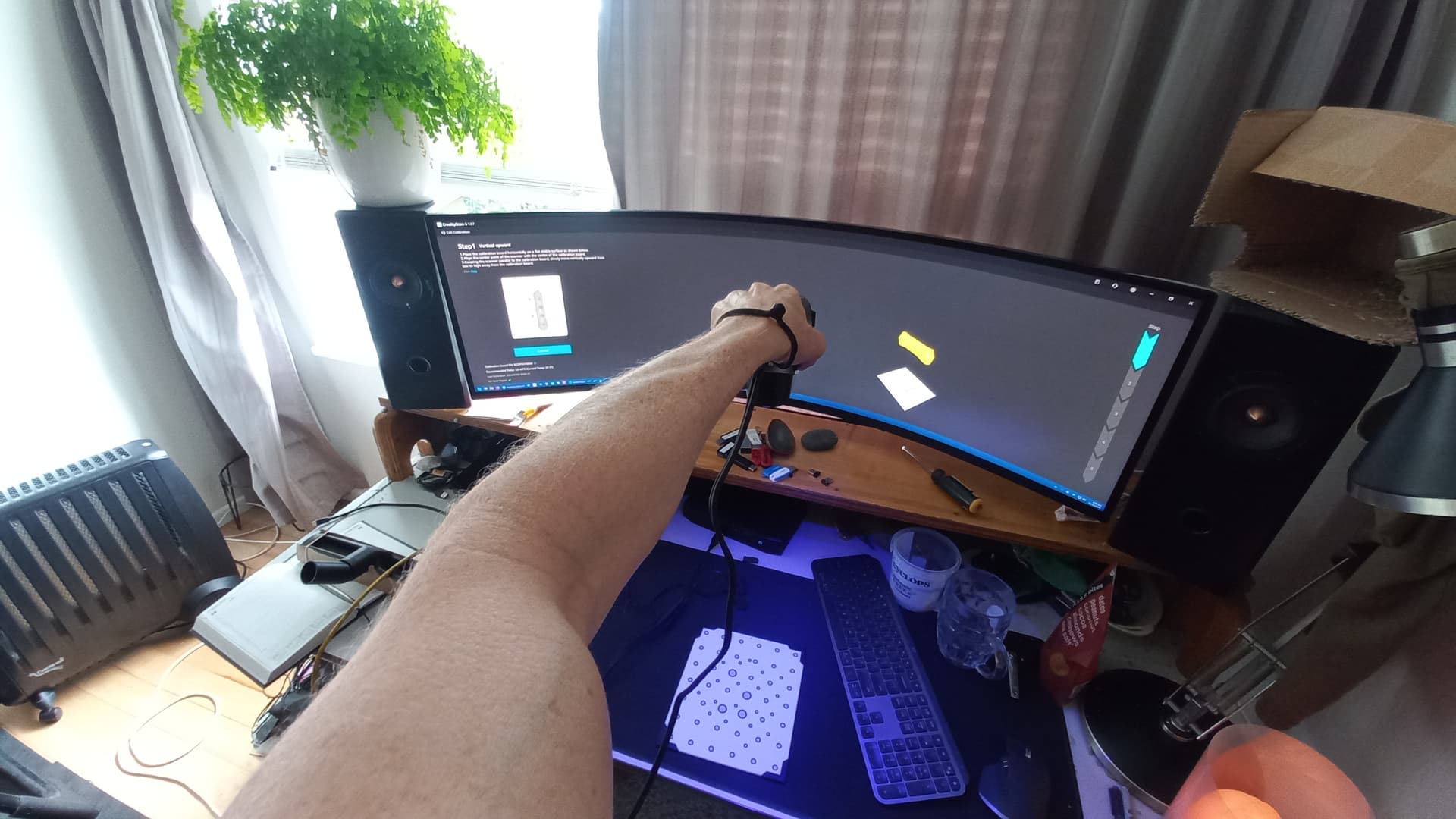
I can get the shadow image to appear on screen if I move the scanner off-axis (the blue arrow is pointing at the scanner shadow image in my screenshot). This confirms the system knows where the scanner is in space. But as soon as I move the scanner closer or back to vertical, the shadow image disappears and the error message returns.
What I’ve Tried:
Updated to the latest version of Creality Scan
Confirmed scanner firmware is up to date
Tested with USB-C and USB-A directly connected to the motherboard
Rotated the USB-C plug that connects to the scanner
Restarted my computer
Tried on a different computer
Additional Info: I can see from the logs that this scanner was last successfully calibrated in September of last year, so the process has worked in the past.
I’m at a loss as to how to resolve this. Any suggestions would be greatly appreciated!
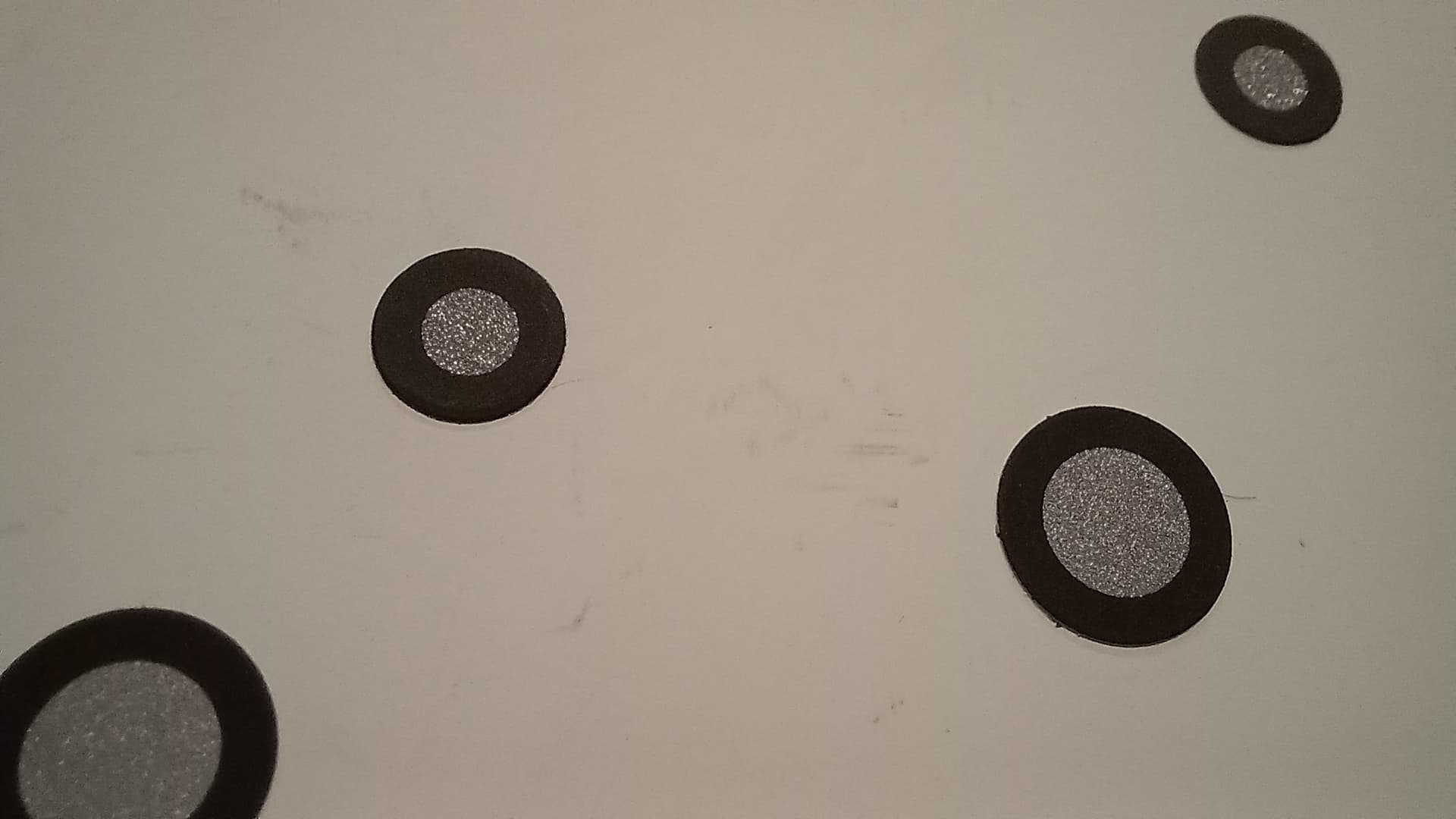
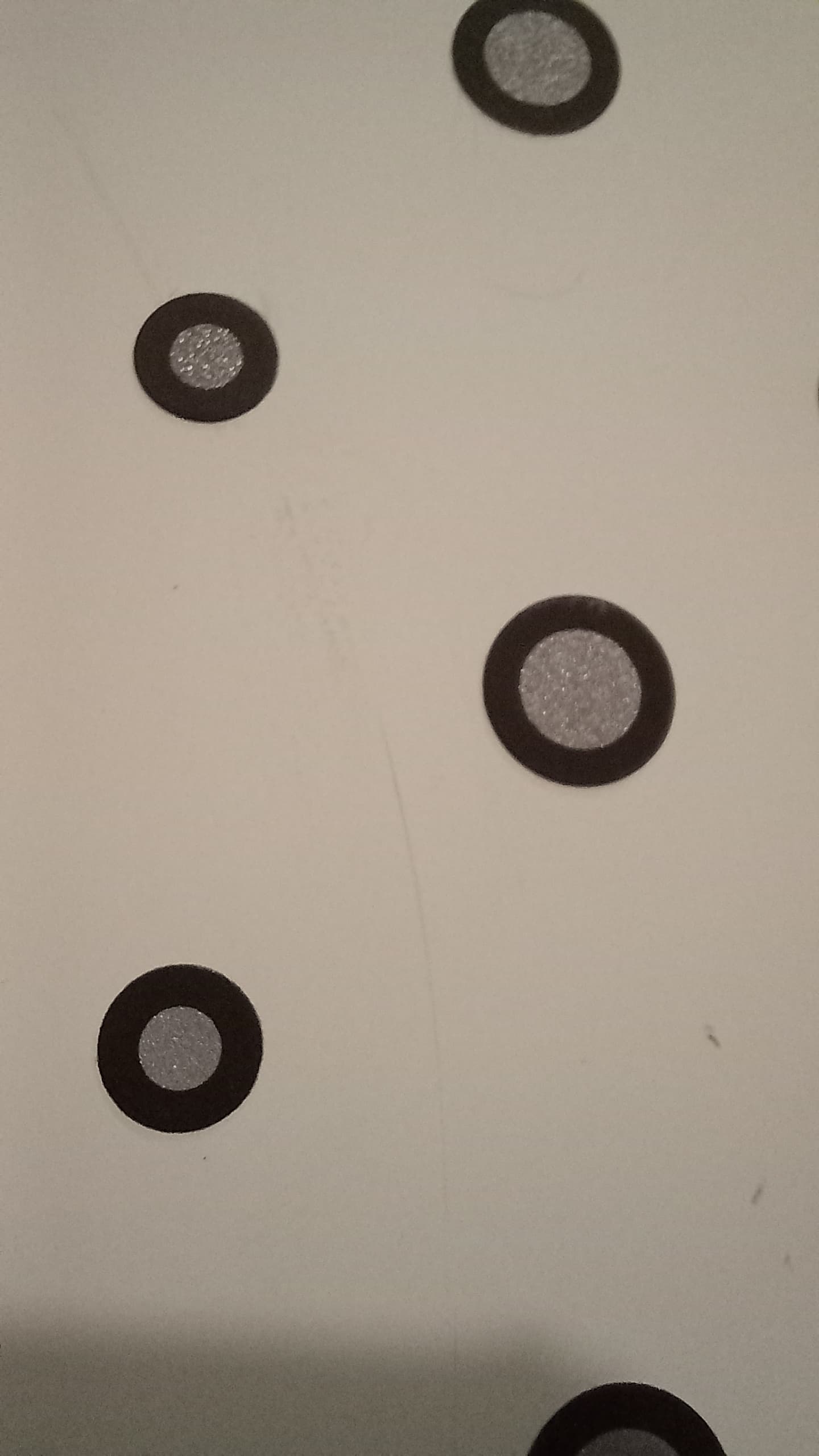
A bit more info… So I tested the scanner and it seems to scan objects correctly. I noticed some slight marks on the calibration board. They are quite faint. See pics. Might this be sufficient to throw out the calibration process?
Scanner off axis: Blue arrow points to shadow image of scanner, suggesting that CrealityScan is aware of where the scanner is in space but its just too high to be seen when directly above board.
I tried rolling back to earlier versions of CrealityScan and the raptor firmware. No luck.
The earlier v3 version of CrealityScan had exactly the same issues, however these were seen through the “eyes” of a different interface. In this case the error message it displayed was “Please change the direction of the calibration board and scanner” perhaps suggesting that it is loosing orientation when close to the board?
However when it was above the height threshold for it to register the board, the orientation was clearly correct on the calibration software and the error message changed to " Too far, move downwards"
I think as long as the markers are fine and not changed in position and the calibration board is not cracked, it should generally work. However the calibration is quite tricky. You have to always check that the orientation of the scanner matches (look where the cable is attached to, which side, and what is shown), control the height and angle.
Yes I took great care to check all of the things that you mentioned (calibration board damage, board orientation, scanner height and angle) and unfortunately these did not provide a solution.
Based on my description of the issue and the details of the troubleshooting i’ve attempted, do you have any other suggestions for what I might try?