Hi everyone,
I am experiencing a highly frustrating and repeatable alignment issue with my Creality Falcon A1 Pro. I have tested this across Falcon Design Space
The Core Symptoms:
-
The Visual Shift: On the canvas, everything looks perfectly centered on my material preview. However, the physical engraving lands exactly 2mm (approx) too high (upward along the Y-axis).
-
The “Ghost” Overlay: As soon as the engraving job finishes and the camera refreshes, the digital background image on my screen suddenly shifts upward by 2mm. It suddenly aligns perfectly with the physical mistake on the bed, but the bounding box in the software drops down. It feels like the software is using an incorrect baseline focal/perspective matrix before processing, but updates to reality only after the job completes. Manual coordinate offset changes inside the software are seemingly ignored or overwritten.
What I Have Already Tried:
-
Switched entirely from USB to Wi-Fi connection to rule out communication lag/data drops.
-
Verified that physical Y-axis timing belts and motor pulley grub screws are tight (ruling out a standard mechanical belt slip).
-
Repeatedly re-calibrated the camera wizard and checked material thickness/focus settings. Autofocus works.
-
Always selected material thickness with caliper
-
Calibrated the offset based on the resulting image (but every time is 2mm higher so every time I calibrate 2 mm more) and still doesnt work.
-
Reseted the creality. Updated Design Space, given design space admin privileges
Here you can see the BEFORE I engrave and what happens when I take another picture after I engrave, I do not touch anything other than take the photo.
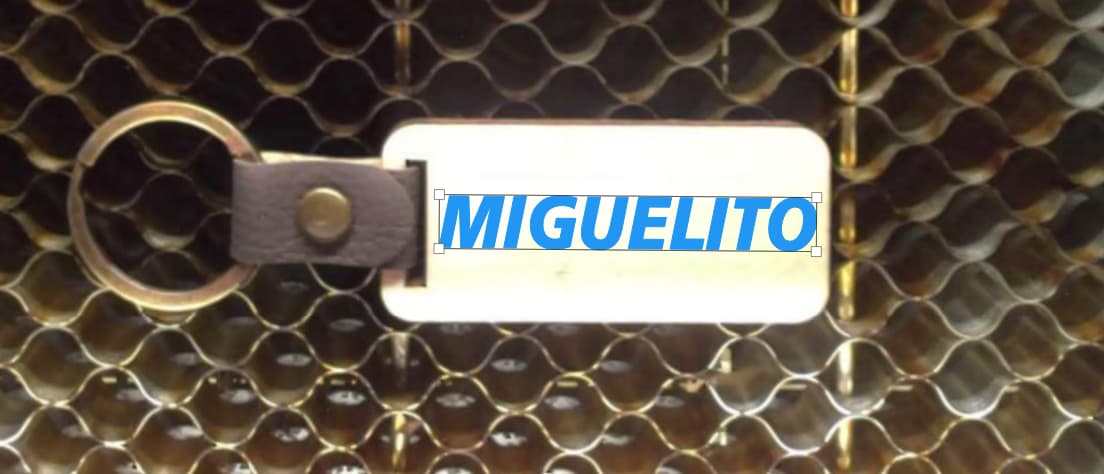
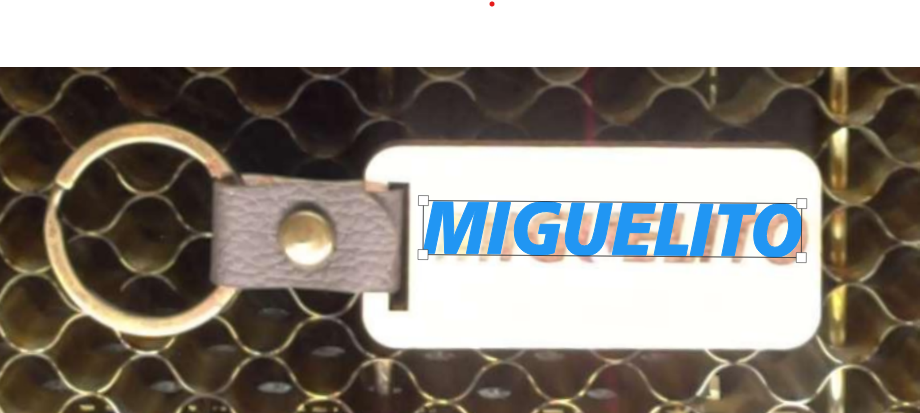
Has anyone encountered this specific 2mm canvas ghosting or a Z-axis limit override loop? Any advice on how to force the camera offset to lock down permanently would be greatly appreciated!
I am desperate.