The amount of waste produced is staggering it is nearly double the filament I would normally use. I am going to have to figure out where to change the setting.
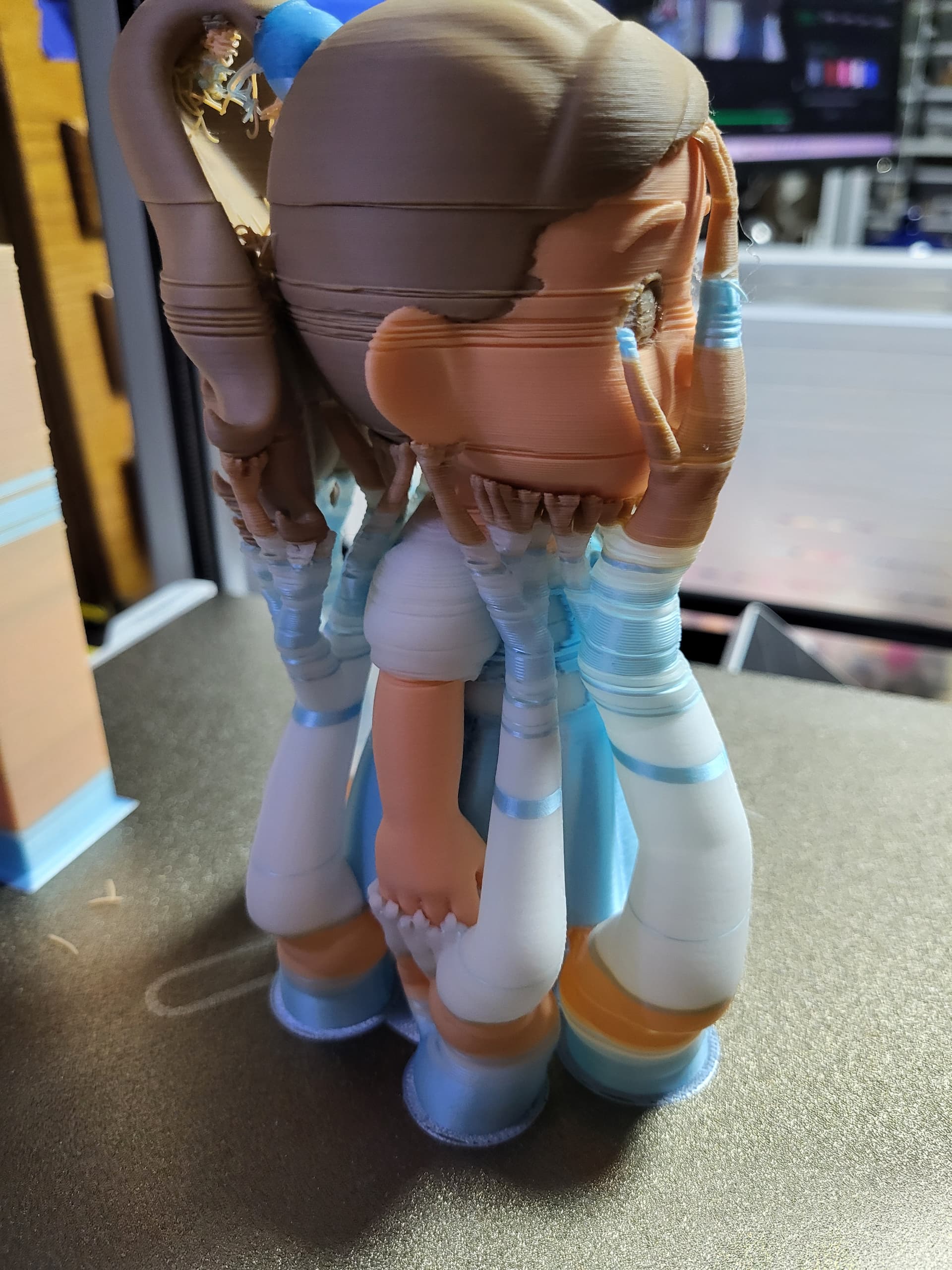
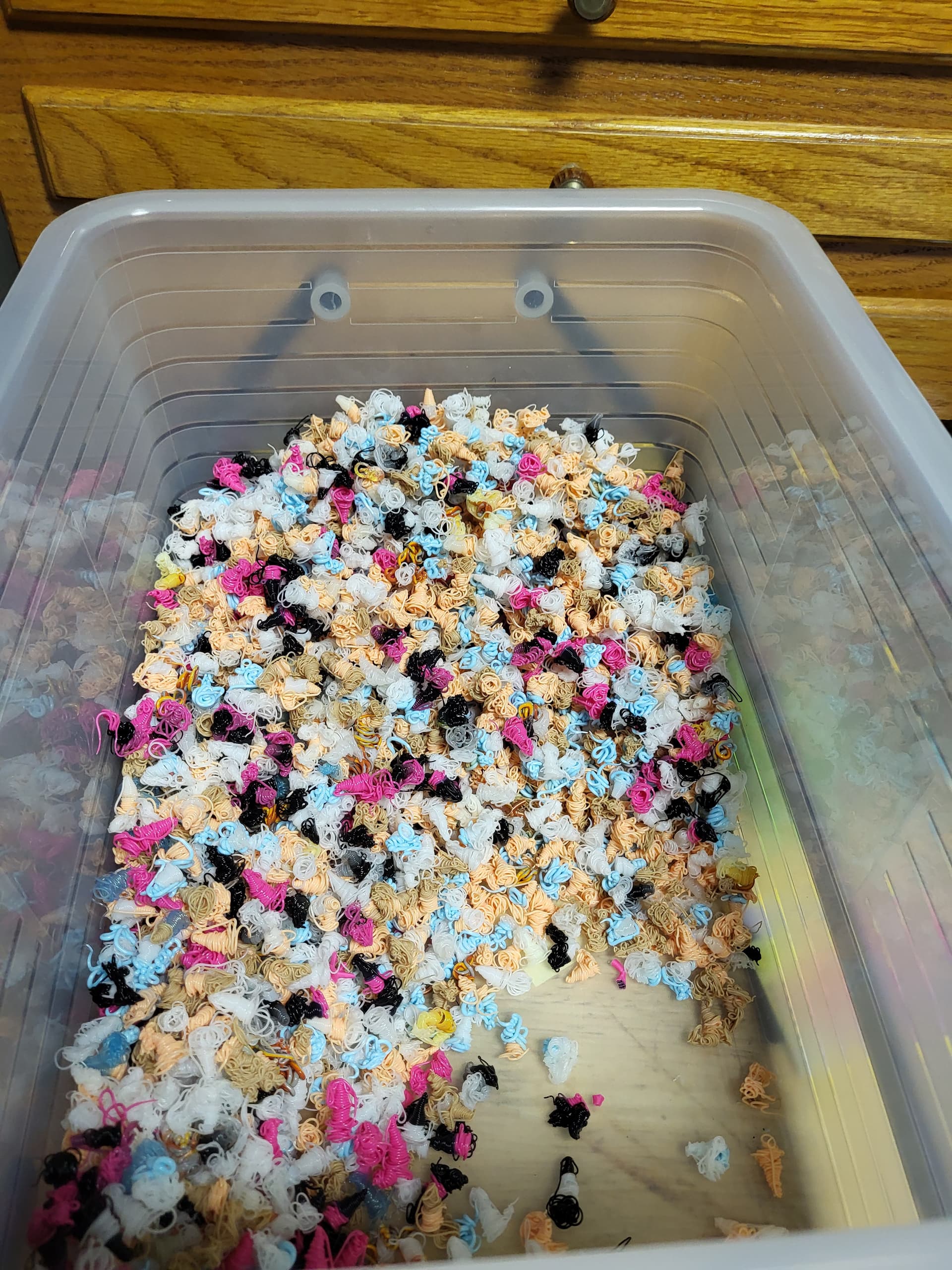
It’s less compared to similar previous systems. But it will always need to clean the nozzle path. There are some tricks like if you can need multiple prints that fit on the build plate and can be printed at once, that helps the most because it still only needs to swap the color once for all the copies. You can also do things like purge into the infill of one copy then to save a bit more. What the SparkX did improve is the filament path and a retraction before cutting the filament. For minimal waste you would need a tool changer, but printers like that will cost much more because they need a separate toolhead for each filament.
2 Likes
I have an Anycubic S1 Combo and there is a place to configure the waste between colors. My issue is that it extrudes the old and new filament in 1 shot then does 2 more of the new color which should be stopped or have a place to adjust it.
1 Like
I’ve read (Setting the Record Straight: Understanding Filament Waste in Multi-Col – Co Print) that reducing the length of transition filament between color changes by about 50% can reduce the amount of waste. Haven’t tried yet as I can’t find the setting in the Creality slicer. I decided not to print a 4 color model (about 4” high) because the amount of waste was astounding - a multiple of the weight of the model, totaling almost half a kilo.
My waste is about 1/2 if there are a lot of changes.
There is a flush/purge setting in Creality Print the allows you to set/reduce the number of “poops” between colors. The SparkX default is quite aggressive.
1 Like
I came across a possible solution for reducing the filament change waste while solving my layer shift problem.
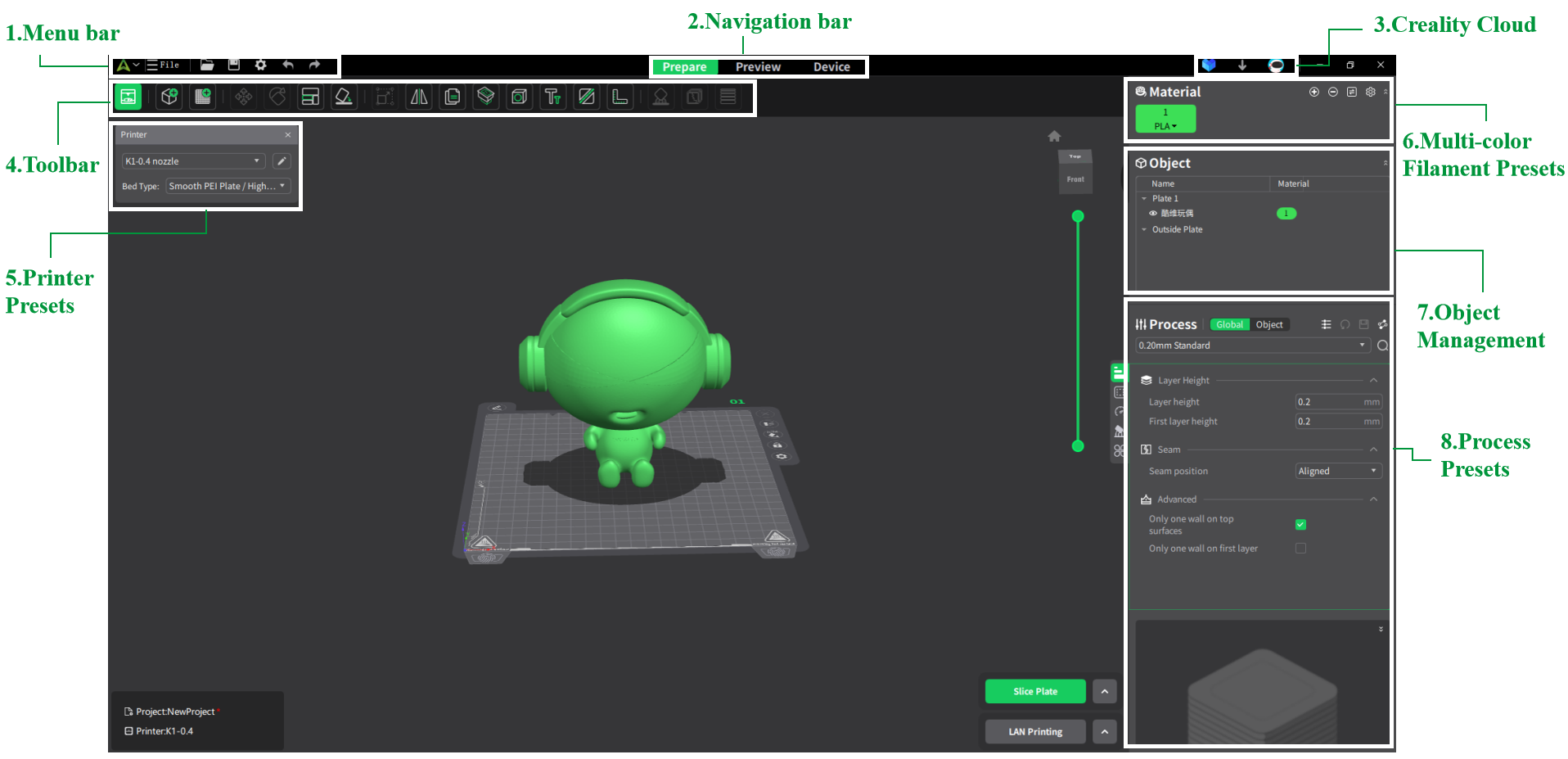
In the Printer’s settings. click on the pencil to edit and go to the machine settings section. once in there look for the section for Filament change. There’s a ton of G-code there, I didn’t go through it all, I just added a re-home X bit of code at the end to fix my layer shift.
I’m certain I saw code with filament speed, retractions, etc… So I’m sure you can edit the amount or number of times filament is extruded there.
I might try it too. I’m not comfortable with all the waste myself. Sure there has to be some, but that’s a bit overkill.
i can’t seem to find the print settings on the creality slicer. I may just be over looking it
This is from creality site, an old version and NOT my Printer, but I find my printer settings here, #5 box., clicking on the pencil icon.
Sparkx complains on any attempt to reduce flush volume below 1.30.
Where is this setting?