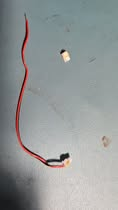
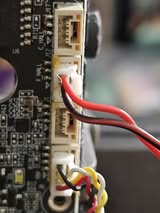
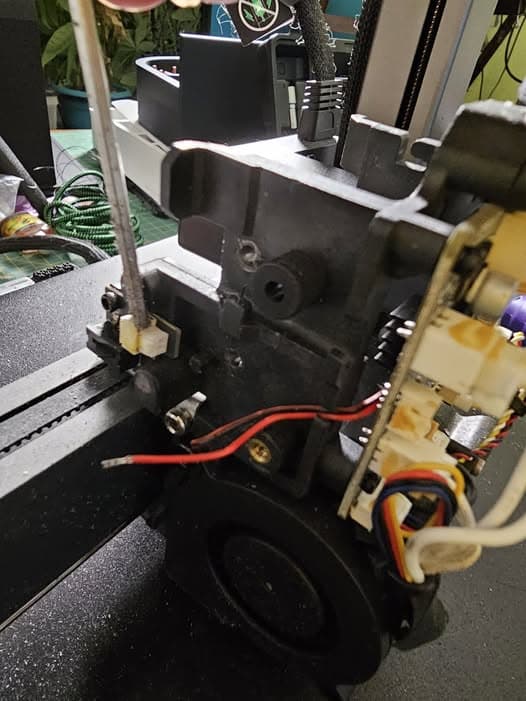
Had an extruder clog in my Hi - no big deal EXCEPT the cover screw was stripped. I finally got it off (by destroying the cover in the process!) and the jam cleared, but in the process of getting the cover off, I apparently broke this wire. It goes from the back left side of the print head under the pcb board in the fron and into the plug that seems to be labeled “X HALL” (see pictures). It’s a 2 wire connector that pulled out of the connector and the black/red wire snapped off so it no longer reaches. It seems to be about 5 inches long.
I am not a wiring person so have no idea how to make one, what exactly it is, or what part to look for. It’s probably something that could be made if I knew what I was doing - but don’t! Can anyone point me to one that will work or make one for me??
Yeah, I’m not finding any for the Hi. Though someone told me its the same cable used on the CR10 so I might try taking it off my currently unused CR10 and see if that works.
You are completely right, I did think you need one of the cables from the extruder, but you need the cable connecting the X axis limit switch to the nozzle plate, this is 2 wires but on the plate side have a JST GH 3 Wire 1.25mm Pitch - locking type connector (the same of the two cables I describe before) and on the side which rips on your printer is JST ST 2 Wire (1.25mm Pitch - locking type. That cable seems is not a buyable part, you should contact support cs@creality.com and see if they can send you a replacement.
or with the type of connectors see if you can get a replacement on a electronics shop.
I got the replacement wire from Creality and my Hi is printing perfectly again. I just learned how to solder LEDs - next thing I think I need to learn is how to make these types of wires
Yeah but any idea where? Know of any good youtube videos for making this sort of wire?? I really know nothing about connectors and all that sort of thing.