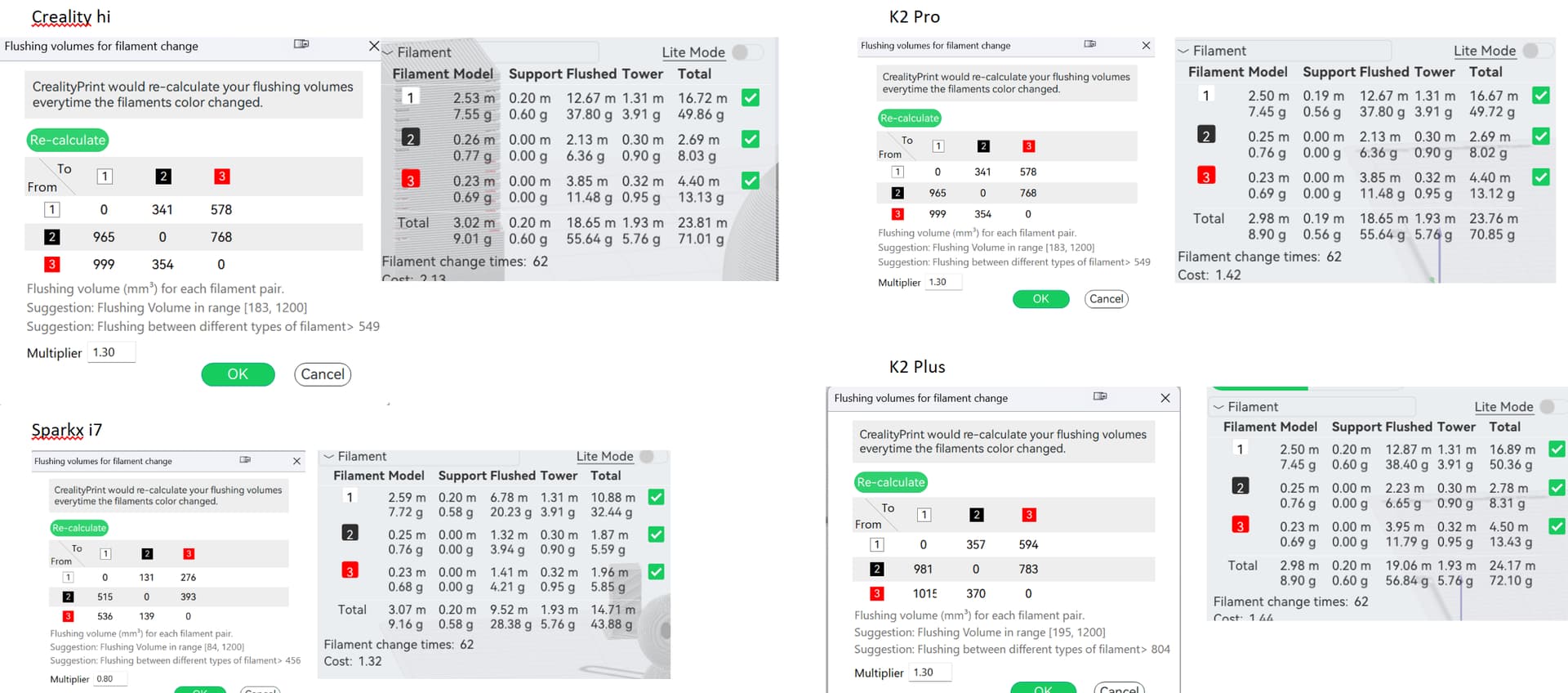
Recently I did a post with comparison of filament waste when multi-color printing. I learned that I did it wrong (Flush volumes were not updated when I changed the printer).
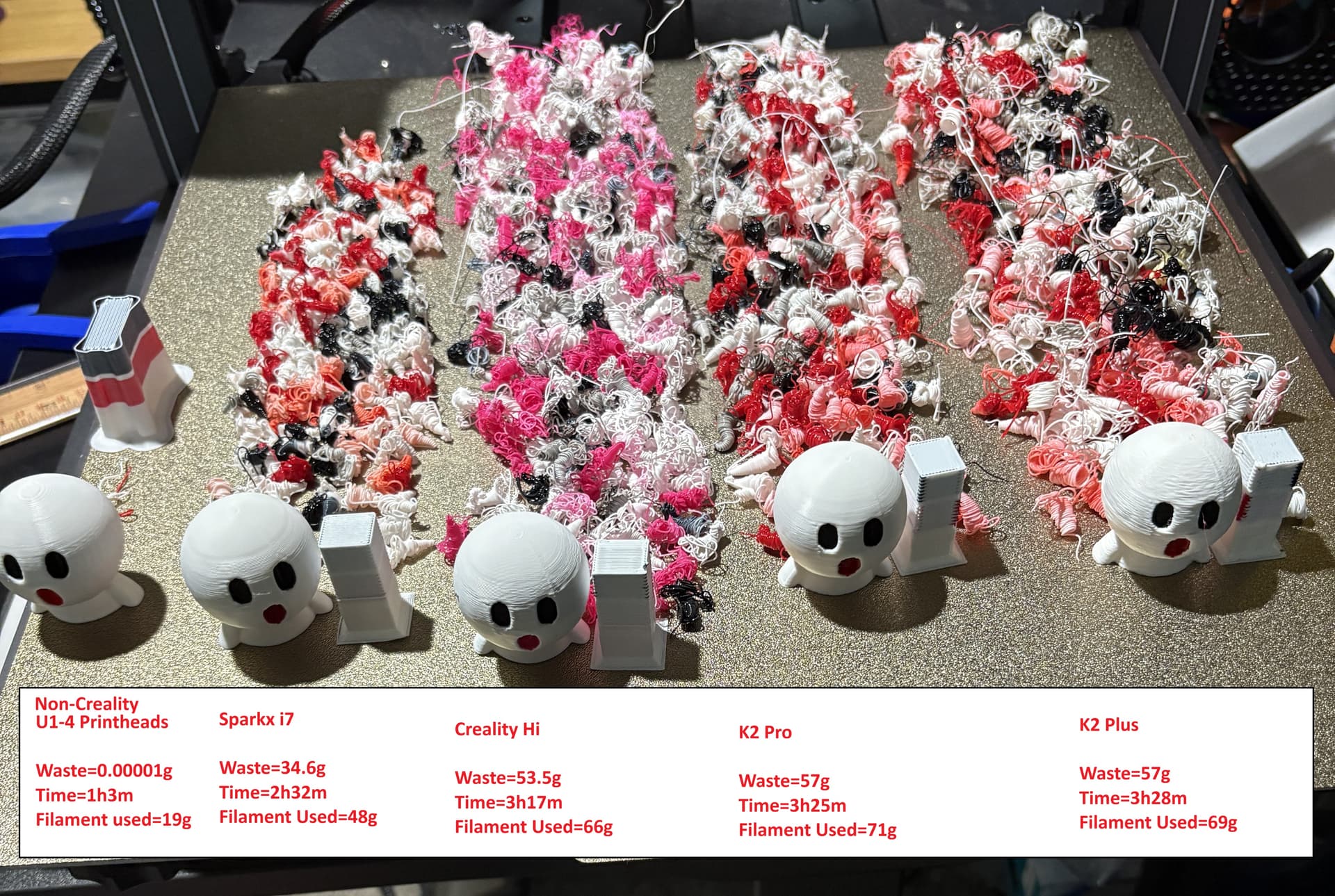
So now I did a comparison between 4 of my Creality Printers (Creality Hi, Sparkx i7, K2 Pro, K2 Plus) as well as 1 non-Creality printer that has 4 toolheads. Hopefully Creality will soon come out with such a printer.
First – lets review all the ways to minimize the amount of waste when multi-color printing. I have not tested all of these and this article is only about the first one as it should be a default when changing printers for – example from the K2 Plus to the Sparkx i7.
Baring using a multi-printhead printer here are some ideas.
I have not tested each of these to determine effectiveness, but some are obviously better than others e.g., print by object drops number of changes to only the number of colors.
-
Assuming you start with the correct default multiplier for different printers, fine-tuning the flush volumes – which takes some testing to accurately dial in the correct amounts for each printer.
-
Create a sacrificial model that is still useful to purge into (where color doesn’t matter). Must be same height as colored model’s top color change and big enough to purge enough filament. Right click on model and goto Flush Options.
-
Flush to infill setting.
-
Turn off tower or make it smaller (may defeat purpose). Note tower has other purpose than flushing.
-
Multiple models at same time. Gives you more models for less waste.
-
Print by object setting to print objects that are single color. Some models are split to make this happen.
-
Orientation of model (fewer colors per layer or reduce number of layers that need color changes). An example in the model I used would be to lay the model on its back which puts all the colors at the top.
-
Increase layer height.
-
Using the Painting tool to fix random colors on model and to make entire layers one color. Also, you can repaint the model to have fewer colors (merge some colors)
-
Change size of model (less layers).
-
Adaptive layer height (so any given layer is larger when detail not needed)
-
Reduce perimeters -2 walls not 3.
-
Assign darkest color as dominate color. Flush volumes are lower when moving from Darker colors to lighter colors.
-
Recycle so it is not waste.
-
Adjust other print settings e.g., infill, line width, etc.
Results of testing. The Sparkx i7 does indeed produce less waste when the correct Flush Volumes are used. In my test it was between 61% to 65%. Probably due to the shorter nozzle on the Sparkx i7. Note the 3 other Creality printers all have the same nozzle length.
All the numbers are in the attached pictures.
The model I used was one of mine.
https://www.crealitycloud.com/model-detail/emojifolk-surprised