all of model is seen in the prepare screen, when sliced part of the model is no longer there and will not print if printed
show pictures, i already can tell what is your problem, but plz show images of everything shown on the prepare screen and then in slice screen, posting pictures is easy, just take a screenshoot and paste in the comment, or paste the screenshoot in paint and save as u wish. but without pictures we cant help you
thanks for responding!!!
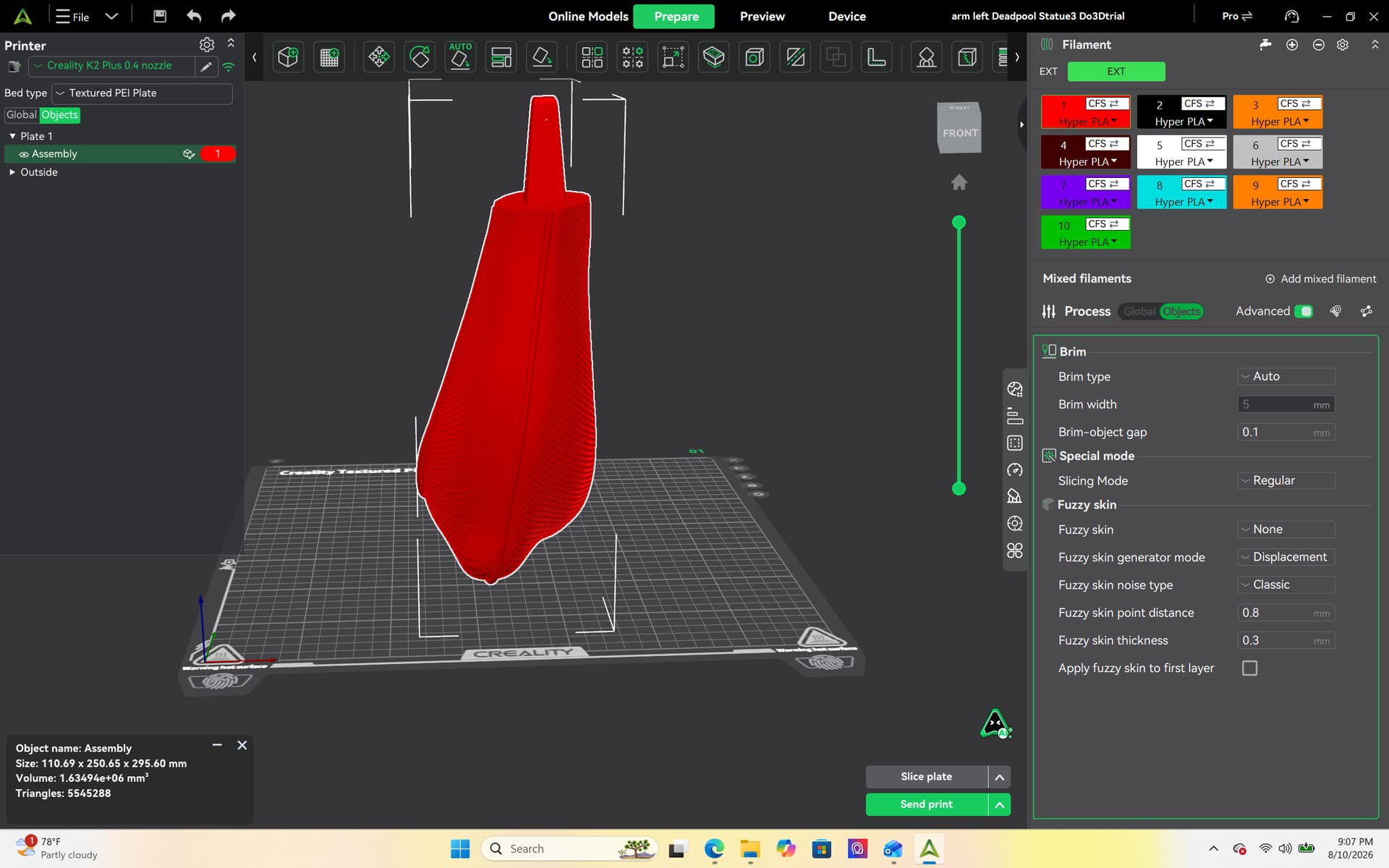
i have attached a before slicing screenshot and a few after slicing screenshots……i have tried repairing the stl, opening it in different slicers, making changes inside the slicer with no luck. The model is lifesize so continously attempting failed prints is getting costly. Lifesize Deadpool BTW
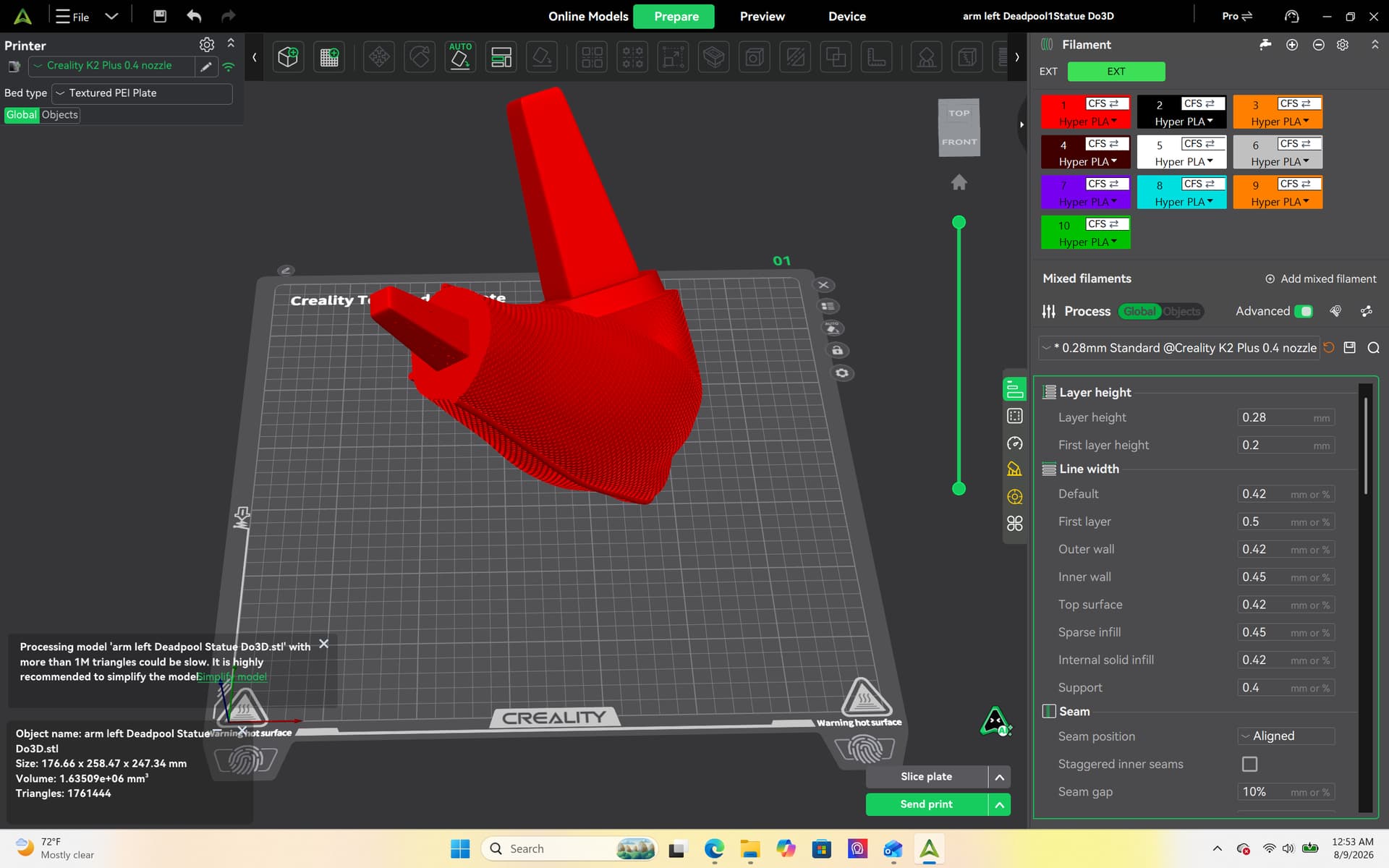
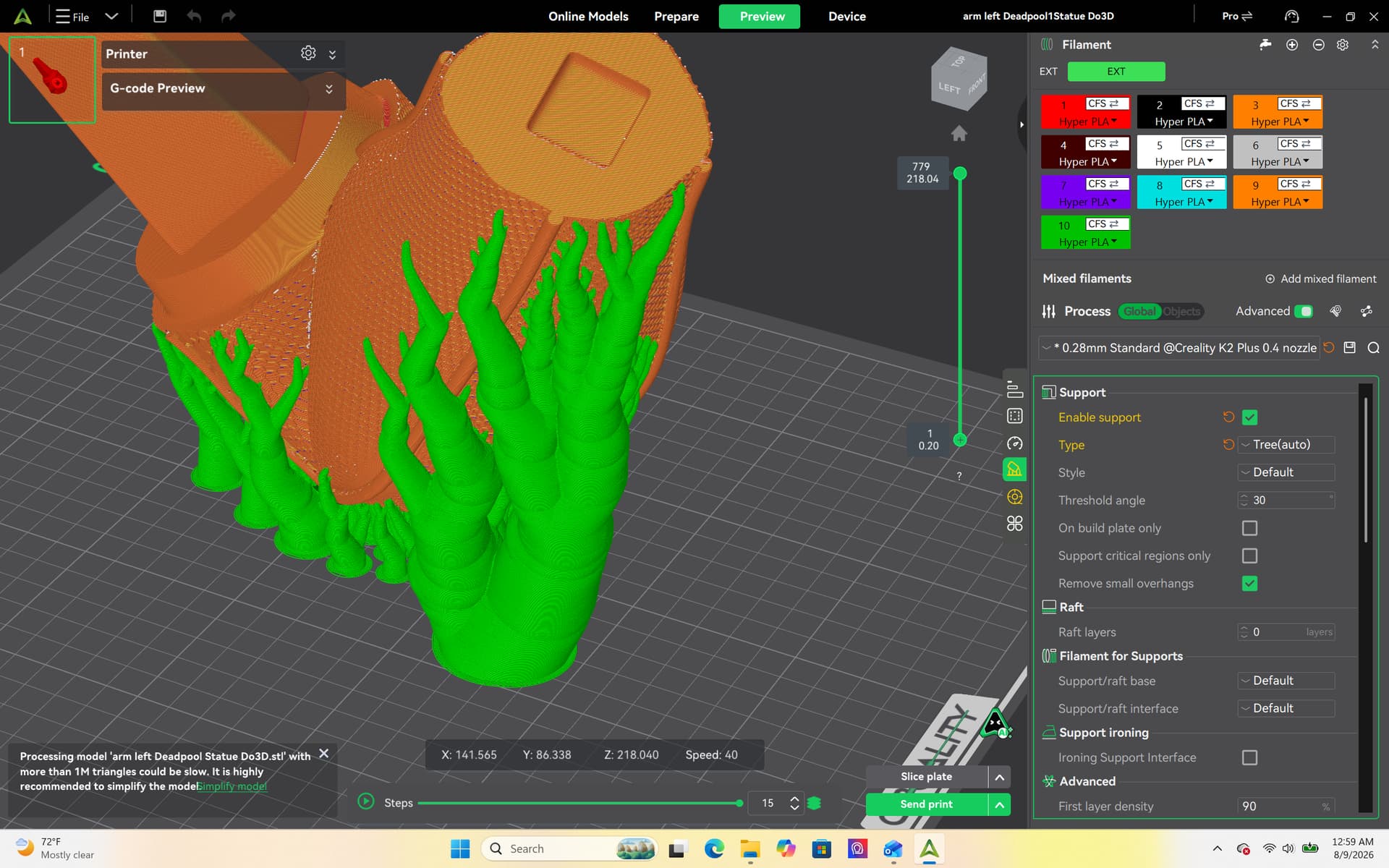
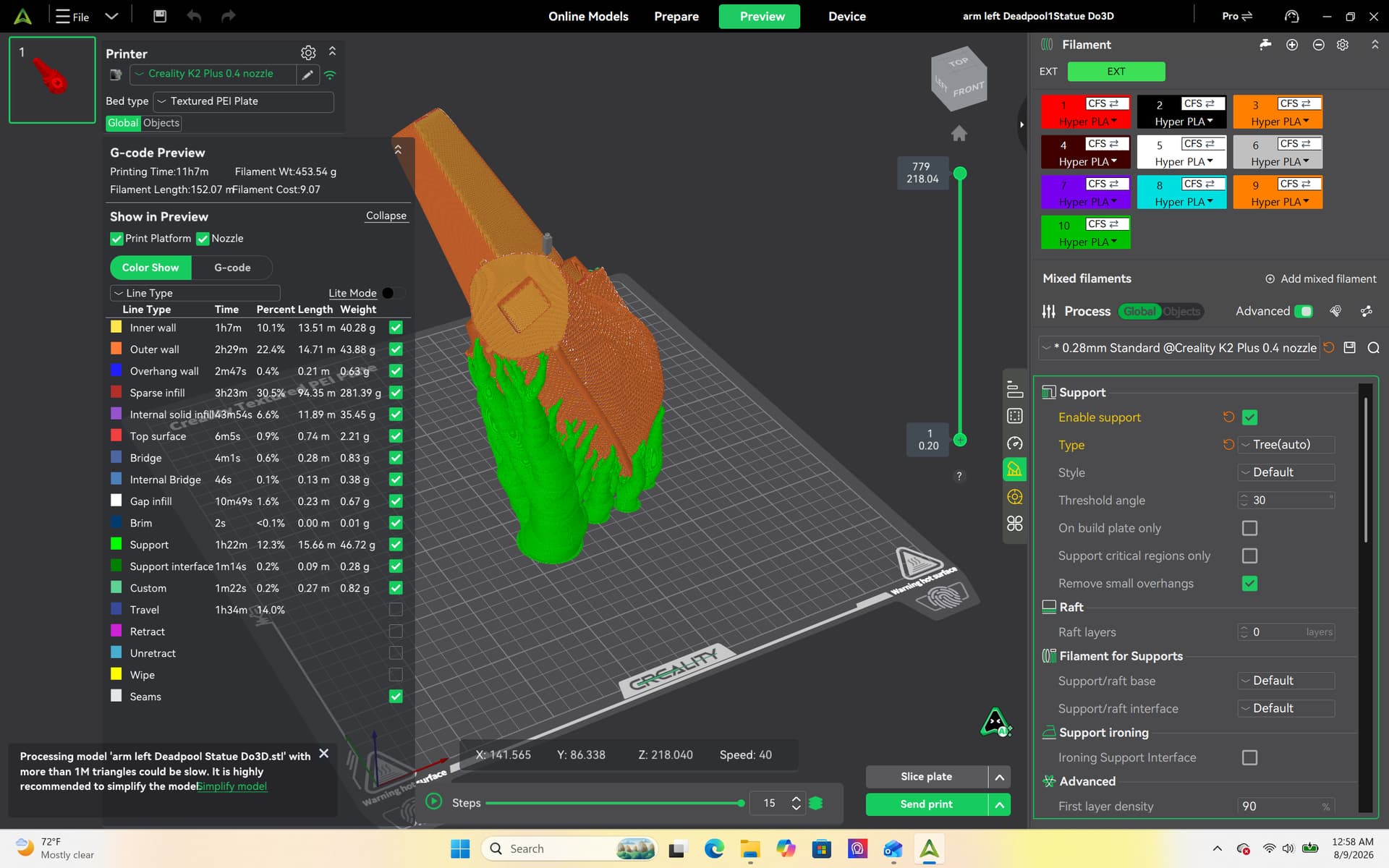
I have never seen anything like it !!! The images below are after a repair was performed. My opinion is I think the file is unfixable/corrupt. The part of the model that disappears after slicing looks as if a mouse has been chewing on it before its sliced. Then after being sliced it puts a support in its place.
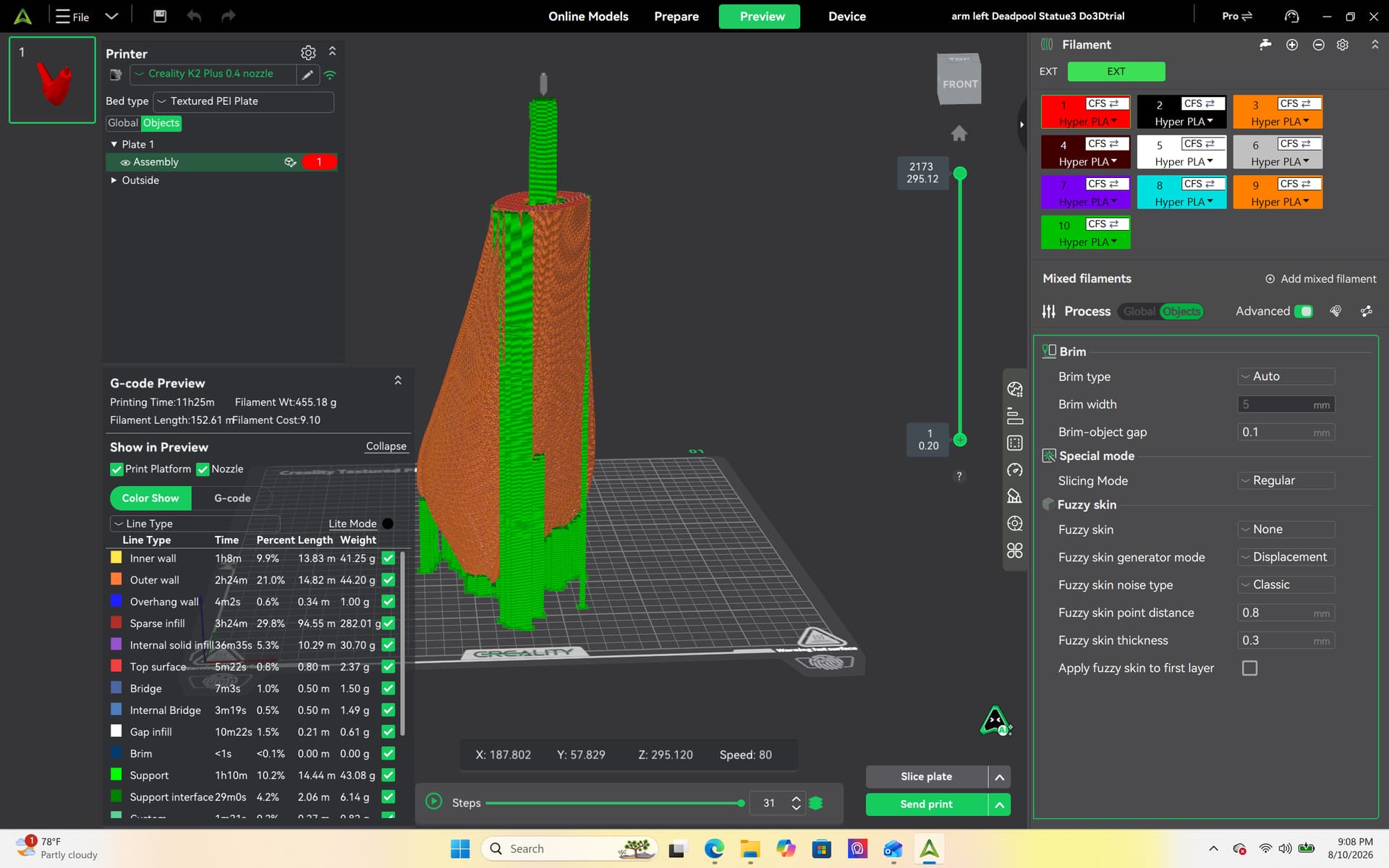
Try with repairing it with Meshmixer:
Analysis > Inspector, and click Auto Repair All to fix holes and non-manifold edges automatically. For severe mesh errors, use Edit > Make Solid to rebuild a clean, watertight shell.
Most likely you have bad geometry. If you created the part, take it back into your modeling software and make sure there are no flipped or broken geometry. You can also use something like meshmixer to check and repair it.