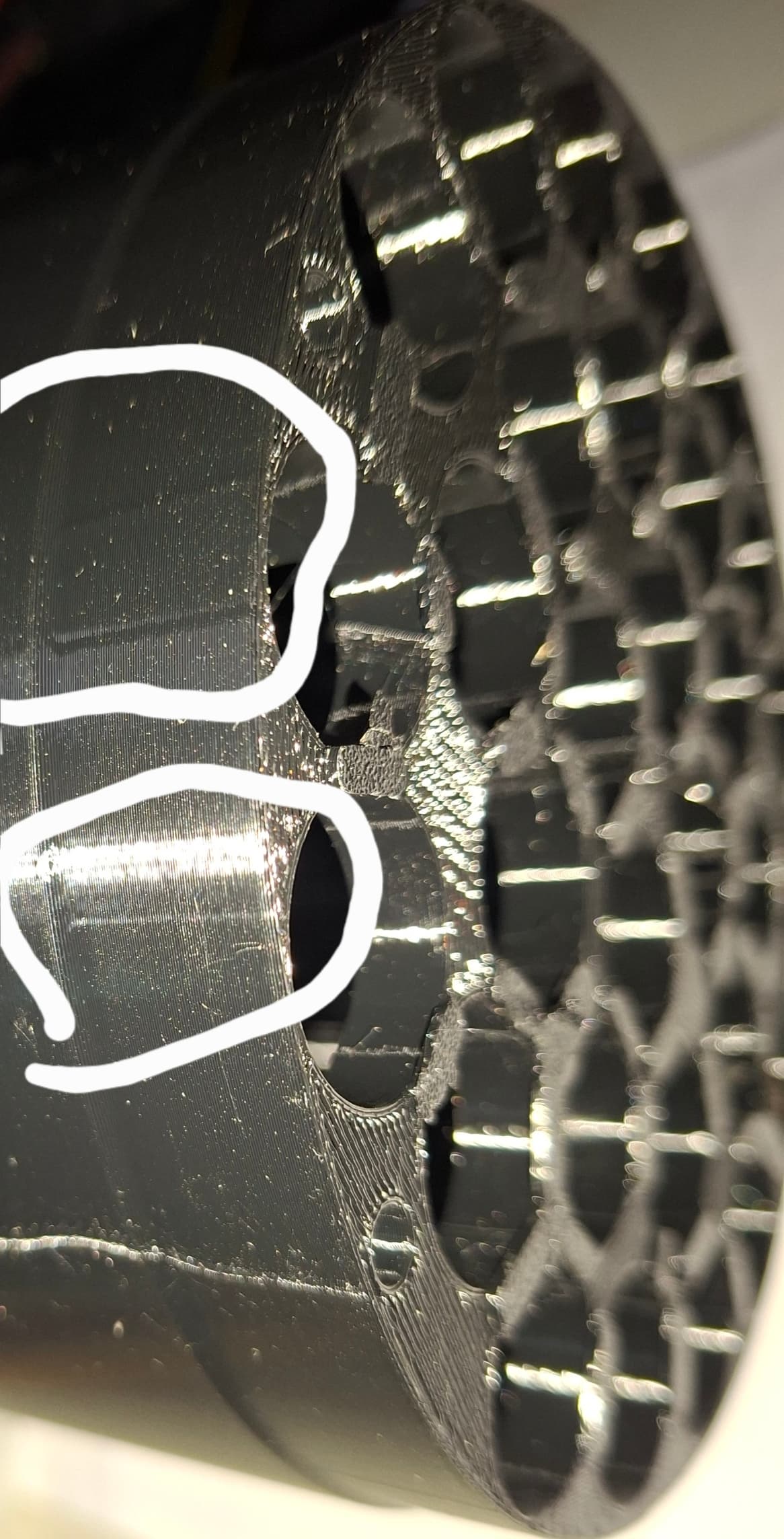
I’m looking for troubleshooting advice regarding unwanted surface lines appearing on my prints.
-
Hardware: Creality K2 Pro
Software: SolidWorks 2022 → Creality Print 7.0
-
The Problem: The CAD model is smooth, but the physical print shows straight lines on the outer walls that are not present in the design.
-
Note: These lines are definitely not seams. They appear in areas where the Z-seam is not located.
Is this a known bug in Creality Print 7.0 or perhaps a result of the STL-to-Gcode conversion? Any suggestions on settings (like VFA or step-related artifacts) would be appreciated.