Hello, try resetting to factory settings.
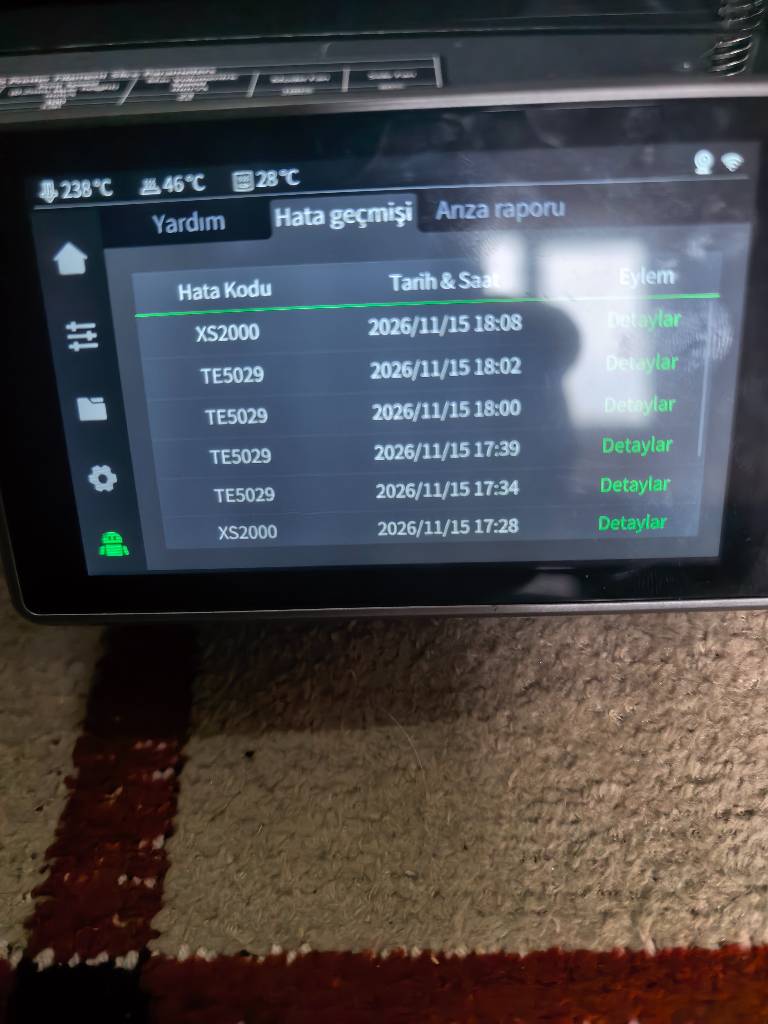
Hello, thank you for your kind recommandation. Below is the list of the methods I2Ve tried:
- Resetting the printer
- Resetting to factory settings
- Checked all the connection wires and points on the head
- The other error has had similar symptoms with TE5022 error, so I had also checked the connections and the wires in the bed.
Unfortunately, noıne of them worked out. So, I am returning my printer today. I only have 6h 35 mins printing time. 2 test prints.
It could be something related to software malfuntion. What do you think?
If you have a warranty, you should certainly make use of it; the issue most likely lies with the motherboard—as indicated by the error description, which points to a problem with the MCU (microcontroller). If you receive a replacement motherboard and manage to get the printer working again, you could try to reflash the old board by connecting it to a computer (you can find instructions for this online). You can then keep it as a spare, in case the new board happens to fail down the line.