I have 2 questions running Creality Print 6.2.2 on Windows..
-
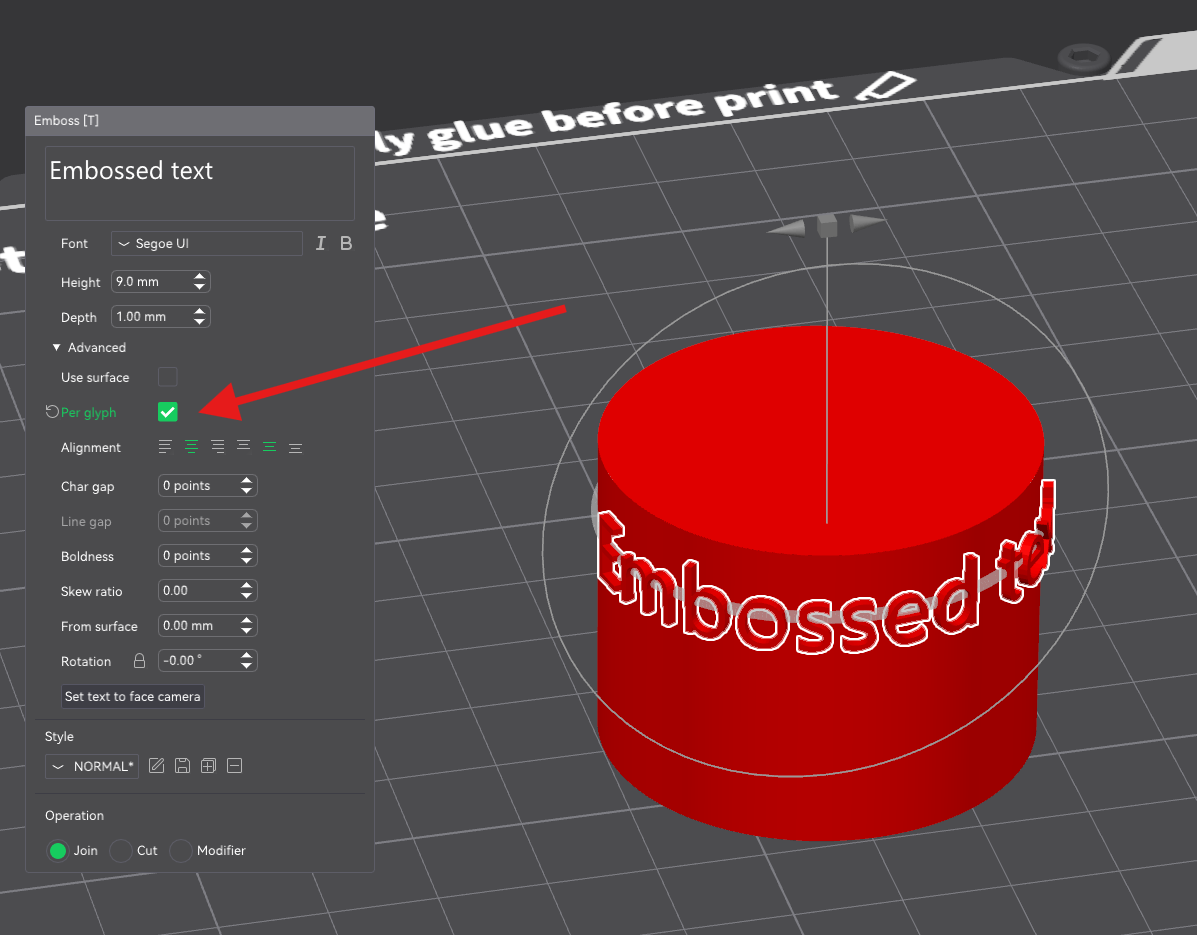
I have a cylinder I want to place text on. I thought I did it with an earlier version. Is this possible?
-
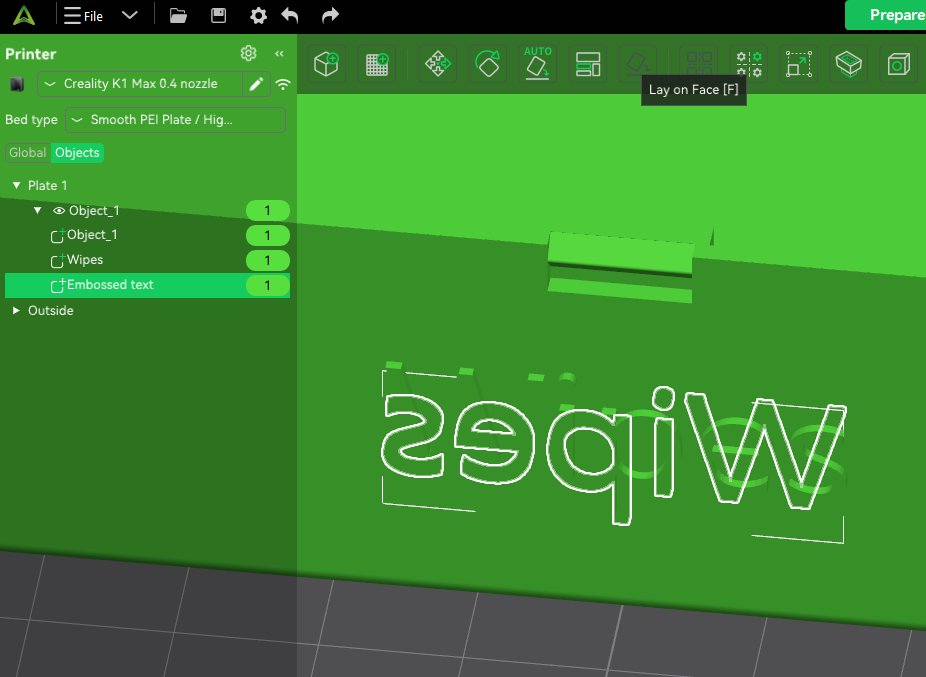
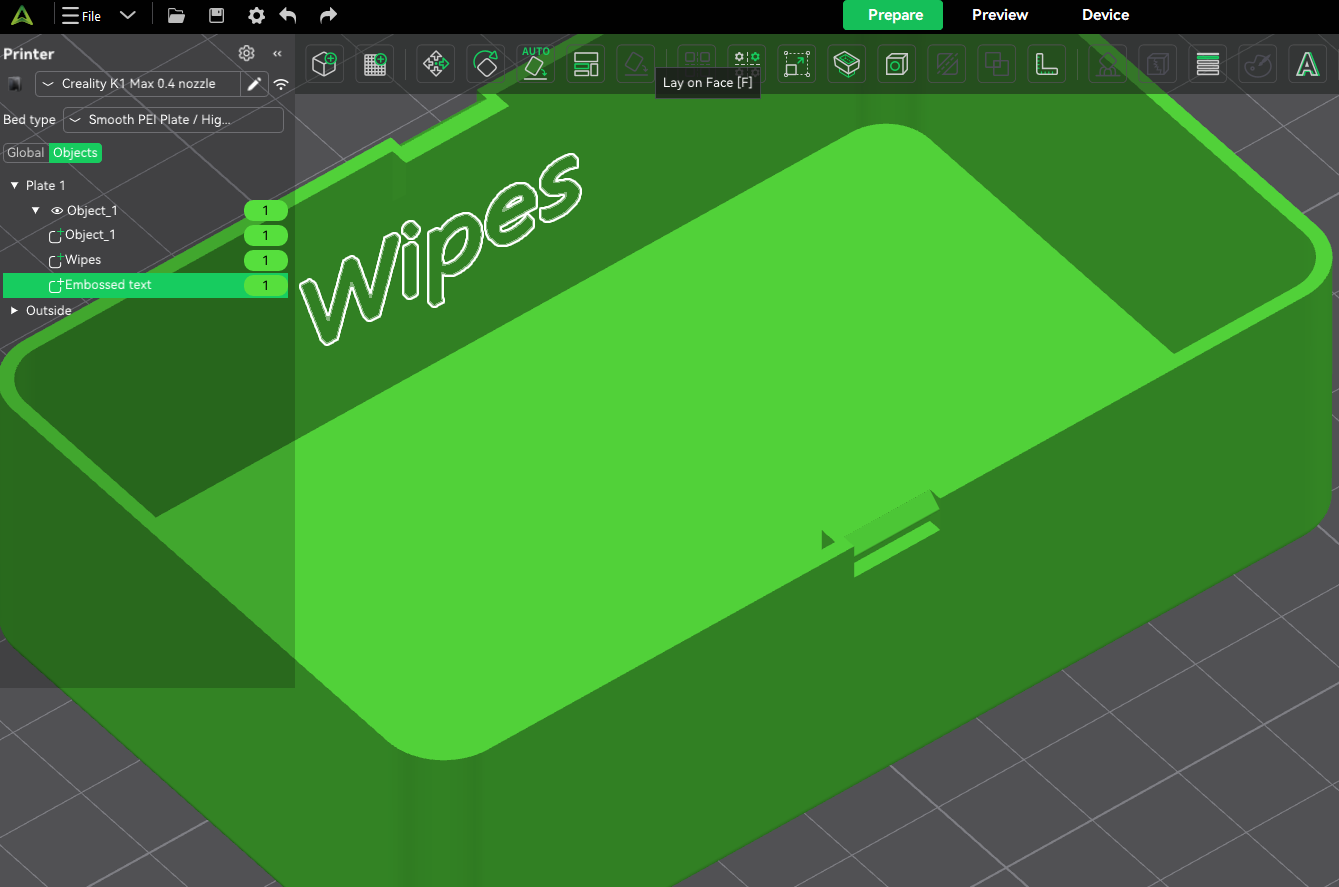
I have a box I can select the first side (flat) and put some text on it, but if I rotate and try to place text on the opposite side of the box, it places the text on the inside wall of the first side.
Hello !
Concerning the first question, you have to activate “Per Glyph”
concerning the second question, I don’t really know as I can hardly visualize it. sorry 
Concerning the second question. This figure you can see the embossed “Wipes, which worked.
The second image I selected the other side and entered “Wipes.” As you can see it places it on the first side’s back side.
Type 1 box.3mf (153.3 KB)