Hello. Two months ago, I bought a K2 Combo (basic model). Today, I loaded new filament and started a print. When I checked how it was going, I saw that a lot of filament had escaped the side of the hot end. I stopped the print and tried to remove it while the part was still plastic (soft). Unfortunately, after a while, the printer reported an error. The heater stopped heating, and I didn’t remove the filament completely. What could have happened and how can I fix it? I already had a minor issue with it, and Creality sent issue the store, which stopped responding. I replaced the filament sensor at my own expense. I think this time I’ll have to do this repair myself… I must by this K2 hot end ? This is the same like K2 Plus Combo?
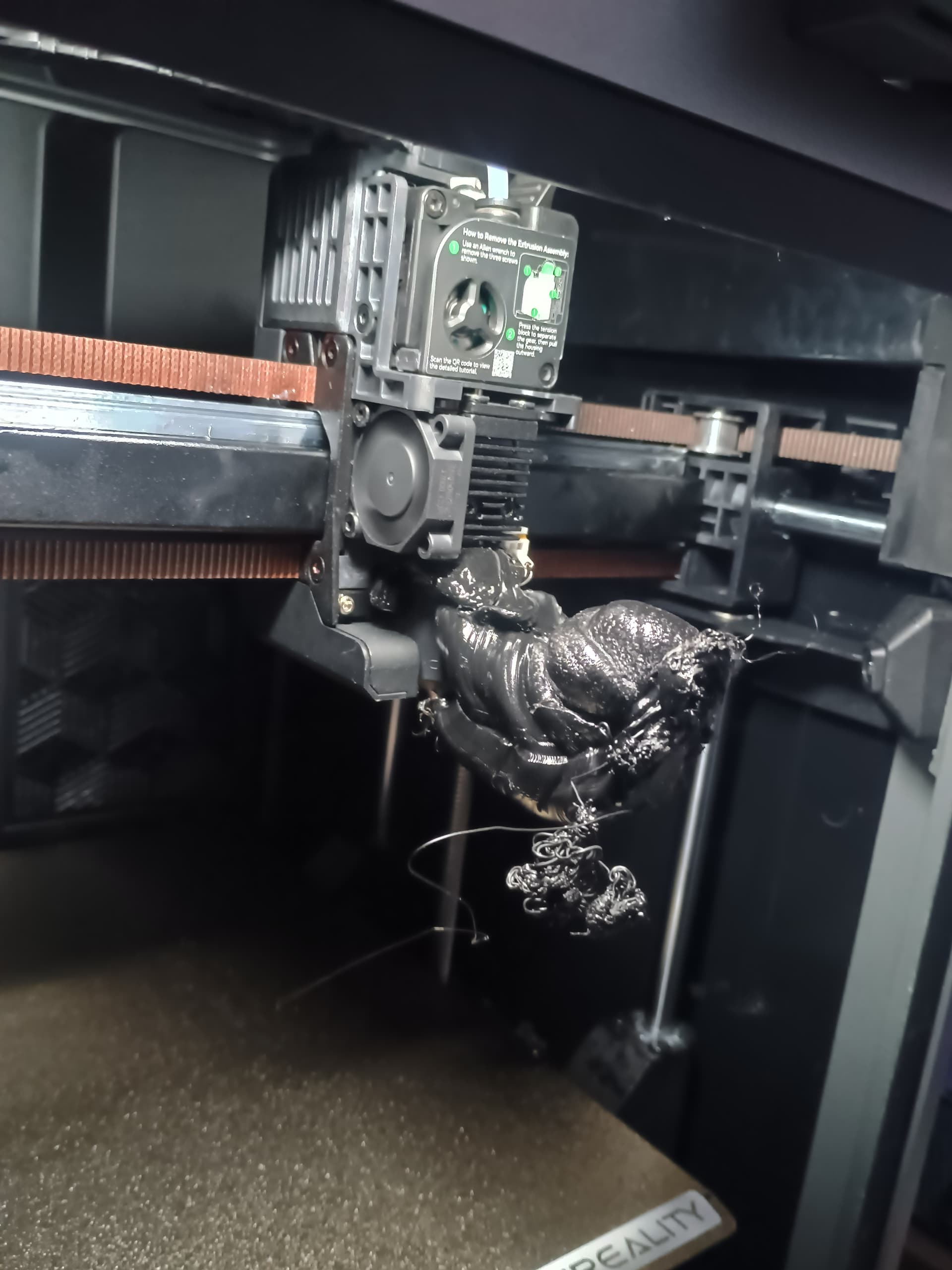
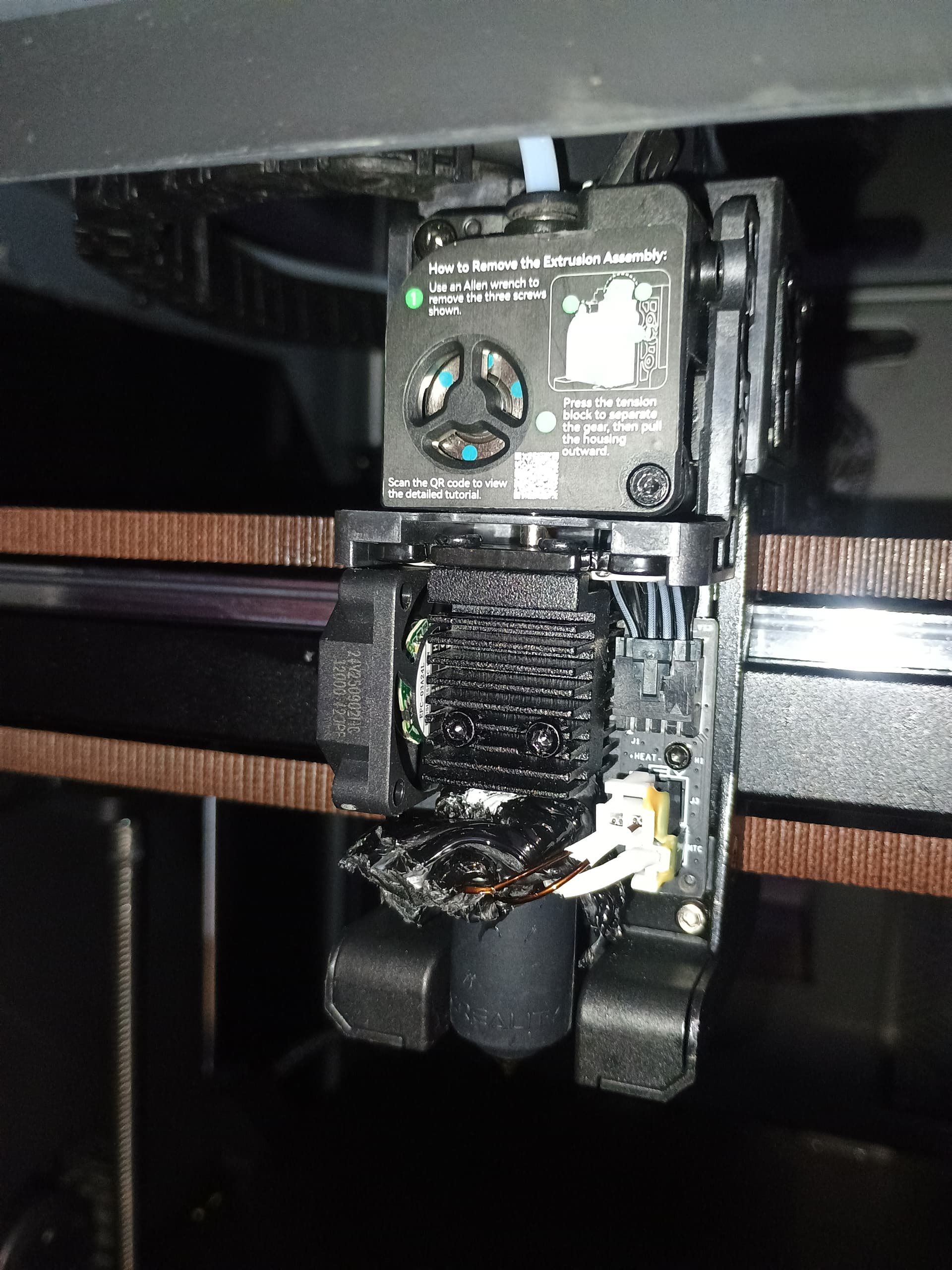
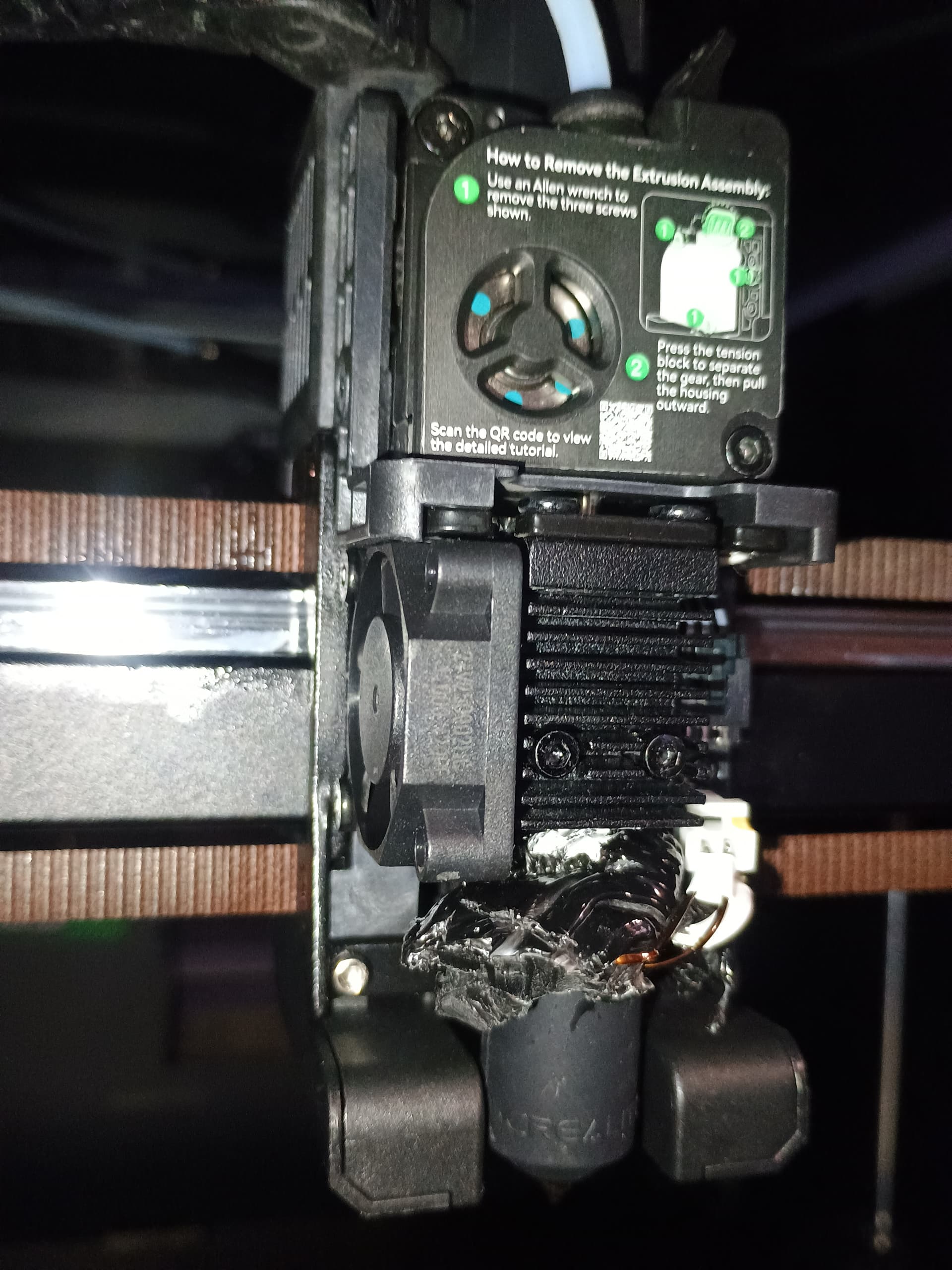
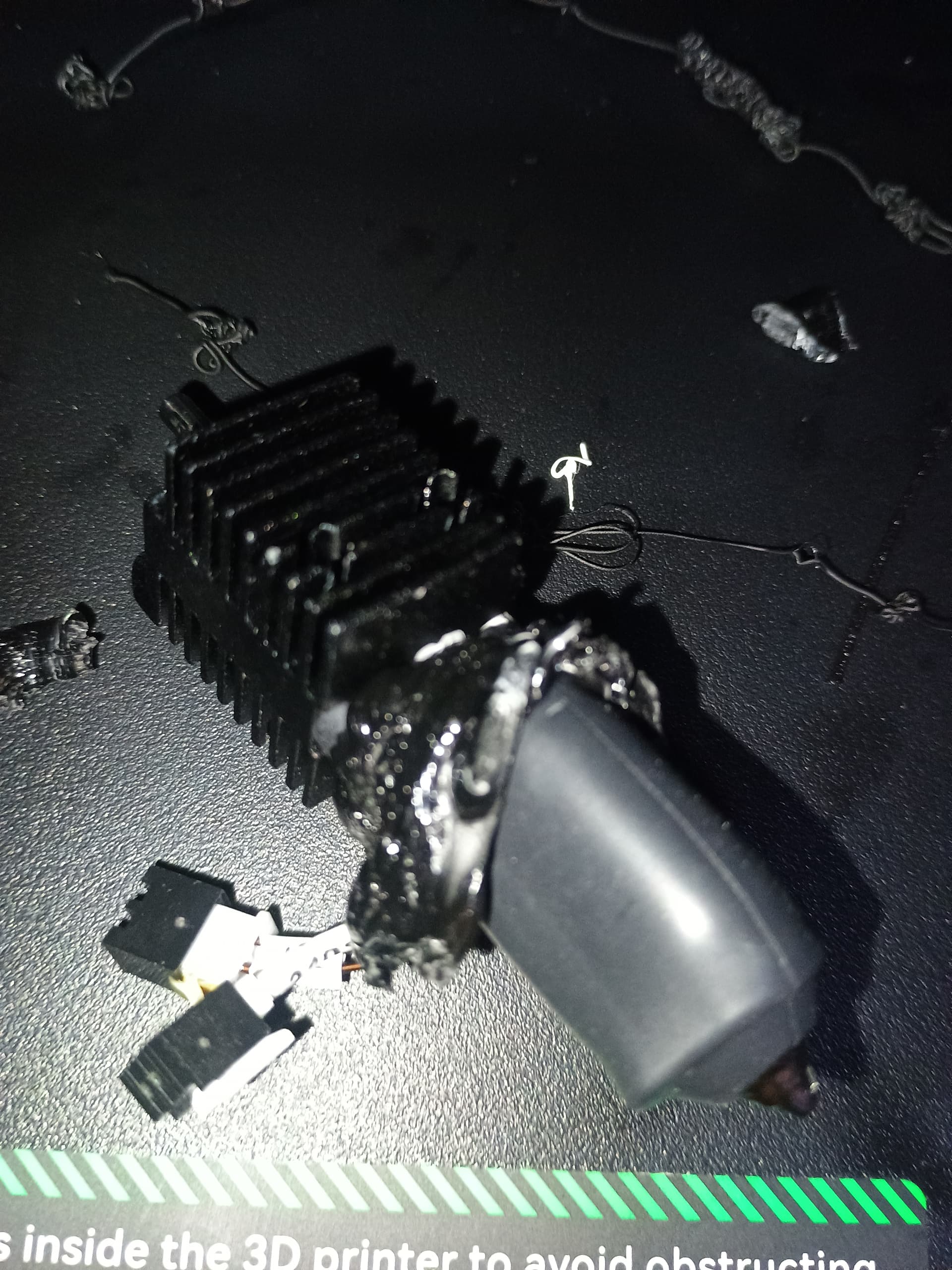
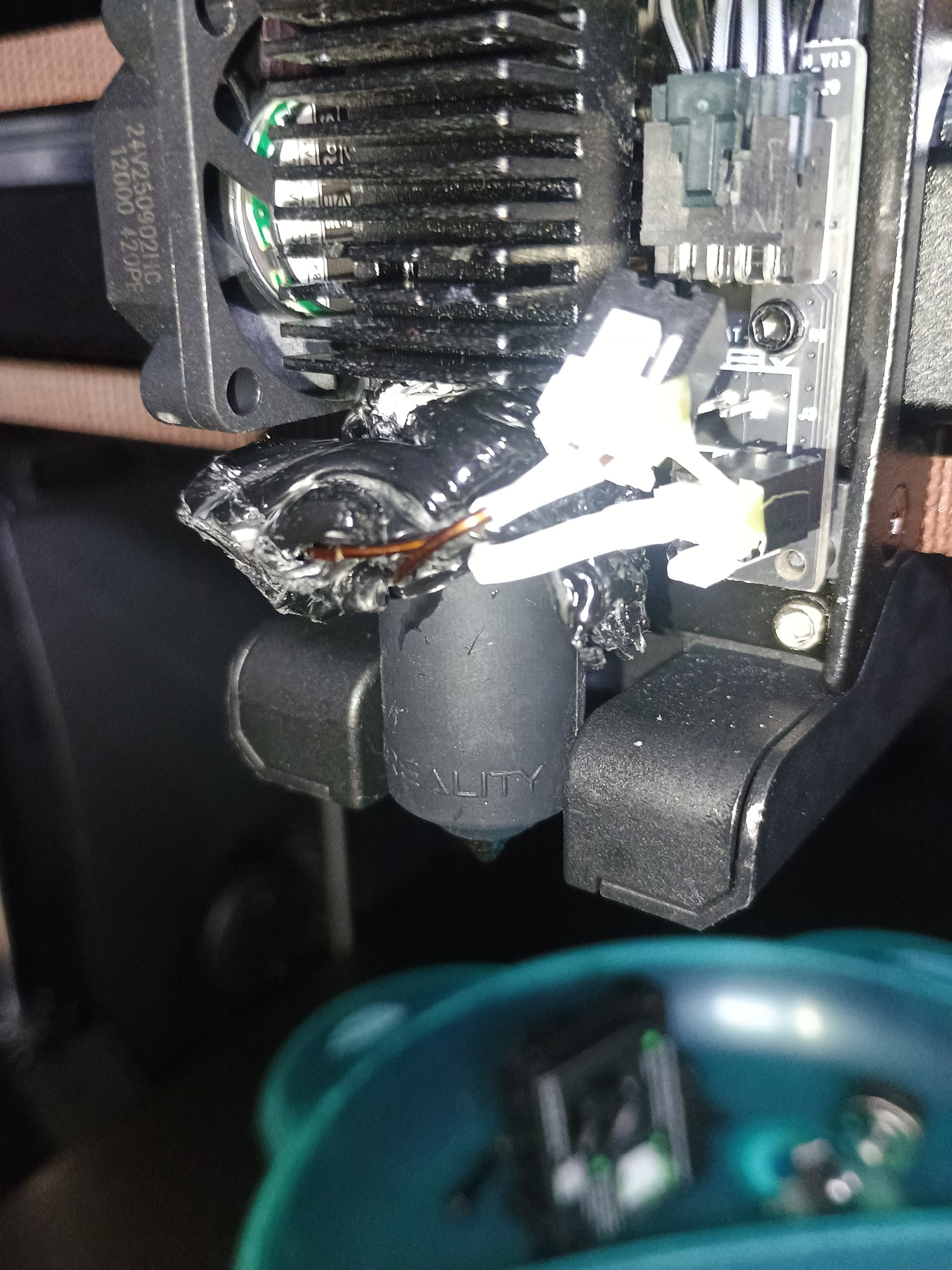
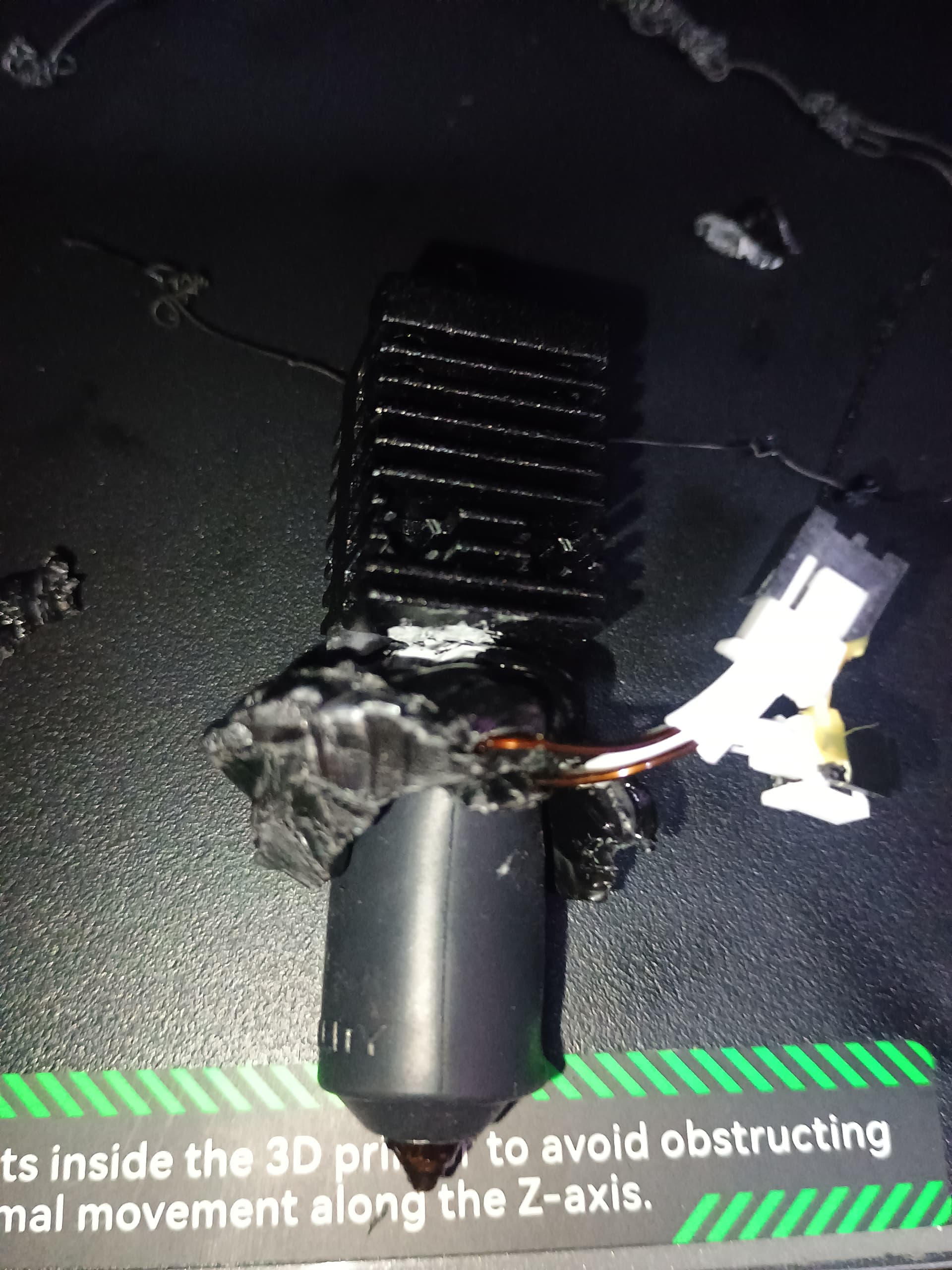
Thanks for posting clear photos as this takes the guesswork out of what happened.
Welcome to the blob of death. If this is your first time, consider yourself lucky. Your photos show that you got off easy in that only the assembly appears to be affected, and that is easily replaceable, designed to be so, for under $25.
Your photos show you did 99% of the work by getting the assembly removed.
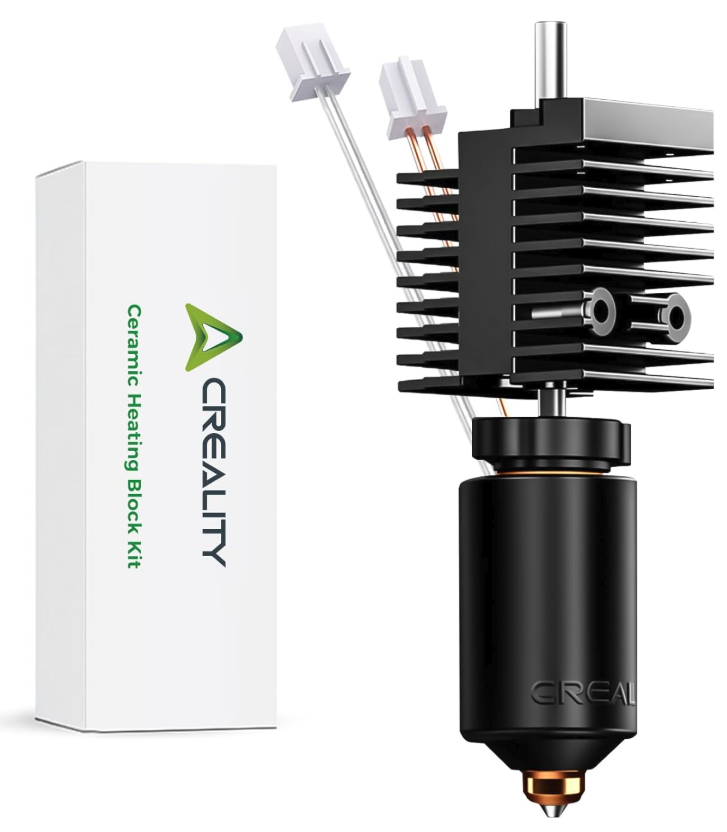
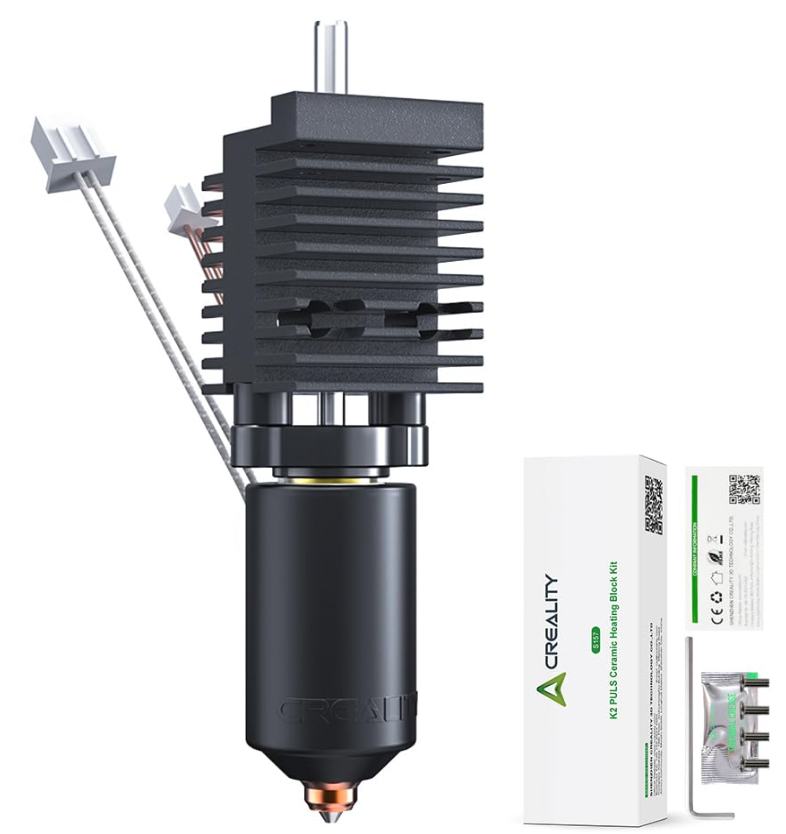
Here’s a link to the K2 assemblies that come with a nozzle. Assuming you’ve cleared out all the other molten filament, it should be a drop-in replacement with an Allen wrench. If your printer didn’t come with an Allen wrench, look for a hotend assembly that includes it in the kit.
Prices range from $13 - $32 for the “Creality Branded” version which often includes extra screws and an Allen Wrench. They all come with a nozzle usually 0.4mm but if you shop, you might find other sizes. It’s only worth mentioning because your current nozzle is salvagable and can be used as a spare, so if you can find lets say a kit with another nozzle size, you’ll now have two nozzles. Note, you should not attempt to remove a cold nozzle, it must be heated. A heat gun or jet lighter can be used to heat the assembly outside the printer but take safety precautions not to burn yourself.
https://www.amazon.com/s?k=creality+k2+hotend
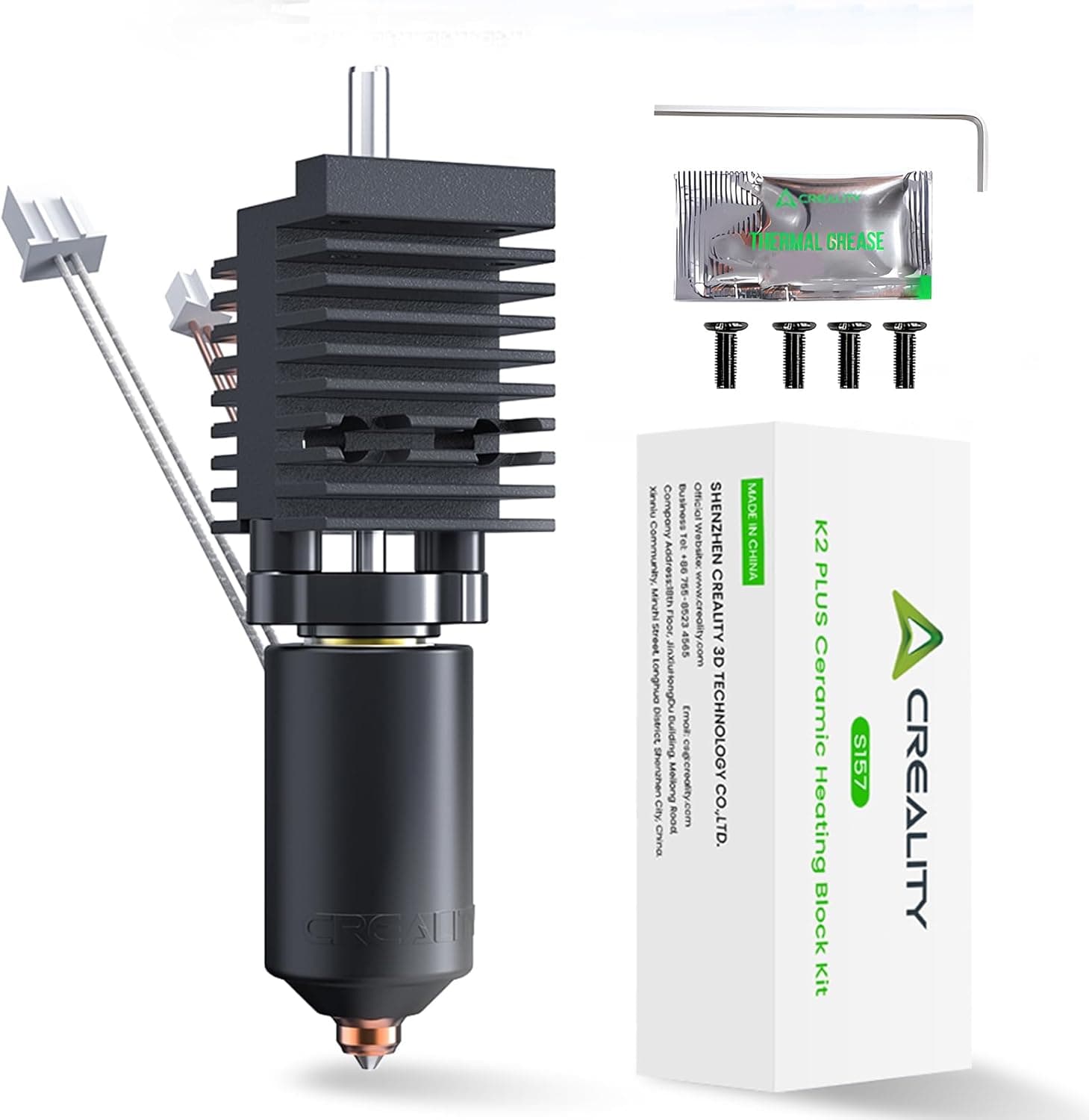
This is an entire kit with wrench, extra screws - which are often the incorrect length in my experience - and a packet of thermal grease which is only needed when you swap nozzles.
Creality branded version with screws, wrench and thermal grease.
https://www.amazon.com/Creality-Temperature-Resistant-All-Metal-Integrated/dp/B0DPJSFFQV/
While you’re placing your order, it’s not a bad idea to also get spare silicone socks, these are considered consumables and do wear out.
https://www.amazon.com/s?k=creality+k2+hotend+silicone+socks
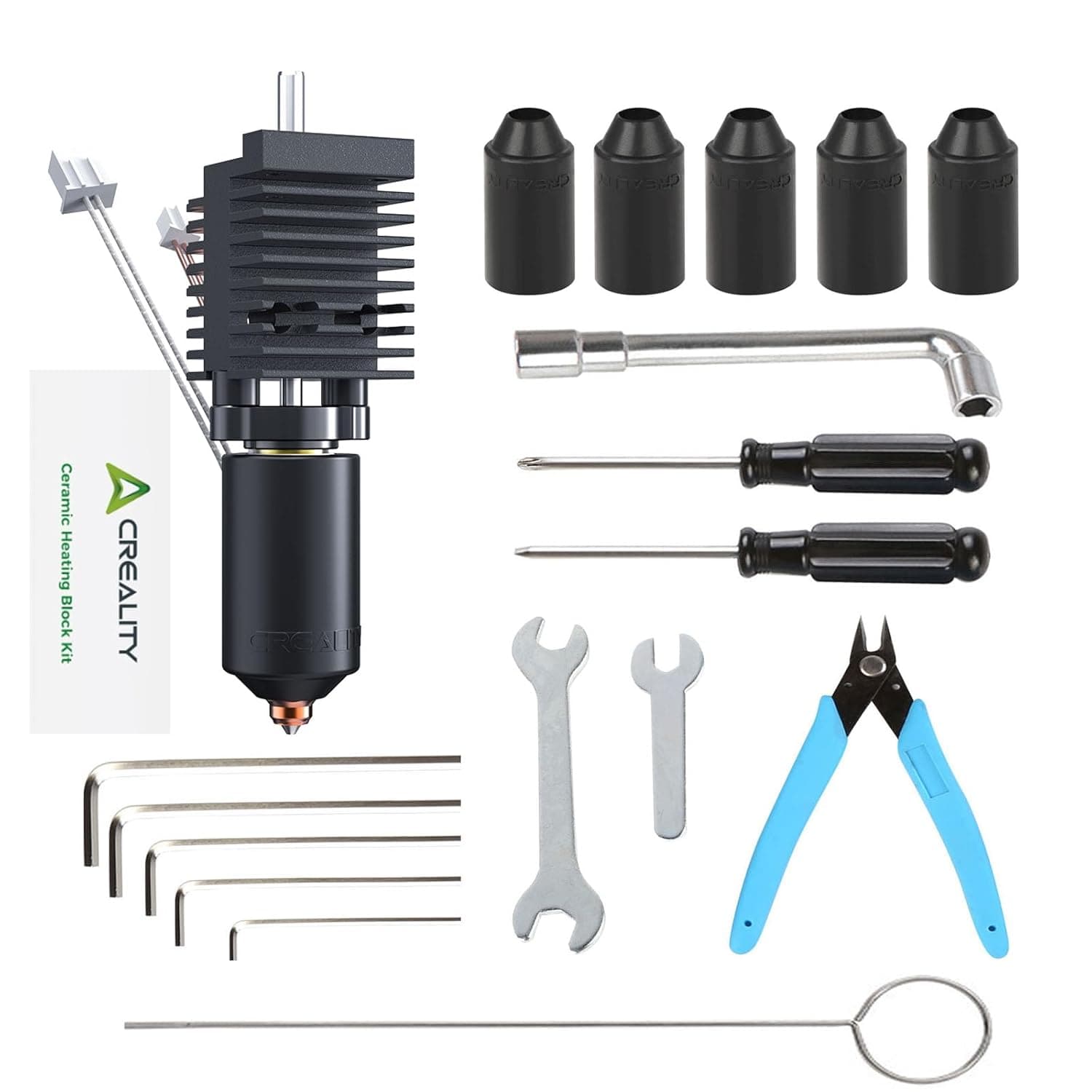
A deal I just spotted on Amazon.
Sheesh!!! I seem to always spot deals like this after I spent 3X on the individual parts but this one has everything could possibly need.
Causes and how to prevent it in the future
The primary reason for blobs is when the model detaches from the print bed. Once the model detaches and starts moving with the nozzle the filament backs up and has nowhere to go but back up inside the silicone sock as you have just seen.
The two dominant causes are as follows:
- Dirty print bed - this is 95% of the problem most of the time. Clean the bed in the sink with dishwashing detergent and very hot water at high pressure. It only takes a few minutes. Dry with paper towel and put back into service.
- Incorrect bed temp. If you’re operating at the edge of the filaments tolerance, increasing the bed temp by 5 C can help to increase first layer adhesion but build-plate hygiene usually addresses this.
A less likely reason would be poor bed leveling. This is really a long shot since the printer does partial leveling on each print but you could turn on full bed leveling for every print if you have concerns and suffer the 5-10 minute delay while the printer does this.
Some may suggest using glue. In all fairness, glue works but if you’re using just PLA and relying on glue to solve poor build plate hygiene, that’s courting disaster. PLA at a 50-55C bed temp should never need glue. Of course this is not the case for other high temps filaments such as PETG, ASA, ABS etc. where glue really can make a difference. Most of the time, a generous brim will do the trick. You must figure out what works for your use-case.
Thanks for the comprehensive reply. Tonight I printed a jewelry box model for my wife that I designed myself. Nothing major. Just a box and a lid to close. Two rectangular elements measuring 130x60mm. The PLA print failed because, despite the brim, one corner started to lift and the filament ran out. This morning I installed a new spool of PLA The Filament from Spectrum, which I hadn’t used before. I raised the bed temperature to 60°C. Before yesterday’s print, I washed the bed with hot soapy water. The print nevertheless peeled off, and I saw what’s in the photos.
EDIT:
I’m from Poland and these offers aren’t available on Polish Amazon. Is the K2 Plus hotend compatible with the K2 Combo (260x260x260mm)?
1 Like
All the K2 printers use the same hotend. You’ll not find any advertising for a specific K2. Some sellers will omit the description of K2, K2 Pro and K2 Plus but that’s just to save space in print.
In addition to the good information that @JoeFriday gave, I would add that after washing with a good grease cutting dish soap we keep some “isopropyl alcohol (IPA)” on hand to give the plate a final wipe down.
I’ve also noticed that many of these printers do not always display an accurate or uniform build plate temperature. When our K2 Pro is set to 50°C, the actual surface temperature typically reads between 45–48°C, depending on where the infrared thermometer is aimed. Because of this, we usually set the bed to 60°C when printing PLA.
1 Like
The information provided by sellers suggests they aren’t identical (as stated on the packaging). On Amazon Poland, the ones described as being for the K2 Plus are twice as cheap as those described as being for the K2 Basic. I also found information here on the forum that someone received information from Creality support about the differences. That’s why I’m asking, as I don’t want to damage the printer’s electronics.
After repairing my printer, I need to check the print bed temperatures in mine. Did you check with or without the plate? Pyrometers can be very inaccurate on metal surfaces.
Ahh, the blob has struck. Don’t feel bad. It’s not IF you’ll get a blob of death when in the hobby it’s WHEN you get it.
I had a part fail and by the time I found it the part had detached from the build plat and was moving around with the extruder. Needless to say it was just a big blob.
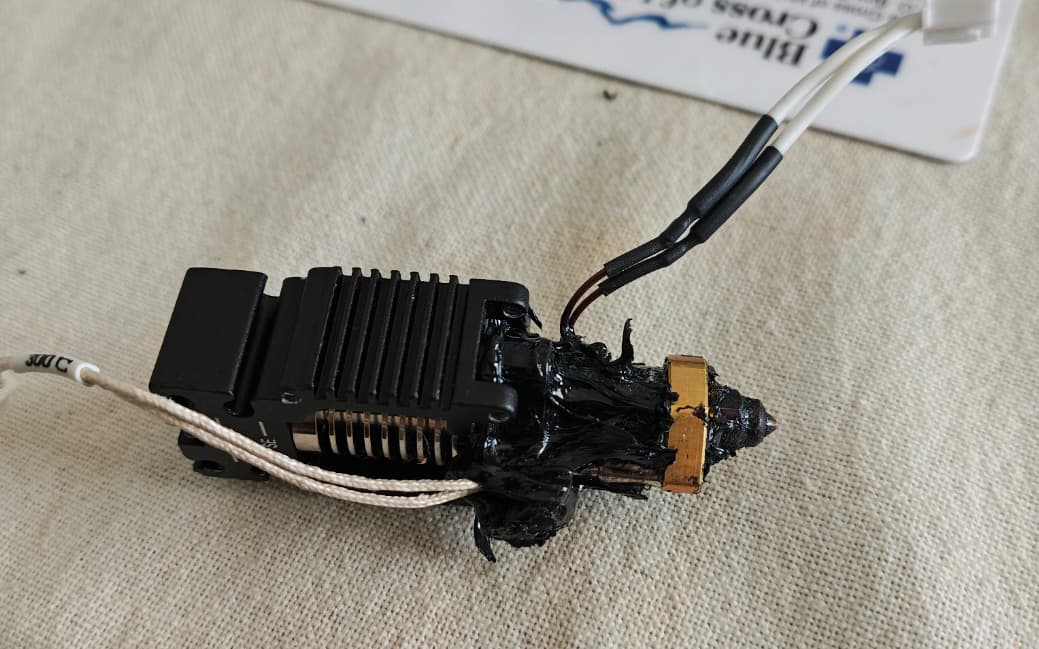
This is after I pried the big part off. I cleaned it up by just picking at it then I used my heat gun to heat up the rest and wipe it off (be careful, don’t burn yourself). Once I had the outside clean I took the nozzle out and replaced it.
I then found the COMGROW Artic build plate and everything sticks to that even without glue, hairspray etc. and I can even go a few prints without even cleaning it.
I would add, that you should use a cloth rag, not a paper towel when cleaning with IPA.
1 Like

Why?
When cleaning with IPA the paper towels leave microfibers on the surface because the paper towels break down when they get wet or even damp.
1 Like
Ok, I see, luckily I use some type of paper towels designed for to no leave any fiber, they are designed for lab work. but your explanation have all sense.
Thanks a lot.