“The machine consumables do not match the printed file. Please check and restart printing” What does this mean? What do i check? How do I fix this? I’m trying to the the spool holder and I keep getting this message.
1 Like
I did not get this error but it seems that you did not setup the correct filament for the slot you are using. On the screen go to settings→filament then select the slot with the filament you want to use and set the type and color.
i have a K1Max with only the spool holder and it is throwing this error preventing me from printing. this is ridiculous !
1 Like
hi i also get the error now how did you fix it
1 Like
Same problem since one day impossible to print anything, please help.
1 Like
4 Likes
Hi y’all,
I got the same error after getting an update message and installing the update to our K1 Max.
One work-around: send the sliced design to printer and then start the print from the printer.
Fix (for a single print): rebooting the printer 
Edit: After the first print after reboot, the printer started throwing the same error. I did another reboot after and same again: the printer allows me to send and start the print this time again for the first print. I’d bet it won’t allow me for the next without a reboot.
P.S.: I think the update assumes a CFS system attached and expects you to define the filament, as @Senf_Meister and @dddaaammmooo pointed out. For me, shutting the printer down and rebooting fixed it, (edit: for a single print).
Regardless, I would say opting to using this filament setting inside the device details is a little fault-prone: it changes the pressure advance (read-only) and what-not settings by overriding your initial filament settings set on the Prepare/Preview tabs. We all know how much effort we put into those calibration tests and I personally don’t want to ruin them for myself. 
2 Likes
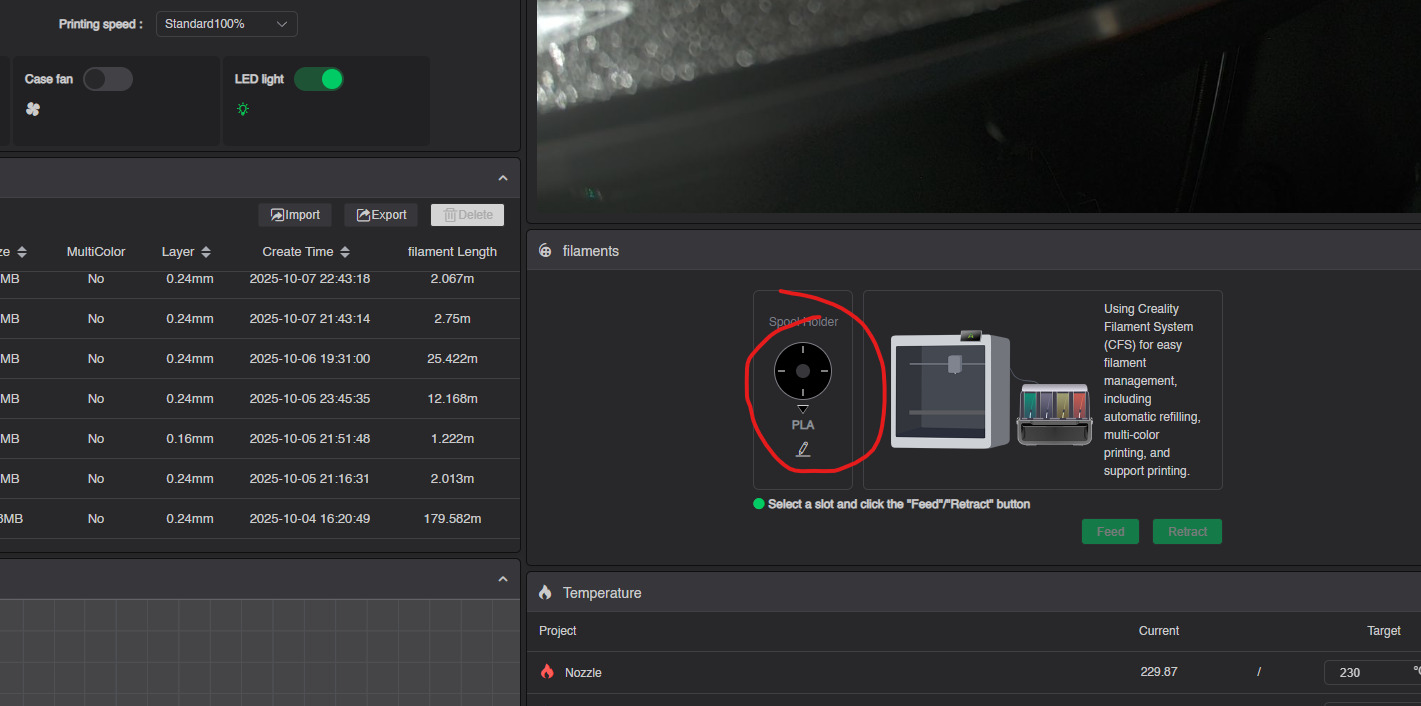
open Creality print
go to device
select the filament tab
select the single holder
select your filament
press ok
print will start 
4 Likes
same thing happened to me on myt new k2 plus combo this is what i did even thogh the files where stl i download a 3d file converter and ran then through it to stl then i completely uninstalled the new creality print and downloaded the version before it seems to be working ok now
I am having the same issue with K2SE with a single spool (a CFS is optional), I get the consumable message when trying to print with PLA the sliced file selects PETG as the filament type. PLA has been selected on the printer when extruding. Both the printer and Creality Print 7 show PLA as the filament. The sliced file sends with PETG parameters. I have factory reset the printer also. It seems there is a software issue. I hope Creality gets it figured out as it is very frustrating.
1 Like
Have you found a solution. It just started for me today.
I did find a solution to this issue. I uninstalled Creality Print 7 and installed 6.3 Haven’t had an issue since. I am now afraid to upgrade to any newer version.
That worked for me.
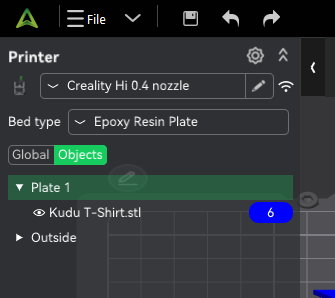
Before slicing the plate, make sure that the plate is set to the material that you want. In the image below the material is the blue button with the “6”.
It took me ages to find figure this out…
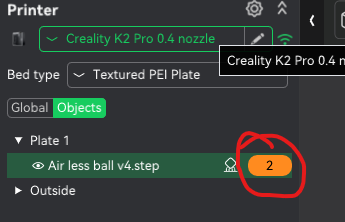
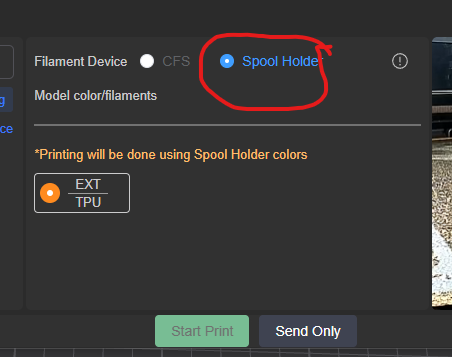
I was showing the EXT filament but was unable to apply it to objects.
FIX
If CFS is connected you need to Add a filament.
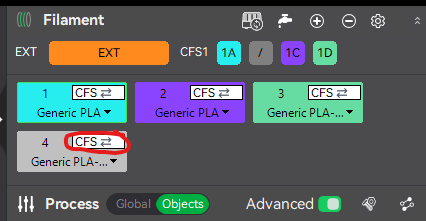
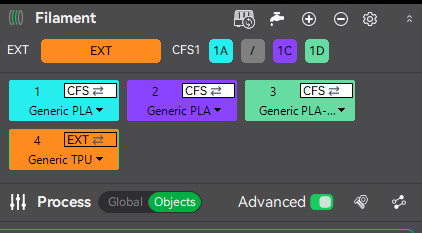
Once added click the CFS on the new filament and change it to EXT.
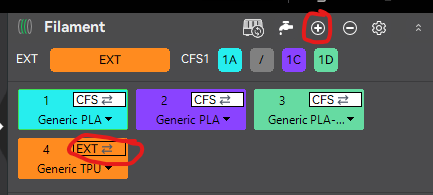
.Click the plus. New filament will added.
Click the white CFS icon and change to EXT
3 Likes
this really help me. tq so much
This comment actually helped and was exactly the problem for me…. Creality needs to make this concept more user friendly so that I don’t have to scream and and rant and waste 30 minutes of my time.
Thank you very much. That was driving me crazy.
Thank you so much! This was really helpful. I didn’t disconnect the CFS. It’s possible that I initially had the TPU go from the top instead of through the tube, which is why I didn’t have the CFS on. I remember reading that it’s best when printing with TPU, and now I’ve gone ahead and started the print, hahaha.
Let’s see if it fails; then I’ll start over and feed it from the top….