The latest K2 Pro service video shows smearing thermal grease on both the heat break and the nozzle threads. Am I mistaken or has grease on the threads been added to the replacement scenario?. Also any thoughts on the Phaebus nozzles and would the grease protocol be the same? [Getting ready to install]
You do NOT want to install thermal grease on the threads. First, it does not buy you enough in thermal transfer to make it worth it. Second, after a few hours of use, the thermal grease will bake onto the threads and you will not be able to extract the nozzle. Ask me how I know. 
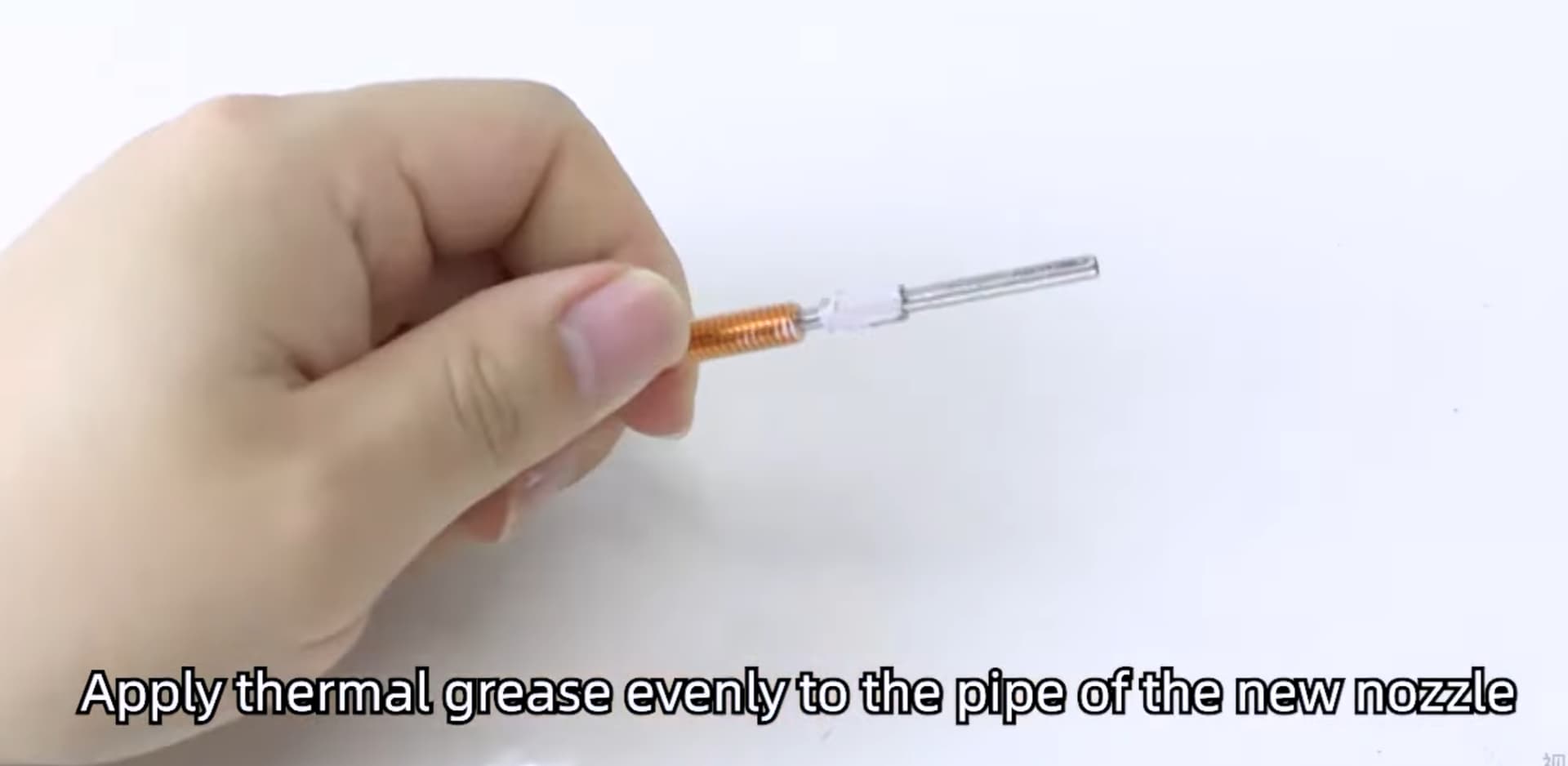
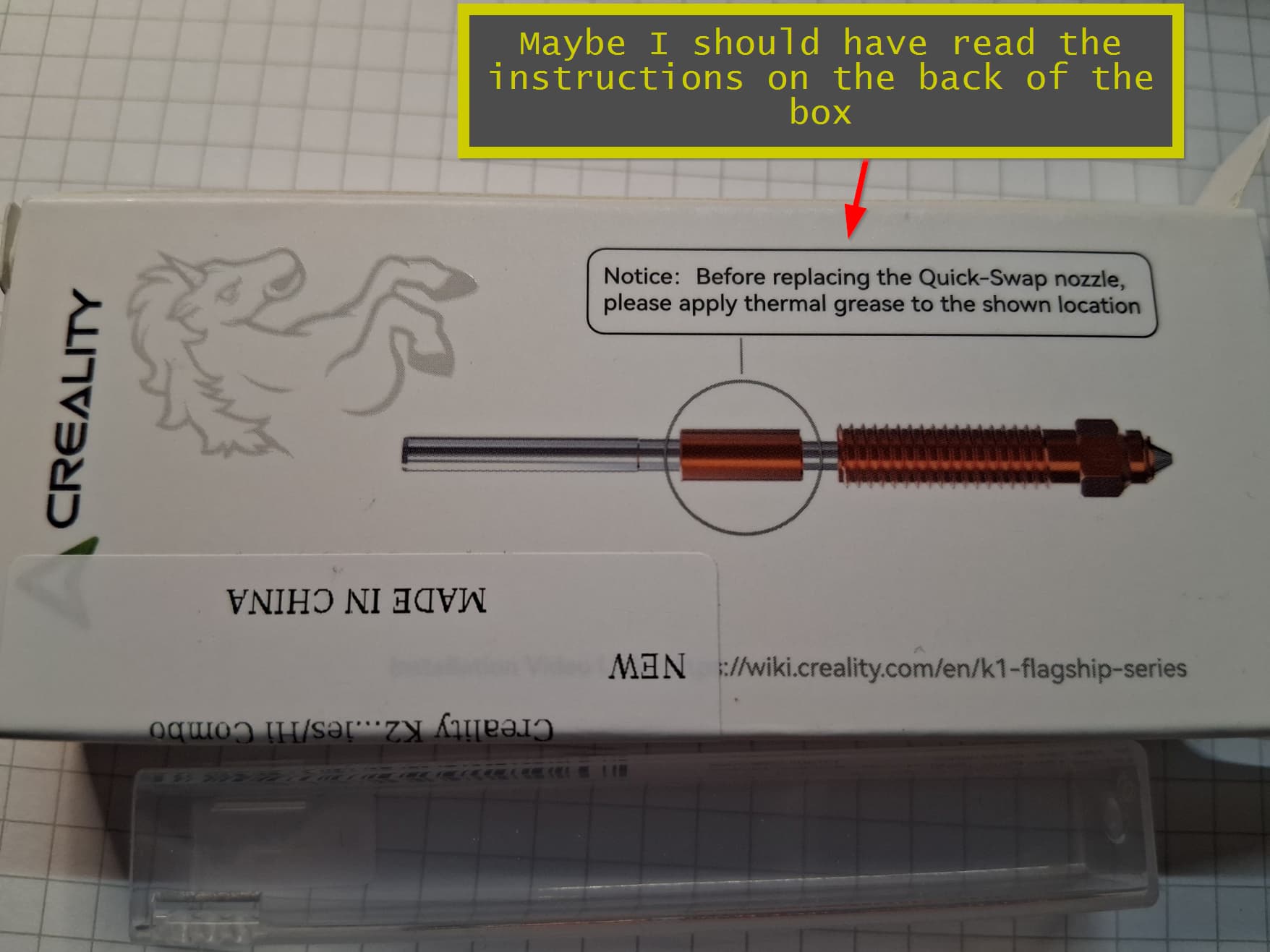
The thermal grease should only be applied to the top half where there contact with the heat sink for purposes of acting as a heat break. You may have noticed that the nozzle there is smooth which allows for easy removal.
This photo taken from: Replace K2 Nozzle | Creality Wiki
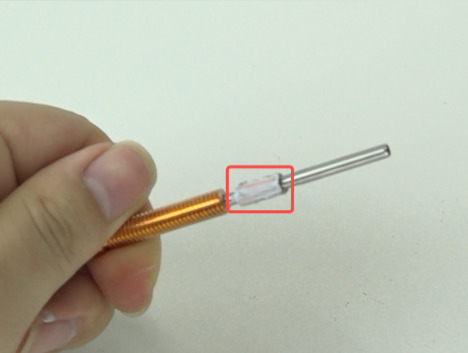
Also, there is no thermal grease I have used in the last 30 years that does not eventually transform into “thermal baked-on crust” after exposure to long term extended temps. Which is why I say you never want to use it on threads unless you never plan on removing it.
3 Likes
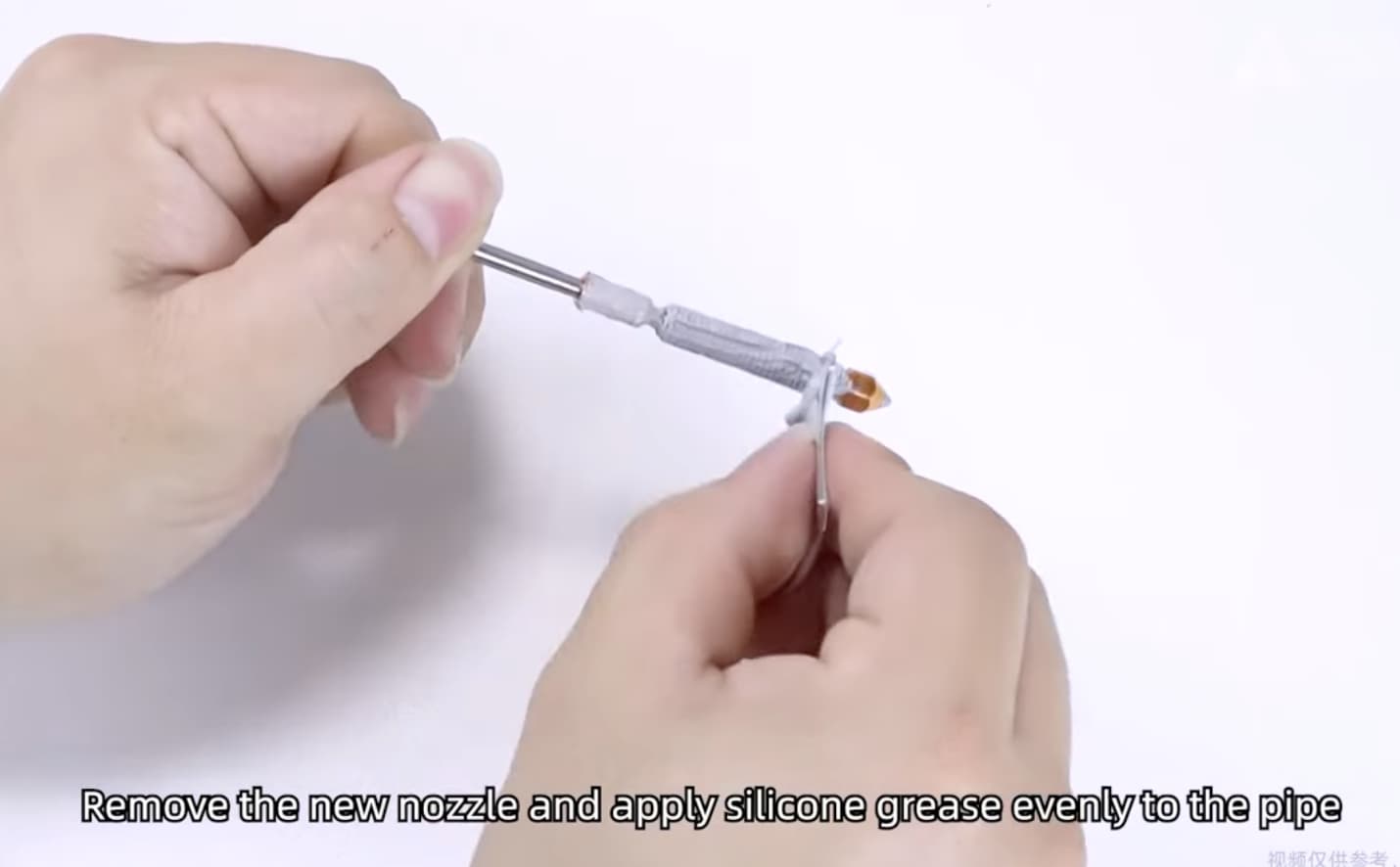
Thanks for posting that video.
I am speechless. There is no sugarcoating this. The video they show is just categorically bad advice and plane wrong.
The only explanation I can think of is that the video was produced by their marcom department without supervision by a subject matter expert. In all likelihood, they read the script notes incorrectly. I would bet that the written instructions said something like, “focus the camera on the nozzle threads while smearing the grease on the nozzle,” without understanding that the intent was to apply it only at the heat break. This leads me to believe it was not reviewed before being posted. Someone in their marketing department has some explaining to do. Anyone with even a small amount of experience using thermal grease will have seen it become hard and caked over time. This is particularly true when the product is operated at temperatures closer to 300 C.
As further proof, look at this other Creality video on their YouTube channel which shows the correct way to apply thermal grease. Time index 1:19 in case it does not automatically start there.
Screenshot from that video.
Sadly, this is not the first mistake I’ve seen on their wiki and YouTube videos. There production value is pretty low in that they seem to take little care in providing video accuracy. More than once I’ve seen examples of sequence error where they clearly included B-roll footage from another video of another printer that can really confuse a newbie if one was counting on the video being accurate. Don’t get me wrong, I’d rather have a Video than none at all but when I consult their video, YouTube always suggest other videos on the same topic. I view those too and then compare which one I believe to offer the best advice.
1 Like
Thanks for sharing that I’m not sure which video I watched to replace mine lol now I’m worried.
What happened in your scenario did you have to use excessive force e to remove the nozzle or were there further complications?
What happened in my scenario? Did I have to use excessive force, you ask?
You be the judge.  This didn’t happen once but twice to my K2 Plus even after I let the nozzle heat soak at 300 C for 15 minutes before attempting to remove it.
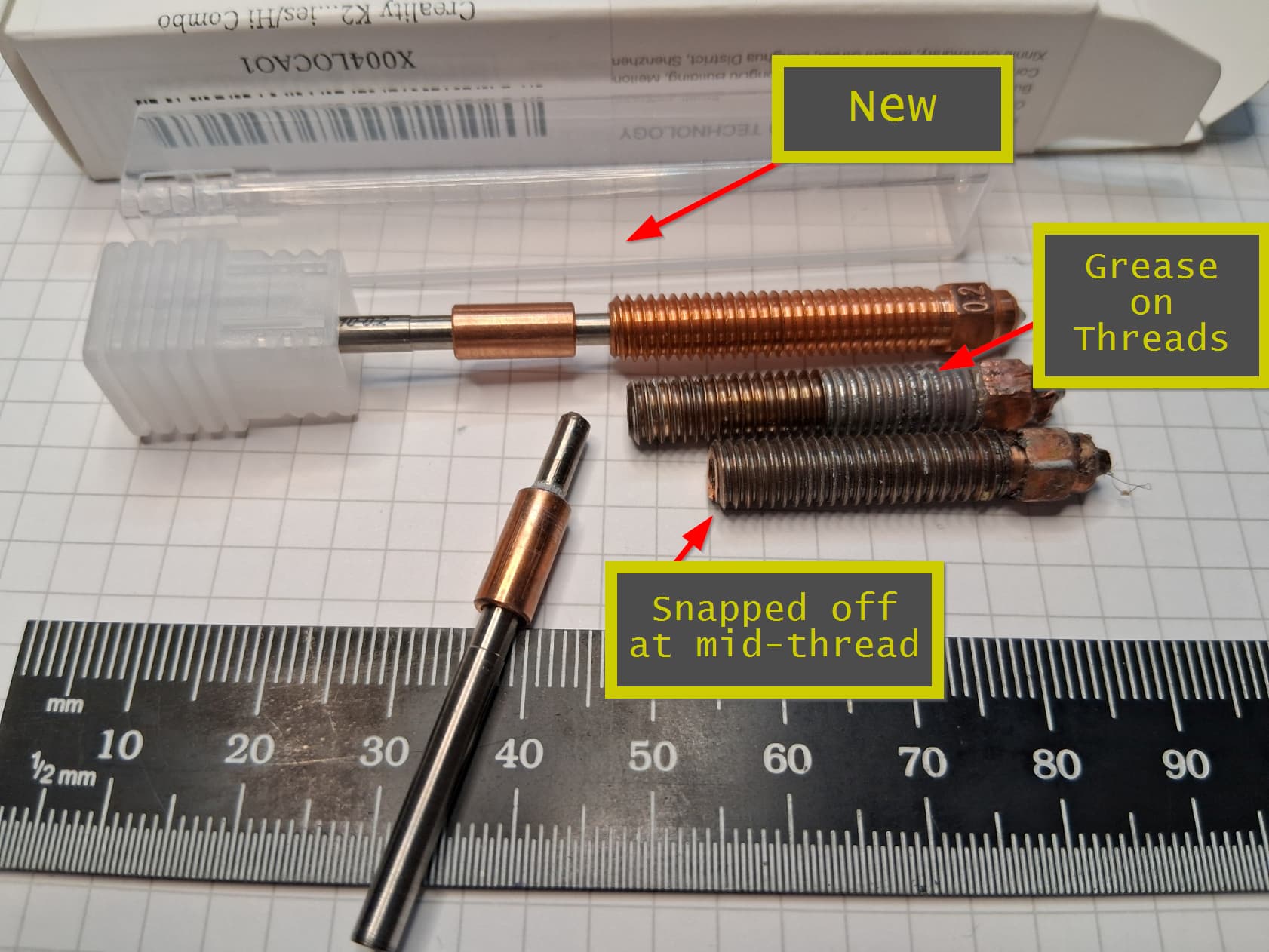
I tried to clean off the thermal grease after removal to see whether the nozzle would operate with a damaged thread. Although it did work, I replaced the entire assembly as soon as the replacement arrived from Amazon. I only kept it in service long enough to complete the swap (2 days), as it was not worth the risk of potentially causing additional damage.
It was valuable lesson that cost me $50 in replacement nozzle assemblies but I am wiser for the experience.
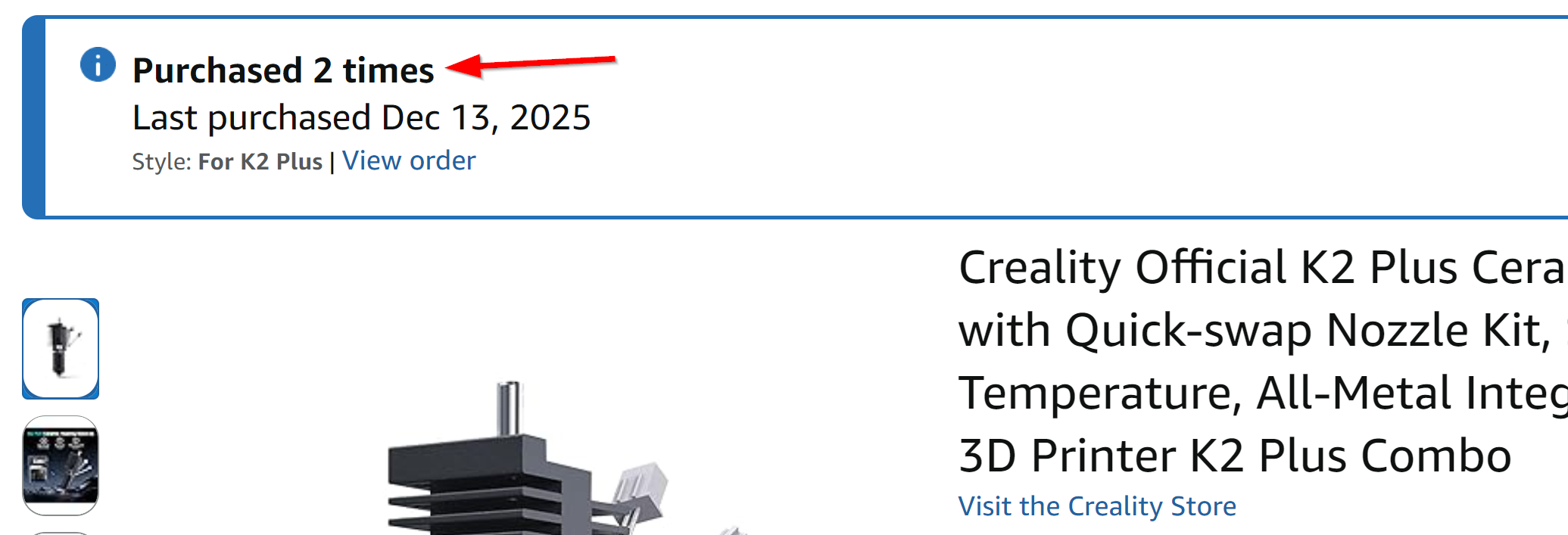
If I can save just one person this kind of aggravation by warning them off this bad video, I will have done my good deed for the day. o7
2 Likes
I have seen the damage done on the nozzle when the thermal paste is on the thread. It pretty much acts like a locking agent.
1 Like
Very bad and I’m escalating it. Does anyone from Creality monitor these forums? They are certainly looking at liabilty or at least bad customer relations if they post incorrect info. Very disappointing.
BTW, I’ve sent an email to Paetus and it’s been 2 days and still no answer…
Oh my that’s just a little bit of force lol sound kind out like anti seize high temp bolt grease works great until it doesn’t
Well I think I must have seen the correct video because the nozzle came off no problem after probably 700 hours of use found out my wiper blade was bent backwards and was causing my chute to clog it straightened out no problem and is back to normal
3 Likes
I am having this issue too, with the bent plate. I have no idea how it even happened. I thought about trying to straighten it, but figure as close as the tolerances apparently are, I probably could not get it straight enough….so I just ordered a new one. I still wish I knew how it got damaged in the first place, so I don’t do it again.
It was very easy to straighten it in place by eye and I suspect it was a lifted print or a clogged chute that pushed it out of place
Phaetus said ‘NO’ to the grease on the threads. My K2+ nozzle failed after 140 hours. Replaced with a silicaon nozzle and I’ve had no problems. Need to watch the long-term performance but my sense is not to go with the stock nozzles again.
Sad that there is no Creality monitoring of this support forum.
1 Like
There is. He’s here.
2 Likes
@3dprinting4educators @JoeFriday Does anyone know what kind of thermal grease/paste Creality is providing? There are many kinds with different properties.
In that line of thought, does anyone have experience with Boron Nitride Thermal Paste on print nozzles? Boron Nitride Paste | Optimize Heat Transfer | Slice Engineering
On paper it seems like a great thermal paste for print, but I haven’t used it. I am concerned that they say it also makes a good potting agent. However, it is water soluble, so maybe that isn’t such a big deal. Does anyone have any experience with this stuff, and what are your thoughts?
Do get tripped up in the “My thermal paste can beat your thermal paste” argument. Any paste will do the trick. Buy on price.
In my other hobby which is building gaming rigs, that debate has proven to be silly. Between the overclocking forums on reddit and elsewhere, people will die on that hill for a mere difference of 1°-2° C which only comes into play when one is doing competitive overclocking of GPUs and wants bragging rights on the Benchmark leader board. In 3D printing, almost any CPU or GPU thermal paste is the same stuff that shipped with your printer. Stay away from the ones that claim diamond or silver impregnated, it will just empty your wallet quicker.
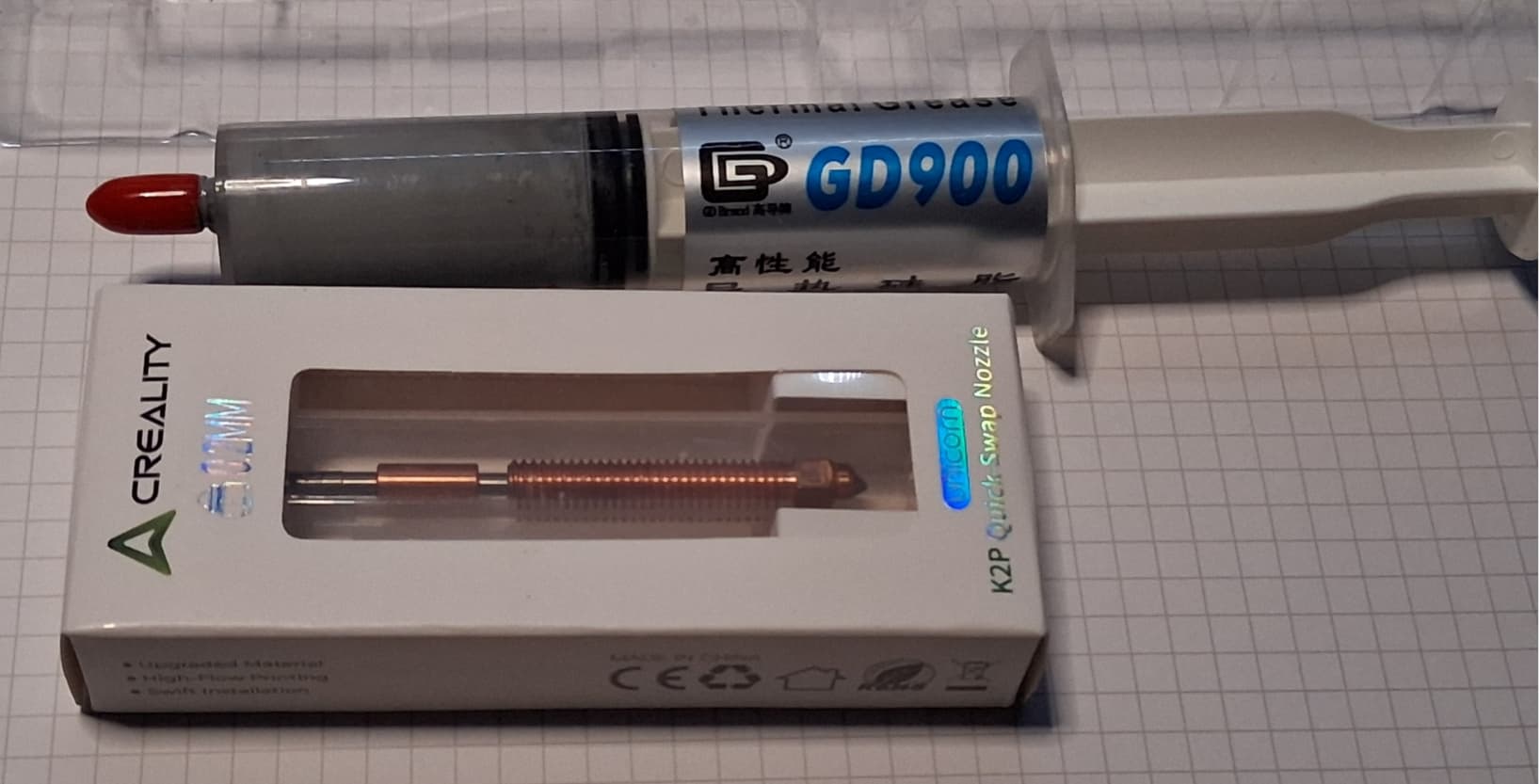
Most of the companies use a variant of this brand(GD900) or similar knockoff. There’s enough YouTube videos that have tested many brands and the main advantage to this one is price, it usually comes in as the second best in performance, the best being Thermal grizzly at 40X the cost. (Thermal Grizzly won’t work on nozzles though as it is a liquid-like material, not paste).
https://www.amazon.com/s?k=gd900+thermal+paste
To give you an idea of what a 30g tube looks like. Here it is compared to a K2 nozzle. I’ve been using this one for the last five years and it has never dried out. I keep a couple of them around the workshop.
1 Like
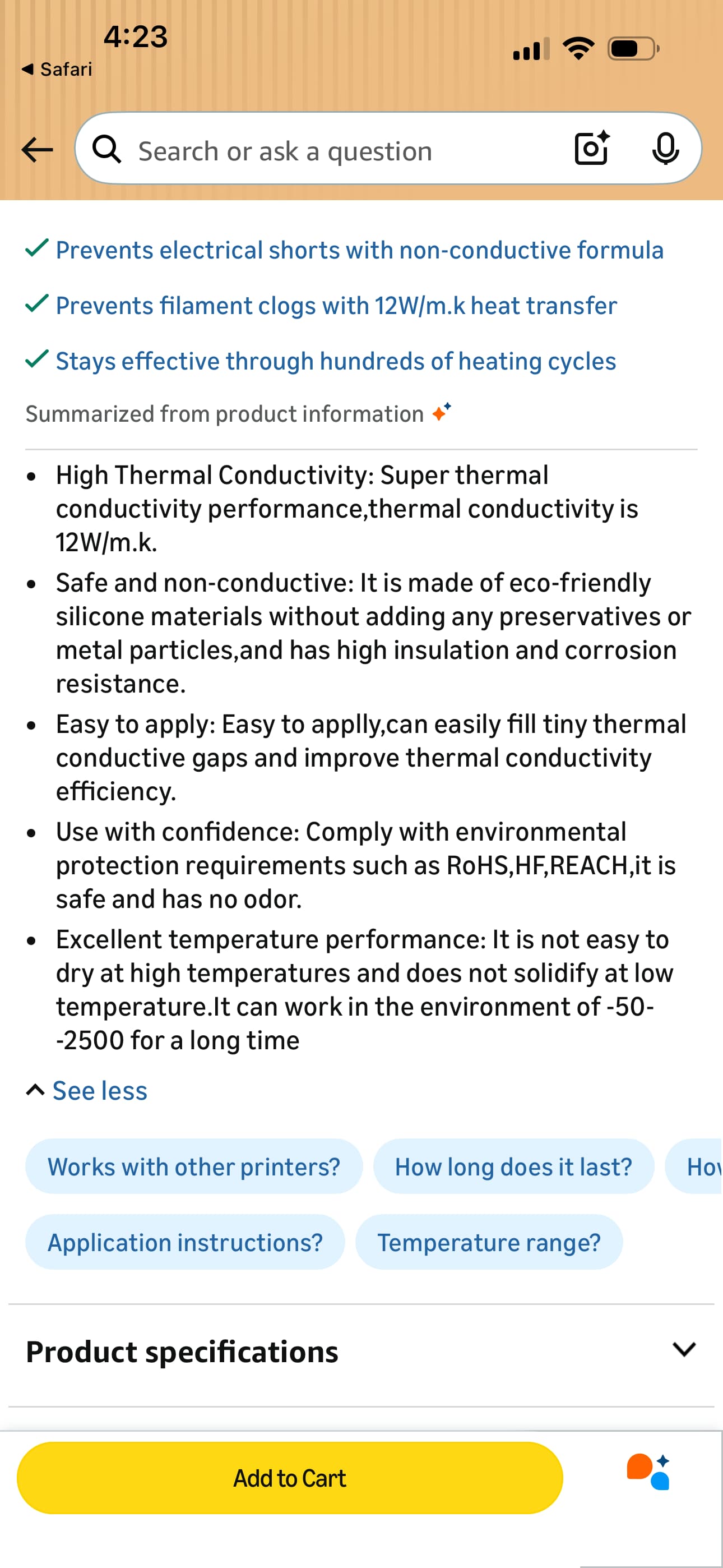
That is the answer to the magic question. Most of the concerns here were about the paste drying out and seizing up. the paste supplied by Creality definitely dry’s out, but I haven’t had any trouble with it ceasing up. Thanks for the tip on GD900. I’ll give it a try next hot end swap.
Not really 3d printing related, but, I’ve built an awful lot of servers and gaming rigs before I retired and I would debate you on the difference between thermal pastes. I have observed greater than 10c difference between different pastes, and the silver impregnated ones were usually at the top. I’m with you on diamond dust. That doesn’t make thermodynamic sense. All of that is a moot point for 3d printers because most of the thermal pastes I tested on electronics parts (mostly CPUs)loose thermal conductivity in the 130-170c range. Since we’re printing in the 200c range, the typical CPU thermal paste just isn’t going to cut it for 3d printing.
I should clarify so I don’t give false hope.
When I say “drying out,” I mean desiccation in the container or at ambient temperature. Many 3D-printer-specific plastic or silver Mylar packets are single-use, and once opened they dry quickly because they were never designed to be resealed.
Separately, eventually all consumer “thermal grease” will cake or carbonize when exposed to sustained temperatures above roughly 120°C.
Manufacturers like Thermal Grizzly, Arctic, and Thermaltake advertise pastes that are “resistant” to drying, but those products are intended for CPUs and GPUs, which typically never operate above ~105°C. That is the environment these compounds were designed for.
Obviously, a 3D printer nozzle operates at 200-300°C, which is 2-3x higher. So in effect, the 3D printer industry never really solved the caking issue, they just went with whatever was on the market. So far, it works well enough or as the Chinese say “Chabuduo (差不多)”. I guess, until it becomes a problem that someone else solves or creates warranty issues, there really is no incentive for the industry to solve what is not a huge problem in most applications.
That’s why I was shocked to see the Creality video posted earlier, showing thermal paste applied to nozzle threads. At hot-end temperatures, standard CPU thermal grease will degrade and harden, effectively guaranteeing the nozzle will seize in place over time. It still boggles my mind that this video did not receive any editorial oversight.
Side note: This is just my opinion but Creality needs to get its engineering act together on nozzles. They were once a leader in removable nozzles.
Bambu, starting with the $250 A1 mini in 2023 and continuing across its current lineup, uses quick-disconnect nozzles. This used to be one of Creality’s strengths, and it has now become a liability.
Creality already solved this problem with the nozzle technology introduced on the SPARKX i7, yet they chose not to carry that design forward into their so-called “flagship” products. That decision is baffling given that the release of the SPARKX was only about a year in between that and the launch of the K2.
Which raises another issue: how can you have five different models that all “carry the flag”? The term flagship is supposed to mean a single reference platform. Using it this way just dilutes the meaning.
The same lack of language proofreading rigor shows up in their software. Creality Print slicer labels “fan speed” as “wind speed” in the UI. That is a basic semantic error that a native English speaker with minimal technical background would have caught immediately. But again, this is self-evident Chinese “Chabuduo” (差不多) business philosophy. The Japanese caught on to that in the 80s as they were the folks that one used to see their products ridiculed in tech magazines. This was well before memes.
1 Like