I just purchased an “open box” Falcon A1 10W machine that didn’t come with the camera calibration card. I spent a lot of time looking for the replacement PDF and discovered that Falcon Design Space will create one for you in the Camera Calibration section.
However, it is fairly well hidden so I’m posting a hint on how to recreate the card to help someone else in the future.
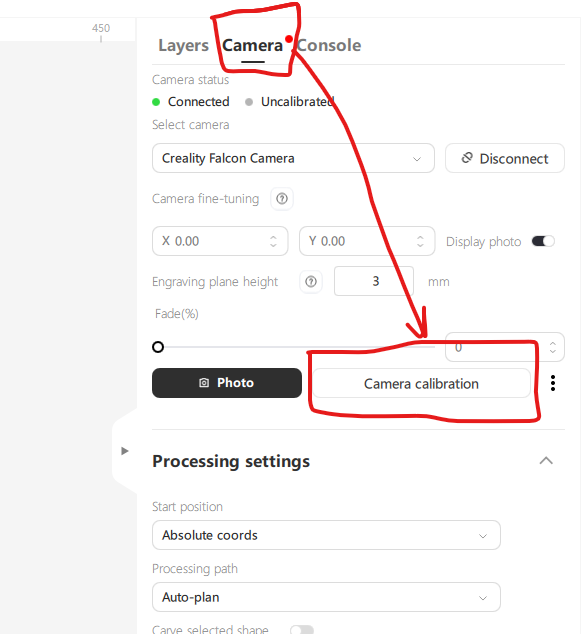
First, go to the camera tab and select “Camera Calibration”
In the camera calibration dialog, there is a blue link called “small dot pattern”. Click on that and give it a name. This will create a PDF file of the calibration card.
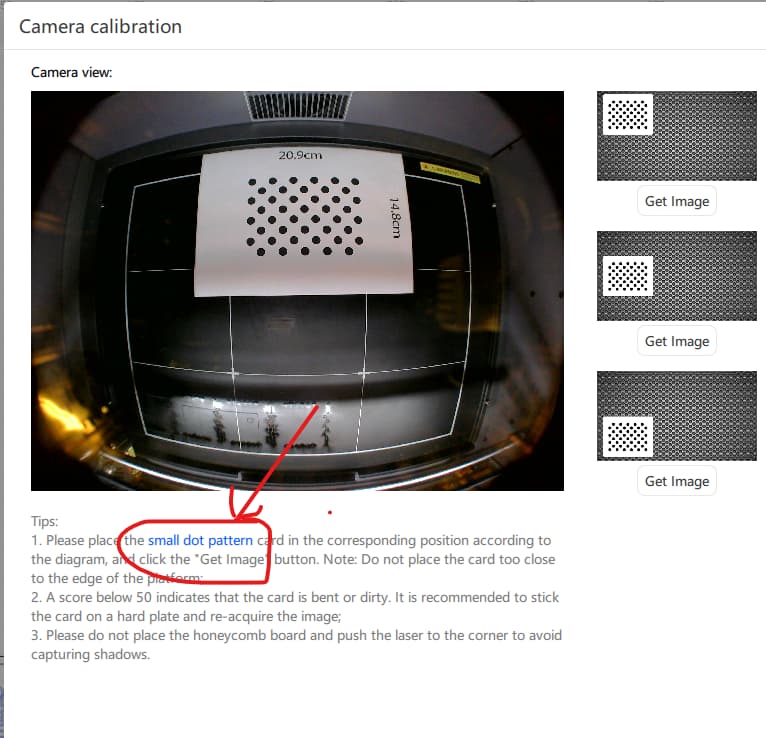
Note that when you print it out, you need to measure the size of the rectangular frame. The first time I printed it, my printer dialog scaled it down to fit on the page.
Hope this helps, good luck.