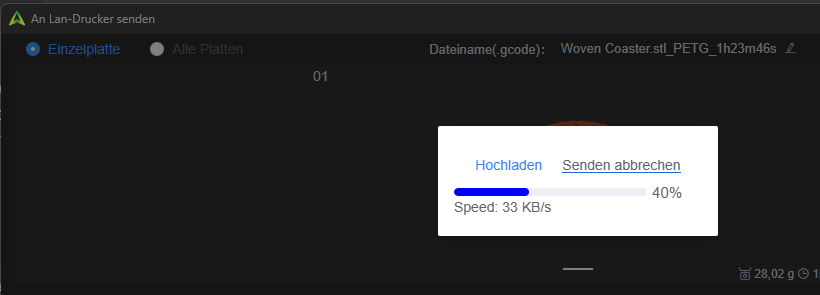
Hello. Anybody haveing the same issue. The transfer-speed from the slice to the printer is a joke. 32kb… I have a 300mb line.
Bandwidth is not the sole constraint on the transmission speeds. The processor within the target device and the transmitting CPU power can also play a role and be the gating item. If you want to run a test that might yield more meaningful measurements, try using the Ethernet port via a 1 Gb cable. I will wager that the upload speed is not too different.
I doubt that it would change. As its the same PC, the same network, concentrating on the transfer. And I fear its a problem with the cache or something at the printer and somewhere in the cloud. Sometime when I turn the printer off for a few seconds (or longer) and turn it back on, the speed is much higher. Over time it slows down. And out of the suden speed is back up
One can doubt that, but if you do not test it, how will you know whether that is actually the case?
That is consistent with a buffering or latency issue, which can have numerous causes. Have you tested the latency to the printer when the problem is occurring?
Again, as with any troubleshooting scenario, it is important to isolate and test each component in the system rather than dismiss possibilities without testing them. Since you presumably have only one printer, that leaves changing the transmitting system or the transmission method as practical ways to isolate the problem.
Another factor is Wi-Fi congestion. If you live in a location with competing access points, overlapping channels, or poorly positioned Wi-Fi devices, that could also be contributing to the problem.
One more possibility is a mesh Wi-Fi system. If the printer is located near the boundary between two mesh nodes and they are competing for the connection, that can cause intermittent performance problems. When I was troubleshooting early Eero routers, I found their mesh implementation could be unreliable in exactly this type of situation. A single router provided a substantially more stable and faster connection.
The point is not that any one of these is necessarily the cause. The point is that troubleshooting requires testing possibilities rather than assuming they can be ruled out.
Regarding all ya infos, can you explain, why the printer seems to download slower and slower as long as he stays on and other devices at a similar location (close to the main-WLAN-Router - tbp directly above it) don’t have such issues.
That is not possible to diagnose without fully understanding the network topology, but you just added two important details that were missing from your previous description: the router is within line of sight, and there are other WiFi devices nearby.
For me, after testing with a CAT5 connection and verifying that the MCU is not saturated, the next step would be to look at the Fluidd console and monitor CPU utilization.
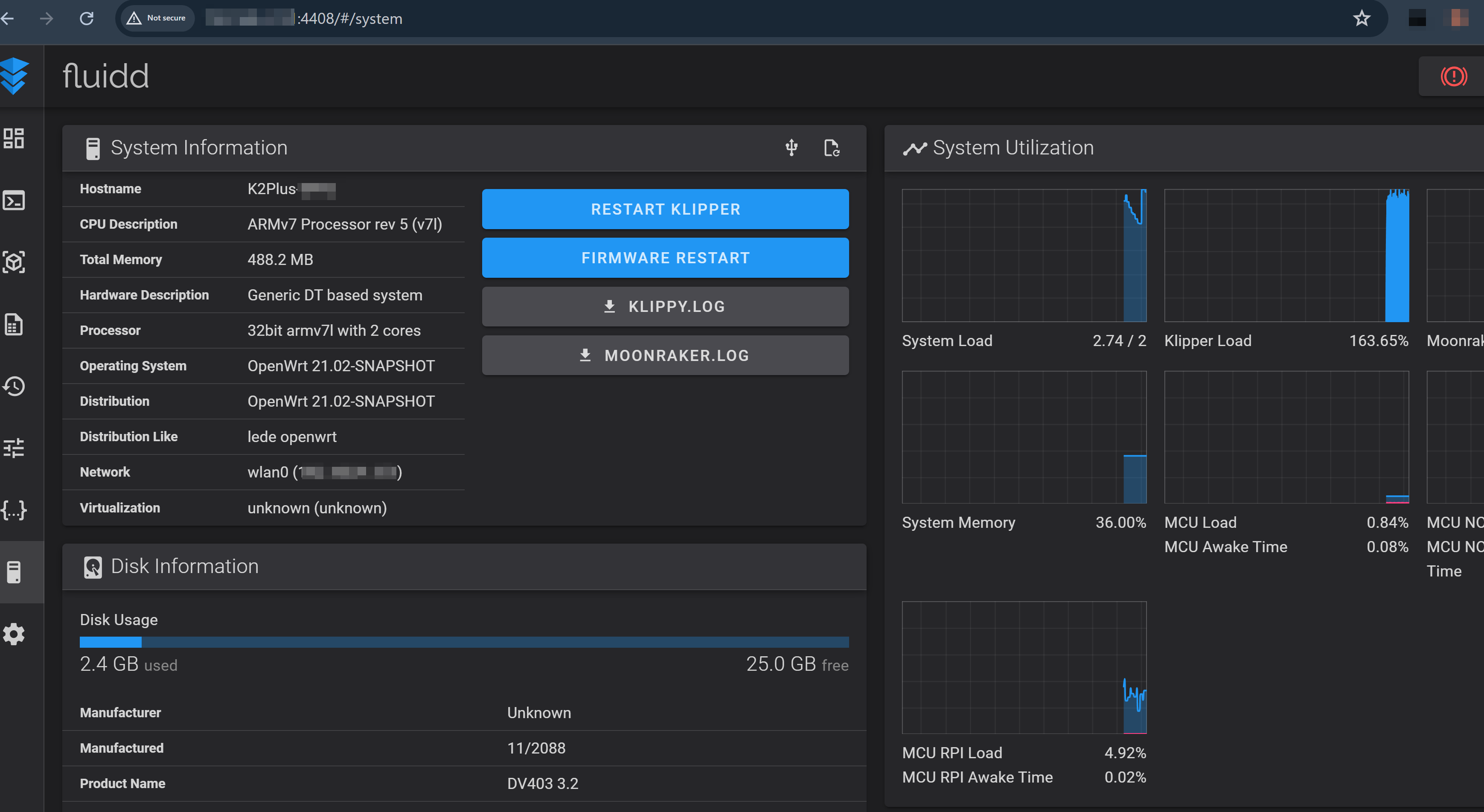
Try an upload while the browser is open and watch for any significant increase in CPU utilization or other performance hits.
Next, turn off every other WiFi device you reasonably can and rerun the same test.
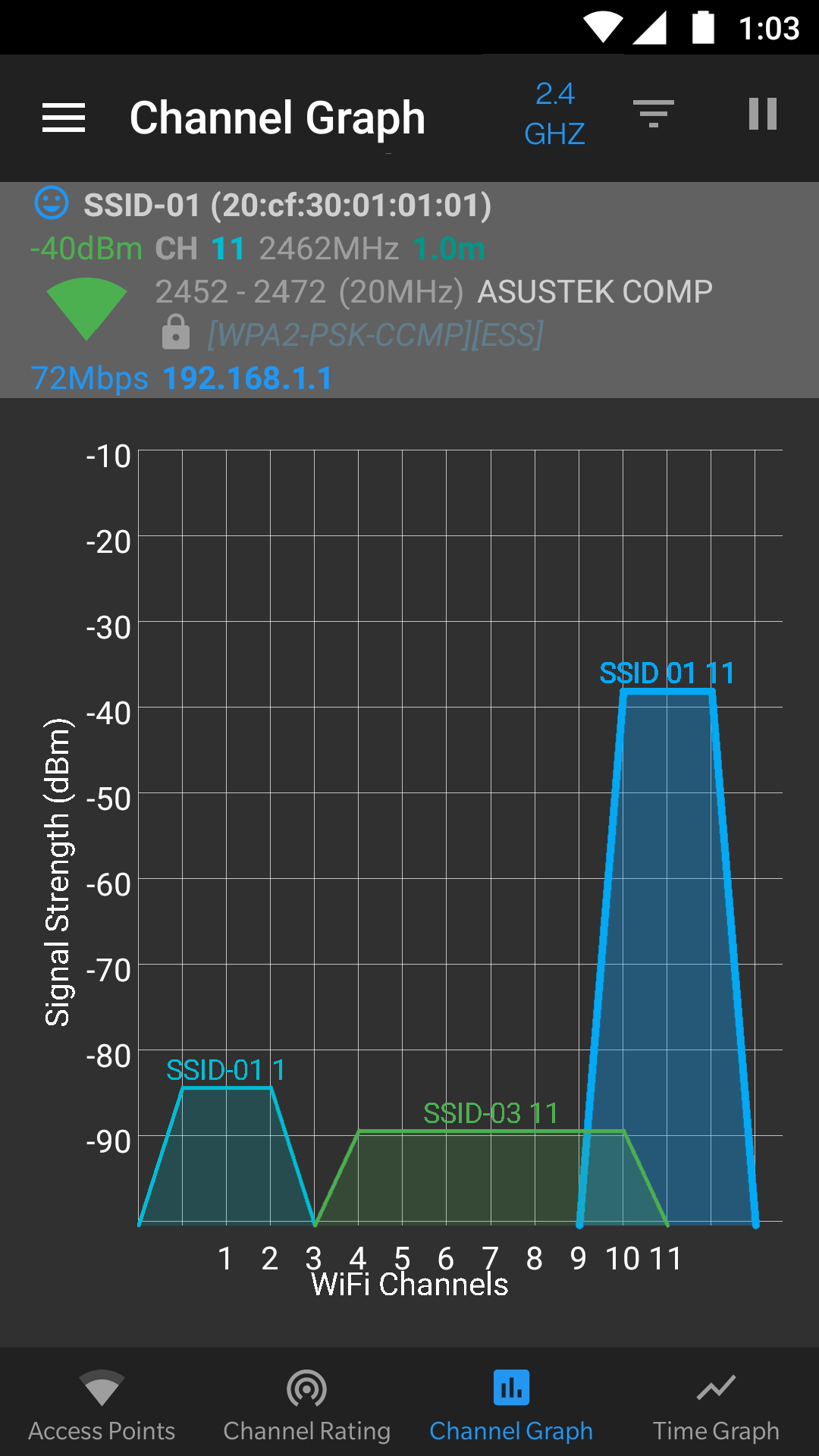
Last, if you have an Android device, run a WiFi scanner and look at the channel your LAN is using and the amount of congestion around it. If necessary, change the access point to a less congested channel.
I would consider that a later-stage diagnostic, however. The first priority is to rule out MCU saturation and WiFi itself. The CAT5 test does exactly that: it removes the wireless connection from the equation and rules out one of the most obvious variables.
There are many open-source WiFi scanners on the play store. Here is one I’ve used but there are others. I prefer their mapping of overlapping channels. If you have congestion, this will show it. I know of no such resource for the iPhone but perhaps someone here on the forum can suggest one.