I recently tried updating the stock firmware on my Ender 3 V2 4.2.2 GD32F303 to the latest Marlin-bugfix. Unfortunately, after doing this, the printer freezes on the boot screen.
I’ve since tried to reinstall the stock GD-Ender-3 V2-Marlin2.0.8.2-HW-V4.2.2-SW-V1.0.4_E_N_20211230 from the Creality Support Page, and renaming the file firmware-1.bin, but the printer still gets stuck on the boot screen. I’ve also tried using a different 32GB SD card to no effect.
Any suggestions for other troubleshooting steps I might try?
Did anyone ever figure this out? I just bought a sprite extruder, and I updated the firmware and all I see now is a blue screen. I tried unplugging, I also tried using an older firmware version, I took off the covers and checked both the plug at the motherboard and the display and they are both fine. Now I am still in the exact same spot and I’m not sure what to do.
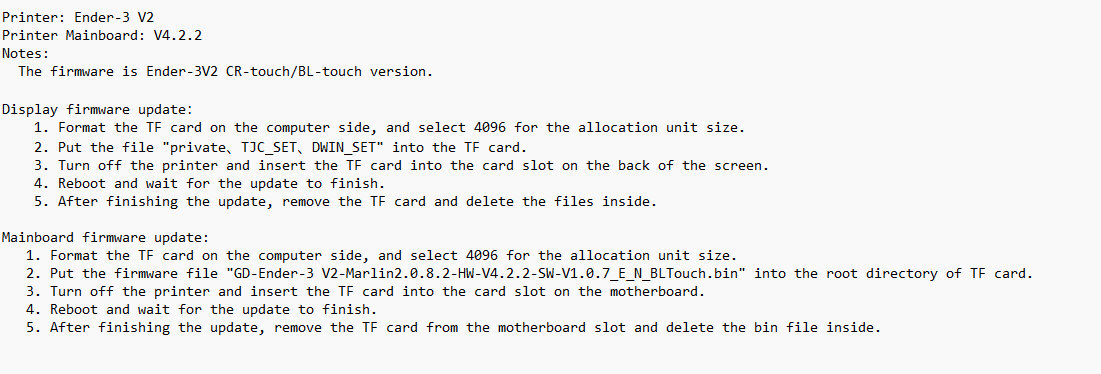
Have you checked the tutorial to check if you didn’t do something wrong ?
Like the format, which is very important for old printers (if not, the motherboard will not recognize the file)