I am having trouble getting a good first layer for the entire bed.
I start by performing an Equipment Self Test. Here is the result:
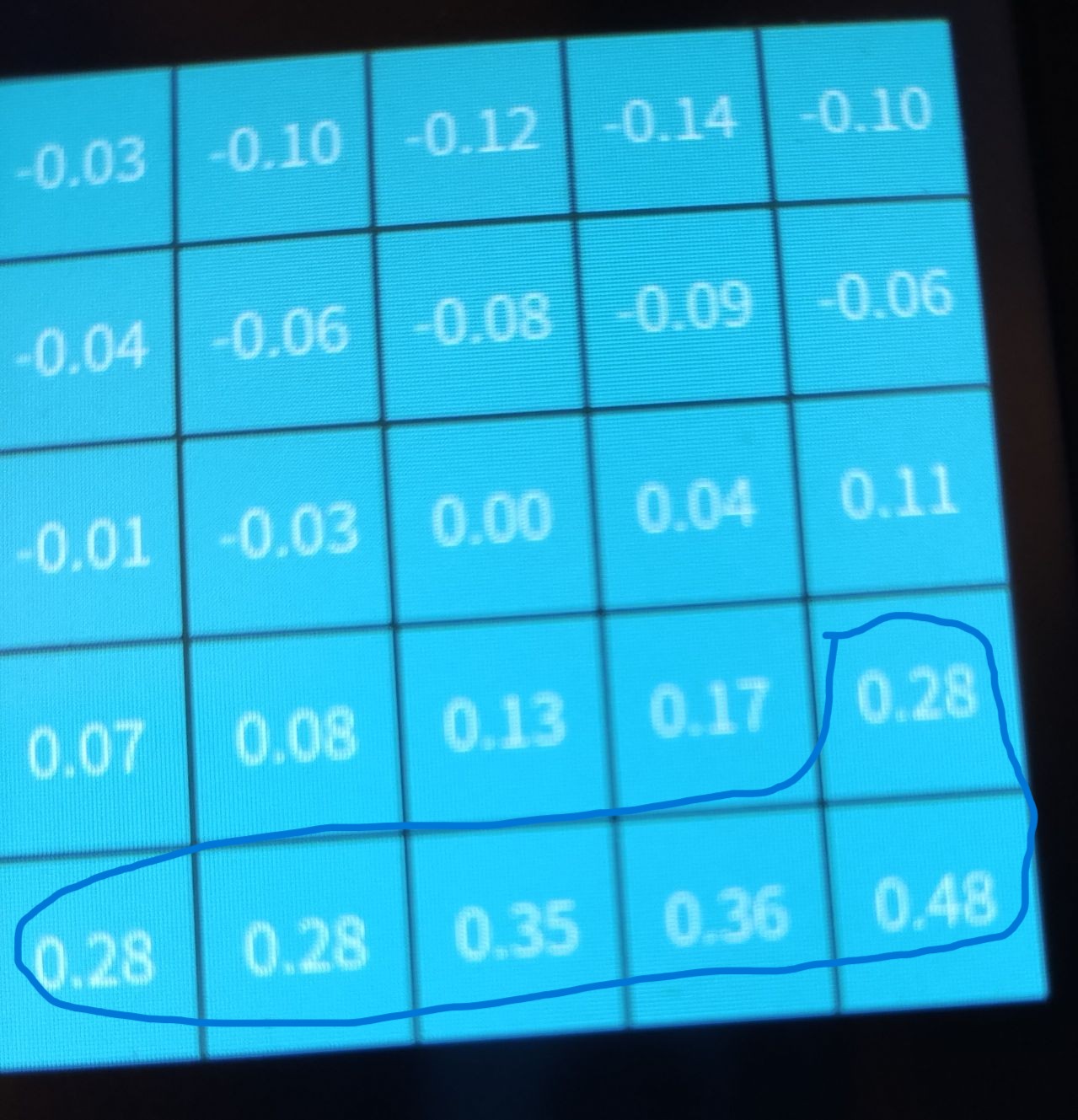
I don’t know if those values are too big or if the auto leveling can adjust for it.
Next, I adjusted the Z-offset so that I was able to get an excellent 1 layer print of a square in the middle of the bed.
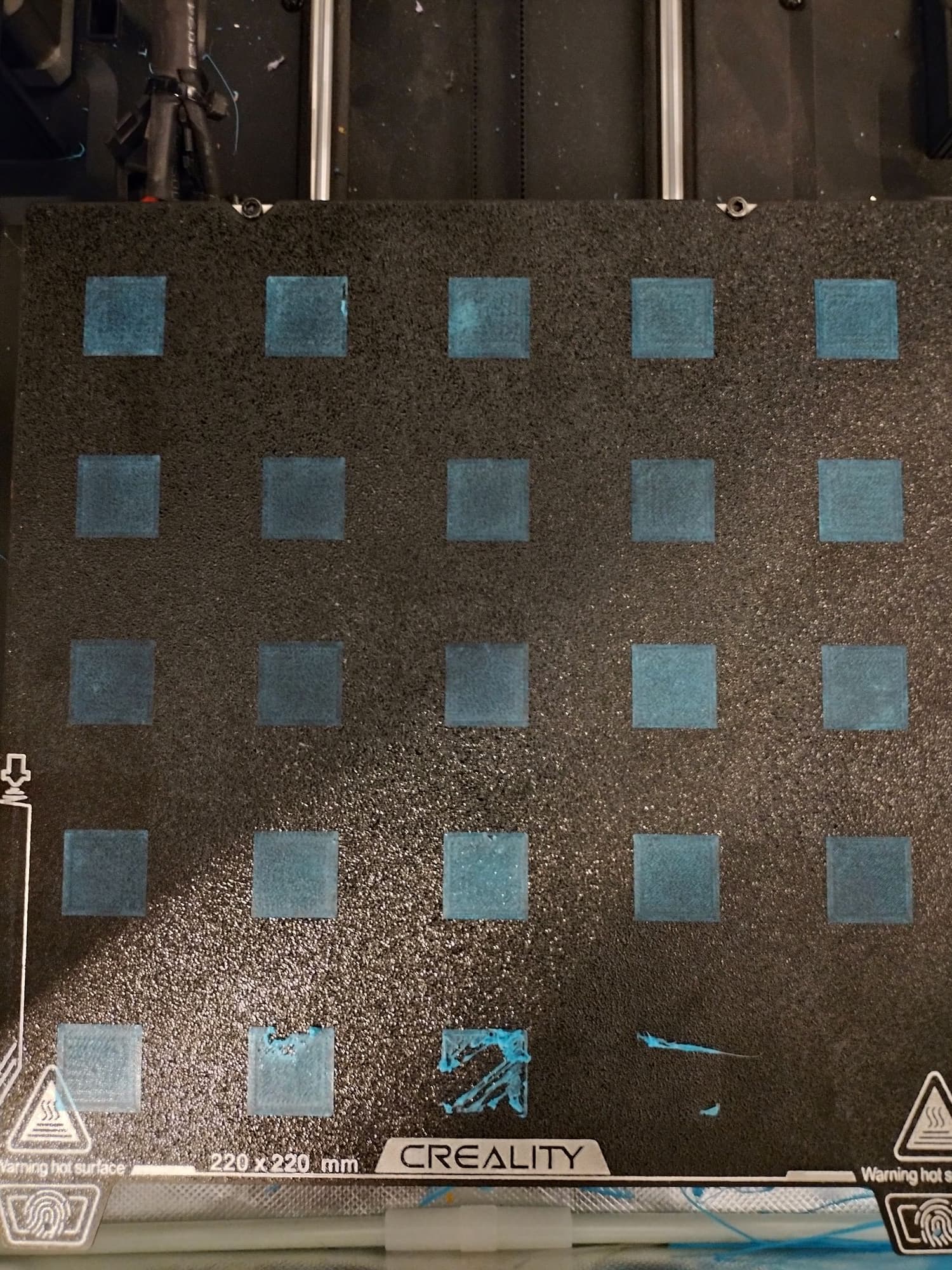
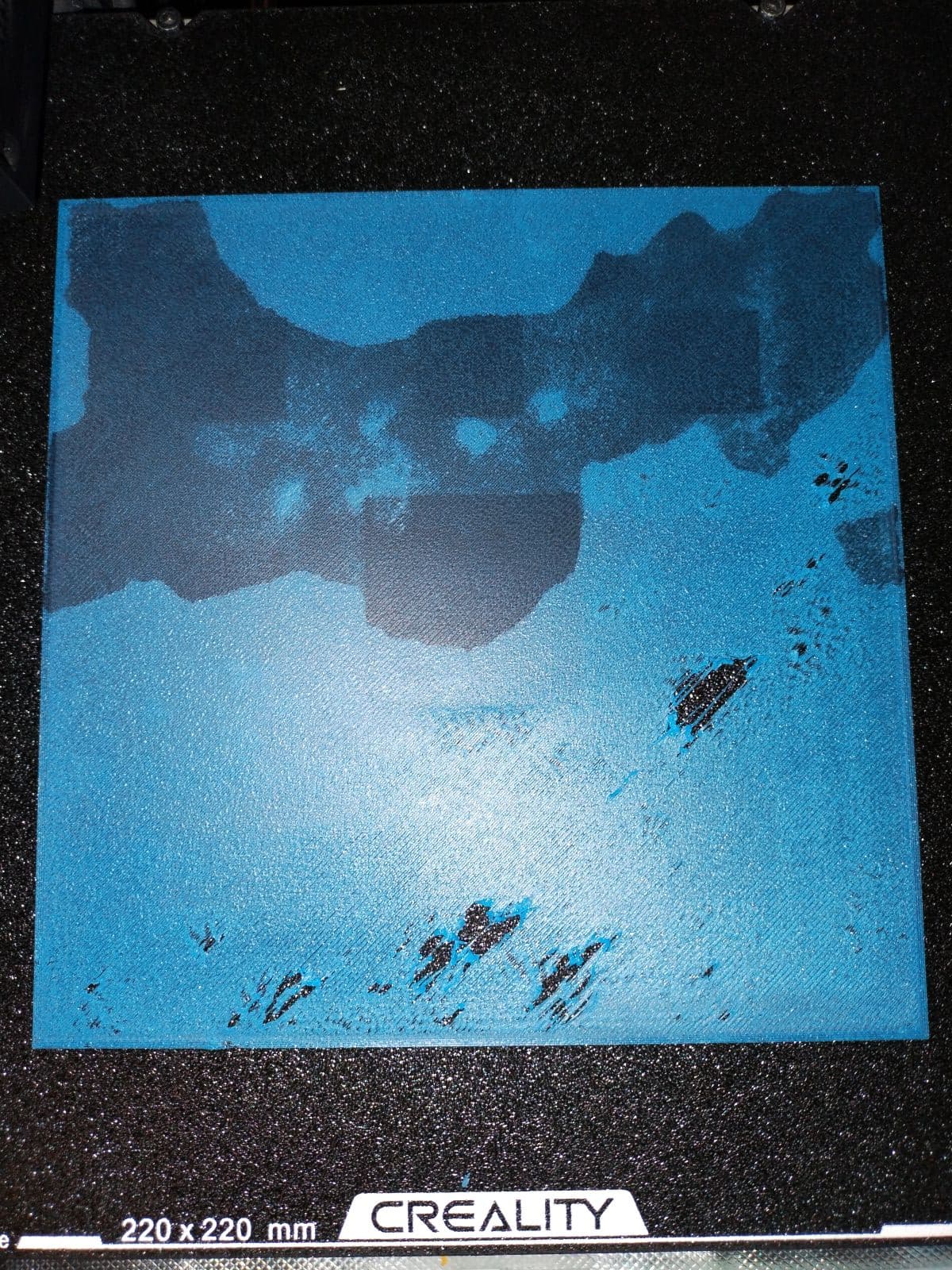
However, when I printed a 5 X 5 grid of squares as well as a large square, I got problems.
In the 5 X 5 grid, there was a small problem at the top, but the bigger issue is the bottom row.
Here is the large square:
Are the bottom offsets just too large? If so, how do I correct that? My old printer had wheels to turn to adjust the 4 corners, but I don’t see that on this printer.
David