I haven’t had any issues connecting to my K2 Pro through a web browser for the first month of having this new printer.
All of a sudden, I can no longer access the printer via my web browser. I have given it a static IP in my router. I can see it connected. The printer shows it’s connected. All of my equipment is on the 2ghz wireless network. I’ve tried hardwiring it into my router, it gets a new IP address, that address is not accessible either.
The Creality app still works. I can connect to my printer, initiate prints and see the camera. So, I know it’s connected to the network/Internet.
I haven’t made any changes to my network, the printer or my laptop. It just stopped responding. Entering :4408 just times out. I’ve tried multiple computers.
CrealityPrint is no longer able to see the printer. I’ve tried deleting and rescanning to add it and it is unable to find the printer.
It seems that whatever is on the K2 Pro (Klipper?) has just stopped responding altogether.
You didn’t mention whether or not you pinged that IP address. I realize you gave it a static IP address but if the printer fell back to DHCP, it would describe the behavior you’re seeing where Creality Print is finding the IP but you can connect.
One other test you can run. Try this port: http://<Printer_ip>:8000/ That is the video on demand feed for the Creality Klipper. You should see a video on demand image like this:
Use an IP-Scanner tool to find your printer in your network… Static IP doesn’t work that good because Creality changed the MAC-address after firmware update, so every time you have to change settings in your router…
You can do a reset to factory-setting on the printer and start over again… see if this solves your problem!
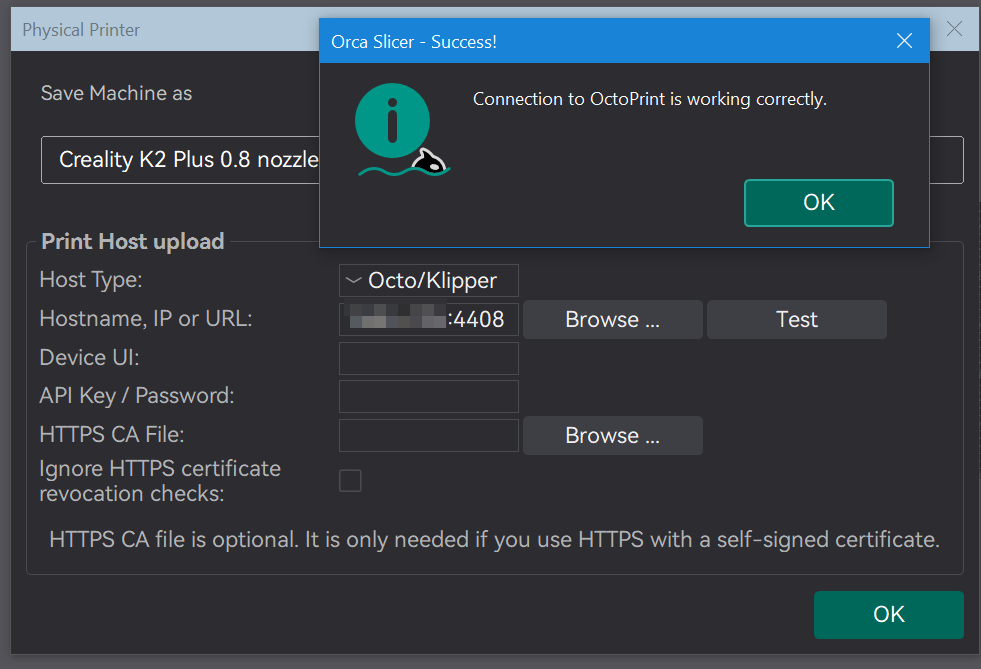
I have a similar problem with Orca Slicer. When I attempt to make a network connection to the appropriate IP Address, I get this error.
Could not connect to OctoPrint: curl:Couldn’t connect to server:
Failed to connect to 192.168.1.44 port 80: No route to host
[Error 7]
Note: OctoPrint version 1.1.0 or higher is required.
However, if I ping my K2, I see this.
PING 192.168.1.44 (192.168.1.44): 56 data bytes
64 bytes from 192.168.1.44: icmp_seq=0 ttl=64 time=4.711 ms
64 bytes from 192.168.1.44: icmp_seq=1 ttl=64 time=9.672 ms
64 bytes from 192.168.1.44: icmp_seq=2 ttl=64 time=26.709 ms
64 bytes from 192.168.1.44: icmp_seq=3 ttl=64 time=76.688 ms
…
But if I do a traceroute, I get this.
traceroute to 192.168.1.44 (192.168.1.44), 64 hops max, 40 byte packets
1 192.168.1.44 (192.168.1.44) 48.789 ms 7.414 ms 6.355 ms
I can always connect a browser to 192.168.1.44:4408, and then use the Upload and Print button
in Fluidd or Mainsail (a Klipper connection).
Oh, and one more thing. If I portscan 192.168.1.44, the only ports that appear to be open are
22 ssh and 80 http. Somehow, the K2 doesn’t seem to like admitting that 4408 and/or 4409
are actually available. I suspect that the printer doesn’t want to allow access to 4408 and/or
4409 unless the connection is made though port 80 first. Very strange!
Unfortunately, I have also tried all possible forms of the address
192.168.192.44 http://192.168.1.44:4408 https://192.168.1.44:4408
and the last two produces this error.
Could not connect to OctoPrint: curl:Couldn’t connect to server:
[Error 7]
Note: OctoPrint version 1.1.0 or higher is required.