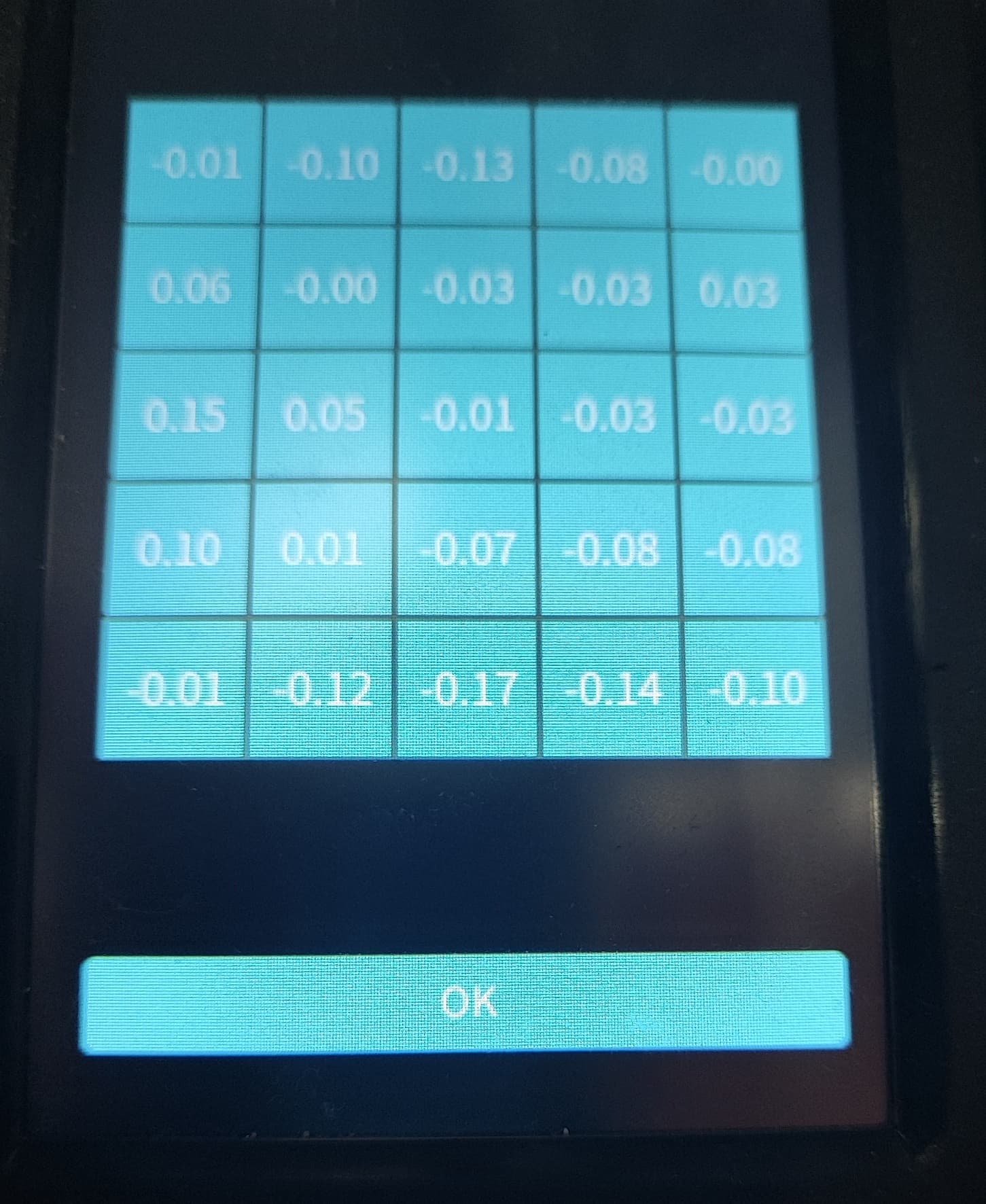
For the last 2 months I have been happily printing full print plate on my Sparkx i7 but over the last couple weeks I have been having bad print adhesion on the front third of the print plate. Cleaned my plate as thoroughly as i can and nothing so finally I log into Fluidd and check the bed mesh and its got some pretty bad low spots. any tips on how to get this more even?
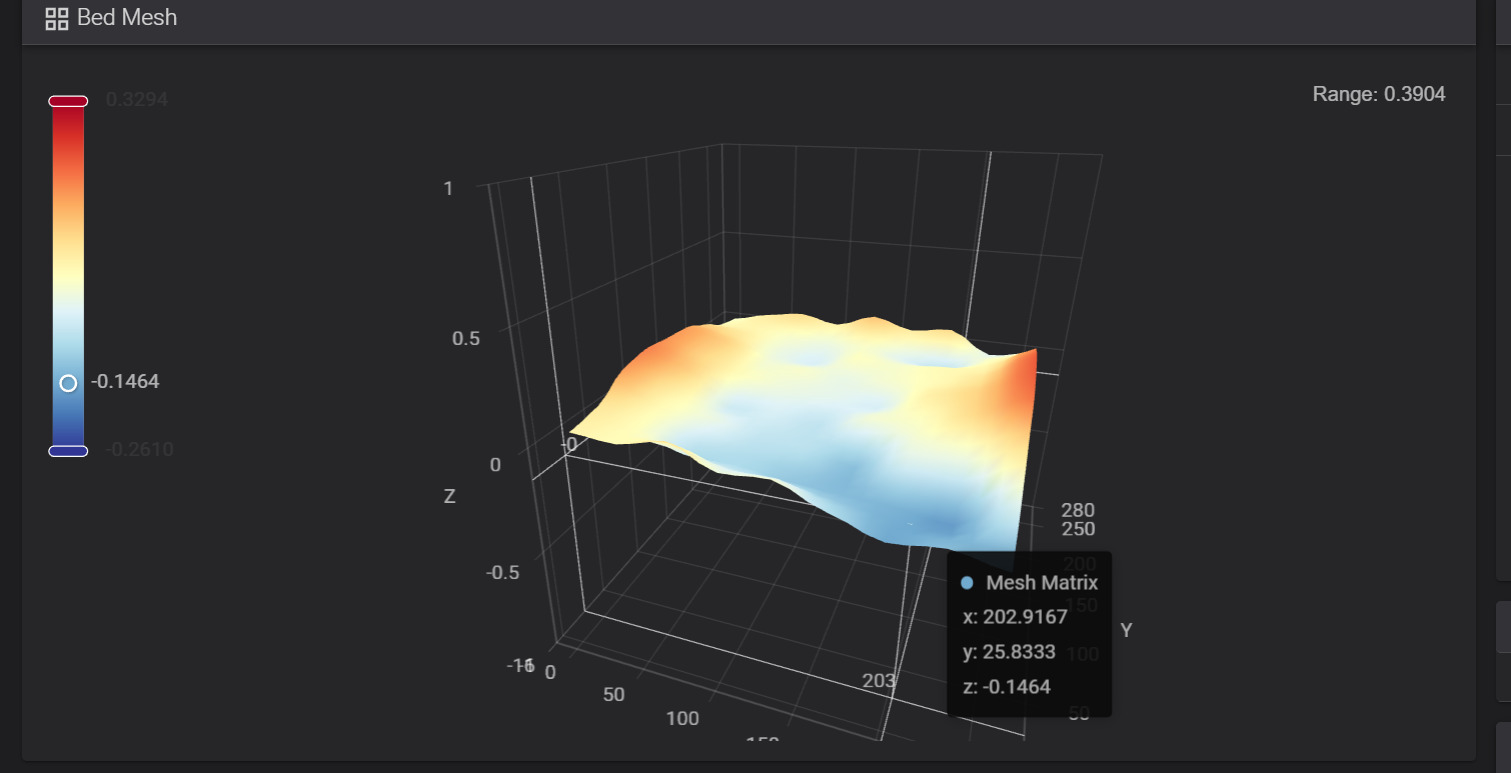
hmm, this fancy image doesn’t really tell me much, i prefer numbers.
Anyway, i bought multiple kinds of bed plates(not smooth, there is some texture), and like 5 of the same kind the printer came with, as these turned out to be the best in terms of adhesion and durability.
Of these 5 i had to get rid of 2, bcoz the auto leveling was giving me more than 0,25 deviation.
Therefore, i suggest trying a different bed plate, and see if you get same results. Also auto leveling without any bed plate may bring some light into the matter, maybe it’s the whole bed that is crooked?
Just don’t forget to auto level again, after you put the bed plate back on, else the printing head will destroy the bed plate.
Manually adjusting the bed with some washers may do the trick, but that requires taking the bed apart.
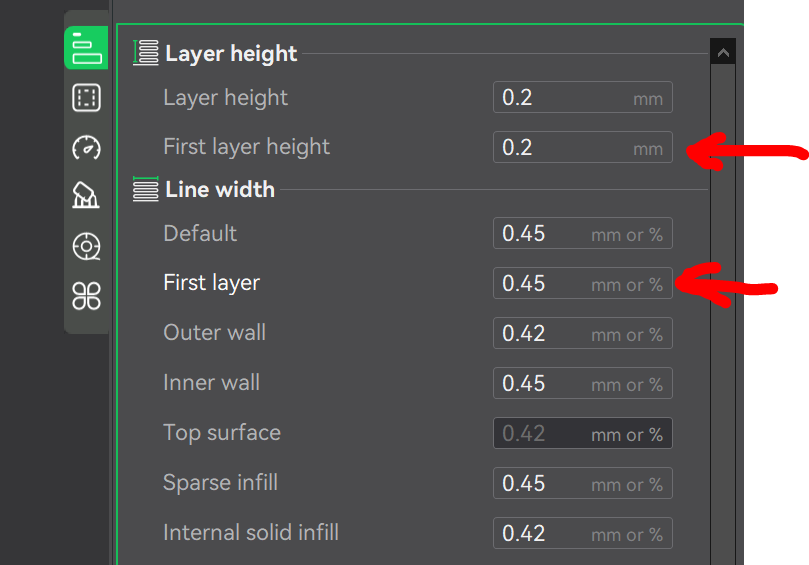
Easiest solution is to mitigate such big deviation as you experience, is to give the first layer some boost, just increase the layer height and also line width if the height is not doing enough.
This will result in the first layer sticking out a lot in some spots, depending on the kind of filament, this may lead to a slight collision with the printhead.
Using some glue will also help, there is that very cheap glue that can be undone with water, it will also mitigate the missing level and does not bring in the risk of collision with the printhead, as the glue is not very hard when its dry.
1 Like