Hi everyone. I’m coming back to give some feedback on my attempts to make a K1 Max that had already been upgraded with the official CFS Upgrade Kit recognize and run the firmware required for CFS-C.
The printer has a physical CR4CU220812S12 motherboard, but after the previous CFS Upgrade Kit installation it was running the S11 firmware branch and identifying itself as:
ota_board_name=CR4CU220812S11
Initially it was on:
2.3.5.34
and every S12/X2000E firmware file for CFS-C was simply ignored by the USB updater.
Since then, I went through a fairly extensive recovery and downgrade process, so I want to document exactly what I tried and where I got.
First, I enabled root/SSH and confirmed the printer uses an A/B partition layout:
p3 = rtos
p4 = rtos2
p5 = kernel
p6 = kernel2
p7 = rootfs
p8 = rootfs2
I backed up the active OTA/kernel/rootfs-related partitions before making changes.
I then forced a downgrade from 2.3.5.34 to the official monochrome firmware:
CR4CU220812S11_ota_img_V1.3.3.46.img
The normal updater blocked the downgrade, so I used a copy of local_ota_update.sh with only the downgrade-version check disabled, leaving the normal extraction, MD5 validation, A/B writing and boot switching intact.
The downgrade completed successfully:
kernel update done
rootfs update done
rtos update done
ota update ok
The printer booted correctly from the alternate bank and I then used the printer’s own factory-reset mechanism. It returned to the initial setup screen, completed the self-test and was confirmed to be running clean:
1.3.3.46
I then tried:
CR4CU220812S12_ota_X2000E_V1.1.0.27.20260428.img
but the USB updater still ignored it.
I also tried Sven’s special firmware:
CR4CU220812S12_ota_X2000E_V9.9.9.99.20251030.img
and it was also ignored by the USB updater.
I verified that file carefully. Its SHA-256 is:
a144a5998cc106e52ba436a01d62c3930d66fb5b9ea60c3ca31532ef10aeca4d
The interesting part is that the internal header identifies it as:
CR4CU220812S12_ota_X2000E_V1.1.0.26.20251030.img
and:
Creality x2600 software
So the external 9.9.9.99 file appears to contain the actual S12/X2000E V1.1.0.26 transition firmware.
The old S11 /usr/bin/ota_file does not understand the X2000E container correctly. It only sees a gzip section, extracts vmlinux.bin, and reports additional data after the end of the archive.
Because of that, I manually inspected the X2000E package header.
It explicitly declares targets for:
mmcblk0p3 / mmcblk0p4 – RTOS
mmcblk0p5 / mmcblk0p6 – kernel
mmcblk0p7 / mmcblk0p8 – rootfs
I identified and extracted the three payloads:
RTOS: 512856 bytes
Kernel: 4083776 bytes
RootFS: 132882432 bytes
The rootfs starts at offset 4598292 and is a valid SquashFS filesystem.
I then wrote those three V1.1.0.26 payloads only to the inactive bank, preserving the working bank as fallback:
RTOS → mmcblk0p3
Kernel → mmcblk0p5
RootFS → mmcblk0p7
I verified the written partitions byte-for-byte with SHA-256.
The hashes matched exactly:
RTOS:
871e80a3d7b44b359dca1d54fc067d70549221115c192ae956af534f7b9899f6
Kernel:
b77236c6f9c0c6014fc0e759539f28f84c4c45e34816240ced92c0639080d0a3
RootFS:
7d13a32a3e190fb538a7dd90e849b3d883eb946078eff7389b97a8126a636256
I switched the boot flag to the bank I had just written and the printer successfully booted from:
root=/dev/mmcblk0p7
So the machine did successfully boot the RTOS/kernel/rootfs payloads taken from the special S12/X2000E V1.1.0.26 package.
However, the system still reported:
ota_version=1.3.3.46
ota_board_name=CR4CU220812S11
and, more importantly, it still did not recognize the official V1.1.0.27 X2000E firmware over USB.
After that, I found another file that Sven had shared:
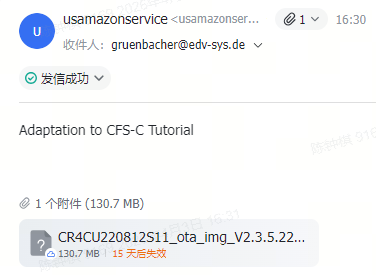
CR4CU220812S11_ota_img_V2.3.5.22.img
This one was immediately recognized by the native USB updater.
I installed it successfully and the printer reported:
2.3.5.22
After reboot it offered:
2.3.5.34 – K1 Series CFS upgrade accessory kit
which I refused.
Following the Creality procedure, I then installed the official monochrome firmware again:
CR4CU220812S11_ota_img_V1.3.3.46.img
The printer factory-reset itself, returned to the initial setup wizard and completed the full self-test.
After that full sequence:
2.3.5.22 → 1.3.3.46 → factory reset → self-test
I tried again:
CR4CU220812S12_ota_X2000E_V1.1.0.27.20260428.img
and it was still ignored.
I then tried Sven’s:
CR4CU220812S12_ota_X2000E_V9.9.9.99.20251030.img
one final time.
It was also still ignored.
So this is exactly where I am now:
-
physical motherboard: CR4CU220812S12
-
printer is functional
-
S11 firmware branch is still the active update environment
-
normal S11 OTA packages are recognized
-
all S12/X2000E packages are ignored by USB
-
even booting the extracted V1.1.0.26 payloads manually did not make the updater accept X2000E packages
This makes me think that the original CFS-C USB installation changes something beyond RTOS/kernel/rootfs — possibly the updater environment itself, bootloader/SPL, recovery layer, or another low-level component required to understand X2000E packages.
At this point, what I am looking for is help from someone with a working CR4CU220812S12 K1/K1 Max already running X2000E V1.1.0.26 or V1.1.0.27.
If possible, could someone provide any of the following?
-
the official CR4CU220812S12 .ingenic / USB Cloner recovery package
-
a known-good full S12 recovery package
-
/usr/bin/ota_file from a working S12/X2000E system
-
/etc/ota_bin/ from a working S12/X2000E system
-
mmcblk0boot0 / SPL / bootloader dump
-
or, if necessary, a full eMMC dump from a working CR4CU220812S12 + X2000E machine
I specifically do not want to flash an S11 .ingenic recovery image onto the S12 board, because the S12 appears to use different eMMC initialization parameters.
My goal is simply to restore the board to its proper S12/X2000E firmware environment so that the official CFS-C firmware can finally be installed normally.
Any dump, updater binary, recovery image, or information about exactly what the original CFS-C USB drive changes on an S12 board would be extremely helpful.