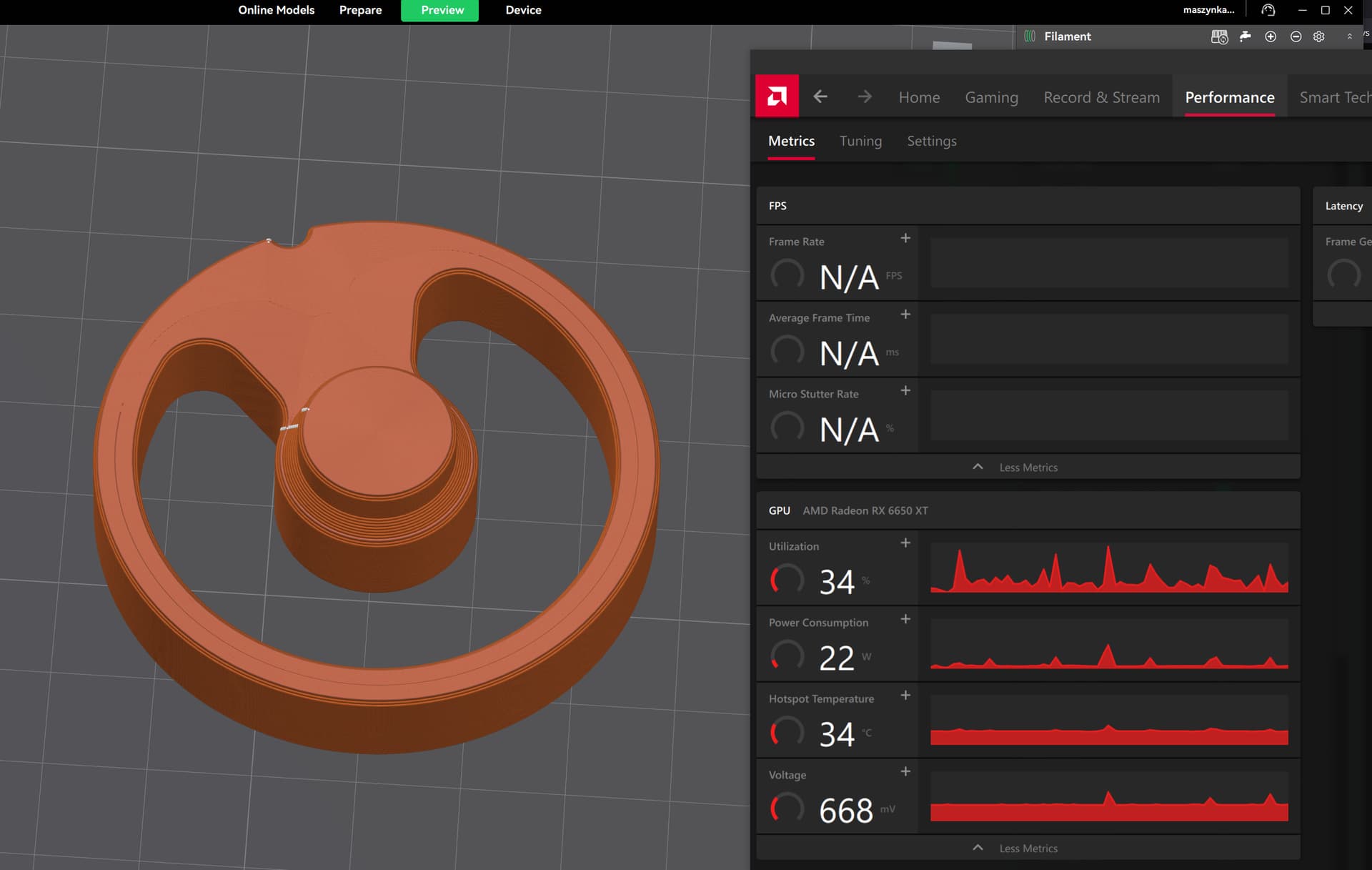
issue with max gpu usage only on preview tab of CP 7, happens on both my Framework 13 ryzen 7840u and desktop ryzen 7700x / rtx3060 12gb
I’m running fine on Intel cpu. Sounds like another bug. Support does not monitor the forums much. Could you send the details to support@creality.com or cs@creality.com I think they go to the same place, but Creality has not yet verified that.
Does this happen while slicing? In that case it might be an issue with the model. You coul try a new project and add (for instance) the torus from the testing primitives. If that does not ave the same problem the the issue is with the model. Otherwise you might check for the latest drivers for your GPU.
I run V7 on my desktop (AMD Ryzen 7900X with GForce RTX4060) and everything works perfect.
Good Luck
My low end Radeon RX 6650XT is hitting 100% each time i run the preview. And if i add too many objects the CP7 crashes each time when i try ‘mesh boolean’.
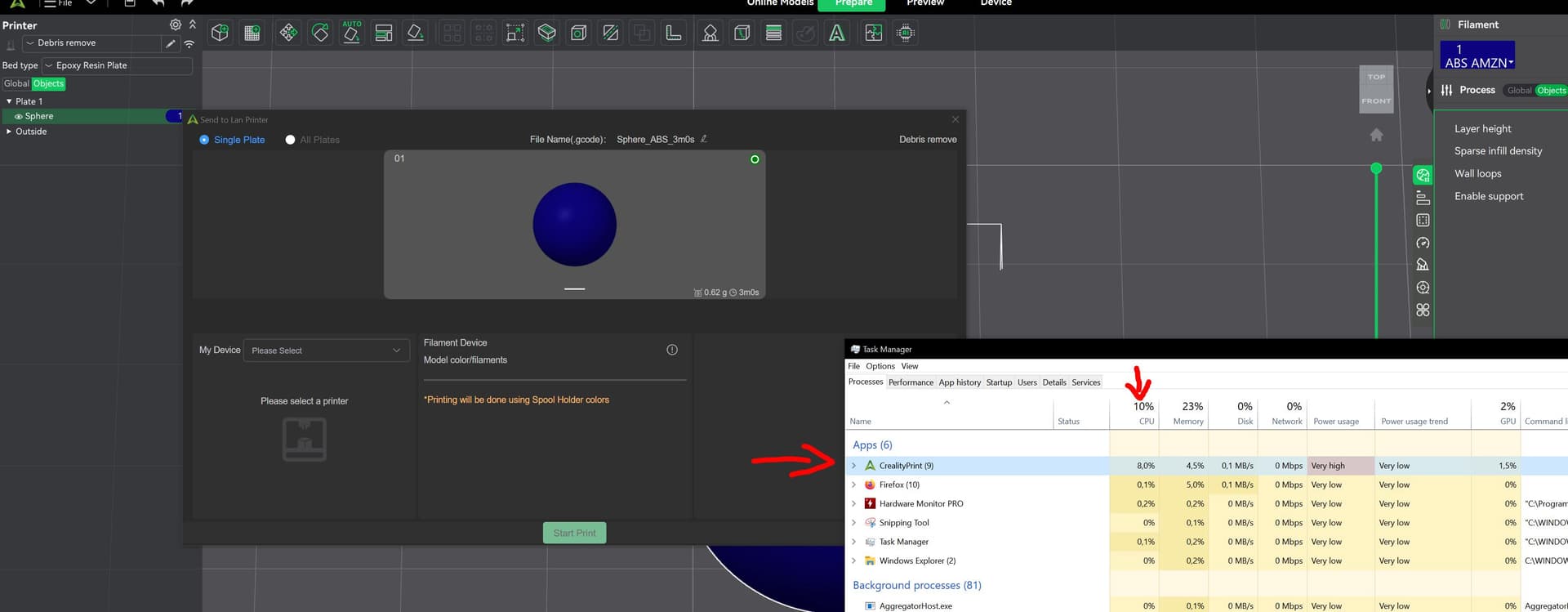
Then when i want to print - and that window pops up before printing, it uses some 15% of the CPU, i7 13700k, and 15% is a lot. The thing is, the preview window uses 100% of the GPU for infinite time, and that popup window uses 15% of the CPU for infinite time.
So it is definitely a bug within the CP7, as i compared the usage with ‘Cura’ and it didn’t even use 1/5 of what CP7 does….but Cura is not what i want to use.
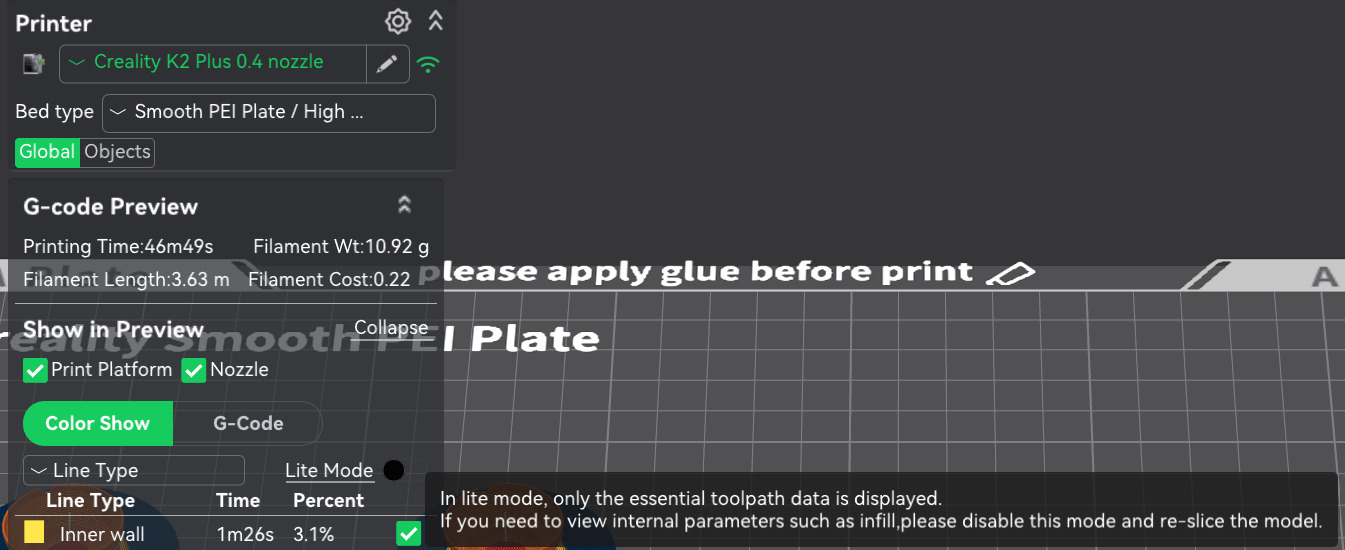
In lite mode:
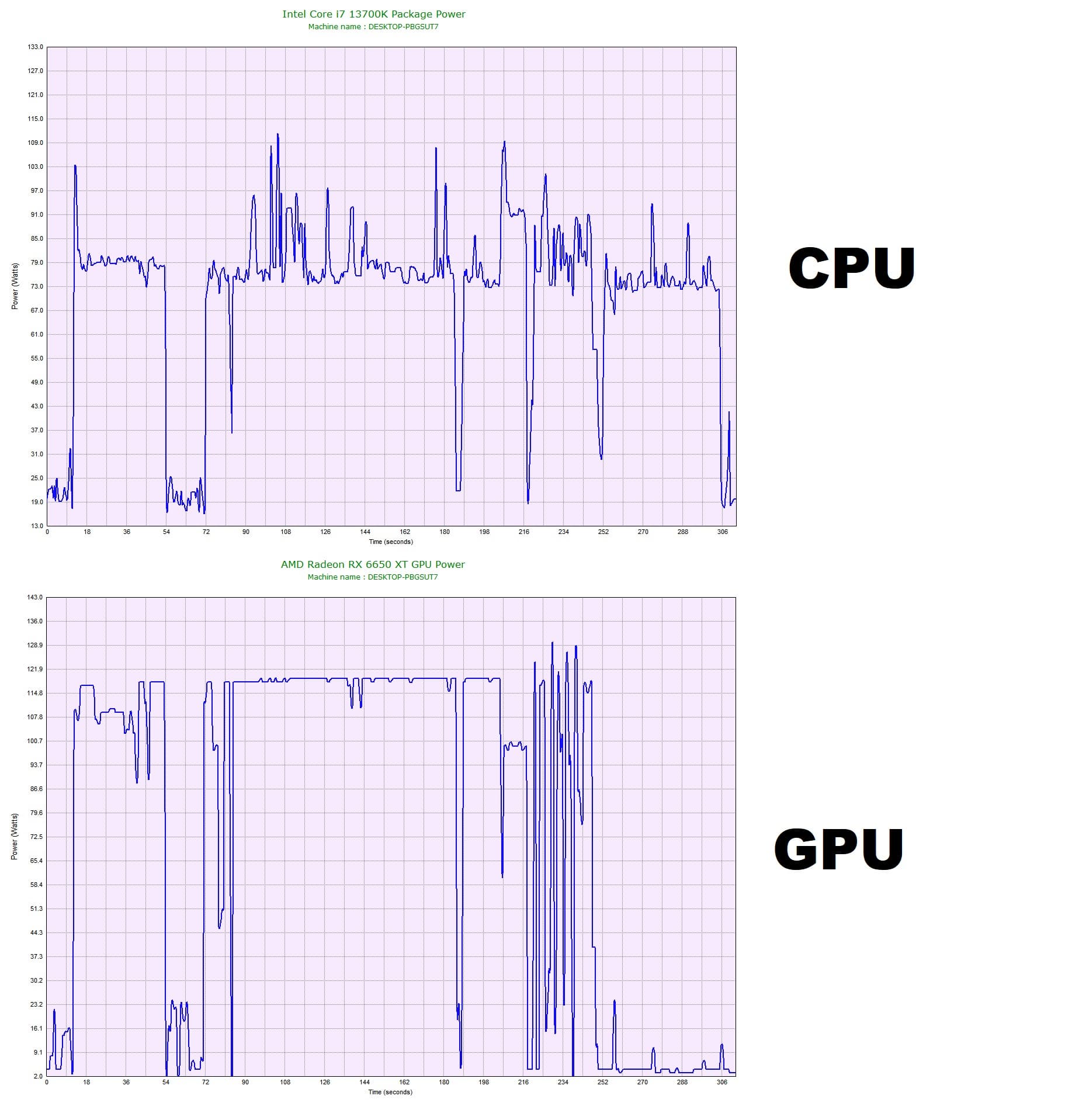
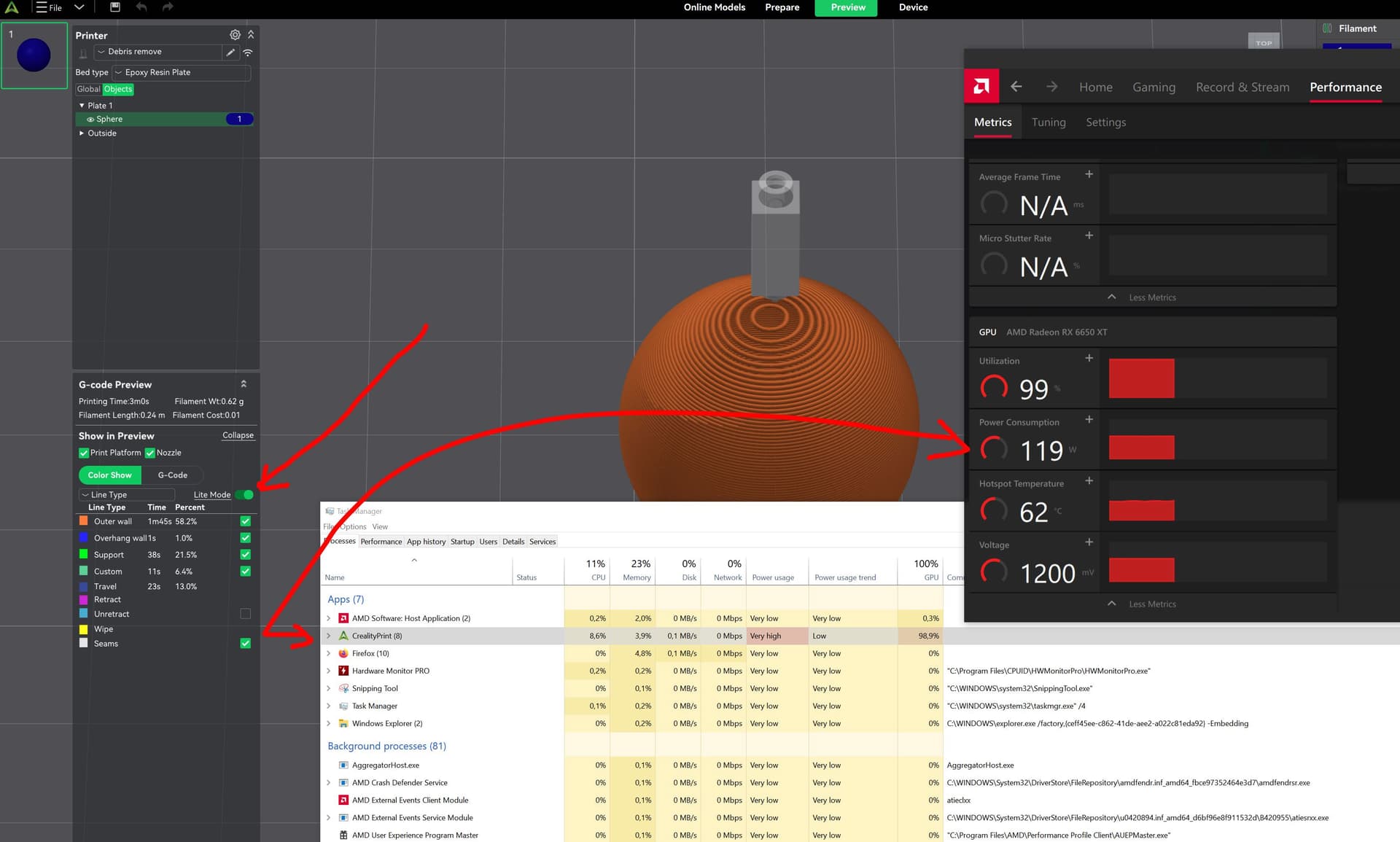
And when i stop using the preview, and send the data to the printer, this popup window takes some 65Watts, just by doing nothing (if i stay in preview, the GPU will be jumping between 50 and 85Watts power usage):
Very curious. I’m sorry lite mode didn’t help. That’s all I’ve got. I’m afraid I’m working on a substantially different platform. I’m not sure I can offer much help. I never monitor power usage because it is never an issue. I’m on a laptop right now, so everything is optimized for low power. When I build a deskside, I consider 800 watts as a minimum starting point. it is a little off topic, but I’ve built a few systems in my day. If you want to go to DM, I’m willing to offer advise on your system.
been ‘building’ desktop PC’s since the end of 90’s. The PC is not the issue here.
Creality print has a lot of bugs…..just like Intel software and Microsoft do.
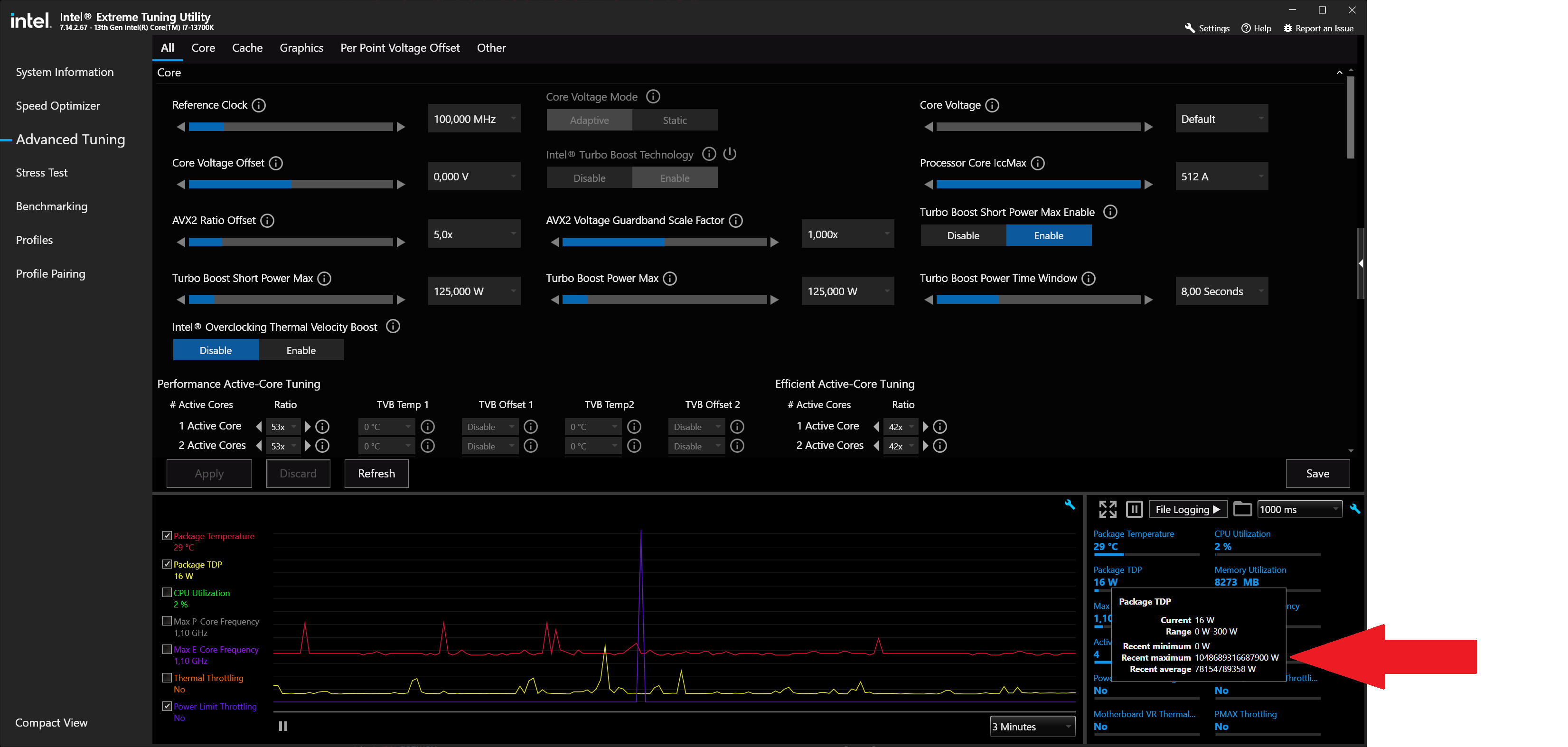
Here is an example of Intel not being able to get rid of a certain bug ….unless my PC draws 1048 TW at peak.
Sorry, I can not reproduce this issue across 3 machines of various vintage (even got a Win-10 in the test)
I’m not clear what you are looking for. This does not seem to be a wide spread problem. Has anyone else seen this? It’s a small sample, but the common thread here seems to be AMD graphics cards. What was Creality’s reaction to your bug submittal?
idk, i reported quite few bugs. Do i get a reply from the support team?
Anyway, i was team Nvidia for almost 15 years, but the drivers and support of Nvidia became worse and worse, that i had to switch to AMD, ever since i have literally zero problems.
They’re kind of formal about bug reporting (as are most companies). Did you make a bug report? Creality Service
I see a bug listed on GitHub that sounds a lot like yours, except it is OSX. Perhaps you could chime in with your experience as it may add some clues for the coder working on it. High GPU usage · Issue #527 · CrealityOfficial/CrealityPrint · GitHub
NVidia/AMD, yea, NVidia had a rough time with the Win-10 transition. Over 1/2 of the Win-10 crashes in year-1 were Nvidia drivers. After they got past that (2-4 years), they’ve been pretty solid, although the rate of updates is a bit disconcerting.
Could say i found the solution. It’s called OrcaSlicer.
It is exactly the same program as CrealityPrint, except there are few options, which are not shared by both of these programs. But like 99% of options are identical.
I opened a project saved with CrealityPrint and OrcaSlicer had not only all exact same values, but also filament name, temperatures, flow ratio etc.
….and so, OrcaSlicer only uses GPU power when i browse between layers, i can stay all day long on the preview - and as long i won’t browse layers, there will be pretty much no GPU usage
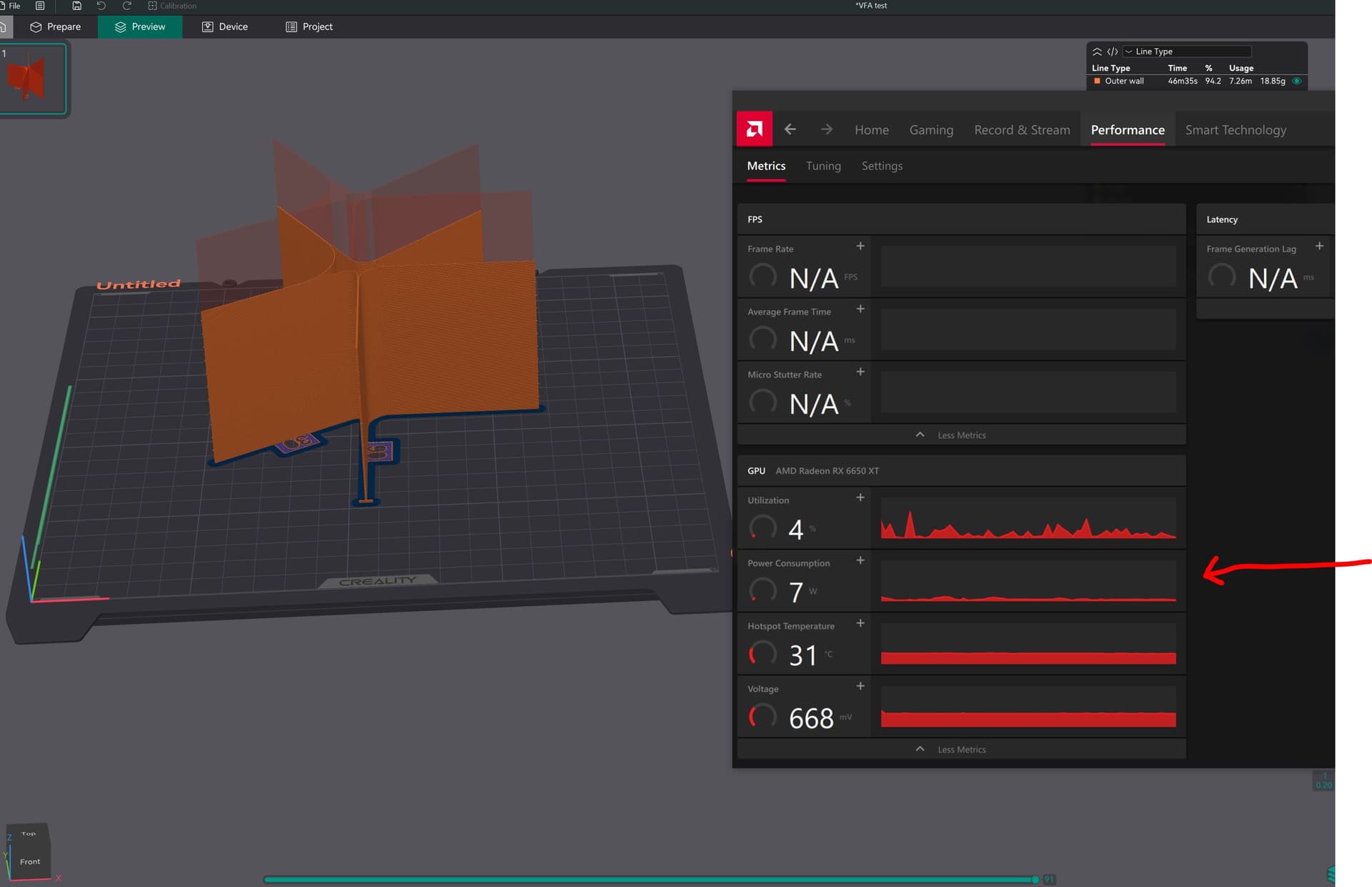
CPU usage spiked only above 35Watts, bcoz i launched CrslaityPrint to compare printing time and settings. Otherwise very very low CPU and GPU usage.

It’s the same programm, Creality could just go github and copy some of the code - just saying.
BTW, that on github with some Apple laptop having similar issue, has not mentioned CPU usage at all, maybe he did not notice - if he has it too.
Well, my problem has been solved.
That is exactly what they did. Creality Print is based on Orca. Until recently the only differences were cosmetic. Since Creality went open source on Print, I think a few new “Creality specific” features were added. Lots of folks use Orca and Creality Print interchangeably. If Orca is a revelation to you, you might want to look into Fluidd too. Fluid is the other open software that Creality is based on and it has quite a few features that Creality Print does not.
It would be helpful if you put in the ticket/bug report even though you think your problem is solved. The extra information will be useful to the developers which, in turn is useful to all of us.
Does anyone following this thread, know the differences in features between Orca and Creality Print-7? I’ve never had any reason to go back to Orca, so I don’t kno9w how they have forked at this point.