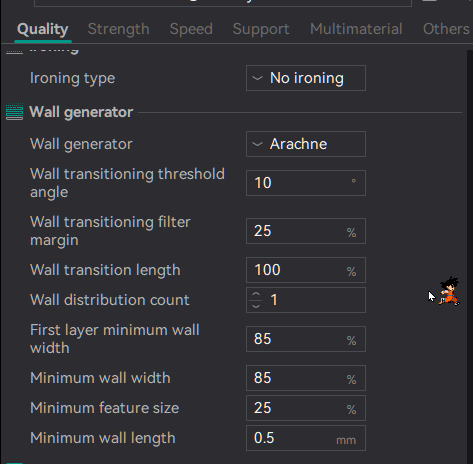
I need some help here. Has anyone else run into this issue with reasonably flat prints? I have tried expanding the individual objects and detailing them on a large scale, then shrinking them back down to the size that I need. I first tried to do it by just changing the colors to the design that I wanted and printing it, which came out like I tried to do it by melting crayons. No matter what I have done in the “paint” tab, I still end up with this resolution, but it has only been these 2 pictures. The rest came out great.
This is before I slice the plate
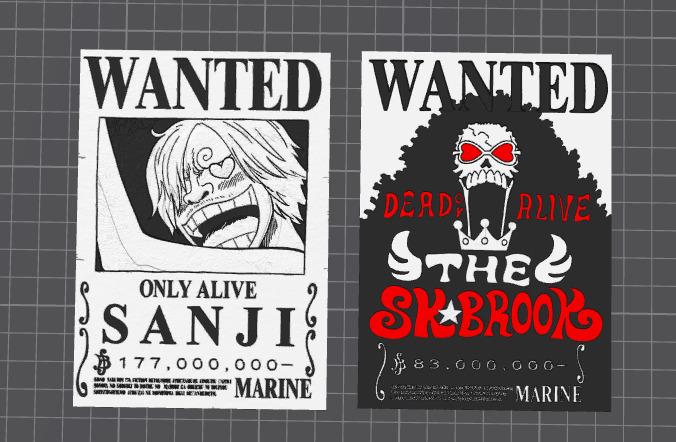
And this is the after product:
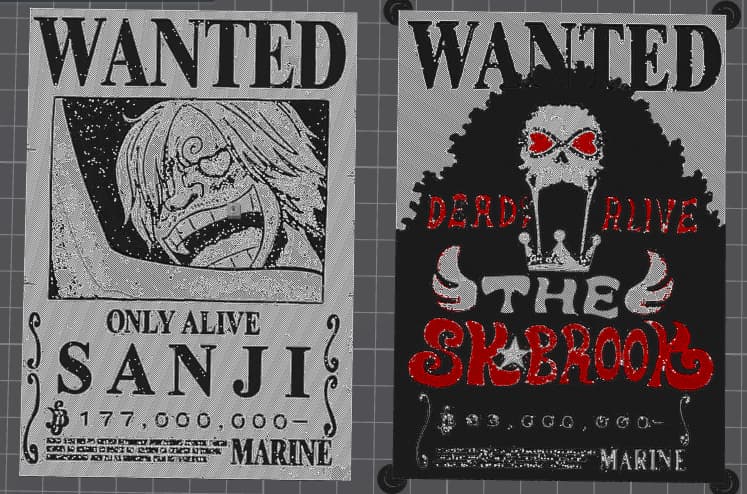
I can’t get rid of the white dots and the unnecessary color bleed that happens.