Hello everyone,
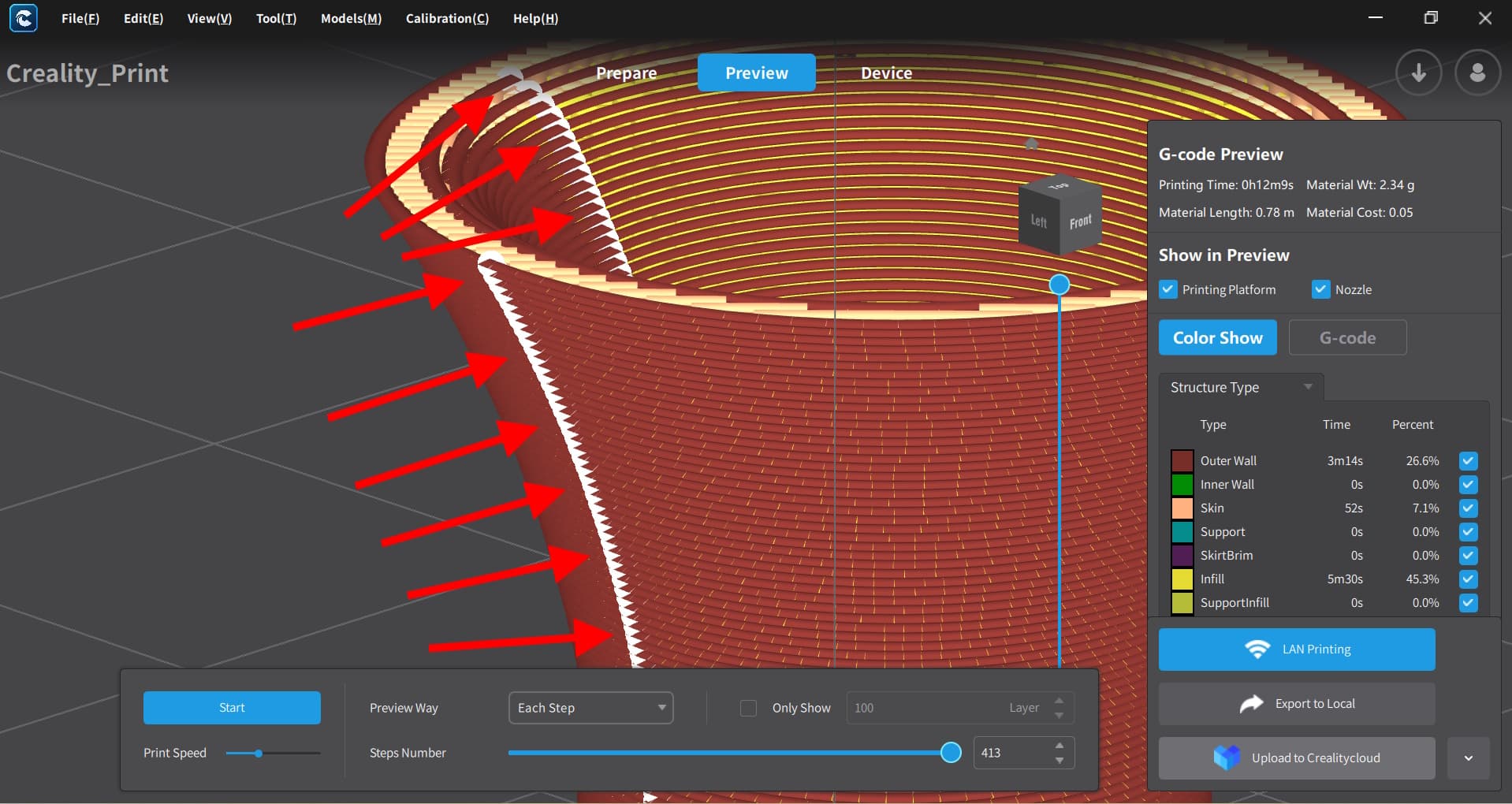
My name is Alan, I work as a teacher at a university and live in Belgium. Can anyone help me with the white dots problem in the “Creality Print” software program?
At first, I didn’t find it bothersome, but now that we’re working with more precise parts, it’s becoming a problem when trying to achieve a proper fit, especially when two parts need to fit together with high precision.
Is this something that can be adjusted in the software during slicing, or how can it be prevented?
The printer we use is a Creality Ender-3 V3 KE.
Any help is welcome.
Have a nice day everyone.
Regards, Alan
Those are the z seam. You can try different options and slice the model again to preview the seam try to make it less noticeable.
3 Likes
Yeah that where the line ends when printing. It’s also called the seam.
1 Like
Thanks in advance for your reply.
I’ve been looking for the seam to see if I could adjust it somewhere.
And yes, I found two possible settings that can be set in different options. Here, I chose to hide it with the first setting, and with the second, I chose to have the program automatically choose where to place this seam. And yes, after a short print test, the seam turned out to be virtually invisible, and the parts fit together without any editing.
So, I’m very grateful for the tip you gave.
Kind regards.
1 Like
Thank you so much for your tip too.
It helped me immensely, as you could read in the answer to raymond3dcorner’s tip, which was the same as yours.
Kind regards.
1 Like
Glad that you got it figured out. Happy printing 
1 Like