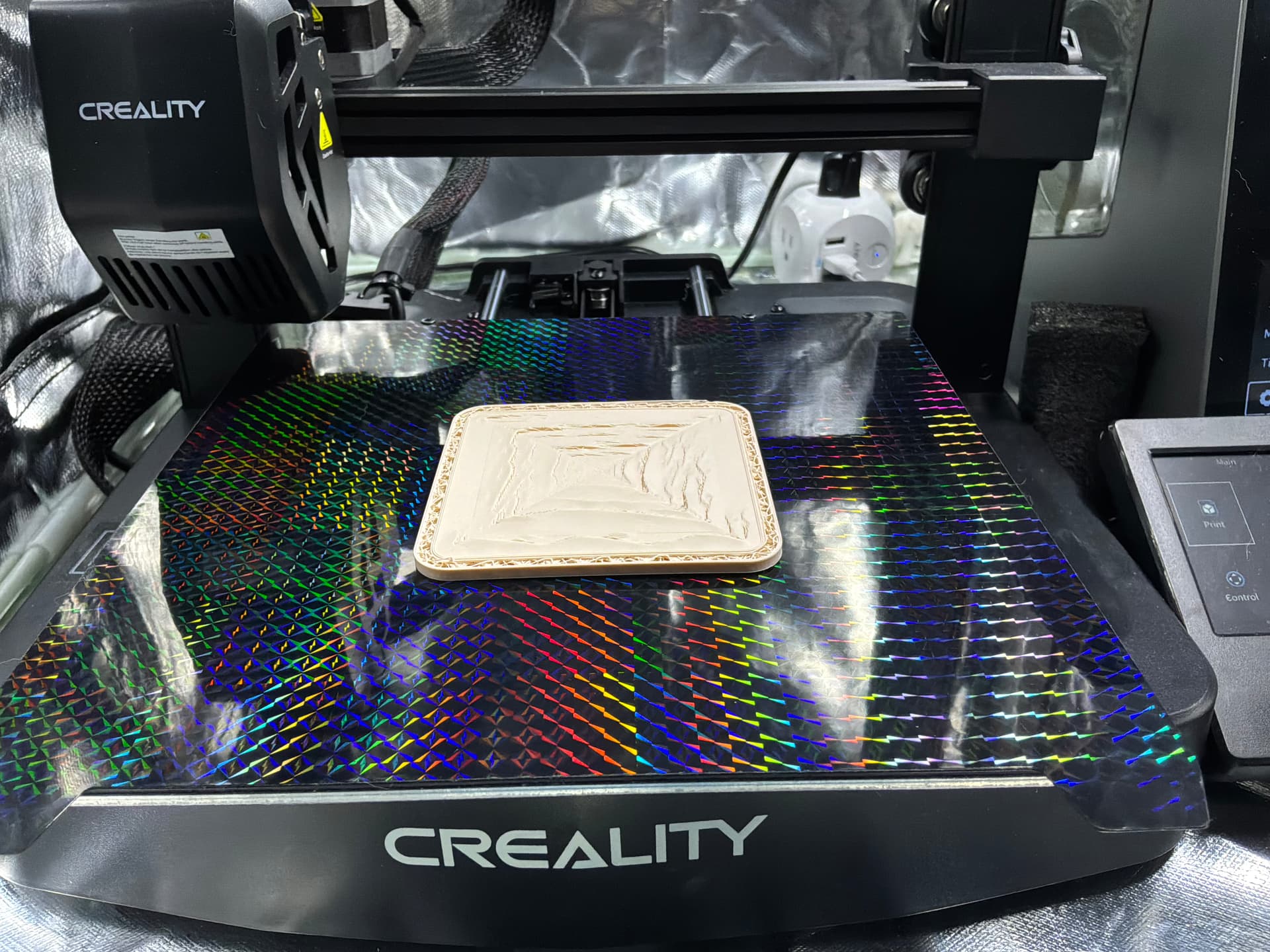
Preamble: PLA filament dried and fed directly from dryer; All Orca Slicer Calibrations conducted and optimized
Every time I attempt to use Concentric Top layer, the above result is always the same. The layer partial delaminates in random segments. This issue ONLY OCCURS with Concentric top layer. All other Top layer formats successfully print.
I have used multiple top layer ranges from 3 to 8 to no avail. I have used different Infill types ( Monotonic, cubic, Gyroid) with same ‘flaky pastry results.
What am I missing?
Any assistance in solving this is greatly appreciated.
This looks like classic under-extrusion. Assuming you have fully calibrated the filament, have you tried using a generic PLA profile or a different spool of PLA?
There is a remote possibility that the spool itself is defective or that the filament quality varies within the spool. I have experienced this firsthand. I was getting flawless prints from a newly opened and calibrated spool, but within about 48 hours the print quality began to deteriorate.
I wasted a great deal of time troubleshooting before trying another spool from the same shipment, which printed without any problems. When I switched back to the nearly empty original spool, the problem returned. My conclusion was that filament quality can vary even within a single spool.
@JoeFriday I think you’re on to something with quality issues within the spool.
A later print with the same spool resulted in a perfect concentric top layer.
This particular Creality PLA MATTE Rainbow was on clearance so how long had it been sitting in a warehouse is anyone’s guess.
Every new Spool I have never tried before gets a Full Calibration Profile, if necessary, after running a 3D Printer Torture Test & Orca Cube with its Default Generic PLA profile. This one failed the Default Profile Test. So I calibrated with ORCA Slicer 2.4.2 full set.
I will check for Under Extrusion issues if I get flaky pastry again.
Good to know what Under Extrusion can look like.
Thank you for the learning lesson @JoeFriday