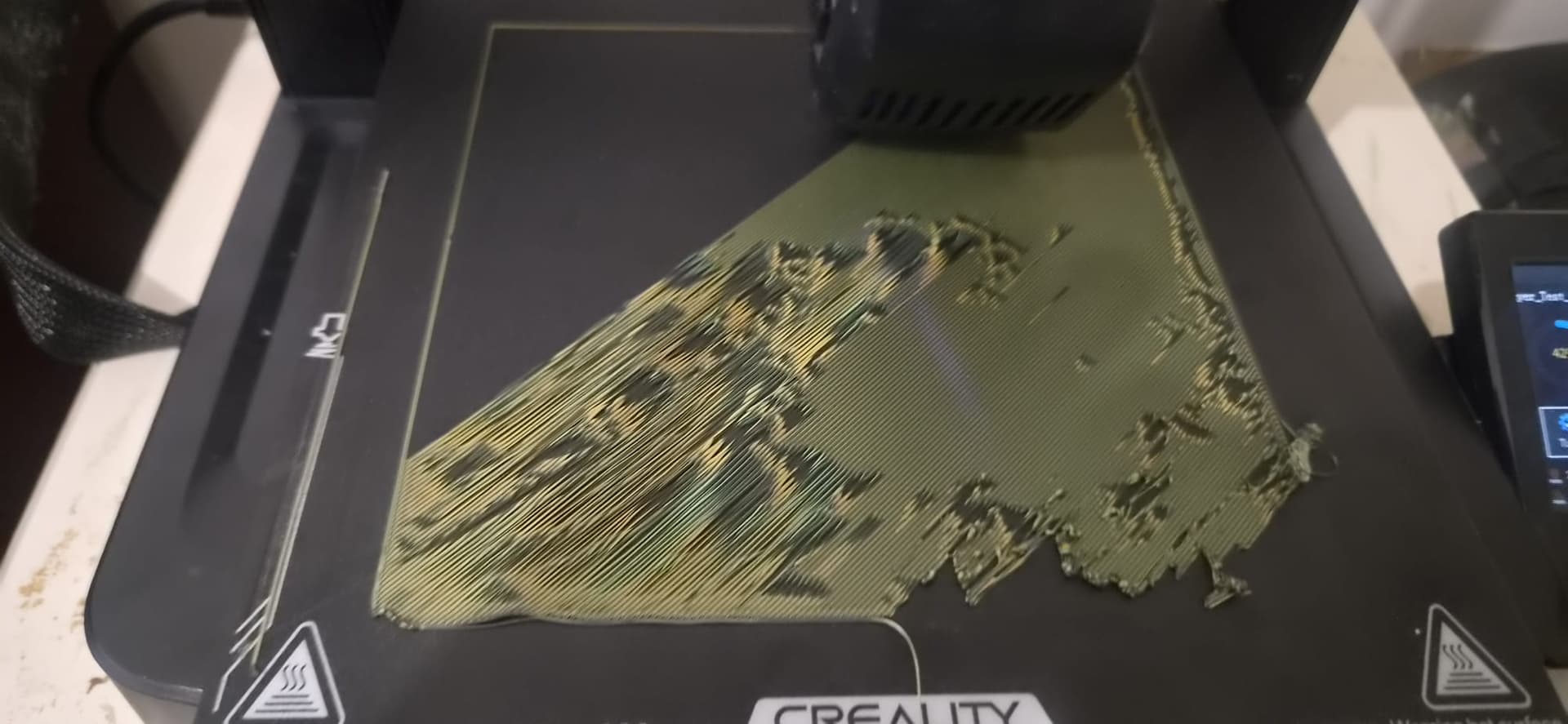
Your first print or one of many but the first one that fails?
- Is the bed clean?
- Do you use the right settings for this filament (temp, printing speed)
- Is the nozzle clogged partialy?
Hello MBR,
Yes, I have cleaned the bed several times and have set the nozzle and bed temperatures according to the manufacturer’s recommendations. I have also tried several different settings and configurations.
I have even updated the firmware/software, but the issue is still occurring. I have recently purchased a new nozzle and a new top bed plate/liner to see if that resolves the problem.
I have been 3D printing for years, and this issue has only started recently. I reached out to the community as a last hope of getting some help and finding a solution.
Cheers
Hey team,
Sorry to waste everyone’s time with my previous description. This is a little embarrassing, but I put a new bed plate on just to see if it would make any difference and, lo and behold, it completely fixed the problem!
I had washed and cleaned the old one multiple times, so I genuinely didn’t think the bed plate was the issue.
Thanks to everyone who took the time to offer suggestions and help me out.

How do you clean the bed? If you are doing it “wrong” it will happen with this new one too…
I read that you should just use soap and water, but I don’t think that’s correct. I’ve started using isopropyl alcohol (IPA) instead.
You can use soap and hot water to clean the bed… after some time the filament starts to stick less to the bed, then a little glue will help…
Be carefull with IPA when it is a flexible magnetic bed (not a steel plate)… IPA higher than 70% will damage it.