Hi, i recently bought my first printer, an Ender 3 V3 KE.
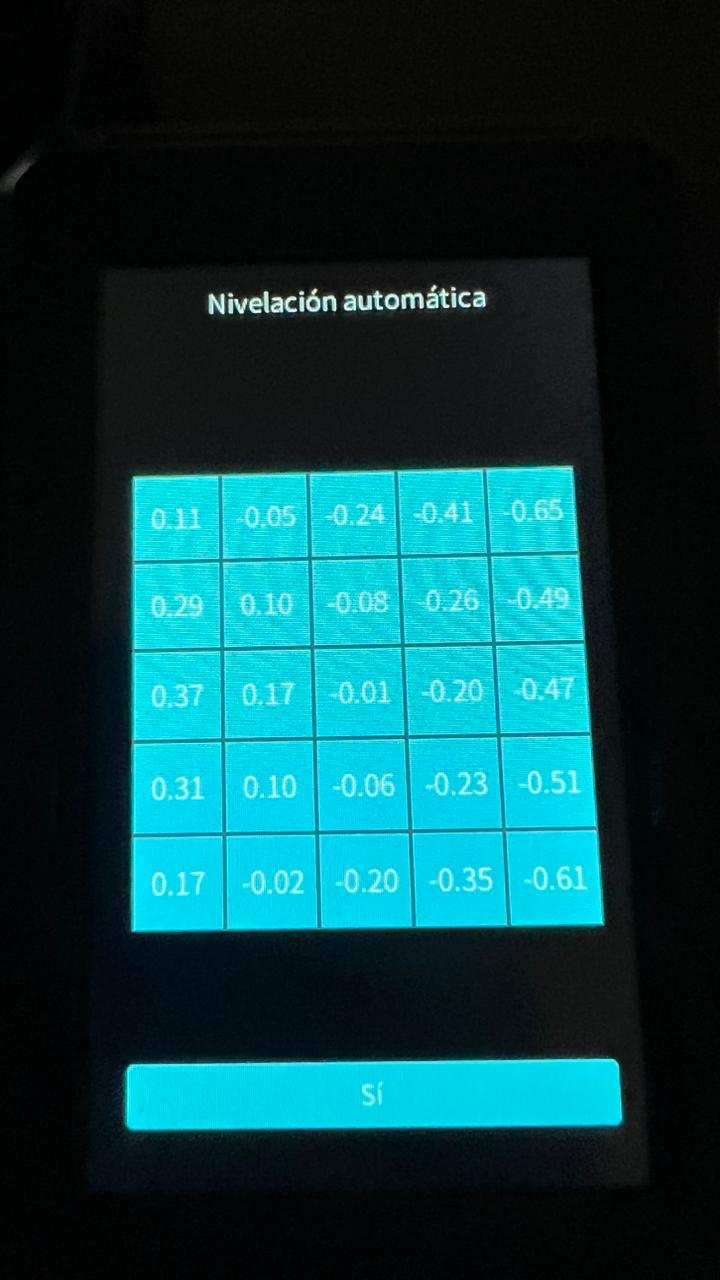
I have a problem with auto-leveling, my printer does the auto leveling protocol but i think it doesnt work well because in big models with flat surfaces on the first layers it looks bad like ripples, also the nozzle i think it collides with the material because it does a scraping noise. I share my bed level values, but the printer its supposed to compensate up to 2mm. I´m new to this 3d printing world so i dont know so much.
Please if someone can help me it is really appreciated!!!
Hi!
Besides having a properly leveled bed, many factors can affect layer quality, including the Z-offset, filament type, and print settings such as temperature, speed, etc. Because of this, it’s difficult to say whether bed leveling is the issue (it’s more likely that everything is fine there), so we should consider what else might be causing the print quality problems:
-
What filament are you using?
-
What are the recommended printing temperatures, and what settings are you using?
-
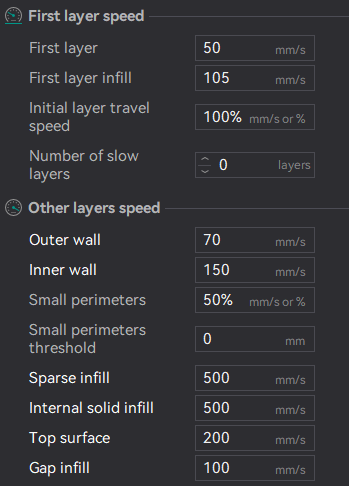
What print speed are you using?
-
Is your Z-offset properly calibrated?
You can find a lot of useful information about calibration and working with your printer on the Creality Wiki - Ender-3 V3 KE User Guide | Creality Wiki
I hope you will find all necessary knowledge to kick off printing!
Hi, thanks for replying.
I´m using Creality PLA, recommended temps are 190-230°C for the nozzle and 25-60°C for the bed, I am using 220°C for nozzle and 55°C for bed. I´ll put my speeds below, and the offset im using the machine calibration, i dont know how to properly do it myself.
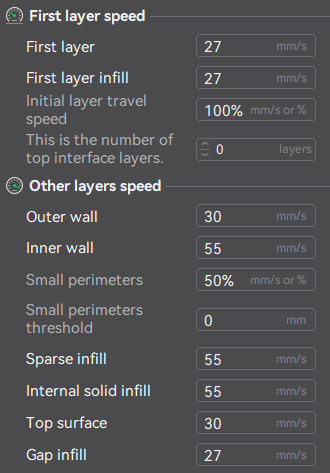
I think you should try slowing your speeds. This is my settings for speed in my Ender 3 V3 KE:
Slow printing is actually one of key factor to get good quality.
Es un hecho que debes de tener la cama nivelada, ya que aunque fuera el caso que muevas el eje z, el piso está en diferentes alturas y continua afectando, las velocidades que maneja creality no son problema si ya hiciste el paso y la torre de temperatura para ver cual es la ideal en tu material.