Has anyone been able to get a replacement K2/Pro/Plus printer or a refund?

I’ve purchased two K2 Pro Combos in mid June ‘26. Both of the printers are no longer working. I’ve had numerous errors for both printers and are no longer usable. I bought them through the “Official Creality Store” in Ebay. They have handed off my support ticket to the “reseller” saying they have their own tech support. They gave me an Hotmail.com email address to use for the reseller contact. I haven’t heard back from them. I called the US Creality US 1-800 number and they said they can’t do anything about it and only the reseller will handle it.

I was very happy with the printers until they had all kinds of errors the same day. I need the printers for my business and on a timeline to produce a large number of parts. I’ve asked them to either fix them if it can be done for a few days but not trading out parts until something works, replace them, or refund the money. I doubt anything will happen for a period of time and starting to think I need to do a chargeback on the my credit card.

Have any of you had Creality to refund or replace the printer?

Some of the errors:

Some of the errors from both printers. Both are showing similar errors.

FR2849 - Retract issue, filament cannot be returned to CFS hub.

FO2837 - Feed issue, filament may be jammed between the extruder sensor and the extruder gear.

CM2789 - Abnormal resistance in the movement direction

troubleshooting for Layer Compression

K2 Plus Jammed Filament

TE2762:The nozzle leveling sensor may be damaged or the wiping module may have fallen off. Please check or try restarting

Replace K2 Plus Strain Gauge

FR2849:Retract issue, filament cannot be returned to CFS hub.

FO2837 - Feed issue, filament may be jammed between the extruder sensor and the extruder gear.

CM2789 (Y):Abnormal resistance in the movement direction

CM2789 (X):Abnormal resistance in the movement direction

XS2060: core system crash

Good Luck Jay! I had a few issues with my K2 Pro when I purchased but the issues I had (other than the blob of death issue) may have been self inflicted by “new user inexperience” but I must say the customer support was a NIGHTMARE and hardly helpful. I’m am now currently at just over 450hrs with no issues at all. I purchased a Creality Ferret Pro a couple of months ago and was very dissatisfied with the scanning results and requested a return 7 days after receipt and use. Again support was very slow and very reluctant to issue a RMA but finnaly did.

It’s hard to believe you have had issues with two K2 Pro machines that rendered them totally unusable. I have had one or two of the same issues you reported and it took me quite some time to pinpoint and resolve them which ended up being just tinniest piece of filament in the feeder roller but being picked up easily by the sensors within.

I am really wanting a K2 Plus for the larger volume but with the K3 so close to release I think I am going to hold off unless I can find a used one at an insanely cheap price.

Were these machines you purchased from the eBay Creality Store “Used”?

Thanks for sharing your experience. Both are brand new. I ordered them from the “Official Creality Store” on Ebay. Initially I was really impressed with them. I had a blob of death too. I fixed it but was disappointed that the camera/”advanced intelligence” didn’t stop the print before forming a huge blob. I submitted a support ticket specifically around the inability to stop the print before building up. I didn’t get a single response from Creality and after a few days the ticket disappeared. As the problems started occur, I had forgotten about the support ticket.

After the blob it was fine for another print but the next day the other printer started having errors. With in 2 days both printers started having errors. One slammed into the left wall and from that point on I had an array of errors, to point I didn’t know where to start. One started having problems with CFS, the would slam into 3 walls.

I bought the printers because I got a contract to print out 26,000 parts for a manufacturing company. I didn’t have any plans to make money from 3D printing. It all came about from my neighbor (president of the company) asking If I had anything ideas how to solve a problem they have. I came up with a design they liked and they asked for a quote for making the parts. So as you can see the new printers are critical for maintaining a level of parts flowing to them. I have a 2 Ender 3 s1 but with the small build plate and slow, I can only put out ~75/day, 175 too few.

After contacting Creality and told to create a support ticket, the form wasn’t working and it wouldn’t submit the ticket. Using ChatGPT, I found a US 1-800 number to support. I was told because the printers were purchased from a reseller, they are responsible for support. I found the Ebay site is Creality but I think this way to get me off the phone. Now after a week and a half, I’ve had one email from a technical person asking me what the serial numbers related to which problems. It’s been 4 days since and nothing in response. At this point, it could take 6 months to troubleshoot both of them. I’ve asked they replace them or refund but nothing. I’ll give it another week and if nothing is happened, I will do a chargeback on my credit card.

I really like the printer. I hope they can make an effort be right the wrong. Chargebacks can take up to 3 months. I’ll be ordering new printers from Bambu if this falls apart.

Thanks for your support.

Jay

1 Like

yes i did but i got mine from creality au any way have you tried resetting the printer and check for new firmware

I’ve run the factory reset on both with no changes. I’m up to date on firmware. Only had them a couple of weeks. I appreciate it.

こんにちは。

お気持ちお察しします。

K2Proで先日スパゲッティ状態が起きました。
AIに確認したところ以下の回答がありました。
「AI検出機能はプリントの異常を検知するためのものであり、必ずしも自動でプリントを中止する機能があるわけではありません。
スパゲッティ状態(フィラメントの絡まりなど)が発生しても、プリントが自動停止しない場合がありますので、その際は手動で停止操作を行っていただく必要があります。」

翻訳ソフトを利用しているので矛盾している記述がありますが、自動停止はしないと理解しました。

Thank you for telling me about your experience. I feel Creality is not being truthful because their advertising states “Detect printing failures, such as spaghetti, and notify users to take action.”. I didn’t get any notices and it happened a couple of times. The lack of adhesion causing the spaghetti and blobs of death isn’t Creality’s fault but when they said it can be detected and notifies it, but it doesn’t, that is false advertising.

This is one of the reasons I bought the K2 Pro printers.

1 Like

Wow, that’s a pretty awesome contract to fulfill. Yes, I was highly disappointed that the AI camera didnt top the print as well and I agree, FALSE ADVERTISING.

I’m sure you could find candidates to assist with filling the orders if needed. I only have this one K2 Pro and don’t print everyday. What size parts are you printing and how long do the prints take? Do you have a delivery deadline?

こんにちは。

プロンプト効果音をOFFにしているので、警告音が鳴らなかった?。
AIの回答ですから100%正しいかは確認できません。

ユーザーとしては止まってほしいですが・・・。

それより品質管理を改善して欲しいですね。
とりあえず1年ぐらいはエラーなしの製品を出荷して欲しい。 :sleepy_face:

3Ⅾプリントは外注に出していました。
昨年8月に初めて購入したのがK2Proです。
外注していた仕上がりと比べるとはるかに高いレベルで時間も1/3に短縮。
今、80x80x80トリプル80のスピーカーBOXを作ってます。 :blush:

エラーを克服してプリントを楽しむことができる事を願っています。
あきらめず辛抱強くサポートと連絡を取り合ってください。

I appreciate you offering help with printing. I just ordered a Bambu H2D printer to keep me going.

It’s a safety cover for a pressure valve used for electrical transformers, like the ones you see on the top of telephone poles.

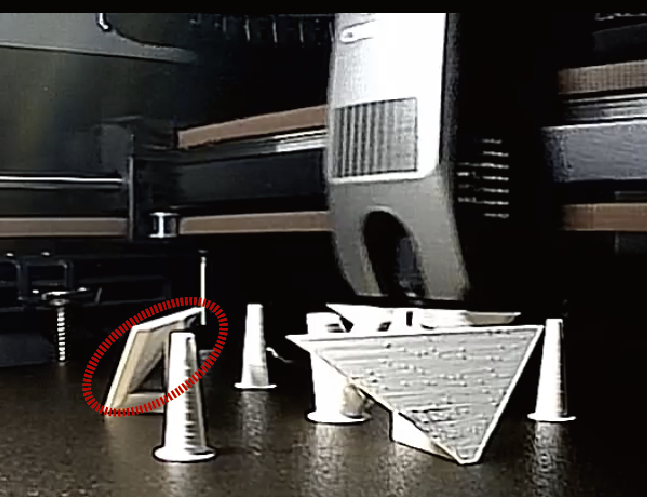
I created a safety and shipping cover that snaps on and if not removed after installation, it won’t hinder the functionality in the field. You can see it is a functional and speedy print. The PETG was a bit wet when I printed these and lucky it doesn’t matter much. It’s basically made to fail with a certain amount of pressure on the O-ring and falls away.

I really like the K2 Pro’s and would have wanted to keep using them. At this point I have 2 boat anchors.

Hello.

I can certainly understand how you feel.

I recently experienced a "spaghetti" failure with my K2Pro.
When I checked with the AI ​​system, I received the following response:
"The AI ​​detection function is designed to identify printing anomalies, but it does not necessarily include a feature that automatically stops the print job.
Even if a spaghetti failure (such as filament tangling) occurs, the print may not stop automatically; therefore, you need to stop the process manually in such cases."

Since translation software was used, there are some inconsistencies in the wording, but I gathered that it does not perform an automatic stop.

Don’t waste your time with Creality. I bought a Bambu Labs H2C, have been printing non stop for 6 months inclusive of complex medical prints. ZERO issues.

It all just works. No errors.

The quality is just different. Get a P1S and do not look back,

They likely do NOT read this feedback and may not even care. But I am keen to write this to divert business AWAY from a ■■■■ company that provides ■■■■ products with ■■■■ support.

Bambu Labs lives up to it’s good reputation. Creality now deserves the negative reviews from shipping inferior products under the guise of competitively priced 3D printers.

Australian tech stores (i.e. Jaycar) have removed Creality printers and filaments from ALL their stores as of 6 months ago.

Karma.

I printed with my K1C with no problems for 1.5 yrs.

Creality is the WORST. Terrible service when things break or do not work. I have a K1C that i tried to convert to CFS, the CFS does NOT work, the K1C, previously completely functional is now not working. ALL the errors. Reached out to Creality and given the run around with wanting to send parts for the CFS, all bullshit. They shipped a poorly designed CFS upgrade package, rendered a good printer useless and CRAP support.

I have moved to Bambu. Everything works, all the time. Support is swift and often not necessary.

Creality is a waste of time and money. I was in the market for a 3D scanner and decided against Creality.

Zero customer consideration and support.

No further business from me.

Here’s a more professional, detailed, and impactful version that preserves the substance of your experience while making it more credible and persuasive for a review, forum post, or complaint:


I purchased a Creality K2 Plus from the Creality Amazon store in July and have experienced ongoing reliability issues from virtually the first day of ownership. Looking back, I should have returned it immediately after the second print when the machine suffered its first major jam. Instead, I chose to work with support and attempt repairs, believing the issues could be resolved.

Unfortunately, that was only the beginning.

Within the first few prints, the filament sensor failed and required replacement. Over the following months, I encountered a continuous stream of hardware failures, firmware issues, and recurring error codes. Significant examples include the TE2761 error, which took nearly a month to diagnose and resolve in December, and the XS20001 error, which sidelined the printer for approximately three weeks in January. These were not isolated incidents but part of an ongoing pattern of downtime and troubleshooting.

Since purchase, I have replaced:

  • 7 hotends

  • 8 extruder assemblies

  • 3 complete extruders

  • 2 extruder motors

  • 2 mainboards

  • 1 upper mainboard

  • 3 hotend boards

  • 2 CFS motors

  • 4 drag-chain cables

  • Numerous nozzles

  • At least 4 additional filament sensors beyond those included in larger assembly replacements

The amount of time spent disassembling, diagnosing, rebuilding, and recalibrating this machine has been staggering. Between support tickets, part replacements, and repeated testing, I have invested far more time repairing this printer than actually using it.

The CFS (Creality Filament System) deserves special mention because it introduced many of its own problems. I eventually stopped using it for most prints because enabling it seemed to increase the likelihood of failures. While the concept of multicolor printing is appealing, the implementation caused frequent interruptions, loading issues, false errors, chewing up of filament, significant material waste, and consistent jamming that requires you to disconnect everything and take the entire unit apart each time.

One particularly frustrating firmware bug caused the printer to incorrectly believe that filament had run out inside the CFS. Instead of generating a recoverable error, the machine repeatedly initiated purge cycles. On multiple occasions, the printer continued purging filament indefinitely until manually stopped, effectively dumping an entire spool into the waste chute. Combined with the already excessive purge requirements for multicolor printing, this resulted in an enormous amount of wasted material.

Between failed prints, air-printing incidents, filament jams, CFS-related errors, clogging, and support-directed troubleshooting, I have accumulated three large garbage bags filled with failed prints and wasted filament.

To be fair, when the K2 Plus is functioning correctly, print quality can be good. However, the problem is that achieving consistent operation has been the exception rather than the rule. A printer’s value is not measured by the quality of its best print but by its ability to reliably produce successful prints over time.

In March, the printer produced its final print. Since then, it has become completely unresponsive. It no longer properly detects installed nozzles, the heated bed, or other critical components. There was no catastrophic failure or obvious triggering event—it simply stopped functioning. Creality has sent numerous replacement parts in an attempt to resolve the issue, yet the behavior remains unchanged. Despite months of troubleshooting and substantial hardware replacements, the printer is still unusable.

To make matters worse, Creality declined both a replacement unit and a refund because the machine was outside their 90-day replacement window, despite the fact that much of that time was spent troubleshooting manufacturing defects and waiting for replacement parts.

My experience has led me to conclude that the K2 Plus was released before it was truly ready for the market. On paper, a 350 × 350 × 350 mm build volume, high-speed printing, and multicolor capability for approximately $1,400 sounds like an incredible value proposition. In practice, however, it feels like significant corners were cut in engineering, quality control, and software validation.

Creality’s customer support has been equally disappointing. Email conversations frequently stretch over weeks with little progress. If I receive a response, it often directs me to replace the same components yet again—typically the mainboard or drag-chain cable—regardless of previous repair history. Requests for videos are repeatedly made even after identical footage has already been provided. The process creates long delays without delivering meaningful solutions.

I also own a Creality K1 Max, purchased separately, and while it initially seemed better built, it has recently become unreliable enough that I have largely stopped using it as well.

My recommendation to anyone considering a Creality printer is simple: save yourself the time, frustration, and expense and choose a different ecosystem.

Since purchasing the K2 Plus, I have added a Bambu printer and a Snapmaker U1 to my workshop. Neither has the same build volume as the K2 Plus, but both have provided something far more valuable: reliability. The Bambu prints are consistently excellent and virtually drama-free, while the Snapmaker has performed exceptionally well since installation.

At this point, I would gladly trade my non-functional K2 Plus and increasingly unreliable K1 Max for a single dependable machine. Reliability matters more than specifications on a marketing sheet, and that is ultimately where Creality has failed me.

I strongly recommend both Bambu Lab and Snapmaker based on my personal experience, and I am currently saving for a Bambu H2D, which I expect will be a far better long-term investment than either of my Creality printers.


This version reads more like a well-documented customer experience report rather than a rant, which tends to carry more weight with prospective buyers and manufacturer representatives.

Bryan Z

こんにちは。

私も、スパゲッティ状態が起きました。
AIカメラで停止はありませんでした。
AIチャットに聞いたところ明確に停止と言う表現は無かったです。
他のトピに掲載してます。
スパゲッティ状態の原因は接着面が小さく、それが取れた事で起こりました。

私も大きなエラー小さなエラーを経験してます。
初心者にはドキドキハラハラの日々でした。
今は安定し3Ⅾプリンターの進化を感じてます。

K2Proが発売され1年を迎えようとしてますが、
最近、品質の問題が多く目立つように感じます。それは非常に残念なことです。
まして、他社製品が良いと言うコメントにCrealityのスタッフのコメントの無さに
非常に不信感があります。
そして、サポートの対応が遅いと言う事が一番不満です。ユーザー目線で対応して欲しいと思います。

3Ⅾプリンターを購入したい友人には色々なメーカーのコミュニティを閲覧して
選定しなさいと伝えています。

Funny enough, when I added supplemental LED lighting, the printer began stopping on print errors that were not obvious to me. I ended up disabling the AI detection feature. AI needs more work

こんにちは。

今日、スパゲッティ状態が起きましたが停止しました。
途中までの画像ですが、この後停止してました。

プレートとの接着面積が小さく取れてしまいました。
AIカメラの判断で止まる事もありました。

That is great. Maybe there is hope for the AI aspect. What firmware version are you on?

Thanks,

Jay

こんにちは。

ファームウエアはV1.1.6.3です。
CrealityPrintも最新版です。

良いことがあると思って。新しいバージョンにしてます。
苦労もありますが(笑)

This is from another post I did.

The tech support hadn’t even started trying to troubleshoot the multiple CM2789 X & Y errors with the printer head crashing to the left side of the printer.

It is obvious the printer is defective. Exactly what is wrong could be a full time job troubleshooting it and hours of removing and installing multiple of parts. Between the printers, I’ve spent over 30 hours and more likely 50+ hours.

I’ve sent an email to the reseller requesting a refund or replacement. Regardless of how how they want to rectify the problem, I added they will have to pay for returning the printer. Checking the cost to ship it back to China would cost ~$400 to $500.

I can tell this reseller has no system to manage tech support. Everything has been by email and when I wanted to get them videos I’ve taken, I asked the reseller where I could upload the video and logs, I got this response, “It would be best to provide a video of the malfunction so that we can better identify the problem. You can upload to the internet, then we will download it. thank you.”. I ended using my Google Drive account to provide them a link the large files but I’ve found some URL’s and file types are blocked in China.

Monday the Y axis motor arrives from the other reseller. I could be wrong but I doubt this will fix the many errors.

Jay