

I got an Ender 3 V3 SE from a friend — it already came with the Nebula Kit installed.
As soon as I got home, I powered it on as it was — with the G-sensor, Nebula Pad, and camera. I ran the tests and calibrations, and printed an Orca Cube, which actually came out pretty decent.
However, for some reason beyond my understanding, I decided to do a factory reset on the Nebula Pad since it still had lots of recordings and G-code files from the previous user.
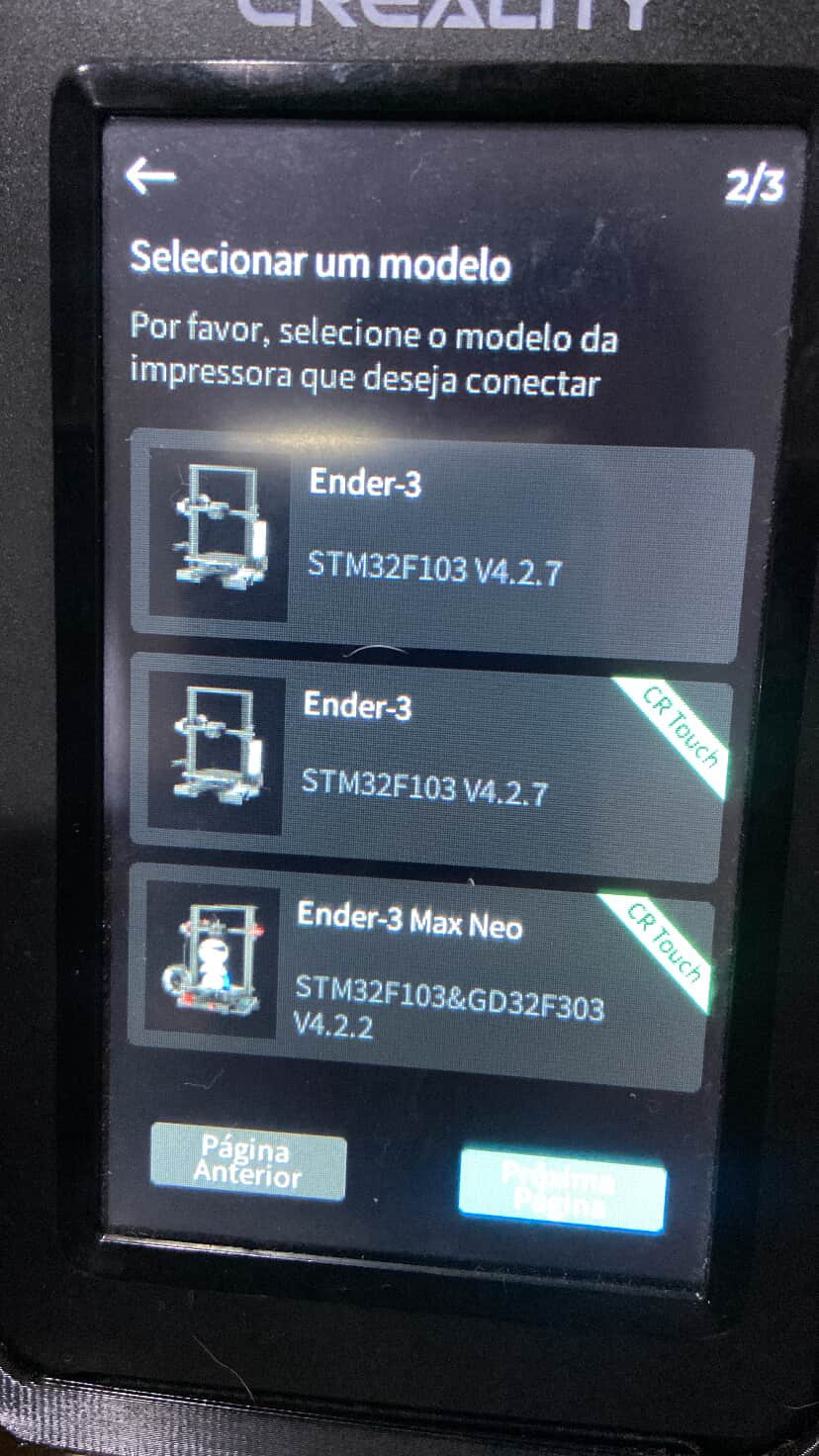
After the reset, on the setup page, only a few printer models appeared — and not the correct one. I still selected “Ender 3 with CR Touch.” After a long time, it returned with the error shown in the second image. The screen it’s on Portuguese but basically it says: “Axis Movement Detector”
I then reconnected the original screen, flashed the firmware from Creality’s website, and the printer started working again with the stock display.
After doing a lot of research, I found out that I need a .bin file to update the V3 SE to a version compatible with the Nebula Pad — but Creality has removed these files from their official page.
Does anyone have any suggestions or advice on how to fix this? I’d really like to get the Nebula Pad working again, since it was running perfectly fine before I did that factory reset.