Does any one try the new firmware realesed yesterday?
CR4NU200360C20_ota_img_V1.1.0.72.img
What changes¿? the description always says small changes only, not everything.
This new v1.1.0.72 firmware breaks the camera feed in Creality Print 7.1.1.4472 on Windows.
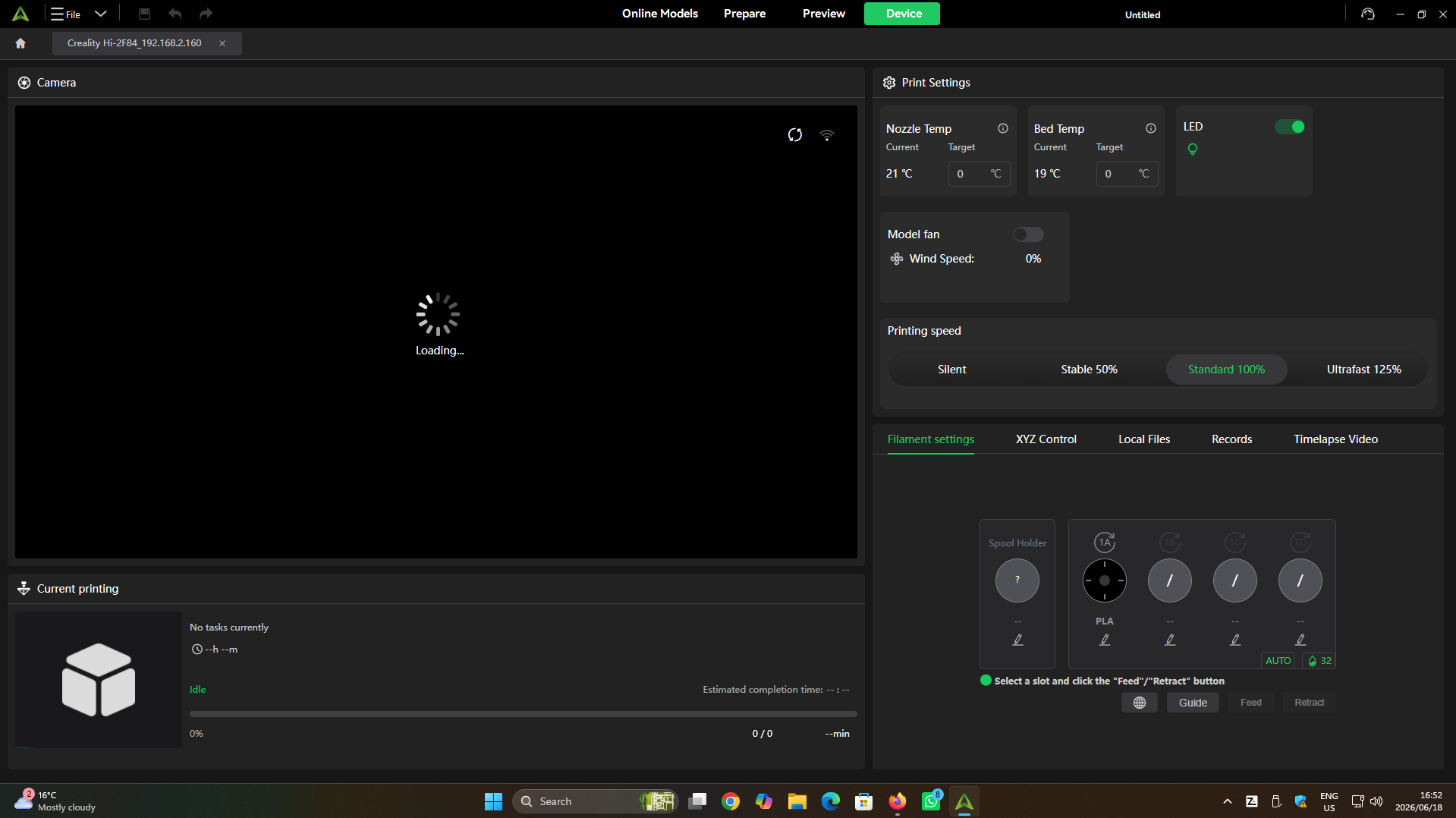
Been waiting for that loading thing to stop loading for hours now.
Works fine in Creality Print on Linux and works fine in streaming at http://creality.hi.ip.here:8000 so its the Windows connection in the new firmware that’s buggy.

I tested by rolling back to v1.1.0.65 and all is good in that firmware, but this new one sucks.
Edit > Just incase anyone has a snarky suggesting I close the application and reopen it again, I tried that like 10 times already. 
7 Likes
My cam has been messed up since last update so this one would be about the same. I’ll updating now and I’ll let you know of any changes.
1 Like
But what about the quality of the prints ? purge line? nozzle drag? anything got better? or its the same? VFA? etc
Camera still doesn’t work but it prints just fine. I have specific profile for my HI so if it improved any of that, I wouldn’t know. My prints looks great.
1 Like
pareil probleme camera sous windows et bobine rfid detecter ilisible sur creality print 6.3 cela fonctionne
1 Like
yeap confirmed here too, 1.1.0.72 breaks camera on windows
4 Likes
Lost my camera to. any fixes besides rolling back fw?
2 Likes
Lamentablemente rompio todo esta actualizacion.. es muy mala!… yo me pregunto, no cheqeuean antes de mandarla?
2 Likes
Yep, FW took mine out also
1 Like
Yup it broke the camera in Creality Print! Can still see the camera in the Creality Cloud app though. I had to downgrade to fix everything.
1 Like
but why you all saying it broke everything or fix everything? the firmware broke only the camera or do you guys have more issues?
For my, only broke the camera on Creality Print (Can’t see it), on cloud works well… print works, commands works too…
1 Like
I can confirm the camera thing. Other than that, it prints much quieter now? It vibrates much less now, print quality seems to be the same:thinking:
1 Like
Ya it brooke my camera connection as well. just sits there spinning and loading.
1 Like
Apart from the camera/Windows issue I see no marked difference using this new firmware.
Purge line is the same, just as long and as thick as before. 
Sounds the same, although it defenitely sounds more like it means business now.
Still takes way too long to start a print, much the same as before. 
No really noticeable print quality difference, the quality in my view is already really good. 
If there was an indicator of what to keep an eye on it would help.
Please just fix the broken camera/Windows issue and also allow for external USB camera to be used for timelapses.
Please.
4 Likes
I thought my printer was the only one having this problem, but it seems I wasn’t. I hope a firmware update fixing the issue is released soon.
1 Like
BOTHER! Did the update after my last print the other day. Now first print on new firmware and camera broken!!
1 Like
i back to 1.1.0.50…. I found a phase shift problem in vertical walls, like motor steps being lost
1 Like
Been watching this thread for a while. I updated mine, tested, validated that camera not working in Windows. Downloaded .65, reloaded and moved on with life.
2 Likes