merci, sa fonctionne
1 Like
A mi me pasa lo mismo
1 Like
Creality’s technical support has finally replied. They say the problem is with the network. They don’t want to resolve the issue. Let’s all submit a ticket to their support team and see if they pay attention to us.
The email is cs@creality.com
1 Like
I can’t get my nebular camera working with the old firmware, or from Fluidd. Any tips on things I could check?
1 Like
Blurry picture or no picture at all?
1 Like
.Dear Creality Support,
Thank you for your previous reply. I appreciate the troubleshooting information regarding error FR2849. However, I believe my printer has a firmware-related problem rather than a mechanical filament problem, and I would appreciate having this case reviewed by an engineer.
My printer is a Creality Hi Combo.
Current firmware versions:
Printer Firmware: V1.1.0.72
CFS Firmware: V1.4.2
Creality Print: Version 7.1
Immediately after installing firmware V1.1.0.72 through the OTA update, the printer developed several problems that all began at the same time:
The camera no longer functions. In Creality Print, the camera window remains on “Loading…” indefinitely.
The CFS no longer performs its normal startup load/retract sequence when the printer is powered on.
Every completed print ends with error FR2849: “Filament cannot be returned to CFS.”
Because all three problems appeared immediately after the firmware update, I believe they are related to the firmware rather than three separate hardware failures.
The printer was operating correctly before updating to V1.1.0.72.
The following troubleshooting has already been completed:
Factory Reset performed.
Printer power cycled multiple times.
Camera settings verified.
USB downgrade attempted using firmware V1.1.0.60.
Firmware file placed on an 8 GB FAT32 USB flash drive in the root directory.
The USB activity light flashes briefly, but the printer does not begin the firmware installation.
At this point I would appreciate assistance with the firmware rather than additional mechanical troubleshooting.
Could you please answer the following questions?
Is firmware V1.1.0.72 known to cause the camera, CFS startup, or FR2849 problems?
Is there a newer firmware available that corrects these issues?
Is there a procedure to force a reinstall of firmware V1.1.0.72 if the OTA installation did not complete correctly?
If the printer does not allow downgrading by USB, is there an official recovery procedure to reinstall or recover the firmware?
I have many years of experience servicing electronic equipment, and I have tried to provide the information that will help identify the root cause. I would greatly appreciate having this case reviewed by an engineer familiar with the Hi Combo firmware.
Thank you for your time and assistance.
Sincerely,
John Lehman
2 Likes
Hi!
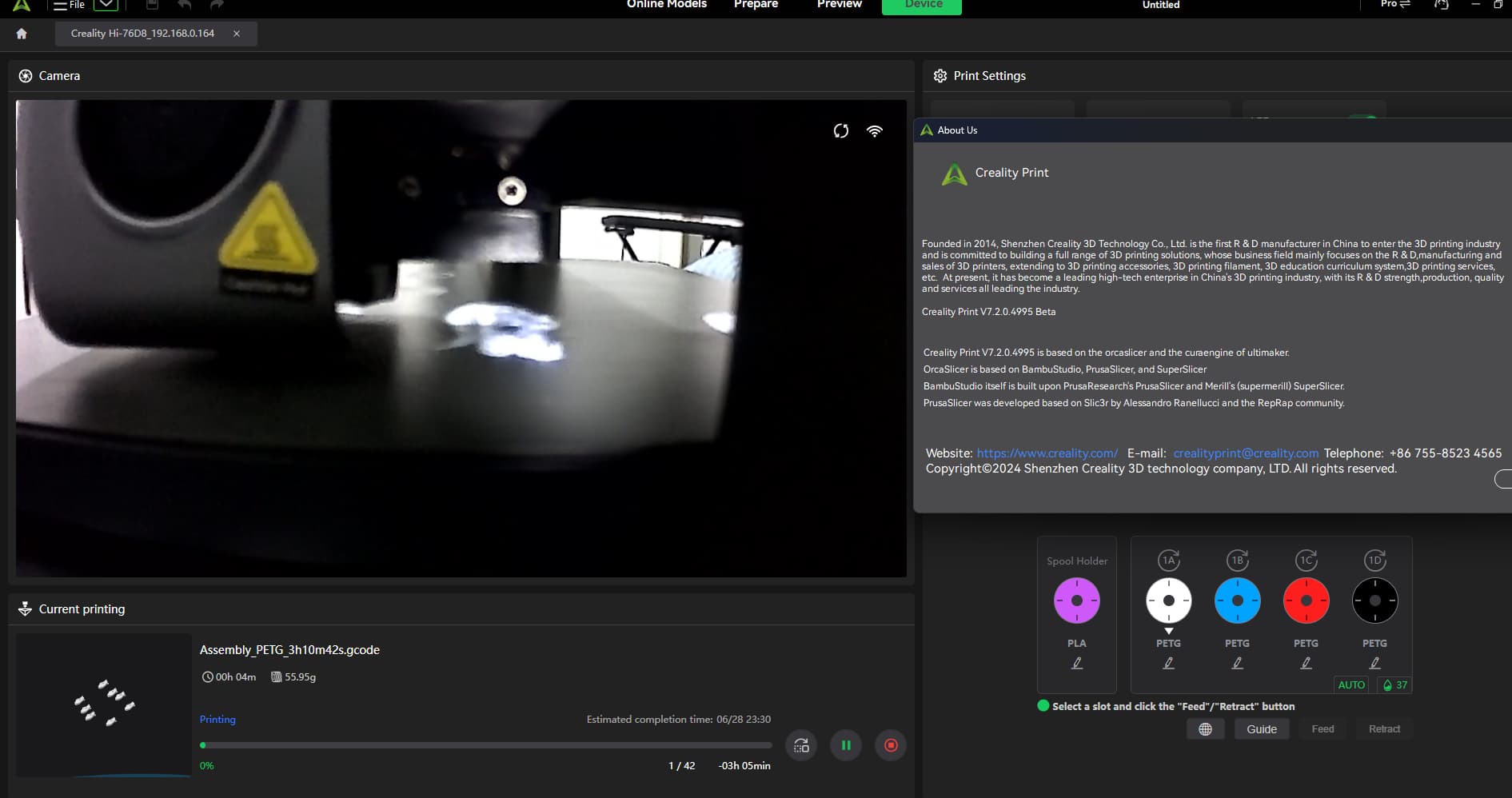
After reading through all the comments, I realized that the actual problem lies with the Windows version of Creality Print. What I did was install the latest version—including the 7.2 beta—and also installed version 4212, where the camera feature was working perfectly.
I went into the program files, copied the “Web” folder from version 4212, and placed it into the 7.2 folder—and the camera started working again!
Since that folder only handles the printer’s remote control functions, I don’t think leaving it this way will cause any major issues.
4 Likes
Tested will be
1 Like
Works… tested…. Thanks
1 Like
La verdad, me decepciono en este sentido Creality… hace ya mas de 1 semana con varios problemas…
no solamente en lacamara.. si no tmb en el el nivel del Eje Z…
tengo las 2 maquinas paradas y renegando, trantando de arreglarlas…
1 Like
New firmware came out, v1.1.0.73
Buenisimo! pudiste Testearlo?
1 Like
ES:
yo la estoy testeando… no se actualizo por wifi… tuve que bajar el archivo. La camara se ve. Cuando termine de imprimir, si es que lo hace, aviso como fue.
EN:
I’m testing it… it didn’t update via Wi-Fi… I had to download the file. The camera is visible. When it finishes printing, if it does, I’ll let you know how it went.
1 Like
The wifi update comes late, like 1 to 3 days, if you want to update when the new firmware is out, it can only archived by manually downloading and install with a pendrive
none at all, just black
1 Like
I get the notification on the panel right away with new firmware versions but only after a power cycle.
1 Like
la camera fonctionne, pas de nouveau bug ?
1 Like
100% working with the new 1.1.0.73 firmware yes on Windows and Linux Creality Prints. I also checked it with CrealityCloud and it is ok.
2 Likes
merci, je finis l’impression en cour et j’installe
1 Like
problème qui semble réglé avec le 1.1.0.73
1 Like