New Firmware Update (2026-02-02) for the K2 Series - Feedback

Hello, a new firmware update came out (2026-02-02) for the Creality K2 Series printers.

I would like for anyone who did this update to give us your feedback, so others can finally trust it and proceed with the update.

I’m still waiting for the feedback to finally install it, as I’ve heard about some problems with older firmwares, mostly nozzle crashing and dragging through the build plate.

Many are saying that the best feature was the new UI, a lot faster and more functional .

Here are the main changes:

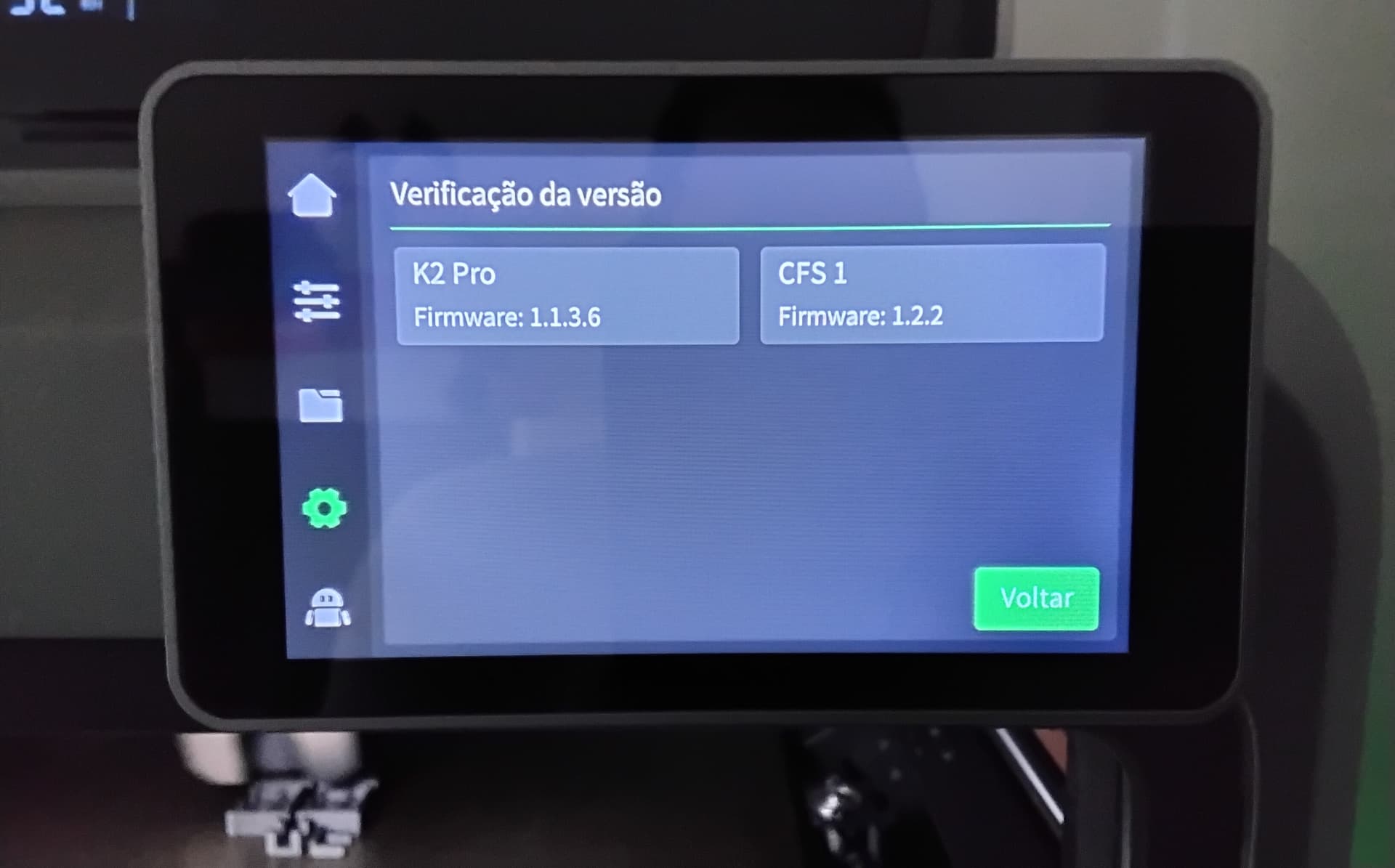
K2/K2 Pro 1.1.3.6 Firmware Update Details:

1. Add handling logic for error 2577.

2. Add function to initiate print verification files.

3. Add smart lighting control.

4. Optimize UI response speed.

5. Improve arc‑fitting accuracy.

6. Refine copy for 11 languages.

7. Update closed‑loop motor parameters.

8. Fix material‑flush jam at 300 °C.

9. Fix abnormal noise from the Z‑axis motor.

10.Fix numerous known issues to improve user experience and product stability.

Thank you for your feedback.
1 Like

Hello everybody, I’ve got a K2 Pro and I wasn’t updating until I received some feedback. My K2 has been printing flawlessly since October, almost 24/7, without any issues. I had the update that came out in November (1.1.0.94). I updated two days ago to the new firmware (1.1.3.6), and it’s been amazing, better and more responsive UI. I was surprised that it even improved the printing quality. I printed a square with small letters on the bottom, and before, I couldn’t read the letters properly. Now, with this new update, they are much better defined. Apart from that, the printer has been faster at probing the bed, and it has a more efficient way of calibrating. As soon as I installed the new firmware, I did a factory reset and didn’t do anything else before. After all the initial calibrations, I did flow and PA calibration on my first print after the installation. I’ve been loving this new firmware. I recommend it to everybody. Don’t forget to do a factory reset immediately after the install.

The only problems I noticed are a loud hum/chatter when calibrating input shaping and the display goes blank once printing starts. After printing the display comes back on.

1 Like

That noise and vibration are normal during input shaping calibration, I think it isn’t so loud with this new update. The screen is set to turn off after a certain time, but if you touch it, it will come on. I’ve set mine to 3 minutes, then it turns itself off.

I did a complete reboot and tried to reinstall the update with a thumb drive and calibration. The screen comes back on now.

1 Like

Installed the update everything works great no complaints.

1 Like

New Firmware Update (2026-02-02) for the K2 Series - Feedback

Hello, a new firmware update came out (2026-02-02) for the Creality K2 Series printers.

I would like for anyone who did this update to give us your feedback, so others can finally trust it and proceed with the update.

I’m still waiting for the feedback to finally install it, as I’ve heard about some problems with older firmwares, mostly nozzle crashing and dragging through the build plate.

Many are saying that the best feature was the new UI, a lot faster and more functional .

Here are the main changes:

K2/K2 Pro 1.1.3.6 Firmware Update Details:

  1. Add handling logic for error 2577.

  2. Add function to initiate print verification files.

  3. Add smart lighting control.

  4. Optimize UI response speed.

  5. Improve arc‑fitting accuracy.

  6. Refine copy for 11 languages.

  7. Update closed‑loop motor parameters.

  8. Fix material‑flush jam at 300 °C.

  9. Fix abnormal noise from the Z‑axis motor.

10.Fix numerous known issues to improve user experience and product stability.

Thank you for your feedback.

I have installed this update and so far (1 day printing) it appears to be working fine. Homing is very smooth and no power cycling required. Starting new print with calibration OFF seems quicker. Machine running quite and smooth.

2 Likes

Updated my K2 Pro this am and no issues at all.

1 Like

Updated to 1.1.3.6 yesterday and ran a 12H multi colour PETG print. All worked OK. No issues with retraction and colour change.

Bill

1 Like

I’ve also installed it and loving the new looks on printers screen.

Right after the update I’m having an error with every new print. Upon starting a new print, each time the printer errors with a code AC0104 - Foreign object detected on the printing plate. Printing paused. I hit retry button each time and print resumes and goes without issues.

I don’t know if that’s a coincidence just for me, but I was not experiencing this before the upgrade and now I do before each print. I’m with K2

1 Like

I installed it and have done a few quick prints and 1-2 half day prints. I’m loving the UI ans it feels more intuitive and seems to be more responsive as well. I’ve noticed a few things seem to be faster during calibration but that might be me as I haven’t timed it. I will say that skipping calibration seemed to take about as long as just doing the calibration. Not sure why it needs to be doing so much if you choose to skip calibration as it still does foreign object detection, checks the z axis center, Just extrude the old filament if there was a color change and start printing once everything is up to temp.

Overall I’d recommend updating.

1 Like

I installed the update and immediately had issues with the printer recognising the RFID tags in the CFS. I have a mix of Creality tags and my own ones. The solution seemed to be to redo my tags either using Creality or generic as the manufacturer.

First print after update had a jam but that was an easy fix.

Not sure I like the new interface but I can live with it. Hopefully the issue with the RFID tags won’t occur again with future updates but otherwise the new version seems to be okay.

1 Like

Hello everybody, I’ve got a K2 Pro and I wasn’t updating until I received some feedback. My K2 Pro has been printing flawlessly since October, almost 24/7, without any issues. I had the update that came out in November (1.1.0.94). I updated two days ago to the new firmware (1.1.3.6), and it’s been amazing, better and more responsive UI. I was surprised that it even improved the printing quality. I printed a square with small letters on the bottom, and before, I couldn’t read the letters properly. Now, with this new update, they are much better defined. Apart from that, the printer has been faster at probing the bed, and it has a more efficient way of calibrating. As soon as I installed the new firmware, I did a factory reset and didn’t do anything else before. After all the initial calibrations, I did flow and PA calibration on my first print after the installation. I’ve been loving this new firmware, it also updated the CFS firmware. I recommend it to everybody. Don’t forget to do a factory reset immediately after the install.

1 Like

David, I recommend that you do a factory reset and go through all the initial calibrations, and perform a flow and PA calibration on the next print. Regards.

It is not the first time I’m having such suggestion. I will try and Factory reset it and see if the issue is gone. I am still having this issue with foreign object detection when I start every print. It’s like an extra step after I initiate each print. Need to hit retry button with each print. Strange and crazy… Cleaned the camera’s and that didn’t help. Anyhow, Factory reset incoming.

1 Like

Is the firmware checking the source of the G-code file in the new version…?
I read somewhere that some users were getting notices like “this model was not sliced on the Creality Print software” and they’d have to confirm to continue.

I haven’t updated yet.

I also found I had to do a hot end PID as the temperature varied by 6 degrees C after installing new firmware.

Bill

1 Like

I’ve updated Creality Print also, but I also print from the Creality Cloud. I’ve never used Orca, so I don’t know if it would ask that question. You should update, and you can always go back to the former firmware anyway.

Hi Bill, I haven’t had that problem.